Run any domain through this SPF checker and it pulls the live record, expands every mechanism, and shows you the full list of IP addresses your domain currently trusts to send mail. Anything outside that list is what receiving servers will challenge or reject. If you're new to the concept, start with what is an SPF lookup and why it matters.
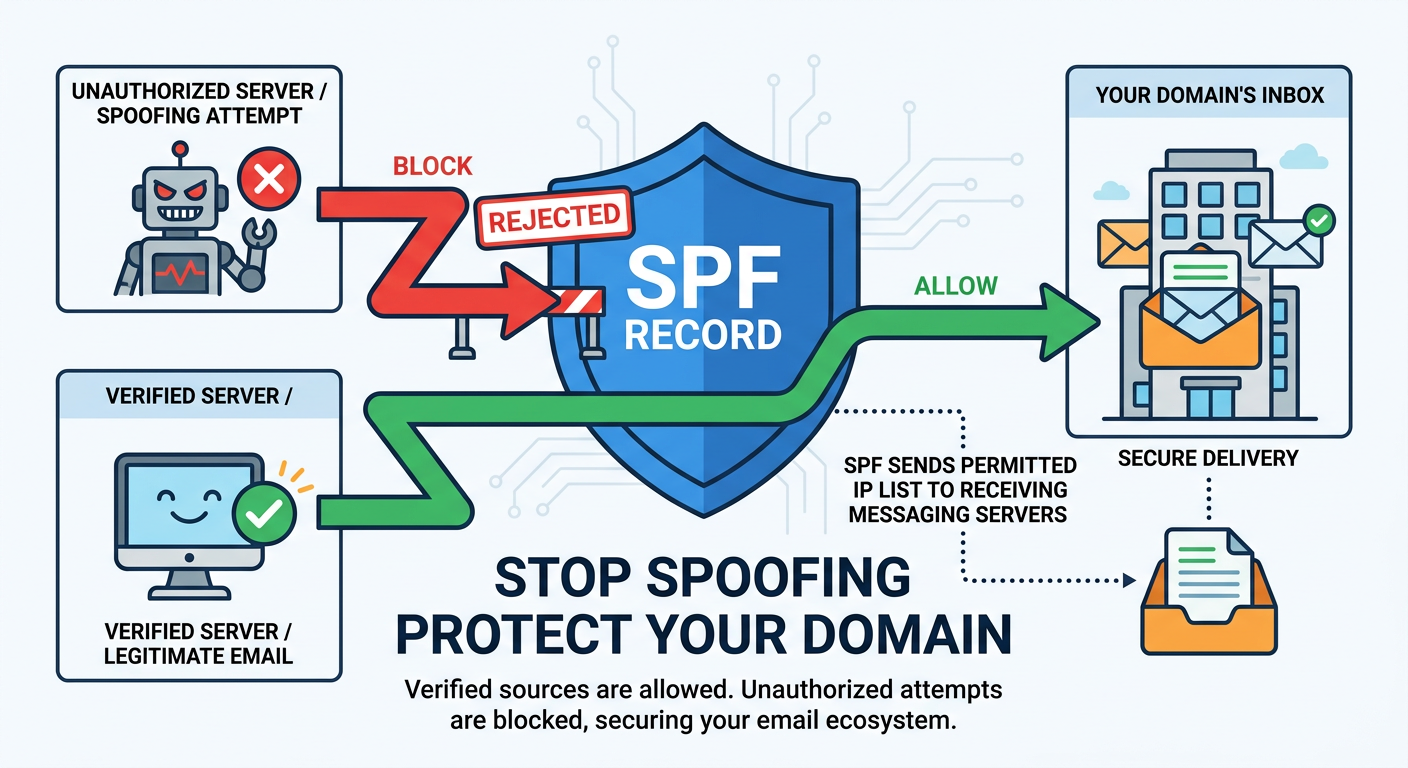
What an SPF Record Looks Like
An SPF record is a single TXT entry published in your DNS records that tells receivers which mail servers may send messages on behalf of your domain. A typical record looks like this:
v=spf1 include:_spf.google.com ip4:192.0.2.0/24 -all
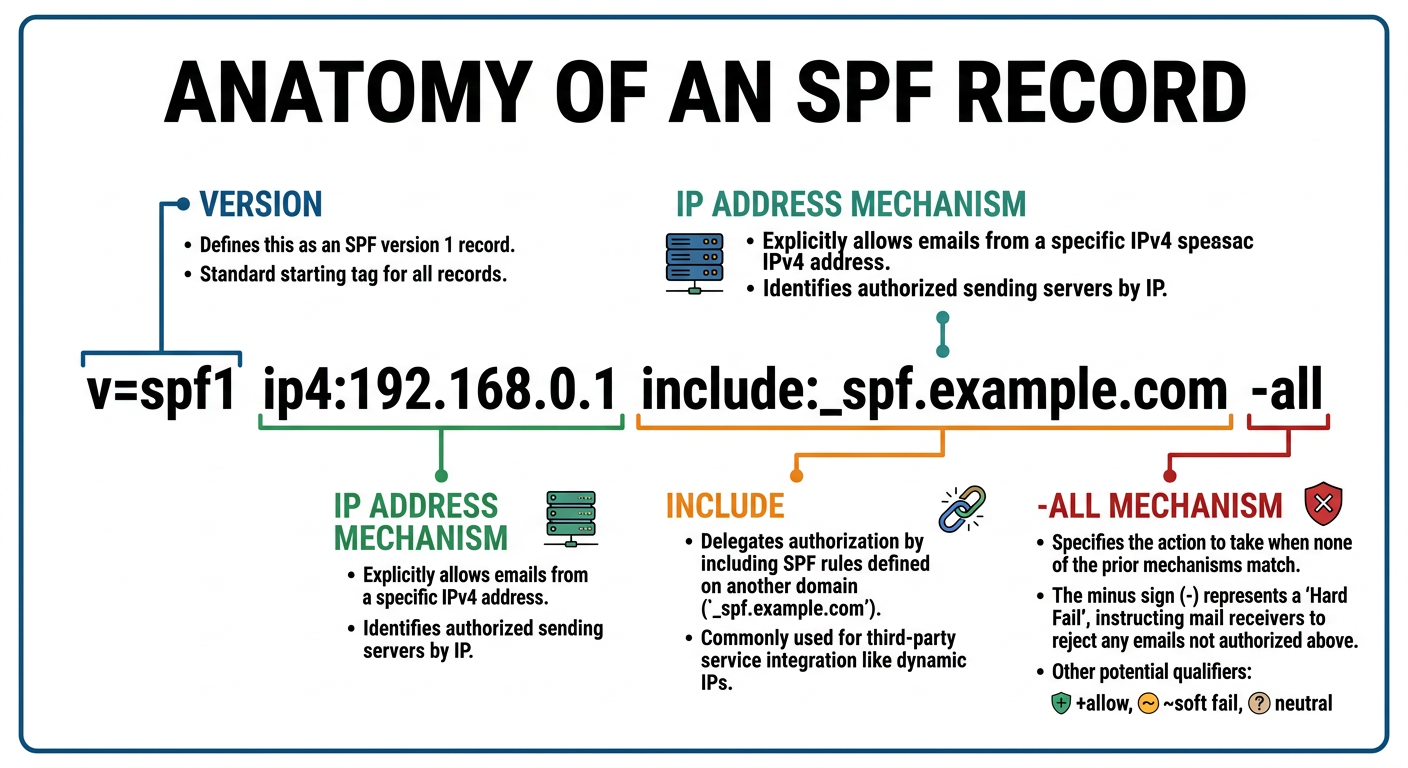
Each piece is a mechanism. The include: mechanism pulls in another domain's authorized senders, ip4: authorizes a specific IP address or IP range, and the final -all rejects every other sender. When you run this SPF checker, it expands each mechanism, validates the syntax against the Sender Policy Framework (SPF) specification (RFC 7208), and lists every IP address your domain currently authorizes.
Common SPF Errors and What They Mean
When the checker analyzes your record, the result resolves to one of several SPF outcomes. The errors worth recognizing:
- PermError (shown as
PermErrorin tool output) - a permanent failure in the record itself. Almost always a syntax mistake or a record that exceeds the DNS lookup limit. Receivers treat the record as if it doesn't exist. Fix the syntax or reduce nested includes to clear it. - TempError (
TempError) - a temporary DNS resolution issue, often a slow or unreachable nameserver. Re-test in a few minutes; if it persists, check your DNS provider. - softfail (the
~allqualifier) - the sender isn't authorized, but receivers should accept the message and mark it suspicious. Common in transitional setups before switching to hardfail. - hardfail (the
-allqualifier) - the sender isn't authorized, so receivers reject the message outright. This is the setting you want once every legitimate sender is accounted for. - none - the domain publishes no SPF record at all, so receivers have nothing to check the sender against and often treat the mail as untrusted.
- neutral (the
?allqualifier) - the domain explicitly declines to assert authorization. Treated similarly to none.
Each outcome maps to a different fix. Syntax errors, missing TXT records, and unauthorized senders surface in the checker as distinct error categories so you can act on them without digging through raw DNS responses.
How SPF Works With DKIM and DMARC
SPF is one of three email authentication standards that work together, so an SPF check rarely tells the whole story on its own. SPF verifies the sending server, DKIM adds a cryptographic signature that proves the message wasn't altered in transit, and DMARC ties the two together - it checks that SPF or DKIM aligns with the domain in the visible "From" address and tells receivers what to do when authentication fails. Gmail, Yahoo, and Microsoft now require all three from bulk senders, so a passing SPF record is the foundation the rest of your email authentication - and your defense against spoofing and email fraud - is built on.
When you clear an issue this SPF checker surfaces, re-check DKIM and DMARC at the same time. A technically valid SPF record that isn't aligned with your DMARC policy can still fail, and tightening SPF to -all before your other senders are covered will block legitimate mail.
The 10 DNS Lookup Limit
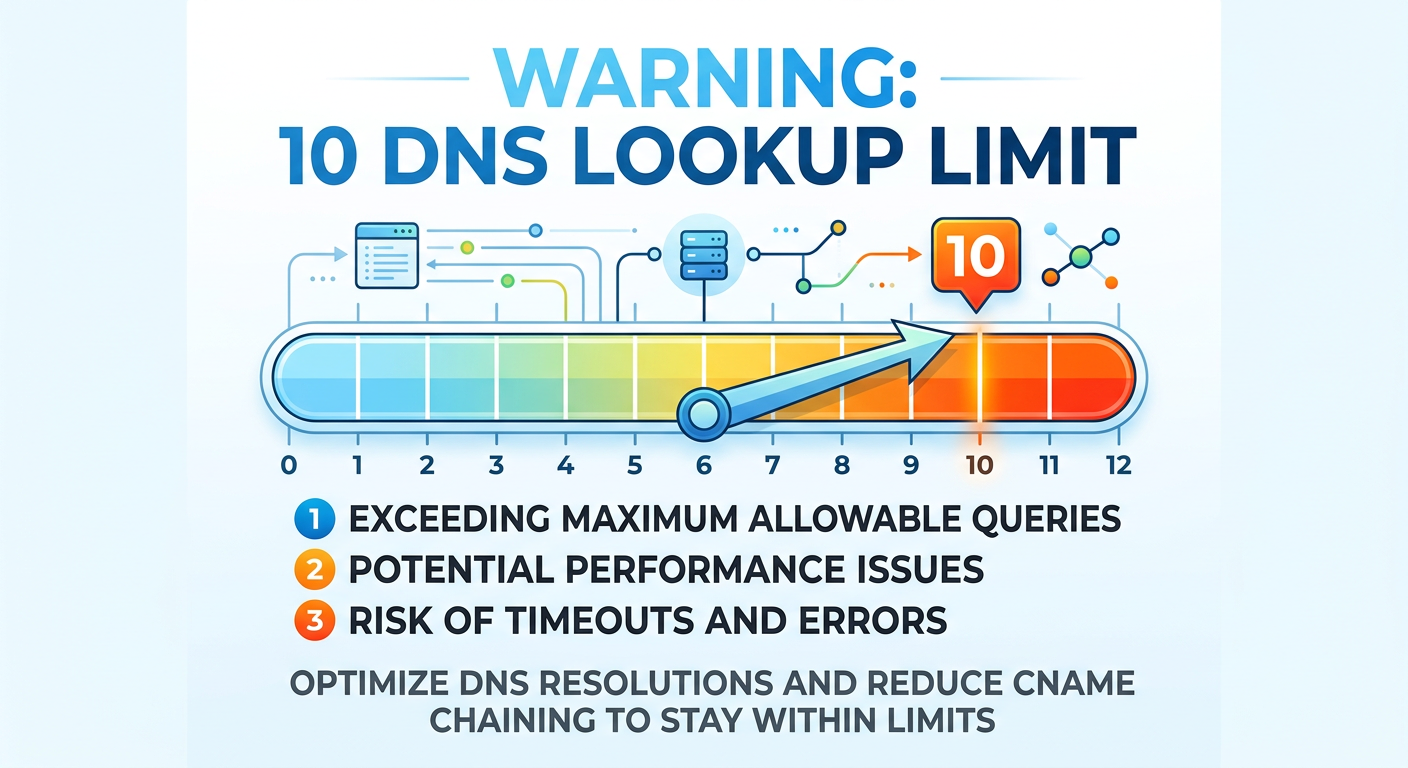
include, a, mx, ptr, and exists mechanism counts toward the 10 DNS lookup limit. Cross it and the record fails with PermError.The Sender Policy Framework specification caps DNS lookups at ten per evaluation (RFC 7208, section 4.6.4). Each include:, a, mx, ptr, and exists mechanism counts toward the limit, and nested includes count recursively. A separate rule caps void lookups - DNS queries that resolve to no records - at two, and tripping either limit produces the same PermError. When your record exceeds the 10 DNS lookup limit, receivers return PermError and your messages may go to spam regardless of how correct the rest of your record is - every IP address you've listed becomes irrelevant the moment the lookup limit blows past ten.
The checker counts every lookup your record triggers, including the ones hidden inside third-party include: directives. If you're over ten - or close - AutoSPF can flatten your SPF record automatically, preserving the authorized IP addresses while collapsing nested lookups into a single, valid SPF record.
When to Run an SPF Check
Run an SPF check whenever you add or remove an email provider, migrate platforms, or notice messages landing in spam - these SPF record checks are routine hygiene, so audit your record at least once a quarter. Each time you change who sends mail for your domain, an SPF lookup confirms the record still resolves, stays under the 10-lookup limit, and lists only the servers you trust. Tools like this one turn that into a 10-second check instead of a manual dig session, and pair well with a DMARC checker and DKIM lookup for a complete view of your email authentication. Check your subdomains separately, too - a subdomain does not inherit the parent domain's SPF record, so every subdomain that sends mail needs its own.