Baiting Attacks Explained: Email Risks and Prevention

Quick Answer
A baiting attack uses tempting offers, fake rewards, or malicious attachments to trick users into revealing information or installing malware. Prevent these threats with security awareness, email filtering, and SPF, DKIM, and DMARC authentication.
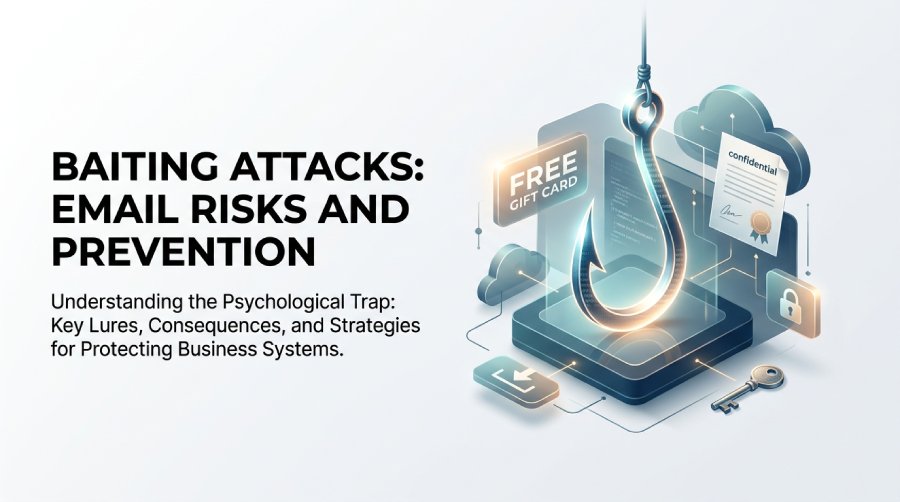
What Is a Baiting Attack? Key Concepts and How It Differs from Phishing
A baiting attack is a form of social engineering in which cybercriminals use a tempting lure to manipulate someone into taking an unsafe action. The lure may be a free gift card, a fake software download, a “confidential” Google Docs file, a suspicious attachment, or a message promising access to contests or rewards. The goal is usually to steal credentials, capture sensitive information, or install malicious software such as malware on a device.
Baiting as Social Engineering
Unlike purely technical attacks that focus on exploiting vulnerabilities in software, a baiting attack targets human behavior. It relies on psychological manipulation, curiosity, greed, fear, or urgency. The attacker creates enticing offers that appear valuable enough for a user to ignore warning signs.
For example, an employee may receive an email that appears to come from a trusted service offering a free productivity tool. A consumer might see a message claiming their bank, online retailer, or social media platform account has a reward waiting. In both cases, the baiting attack uses the lure to drive a click, download, login, or disclosure of personal information.
How Baiting Differs from Phishing
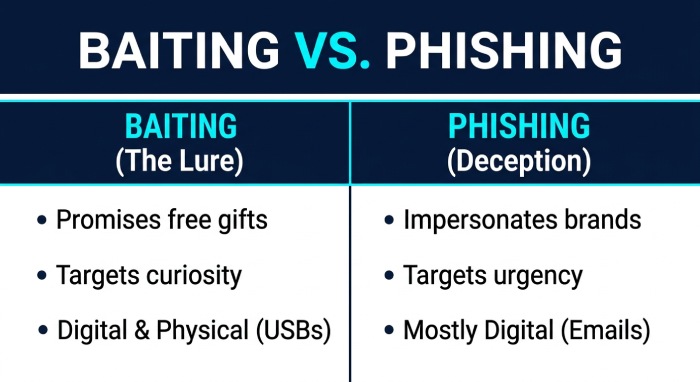
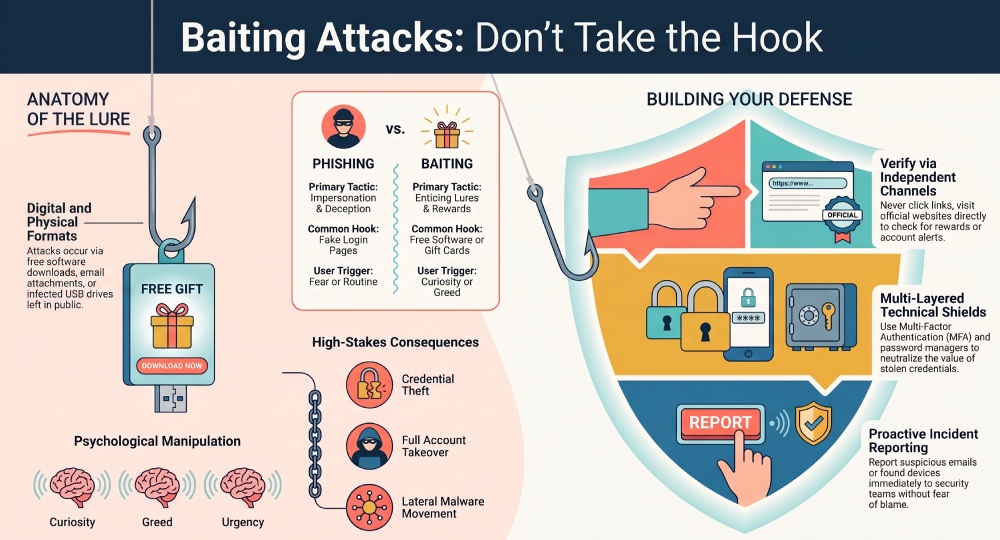
Phishing and baiting overlap, but they are not identical. Phishing often focuses on impersonating a legitimate entity to steal credentials or sensitive information, such as a fake Microsoft 365 or Google account login page. A baiting attack may use phishing methods, but its defining feature is the promise of something desirable.
Phishing Focuses on Deception
Phishing commonly uses spoofed branding, impersonation, and a fake website to deceive victims into entering passwords, payment details, or financial data.
Credential Harvesting
A phishing email may send users to a counterfeit login page for a bank, Google Docs, or a workplace portal. Once entered, the stolen credentials can lead to account takeover, fraud, or broader compromise of business systems.
Baiting Focuses on the Lure
A baiting attack emphasizes the hook: free software, free downloads, premium access, leaked files, or exclusive deals. That lure activates curiosity, making the victim more likely to click malicious links or install malicious software.
Digital and Physical Forms
Digital baiting can occur through email, online ads, social messages, or clickbait. Physical baiting may involve leaving an infected USB drive in a parking lot or office, hoping an employee connects it to a company device. Removable media can provide an entry point for malware when users connect unknown or untrusted devices to their systems.
Common Email-Based Baiting Tactics: Free Offers, Attachments, Downloads, and Fake Rewards
Email remains one of the most common delivery channels for a baiting attack because it is inexpensive, scalable, and trusted in business workflows. Attackers can send thousands of messages containing enticing offers, attachments, and links designed to trigger curiosity.
Free Offers and Fake Rewards
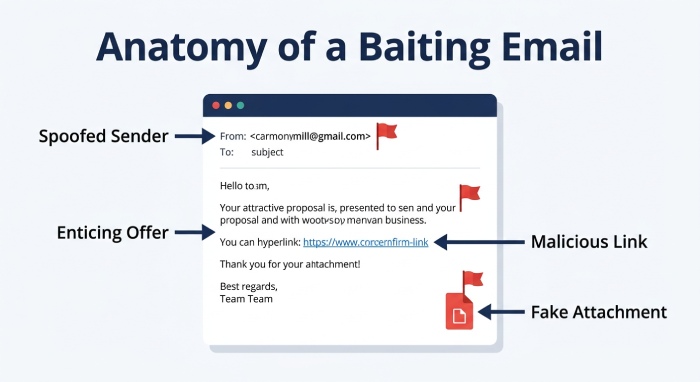
A typical baiting attack might promise a free subscription, refund, tax rebate, or limited-time discount. Messages may impersonate a government agency, bank, online retailer, or cloud service provider to make the offer appear legitimate.
Contests, Gift Cards, and Rebates
Emails promoting contests or rewards often ask users to “verify” their identity. The landing page may collect credentials, personal information, or financial data. These scams can also lead to identity theft if victims submit enough sensitive information.
Enticing Offers That Create Risk
The stronger the perceived value, the more effective the lure. “Claim your $500 voucher,” “Download premium antivirus free,” or “View confidential salary data” are examples of enticing offers designed to override caution.
Attachments, Downloads, and Shared Files
Attackers frequently attach invoices, resumes, HR documents, or “secure” files that contain malicious software. Others send links to Google Docs or file-sharing pages that request login details.
Free Downloads and Malicious Apps
A malicious app disguised as a business tool may request access to a contact list, email account, or cloud storage. Once installed, the app may deploy malware, steal credentials, or perform surveillance on systems.
Malicious Links and Fake Websites
A baiting attack may direct users to malicious links that open a fake website. The site can mimic a trusted service with convincing design, spoofed branding, and login forms built for phishing.
Why Baiting Attacks Work: Psychological Triggers and User Risk Factors
A baiting attack succeeds because it exploits predictable human tendencies. Social engineering works when the attacker understands what the victim wants, fears, or expects.
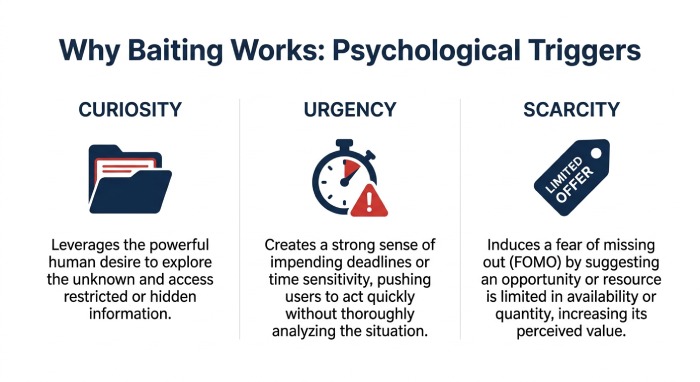
Curiosity, Scarcity, and Urgency
Curiosity is one of the strongest triggers. People want to know what is inside a confidential file, why they were mentioned in a document, or whether a reward is real. Combined with urgency, such as “expires today” or “account locked,” the lure becomes more persuasive.
Attackers use enticing offers to push users into quick decisions. That is why baiting, phishing, and other social engineering attacks often include countdown timers, limited availability, or warnings about missed payments.
User Risk Factors
Users are more vulnerable when they are distracted, overloaded, or working from unmanaged devices. This is especially relevant for small businesses, where one employee may manage invoices, customer support, and access to critical business systems.
BYOD, Remote Work, and Personal Devices
With BYOD (bring your own device) and informal BYOD programs, employees may access company data from devices without adequate browser security, endpoint protection, or current security patches. Personal devices can therefore increase exposure to phishing, malware, and convincing baiting attacks, particularly when security controls are inconsistent or outdated.
Physical Curiosity
Physical baiting also depends on curiosity. Someone who finds an infected USB drive may plug it into a laptop to see what is on it. Strong device handling policies should prohibit using unknown external media, especially on company-issued hardware.
Business and Personal Risks: Malware, Credential Theft, Data Loss, and Financial Fraud
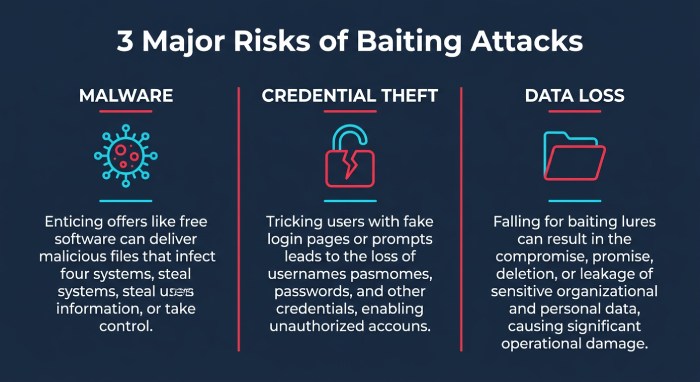
The damage from a baiting attack can be significant. A single click can install malicious software, expose sensitive information, or give attackers a foothold inside an organization.
Malware and Compromised Devices
Email-based baiting often delivers malware through attachments, scripts, or malicious downloads. Once activated, the malware may capture keystrokes, steal browser cookies, encrypt files, or establish connections with command-and-control infrastructure. Cybercriminals may use social engineering and phishing-style delivery methods to trick targets into opening malicious content.
If devices become compromised, attackers may move laterally across the network, access shared drives, or disable security tools. This creates risks for network security, customer records, and operational continuity.
Credential Theft and Account Takeover
Stolen credentials are among the most valuable outcomes of a baiting attack. A victim may enter a password into a fake website, approve a malicious OAuth request, or reuse a password already exposed elsewhere.
Password managers can reduce password reuse, while multi-factor authentication (MFA) provides an additional layer of protection if credentials are stolen. Authentication apps and hardware security keys generally provide stronger protection than SMS-based verification, which can be vulnerable to risks such as SIM swapping.
Data Loss, Fraud, and Identity Theft
A successful baiting attack may expose sensitive information, customer records, intellectual property, or payment details. For individuals, this can mean identity theft, unauthorized bank transfers, or fraudulent purchases. For an organization, it can mean regulatory penalties, legal exposure, and reputational harm.
Prevention and Response: Security Awareness, Email Filtering, Verification Habits, and Incident Reporting
Defending against baiting requires a layered approach. No single control stops every baiting attack, phishing message, or malicious software payload.
Security Awareness and Verification Habits
Cybersecurity awareness training should teach employees and consumers how baiting works, why enticing offers can be suspicious, and how social engineering manipulates trust. Training should include realistic examples of phishing, fake rewards, malicious attachments, and targeted social-engineering attempts tailored to specific individuals or roles.
Users should verify unexpected offers through a separate channel. If an email claims to come from a bank, online retailer, or government agency, visit the organization’s official website directly rather than clicking links in the message.
Technical Controls
Organizations should combine email security controls with email security filtering, anti-phishing defenses, and anti-malware tools. These systems can detect suspicious senders, block known malicious links, scan attachments, and reduce exposure to malicious software.
Layered Network and Endpoint Defenses
Effective protection also includes firewalls, intrusion detection, endpoint protection, browser security, and regular security patches. Sensitive records should be protected with data encryption, access controls, and monitoring.
Proactive Detection
Security teams should use proactive communication and alerts to warn users about active baiting attack campaigns. Monitoring for unusual logins, impossible travel, or abnormal file access helps detect phishing-related credential abuse before it becomes widespread.
Incident Reporting and Response
Every organization should maintain an incident response plan for suspected baiting, phishing, malware infection, or credential theft. Employees should know how to report suspicious emails, downloads, and compromised devices without fear of blame.
If a baiting attack is suspected, disconnect affected systems where appropriate, preserve evidence, reset exposed credentials, revoke suspicious sessions, and review email and security logs. Organizations should also verify SPF, DKIM, and DMARC configurations to strengthen email authentication and reduce the risk of spoofed messages. For personal accounts, change passwords, enable multi-factor authentication, monitor financial activity, and contact the relevant trusted service if fraud is suspected.
General Manager
General Manager of DuoCircle. Product strategy and commercial lead for AutoSPF's 2,000+ customer base.
LinkedIn Profile →