How to Configure SPF for Stackmail

Quick Answer
To configure SPF for Stackmail, add an SPF TXT record to your domain’s DNS settings that includes Stackmail’s mail servers. After saving the record, verify it using an SPF checker to ensure your emails authenticate correctly and avoid spam filtering.

Setting up an SPF (Sender Policy Framework) record for Stackmail helps improve your domain’s email security by identifying which mail servers are allowed to send emails on behalf of your domain. Proper SPF configuration can also reduce the chances of spoofing, spam, and phishing attacks.
What Is an SPF Record?
An SPF record is a DNS TXT entry that tells receiving mail servers which systems are permitted to send email using your domain name. When configured correctly, it improves email deliverability and helps prevent unauthorized senders from impersonating your domain. Understanding what is an SPF lookup makes the verification step clearer.
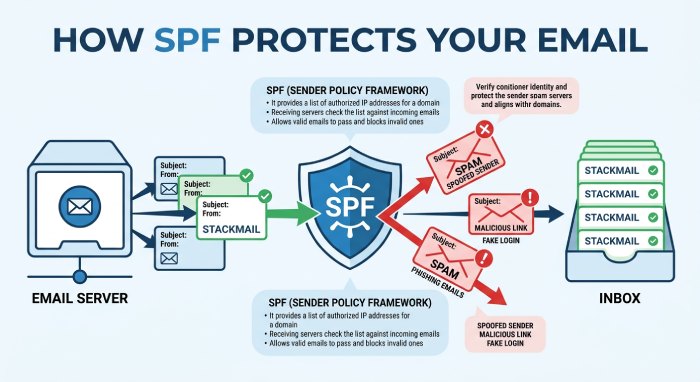
SPF Record for Stackmail
To authorize Stackmail as a valid sender for your domain, add the following SPF value to your DNS settings:
v=spf1 include:spf.stackmail.com -all
Steps to Add SPF for Stackmail
1. Access Your DNS Management Panel
Log in to the control panel provided by your domain registrar or hosting company where your DNS records are managed.
2. Open DNS Settings
Locate the DNS management or DNS zone editor section for the domain you want to configure.
3. Create or Edit a TXT Record
Find any existing SPF TXT record. If no SPF record exists, create a new TXT record. You can build a valid record with our free SPF record generator.
Add a TXT record with the host/name set to “@” and the value v=spf1 include:spf.stackmail.com -all to authorize Stackmail servers to send emails for your domain. This SPF configuration helps improve email delivery and reduces the risk of spoofing or spam.
4. Save the Record
Save your DNS changes after entering the SPF value.
5. Wait for DNS Propagation
DNS updates may take several hours to fully propagate across the internet. In some cases, complete propagation can take up to 72 hours.
If You Already Have an SPF Record
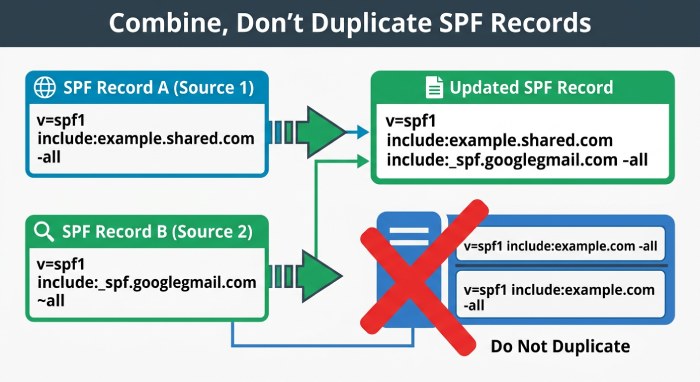 A domain should only have one SPF record. If your domain already uses SPF for another email provider, you must update the existing record instead of adding a second one. Multiple SPF records can cause authentication failures. If merging pushes you toward the lookup limit, you can flatten your SPF record into a single compact entry.
Example
Existing SPF Record
v=spf1 include:spf.domain.com -all
Updated SPF Record with Stackmail
v=spf1 include:spf.domain.com include:spf.stackmail.com -all
Verifying Your SPF Configuration
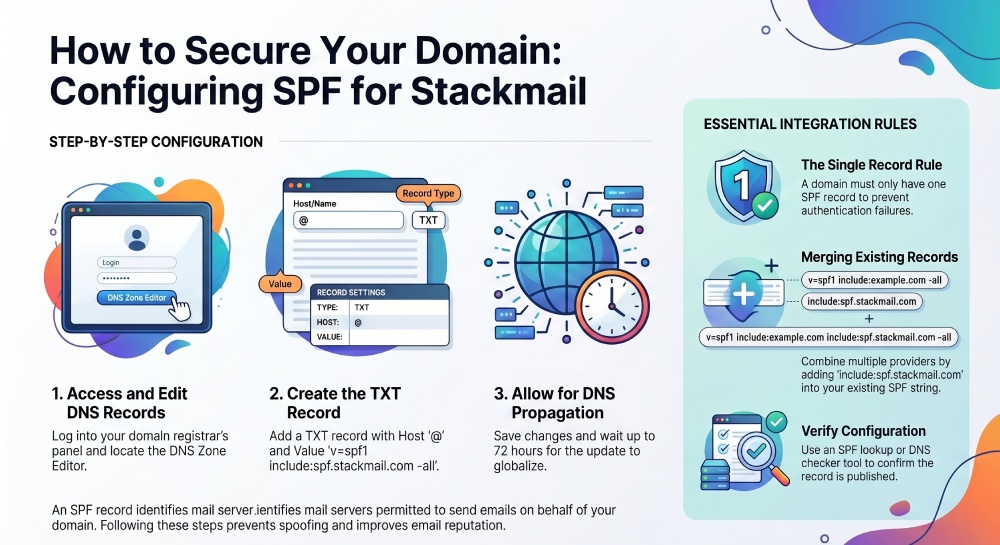
After the DNS changes propagate, you can use an SPF lookup or DNS checker tool to confirm that the record has been published correctly. Our SPF checker tool reports pass or fail in seconds.
A valid SPF setup helps improve sender reputation and supports stronger email authentication alongside DKIM and DMARC.
General Manager
General Manager of DuoCircle. Product strategy and commercial lead for AutoSPF's 2,000+ customer base.
LinkedIn Profile →