SPF Flattening vs SPF Macros vs SPF Compression

Quick Answer
SPF looks easy at first, but it can break without warning. Many domain owners do not know that SPF has a limit of only 10 DNS lookups. If your record crosses this limit, SPF fails even if everything else is set up correctly. When that happens, your emails may go to spam or not get delivered at all.
Download file | Play in new window | Duration: 0:35 | Recorded on April 17, 2026
SPF looks easy at first, but it can break without warning. Many domain owners do not know that SPF has a limit of only 10 DNS lookups. If your record crosses this limit, SPF fails even if everything else is set up correctly. When that happens, your emails may go to spam or not get delivered at all.
This usually happens when you use different tools to send emails. For example, one tool for newsletters, another for sending invoices, a third for team emails, and maybe a plugin from your website. Each one adds something to your SPF record. Over time, these keep adding up and quietly push you past the limit.
That is why SPF optimization matters now more than ever. If you do not manage your SPF record properly, you can face failed authentication and poor deliverability. Keeping your SPF record clean and optimized is no longer optional; it is necessary.
This blog discusses three common methods to staying within the SPF lookup limit and maintaining unhampered email authentication.
What is SPF flattening?
SPF flattening is a way to make your SPF record simpler. Instead of using “include” parts that point to other domains, it replaces them with the actual IP addresses. Normally, each “include” adds to your DNS lookup count. Flattening removes the “include” instances and puts everything in one place. This helps you stay within the 10 lookup limit and prevents SPF from failing. See exactly how it works with an automated flattening service.
Benefits of SPF flattening
SPF flattening mainly helps you resolve these three issues:
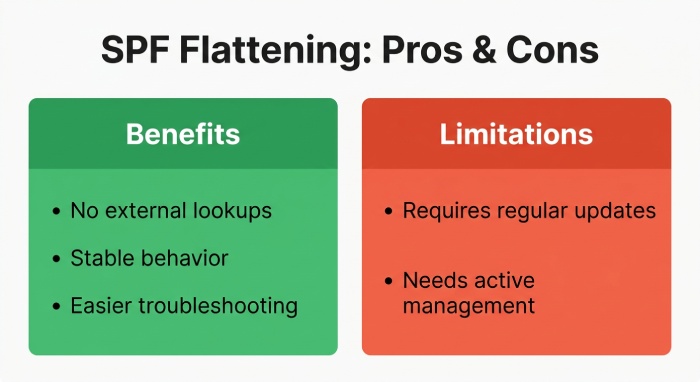
Fully removes dependency on external lookups
SPF flattening replaces all the “include” statements with actual IP addresses. This means SPF checks no longer need to query other domains during validation. As a result, your SPF record works independently and is not affected by external DNS issues, delays, or incorrect configurations.
Predictable and stable behavior
A flattened SPF record stays the same unless you update it yourself. Since it does not depend on other domains, any changes made by external services will not affect your SPF results. This gives you consistent and reliable authentication every time your emails are checked.
Easier troubleshooting
All allowed sending IPs are listed clearly in one place. This makes it easier to check why an email passed or failed SPF. You do not need to follow multiple “include” statement layers, so identifying missing or unauthorized senders becomes quicker and more straightforward.
Limitations of SPF flattening
SPF flattening is a powerful way to stay within the lookup limit, but it needs to be handled carefully to avoid issues. Here are the reasons domain owners sometimes hesitate to flatten their SPF records:
Needs to stay up to date
A flattened SPF record uses fixed IP addresses. If an email service updates its IPs and your record is not refreshed, some emails may fail SPF. This is why it is important to keep the record updated regularly.
Requires proper management
Flattening works best when it is actively managed. Without regular checks, there is a chance of missing new or updated sending sources.
What is SPF compression?
SPF compression is a way to clean up your SPF record, so it becomes shorter and easier to manage. It does not replace everything with IP addresses. Instead, it removes repeated entries, combines similar parts, and keeps only what is actually needed.
This helps reduce the number of DNS lookups and keeps your SPF record within the limit. At the same time, it still lets email services update their IP addresses when needed, so your SPF record stays flexible and does not break easily.
Benefits of SPF compression
Here is how SPF compression improves your SPF record without making it rigid or hard to manage:
Keeps automatic updates from email services
SPF compression keeps important “include” mechanisms in place, which means email services can still manage and update their own IP addresses. If a provider adds or changes IPs, your SPF record continues to work without manual updates, reducing the risk of sudden authentication failures.
Smarter optimization without a full rewrite
Instead of converting your SPF record into a fixed list of IPs, compression refines the existing structure. It removes unnecessary or repeated entries and organizes the record better, helping it stay efficient while preserving its original logic and setup.
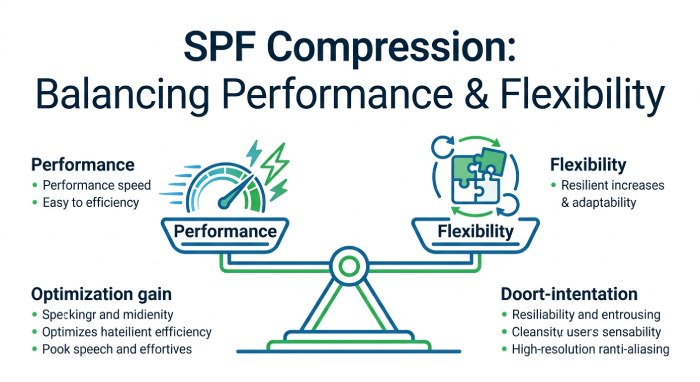
Balances performance and flexibility
SPF compression reduces extra lookups and unnecessary parts, which improves performance during SPF checks. At the same time, it keeps the record flexible enough to handle changes from email services, making it a balanced approach between strict control and easy maintenance.
Limitations of SPF compression
SPF compression is helpful, but it does not solve every SPF issue. It improves your record, but still has some limits.
Does not always reduce lookups enough
SPF compression removes extra and repeated entries, but it still keeps some “include” statements. If you use many tools to send emails, your SPF record may still cross the 10 lookup limit, and SPF can still fail in some cases.
Depends on how well it is done
SPF compression only works well when done properly. If not, some important parts can be missed, or the record may still stay messy, which can cause issues with email authentication.
What are SPF macros
SPF macros are like small placeholders used in an SPF record to create flexible rules. Instead of writing fixed values, they can change based on details like the sender’s email, domain, or IP address during the SPF check.
This means your SPF record does not have to list everything manually. One record can handle many users or subdomains on its own. It makes SPF more flexible, but also a bit harder to set up correctly.
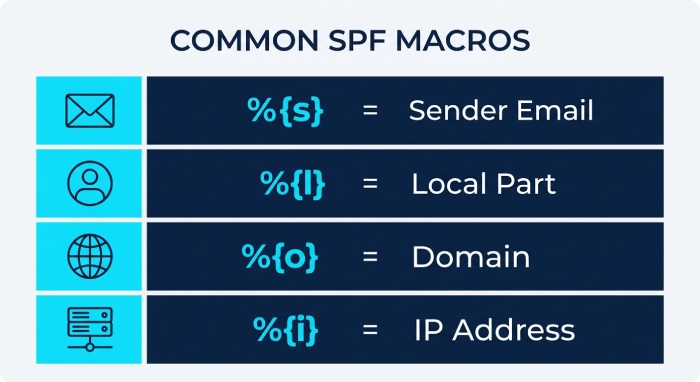
Below is a list of the commonly used SPF macros:
- %{s}: This shows the full sender email (like user@example.com). It is used when you want SPF checks to depend on the exact sender.
- %{l}: This is the part before “@” (like “user” in user@example.com). Useful for setting rules based on individual users.
- %{o}: This gives the domain part (example.com). It is often used to apply rules based on the sender’s domain.
- %{d}: This is the domain where the SPF record is published, commonly used in SPF checks and lookups.
- %{i}: This shows the IP address of the sending server. Useful for building checks based on the email’s origin.
- %{p}: This returns the domain name linked to the sender’s IP (reverse DNS). Used for extra verification, but not always reliable.
- %{v}: This tells whether the IP is IPv4 or IPv6 (in-addr or ip6). Used when handling different IP formats.
- %{h}: This is the domain used in the HELO or EHLO command during email sending. Useful for additional validation checks.
- %{c}: This is the sender’s IP in a readable format. Mostly used for logging or debugging.
- %{r}: This is the domain of the server checking SPF. It is rarely used but can help in advanced setups.
- %{t}: This shows the current time when SPF is checked, used in very advanced or custom configurations.
Benefits of SPF macros
These are the reasons that allow SPF macros to introduce more control and flexibility in how SPF rules are applied:
Enables dynamic sender-based rules
SPF macros allow your record to change its behavior based on the sender’s email or domain. This means you can create rules that automatically adjust for different users, instead of writing separate entries for each one.
Supports advanced routing and validation logic
Macros help create smarter SPF checks by using patterns like sender domain or IP. This is useful when email flows are complex, such as when different servers or services are used based on specific conditions.
Ideal for large-scale or multi-tenant environments
For systems with many users, domains, or clients, macros help manage everything in a single SPF record. This avoids making the record too long while still handling multiple sending sources efficiently.
Limitations of SPF macros
SPF macros are powerful, but they are not easy to use and can introduce the following risks if not handled carefully:
Complex to set up and manage
SPF macros are not easy to use. You need a good understanding of SPF to set them up correctly. Even a small mistake can break your SPF record and cause emails to fail or behave unexpectedly.
Harder to debug and troubleshoot
Since macros change values during the SPF check, it is harder to see what is actually happening. This makes it difficult to understand why an email passed or failed, especially if you are new to SPF.
SPF flattening vs compression vs macros: key differences
| Feature | SPF Flattening | SPF Compression | SPF Macros |
|---|---|---|---|
| How it works | Replaces “includes” with IP addresses | Cleans and optimizes existing records | Uses dynamic placeholders |
| DNS lookups | Almost zero lookups | Reduced, but still some lookups | Depends on setup |
| Flexibility | Low (fixed record) | Medium (partly flexible) | High (fully dynamic) |
| Updates | Manual updates needed | Auto-updates supported | Dynamic during each check |
| Ease of use | Easy to understand | Moderate | Hard to set up |
| Maintenance | Needs regular updates | Low to moderate | High complexity |
| Best for | Staying under the lookup limit quickly | Balanced optimization | Advanced setups |
| Risk level | Low if maintained properly | Medium | Higher if misconfigured |
| Troubleshooting | Easy | Moderate | Difficult |

Which SPF optimization method should you choose?
The right choice depends on how simple or complex your email setup is. If your main goal is to stay within the SPF lookup limit and avoid failures, SPF flattening is usually the safest option. It gives you full control, stable results, and does not depend on other domains.
SPF compression is a good middle option if you want some flexibility while improving your existing record. SPF macros are better suited for advanced environments with complex routing needs.
For most businesses, especially those facing SPF issues, automated SPF flattening works best. Tools like AutoSPF keep your record updated automatically, so you get all the benefits without doing it manually. Reach out to us for help with SPF flattening.
Topics
General Manager
Founder and General Manager of DuoCircle. Product strategy and commercial lead for AutoSPF's 2,000+ customer base.
LinkedIn Profile →