Which IP addresses you should not add to your SPF records?

Quick Answer
The foremost step of creating an SPF record is enlisting all the IP addresses and mail servers that you want to add to it. These should be all the authorized sources from which you, your employees, third-party vendors, and other brand representatives can send emails.

The foremost step of creating an SPF record is enlisting all the IP addresses and mail servers that you want to add to it. These should be all the authorized sources from which you, your employees, third-party vendors, and other brand representatives can send emails.
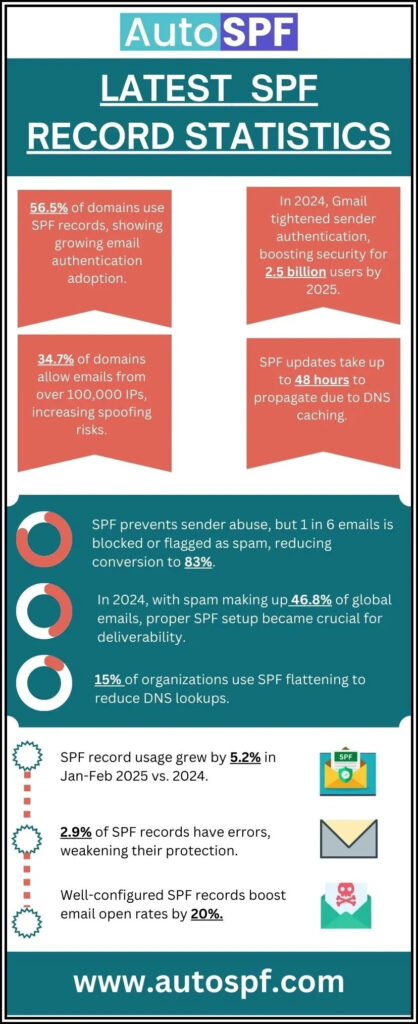
Per RFC 7208, SPF evaluation is capped at 10 DNS mechanism lookups and 2 void lookups per check - exceeding either limit produces a PermError that fails authentication for every message from the domain.
The reason you need to be careful while listing the IP addresses is that if you miss adding any one of them, then emails sent from that IP address will not pass the SPF authentication checks. In simpler words, such emails won’t land in the inboxes of the desired recipients; they will either get placed in the spam folders or bounce back.
On the other hand, if you mistakenly add an IP address that isn’t authorized to send emails on behalf of your business, this will act as a vulnerability, allowing unapproved and illegitimate people to send emails that pass SPF authentication checks and get placed in the recipients’ inboxes.
Such security loopholes open avenues for phishing and spoofing attacks in your name. Threat actors send fraudulent and unsolicited emails posing as someone from your company. Since such messages come from trusted sources, recipients tend to share sensitive details, transfer money, click malicious links, download malware-infected files, etc.
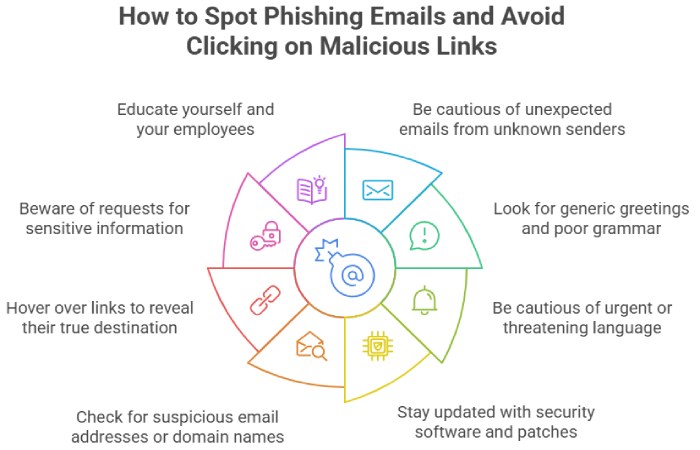
So, to save you from these faux pas, we are sharing the types of IP addresses you should avoid adding to your SPF records.
Refrain from adding these types of IP addresses
Unauthorized public IP addresses
Include IP addresses that are clearly authorized and designated to be used for sending emails. Adding unauthorized IP addresses creates opportunities for spoofing and phishing, damaging your brand’s reputation and leading to potential blocklisting.
Dynamic IP addresses
Dynamic IP addresses should be excluded from your SPF record because they change frequently and are often linked to residential ISPs. They are unstable and non-reliable, can change with the connection session, and are usually blocked by major email service providers because of their association with spam and malware.
Private IP addresses
Private IP addresses (e.g., those in the ranges 10.0.0.0/8, 172.16.0.0/12, 192.168.0.0/16) are not routable on the public internet and are meant for internal network use. Since they can’t be reached from outside your internal network, they lead to SPF failures when external email servers try to validate the SPF record.
IP addresses of unauthorized third-party vendors
Include the IP addresses only of third-party services you use and are allowed to send emails on your behalf, such as marketing platforms and CRMs. Also, if you switch to new vendors, exclude the IP addresses of the old ones. The addition of unauthorized and obsolete services creates opportunities for threat actors to abuse your domain for malicious activities.
Blocklisted IP addresses
Avoid IP addresses that are on blocklists, as it will result in your emails being marked as spam or getting rejected entirely by recipients’ mail servers. So, don’t skip to frequently check the IP addresses you have added or are planning to add against major blocklists; it also helps to look up an IP address to verify its owner and location before you trust it as a sending source. It’s a part of SPF management to ensure the added IPs are clean.
What Are Best Practices for to maintain a proper SPF record?
Deploying SPF for your domain is not a one-time job but a continued string of effort. Here are the things you need to take care of-

-
Collect all IP addresses from your email servers, authorized third-party services, and any other legitimate sources.
-
Regularly review and update your SPF record to remove any IP addresses that are no longer authorized.
-
Monitor email delivery reports and SPF validation results to ensure compliance.
-
Use the ‘include’ mechanisms for third-party services after verifying their IP ranges. When include chains grow, weigh macros versus flattening to keep your record under the lookup limit.
-
Use -all or ~all at the end of your SPF record to indicate a hardfail or softfail for any unauthorized IPs attempting to send emails.
This is how a valid and well-structured SPF record looks like-
v=spf1 ip4:203.0.113.5 ip4:198.51.100.23 include:spf.thirdpartyservice.com -allBy following these guidelines and ensuring you only include authorized, static, and non-blocklisted IP addresses, you can maintain a secure and effective SPF record that helps protect your domain from misuse. You can assemble one quickly with our SPF record generator.
If you feel stuck at any point or need an SPF flattening tool to get rid of the ‘too many DNS lookups’ error, then reach out to us. Our automatic tools and team of experts will sort your issues. See how it works to understand the process end to end.
Topics
General Manager
General Manager of DuoCircle. Product strategy and commercial lead for AutoSPF's 2,000+ customer base.
LinkedIn Profile →