Why Email Delivery Fails - and How to Fix It (2026)

Quick Answer
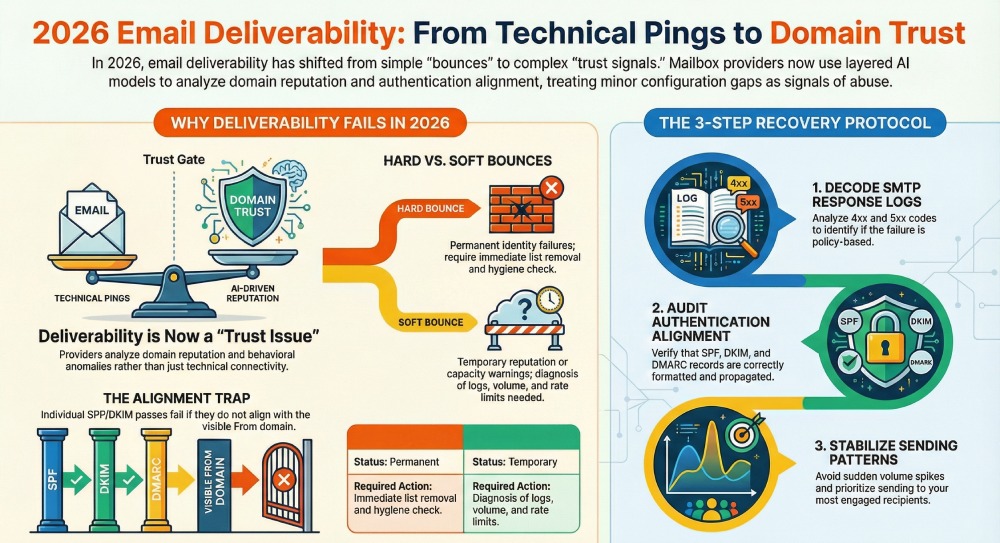
Email delivery failure in 2026 is no longer just about an email “bouncing.” It now includes any situation where your message does not reach the recipient’s primary inbox as intended. Modern mailbox providers use layered filtering models. They analyze domain reputation, IP history, authentication alignment, sending patterns, engagement signals, and even behavioral anomalies.
Why Email Delivery Fails - and How to Fix It (2026)

Email delivery failure in 2026 is no longer just about an email “bouncing.” It now includes any situation where your message does not reach the recipient’s primary inbox as intended.
This can mean:
-
A hard bounce
-
A soft bounce (temporary rejection)
-
Silent blocking by mailbox providers
-
Emails landing in spam despite passing basic checks
-
Policy-based rejections tied to authentication rules
Modern mailbox providers use layered filtering models. They analyze domain reputation, IP history, authentication alignment, sending patterns, engagement signals, and even behavioral anomalies.
In earlier years, minor configuration issues might have been tolerated. In 2026, they are treated as potential abuse signals. Delivery failures today are often a trust issue, not just a technical glitch. If your domain identity is inconsistent, unauthenticated, or unpredictable, providers will either throttle, filter, or reject your emails.
Understanding that shift is step one. Fixing it comes next.
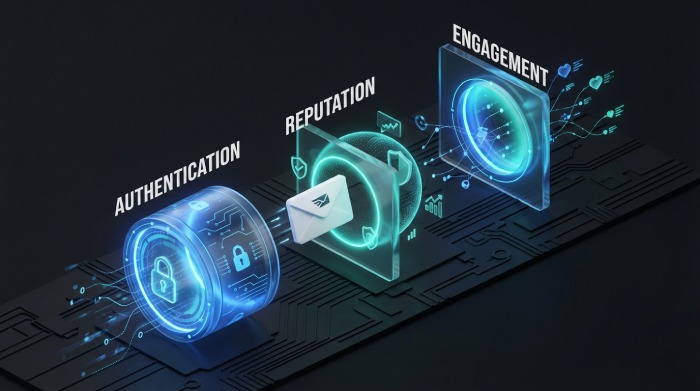
How Does Hard bounces Compare to soft bounces: Why the difference matters?
A hard bounce happens when an email is permanently rejected. This usually occurs because the recipient address does not exist, the domain is invalid, or the receiving server blocks the message at a policy level. Examples include errors such as “550 user unknown” or “domain does not exist.” Hard bounces are final. The email will not be retried. Continuing to send to these addresses damages your sender reputation because mailbox providers interpret repeated attempts as poor list hygiene or potential spam behavior.
A soft bounce, on the other hand, is a temporary rejection. The mailbox may be full, the recipient server may be down, or the message size may exceed limits. In some cases, providers issue temporary blocks due to rate limiting or reputation review. These messages are usually retried automatically for a defined period. If delivery succeeds later, the issue was temporary. If soft bounces persist, they can evolve into a more serious reputation concern.
The difference matters because the corrective action is different. Hard bounces require immediate list cleanup and validation processes. Soft bounces require diagnosis. You need to review server logs, check sending volume patterns, and evaluate authentication alignment.

Primary reasons for email delivery failure
Here are the main reasons why email delivery failure occurs in the first place:
Authentication failures
Mailbox providers in 2026 rely heavily on domain authentication to verify sender legitimacy. If SPF does not authorize the actual sending IP, the check fails at the envelope level. If DKIM signatures break due to header modification or incorrect key configuration, message integrity cannot be validated. DMARC then evaluates alignment between the visible From domain and authenticated domains. Even when SPF or DKIM passes individually, misalignment can trigger policy enforcement. Providers now treat authentication inconsistency as a structural trust defect. Repeated failures lead to rejection, quarantine placement, or domain-level filtering across major mailbox ecosystems.
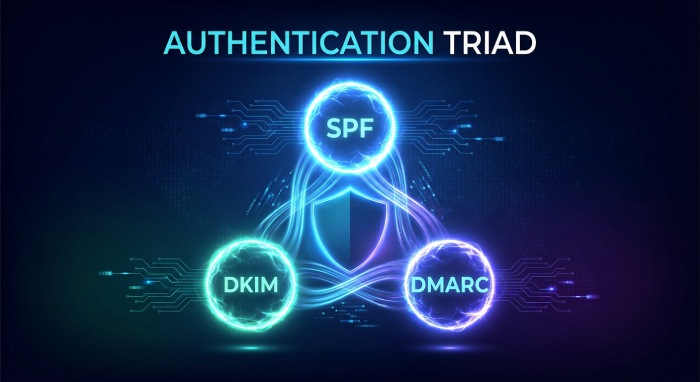
Sender reputation and domain trust issues
Sender reputation is calculated using historical behavior associated with a domain and its sending infrastructure. Providers track complaint rates, bounce ratios, engagement patterns, spam trap hits, and sending consistency. A sudden increase in volume or irregular sending cadence can lower trust scores. Reputation is evaluated at both IP and domain levels, with domain reputation now carrying greater weight. If recipients frequently ignore, delete, or report messages, machine learning models downgrade future deliverability. Once trust declines, even properly authenticated emails may face throttling, delayed acceptance, or spam placement until performance metrics stabilize over time.
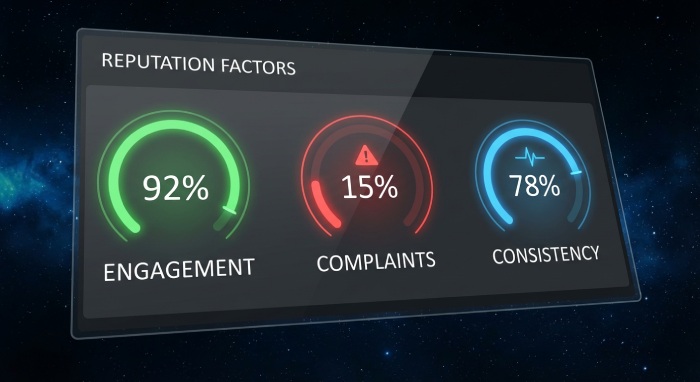
DNS and configuration errors
Email authentication depends entirely on accurate DNS records. Misconfigured SPF syntax, excessive DNS lookups exceeding limits, or outdated include mechanisms can cause silent failures; see our guide to resolve SPF PermError when lookups pile up. DKIM public keys published incorrectly in DNS prevent signature verification. DMARC records with formatting errors or incorrect policy tags may not be interpreted properly by receiving servers.
Additionally, propagation delays after DNS changes can create temporary inconsistencies between environments. Many teams update sending platforms but forget to update the corresponding DNS entries. These configuration gaps create validation mismatches that mailbox providers interpret as mismanaged or potentially risky infrastructure.
Bulk sender rules and new provider policies
Large mailbox providers have introduced stricter bulk sender requirements to reduce abuse at scale. Domains that send high volumes must maintain low complaint thresholds, proper authentication alignment, and consistent reverse DNS configuration. Providers now monitor one-click unsubscribe implementation, rate control, and user engagement signals more aggressively. Failing to meet these thresholds can result in automated rate limiting or outright rejection. Even transactional senders may fall under bulk policies if volume crosses defined limits. Compliance is no longer optional. It is continuously measured and enforced through automated filtering frameworks.
Case sensitivity, identity mapping, and header alignment issues
Modern filtering systems evaluate exact identity consistency across SMTP envelopes, header fields, and authentication domains. Differences in case formatting, subdomain usage, or display name mapping can create alignment inconsistencies. While email standards historically allowed flexible interpretation, current enforcement models normalize identity strictly.
If the visible From header does not match the domain authenticated through DKIM or SPF in an aligned manner, DMARC evaluation may fail. Some providers now enforce UsernameCaseMapped or canonicalization policies to prevent spoofing patterns. Minor formatting discrepancies that once passed unnoticed can now trigger delivery rejection.
How to diagnose email delivery failures step by step
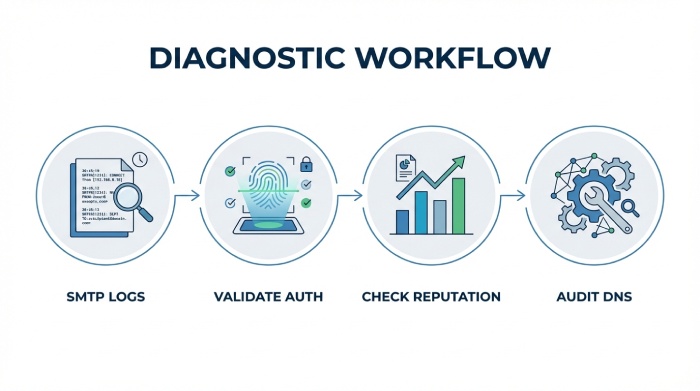
Email delivery problems should never be treated as guesswork. In 2026, mailbox providers use layered filtering systems, so identifying the exact failure point requires a structured diagnostic process. Instead of immediately changing configurations, you should trace the failure from the SMTP response level to authentication, reputation, and policy compliance.
Step 1: Examine SMTP bounce codes and server logs
Start with the raw SMTP response code. A 5xx code indicates permanent rejection, while a 4xx code signals a temporary issue. The enhanced status code and accompanying message provide context, such as invalid recipient, policy rejection, rate limiting, or authentication failure. Server logs reveal which stage of the SMTP transaction failed, whether during connection, envelope validation, or message acceptance. Without analyzing these logs, troubleshooting becomes speculative.
Step 2: Validate authentication and alignment
Next, verify SPF authorization for the sending IP, confirm DKIM signatures are passing, and ensure DMARC alignment between the visible From domain and authenticated domains. Use header analysis tools to inspectthe Authentication Results fields. A pass without alignment is often insufficient under strict enforcement policies.
Step 3: Assess reputation and sending behavior
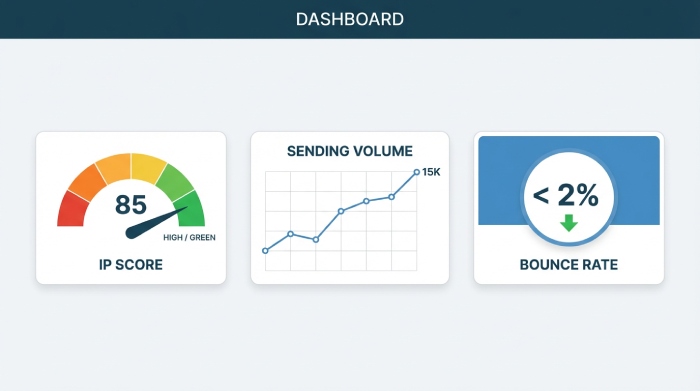
Review domain and IP reputation metrics, c, and bounce percentages. Sudden spikes in volume or inconsistent sending patterns can trigger filtering even if authentication passes. Reputation degradation often explains the silent placement of spam.
Step 4: Check DNS and infrastructure consistency
Finally, confirm DNS records are correctly formatted, within lookup limits, and fully propagated. Validate reverse DNS, TLS configuration, and sending host identity consistency. Many delivery failures originate from overlooked infrastructure mismatches rather than content issues.
How to fix email delivery failures in 2026
These are the general ways to fix email delivery issues:
Correct and enforce domain authentication
Start by auditing SPF, DKIM, and DMARC at the domain level. Ensure SPF authorizes every legitimate sending source and does not exceed DNS lookup limits. Regenerate DKIM keys if signature validation is failing and confirm that public keys are properly published. Verify DMARC alignment between the visible From domain and authenticated domains. If enforcement is set to quarantine or reject, monitor aggregate reports with our DMARC report analyzer to confirm legitimate traffic passes consistently.
Clean and suppress problematic recipients
Immediately remove hard bounce addresses from your lists. Suppress contacts that repeatedly soft-bounce or show no engagement for extended periods. High bounce ratios and spam complaints directly reduce domain trust. Implement validation at the point of data collection to prevent invalid addresses from entering your system.
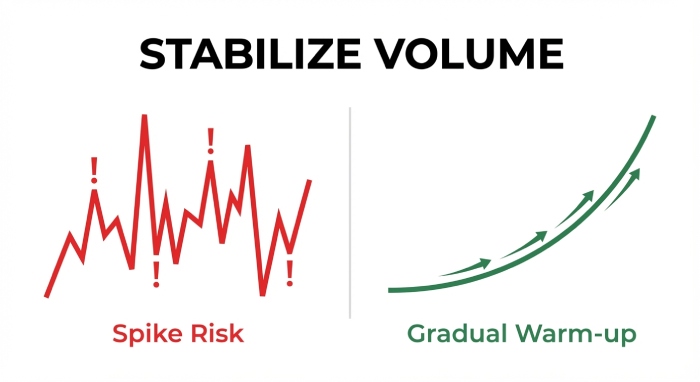
Stabilize sending volume and engagement signals
Avoid sudden spikes in sending volume. Maintain a predictable cadence and gradually warm up new domains or IPs. Prioritize sending to engaged recipients first to generate positive interaction signals such as opens and replies. Consistent engagement helps rebuild provider confidence.
Repair infrastructure and identity consistency
Validate reverse DNS, TLS configuration, and hostname identity. Ensure envelope domains, header domains, and authenticated domains remain aligned across all sending tools. Centralize governance to prevent configuration conflicts when multiple platforms send on behalf of the same domain.
In 2026, email delivery failures increase due to stricter security rules, but AutoSPF helps quickly fix SPF issues and improve inbox delivery. It also helps to separate fact from the common myths about SPF flattening before you lean on it.
Conclusion
Email delivery failures in 2026 are rarely random. They are signals that mailbox providers no longer trust some part of your sending ecosystem. Whether the issue stems from authentication misalignment, declining reputation, infrastructure inconsistencies, or policy noncompliance, the underlying theme is credibility.
Modern filtering systems operate on continuous evaluation. A single misconfiguration may trigger temporary filtering, but repeated inconsistencies create lasting reputation damage. That is why reactive fixes are not enough. Sustainable deliverability depends on disciplined monitoring, clean data practices, stable sending behavior, and strict identity alignment across all platforms.
Organizations that treat email infrastructure as a managed security layer rather than a marketing utility perform significantly better over time. In 2026, inbox placement is earned through technical accuracy and operational consistency. The senders who maintain structured oversight will continue reaching the inbox while others struggle with preventable failures.
Content Specialist
Content Specialist at AutoSPF. Writes vendor-specific SPF configuration guides and troubleshooting walkthroughs.
LinkedIn Profile →