At AutoSPF, we believe that proper email authentication is the foundation of secure and reliable email communication. That’s why we’re pleased to walk you through configuring Elkdata OÜ for both SPF and DKIM — ensuring your domain remains secure, your emails reliably reach inboxes, and you meet modern standards for deliverability.
In this guide, we’ll cover what SPF and DKIM are, why they matter, and show exactly how to set them up for Elkdata OÜ. By the end, you’ll have a properly configured DNS setup that aligns with best practices and helps your emails pass authentication checks.
What Are SPF and DKIM — and Why They Matter
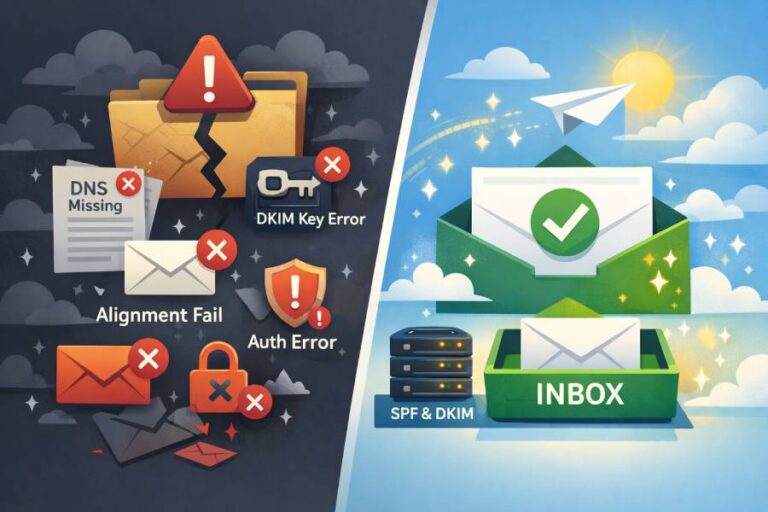
When you send an email from your domain — for example, you@yourdomain.com — receiving mail servers need a way to verify that the message actually comes from you (or an authorized sender). Without authentication, it becomes far too easy for attackers or spammers to spoof your domain, sending phishing or malicious emails that look like they come from you. That’s where SPF and DKIM come in.
- SPF (Sender Policy Framework): SPF is a DNS TXT record that lists which mail servers (or domains) are allowed to send email on behalf of your domain. When a receiving server gets an email claiming to come from yourdomain.com, it looks up the SPF record to check whether the sending server’s IP or domain is included. If not — the mail fails SPF.
- DKIM (DomainKeys Identified Mail): DKIM uses cryptographic signatures. When an email is sent, the sending server signs the email with a private key; the public key is published in a DNS TXT record. The receiving server uses the key to verify the signature — confirming the message wasn’t tampered with, and actually originated from an authorized sender.
Together, SPF and DKIM greatly increase your domain’s trustworthiness. When correctly configured, they help you:
- Prevent domain spoofing and impersonation.
- Improve email deliverability and reduce bounce/spam rates.
- Comply with modern security standards like DMARC.
For Elkdata OÜ, we want to ensure both SPF and DKIM are configured so that your outgoing email stream is authenticated and aligned correctly.

Step-by-Step: Configuring SPF for Elkdata OÜ
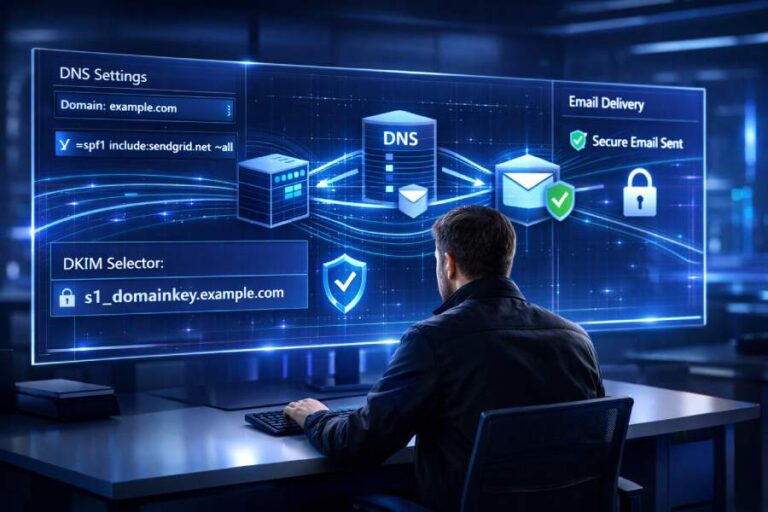
Let’s begin with SPF. Follow these steps carefully to authenticate Elkdata OÜ as a legitimate sender for your domain.
- Log in to your DNS Zone Provider
First, sign in to the DNS management panel of the DNS host that manages your domain — this could be a registrar, Cloud-DNS provider, CDN, or a hosting platform. - Create a New TXT Record
You’ll need to add a TXT record that defines your SPF policy. - Set the DNS Name / Host Field
- Use @ (root of your domain) or
- Use your full domain name (e.g. yourdomain.com)
- This ensures the SPF record applies to your main domain.
Define the TXT Value (the SPF Policy)
Use this as your value:
v=spf1 include:mail.spf.elkdata.ee ~all
- This indicates: “Mail servers listed via mail.spf.elkdata.ee are permitted to send on behalf of this domain. Soft-fail all others.”
- Save the Record
Submit or save the new TXT record in your DNS panel. - Allow Propagation Time
DNS changes may take time to propagate globally — typically up to 72 hours. During this period, some mail servers might still see a previous version, or no SPF record.
Important: Only One SPF Record per Domain
You must have only one SPF TXT record per domain. If there are multiple SPF records, SPF validation will fail and return a “PermError.”
If you have multiple sources sending mail (e.g. Elkdata servers, third-party email services, custom servers), you should combine them into a single SPF record. For example:
v=spf1 ip4:18.57.156.221 include:mail.spf.elkdata.ee include:thirdpartyservice.com ~all
This keeps SPF valid and comprehensive.
Step-by-Step: Configuring DKIM for Elkdata OÜ
SPF alone may not be enough; DKIM provides cryptographic signing that ensures authenticity and integrity of the email content. Here’s how to get DKIM set up for Elkdata OÜ.
- For DKIM, you’ll need DKIM-specific configuration provided by Elkdata. Typically, this involves contacting support or retrieving DKIM keys from the mail service panel.
- Once you have the public key and the DKIM selector (or instructions), publish them as a DNS TXT record under the appropriate hostname (e.g. default._domainkey.yourdomain.com, depending on what Elkdata provides).
- The receiving mail server will use that public key to verify the signature on incoming mail; as long as it matches, the mail passes DKIM.

According to Elkdata’s documentation: you need to get in touch with Elkdata OÜ’s support team to obtain the correct DKIM record for your domain before publishing it.
Once that is done, and the record is live in DNS — you have successfully authenticated your outgoing mail stream from Elkdata OÜ with DKIM (in addition to SPF).
Final Touches & Best Practices
At this point — assuming you’ve added both SPF and DKIM correctly — your domain should be well-authenticated. But before you pat yourself on the back, here are some final checks and recommendations (from AutoSPF’s best-practice playbook):
- Avoid Duplicate or Conflicting DNS Records: Only one SPF record per domain; for DKIM, use the exact record provided by Elkdata (don’t publish extra or conflicting selectors).
- DNS Propagation: After changes, wait the full propagation window (up to 72 hours) before relying on authentication.
- Test Thoroughly: Send test emails to different mail providers (Gmail, Outlook, Yahoo, etc.) and inspect email headers to verify SPF and DKIM passed.
- Consider DMARC: Once SPF and DKIM work reliably, you might want to add a DMARC policy to enforce or monitor authentication failures — although Elkdata states that if a DMARC record already exists, you don’t need to add another.
- Combine Multiple Senders Carefully: If you use multiple third-party services, ensure their servers are included in SPF, and each service handles DKIM properly — all under a unified domain/auth domain approach.
When done right, SPF + DKIM (optionally with DMARC) dramatically improves your domain’s credibility, reduces the risk of phishing/spoofing, and improves deliverability.
Why This Matters — From AutoSPF’s Perspective
As your trusted guide in email authentication, AutoSPF recommends SPF and DKIM configuration for several solid reasons:
- Security: Email is one of the most common vectors for phishing and spoofing. With SPF and DKIM, you make it much harder for attackers to impersonate your domain.
- Reputation & Deliverability: Many modern mail services (Gmail, Microsoft, Yahoo, etc.) increasingly rely on SPF/DKIM (and DMARC) to accept or deliver mail to inboxes rather than spam/junk folders.
- Compliance and Trust: Proper configuration demonstrates to recipients (and other mail services) that your domain is professionally managed and secure.
- Flexibility & Scalability: By combining multiple mail sources into a unified SPF, and ensuring DKIM is in place for each sender, you can safely scale your email operations — using marketing tools, transactional email platforms, or custom mail servers — without compromising security or deliverability.
Understanding Elkdata’s Email Infrastructure
Before configuring records, it’s helpful to understand how Elkdata OÜ structures its mail-sending system. Elkdata relies on a set of outgoing mail servers that operate behind their SPF include mechanism (include:mail.spf.elkdata.ee). This setup allows Elkdata to update or expand their authorized sending IPs without requiring domain owners to manually maintain individual IP addresses.
From AutoSPF’s perspective, this is a smart design for both reliability and scalability. When an email service uses an include mechanism, it means:
- You only have to maintain one SPF entry.
- Elkdata controls the backend IP changes.
- Your deliverability increases because servers remain up-to-date.
- You avoid hard fails caused by outdated IPs embedded in legacy SPF entries.
For DKIM, Elkdata uses per-domain selectors that must be generated specifically for your domain. This ensures the DKIM signature is unique, traceable, and secure.

How Elkdata’s SPF Relates to Other Email Providers
Many businesses use Elkdata OÜ for web/email hosting but rely on other tools for:
- Marketing emails (Mailchimp, ActiveCampaign)
- Ecommerce platforms (Shopify, WooCommerce plugins)
- Transactional emails (SendGrid, Postmark, Amazon SES)
- CRM platforms (HubSpot, Zoho, Salesforce)
Combining these with Elkdata’s SPF setup requires careful SPF planning.
AutoSPF recommends:
- Starting with Elkdata’s SPF include
- Merging additional services
- Ensuring your SPF record does not exceed 10 DNS lookups
- Optimizing your configuration using flattening services when needed
This ensures:
- Fast, valid SPF response
- Better inbox deliverability
- Compliance with DNS lookup limits