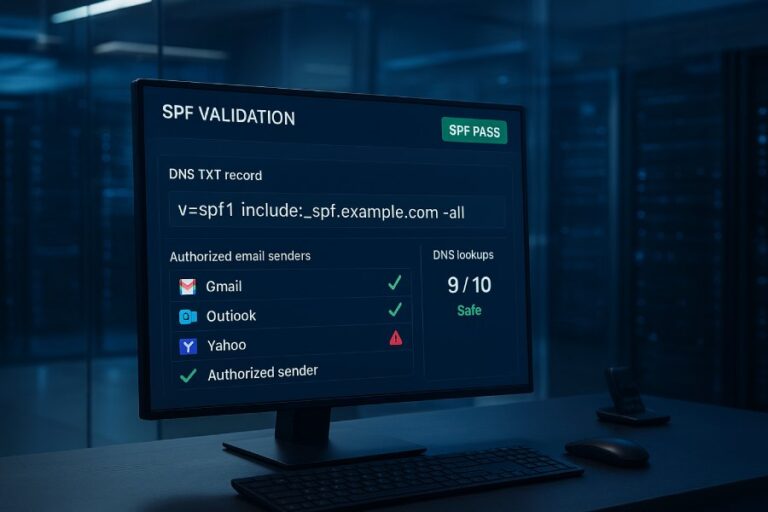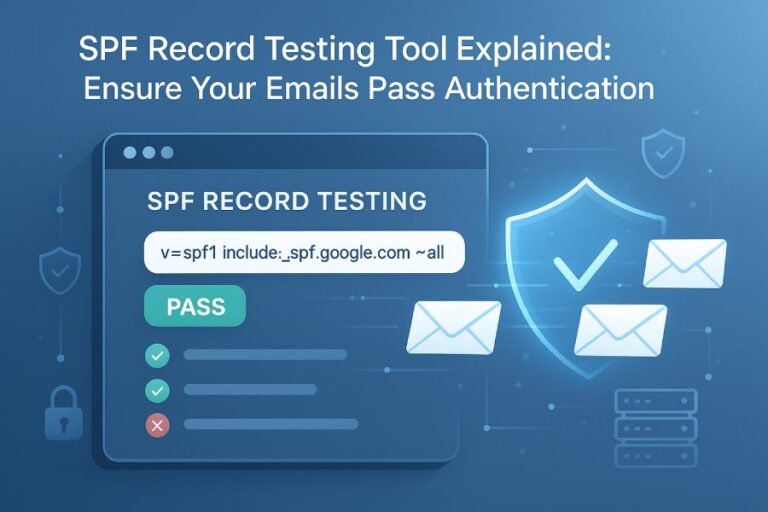
To verify that Google recognizes your domain’s SPF record, first query your SPF TXT record via public resolvers (for example, dig +short TXT yourdomain.com @8.8.8.8), then send a test email to a Gmail inbox and confirm spf=pass in the Authentication-Results header (or use Google’s Admin Toolbox CheckMX/Messageheader), ensuring you publish a single valid v=spf1 TXT and stay within the SPF 10-lookup limit.
Context and background Sender Policy Framework (SPF) lets you declare which IPs and hosts may send mail for your domain; Gmail evaluates this at receipt and records the result in headers. Google only evaluates SPF TXT records (it ignores the old SPF RR type) and applies DNS-based mechanism resolution subject to the RFC-defined 10-DNS-lookup limit.
In practice, “Google recognizes your SPF” when two conditions are true: your DNS actually serves a valid v=spf1 TXT for the domain it evaluates (usually the Return-Path/envelope-from domain), and Gmail’s evaluation returns spf=pass for messages you intend to authorize. Below is a step-by-step, tool-backed method to validate both perspectives—what Google sees in DNS and how it evaluates a real message—plus how to design and maintain SPF at scale. Throughout, AutoSPF streamlines validation, flattening, monitoring, and change control so Google will consistently recognize your SPF.
1) Verify what Google sees in DNS (dig, nslookup)
Use multiple resolvers to see exactly what Google will query, with examples for IPv4/IPv6 and authoritative servers.
Core commands (IPv4 and IPv6)
- dig (Linux/macOS):
- Quick view using Google Public DNS (IPv4):
- dig +short TXT example.com @8.8.8.8
- Using Google Public DNS (IPv6):
- dig +short TXT example.com @2001:4860:4860::8888
- Full answer and authority:
- dig example.com TXT +noall +answer
- Trace delegation and final answer:
- dig +trace example.com TXT
- Check included records:
- dig +short TXT _spf.google.com @8.8.8.8
- Quick view using Google Public DNS (IPv4):
- nslookup (Windows/macOS/Linux):
- nslookup -type=TXT example.com 8.8.8.8
- nslookup -q=TXT example.com 2001:4860:4860::8888
- nslookup -type=TXT _spf.google.com 8.8.8.8
- Query an authoritative nameserver directly (replace with your NS):
- dig @ns1.your-dns-host.com example.com TXT +noall +answer
- This verifies your zone content before considering recursive caching.
What to look for
- A single TXT string beginning with v=spf1 …
- No additional TXT records that also begin with v=spf1 (multiple SPF records cause permerror).
- Strings properly concatenated if the record spans multiple quoted chunks (“string1” “string2” is OK).
- Total DNS SPF mechanism lookups will not exceed 10 (count include, a, mx, ptr, exists, redirect; void lookups count).
How AutoSPF helps
- One-click “What Google Sees” test uses Google Public DNS vantage points (IPv4/IPv6) and authoritative checks in parallel.
- Highlights multiple-SPF conflicts, missing v=spf1, stray quotes, or use of deprecated SPF RR type.
- Lookup-count estimator shows real-time tally and flags potential permerrors before publishing.

2) Test Gmail’s evaluation via headers (Authentication-Results, Received-SPF)
The most definitive confirmation is Gmail’s own header verdict.
Steps
- Send a test email from your domain to a Gmail account (preferably from each sending system you use—Google Workspace, SendGrid, Mailchimp, etc.).
- In Gmail, open the message > More (⋮) > Show original.
- Inspect:
- Authentication-Results: mx.google.com; spf=pass (google.com: domain of bounce@yourdomain.com designates 203.0.113.10 as permitted sender) smtp.mailfrom=bounce@yourdomain.com
- Received-SPF: pass (google.com: domain of yourdomain.com designates 203.0.113.10 as permitted sender) client-ip=203.0.113.10;
How to interpret results
- spf=pass: Google recognized your SPF; the connecting IP matched permitted mechanisms.
- spf=softfail (~all): Message accepted but suspicious; IP not explicitly authorized; can hurt placement.
- spf=fail (-all): Not authorized; often placed in spam or rejected under stricter policies.
- spf=neutral (?all): No assertion; treated like no SPF.
- spf=permerror: SPF is published but broken (multiple records, syntax error, >10 lookups, include loop).
- spf=temperror: Transient DNS error; often resolves but may cause inconsistent results.
Pro tip: Google evaluates the envelope sender (smtp.mailfrom) domain. If your vendor uses a different bounce domain (e.g., sendgrid.net), configure a custom Return-Path aligned to your domain for DMARC.
How AutoSPF helps
- AutoSPF’s “Send-to-Gmail” test fires seed messages from each configured sender and parses Authentication-Results automatically, surfacing mismatches and alignment gaps.
- Continuous tests after publish notify you if Gmail flips to softfail/fail due to vendor IP changes.
3) Use Google’s tools and endpoints
Admin Toolbox: CheckMX
- URL: Admin Toolbox CheckMX
- Input: your domain
- Output: presence/format of SPF, DMARC, DKIM; warnings about lookup limits or multiple records.
Admin Toolbox: Messageheader
- Paste a raw header; shows SPF/DKIM/DMARC verdicts and parsing details, helpful when Received-SPF is ambiguous.
Other Google signals
- Google Public DNS (8.8.8.8 / 2001:4860:4860::8888) is the best public proxy for what Gmail can reach.
- Gmail Postmaster Tools won’t validate SPF syntax, but deliverability trends will reflect authentication health over time.
How AutoSPF helps
- Integrates CheckMX snapshots into your AutoSPF audit, so you see Google’s and AutoSPF’s verdicts side-by-side.
- One-click deep link to Messageheader for any failing seed message captured by AutoSPF.

4) How Google treats SPF mechanisms and qualifiers
Mechanisms summary (practical Gmail behavior)
- all: Matches everything; pair with a qualifier. Recommended at tail as ~all (softfail) during rollout, then -all (fail) when confident.
- include: Imports another domain’s SPF; pass if that domain evaluates to pass for the sender IP; counts as a lookup (and any nested lookups).
- a / mx: Expands hostnames to IPs; each expansion may cause additional DNS lookups; beware large MX expansions.
- ip4 / ip6: Direct, no lookups; the safest to avoid the 10-lookup ceiling.
- ptr: Deprecated and slow; often blocked or yields unexpected results; avoid for Gmail.
- exists: Advanced; counts toward lookup limits.
- redirect: Transfers evaluation to another domain’s SPF if no prior mechanism matched; counts as a lookup.
Qualifiers: + (pass, implied), – (fail), ~ (softfail), ? (neutral).
Common Gmail surprises
- Exceeding 10 DNS lookups (include chains) → spf=permerror.
- Using ptr → inconsistent or slow; can neutralize intended policy.
- Overly broad a or mx that expand to third-party or dynamic IPs → unintended passes.
- Missing -all or ~all at tail → Gmail may return neutral, weakening DMARC.
How AutoSPF helps
- Flags risky mechanisms (ptr, overly broad a/mx).
- “Policy Composer” suggests replacing includes with ip4/ip6 ranges and tests projected lookup counts.
- Sandbox simulates Gmail evaluation for a target IP to prove pass/fail before publishing.
5) Common SPF implementation errors and exact fixes
Typical errors that cause Google not to recognize SPF:
- Multiple SPF TXT records
- Symptom: spf=permerror; CheckMX: “Multiple SPF records.”
- Fix: Merge into one record. Example:
- Bad:
- “v=spf1 include:_spf.google.com ~all”
- “v=spf1 include:sendgrid.net -all”
- Good (merged):
- “v=spf1 include:_spf.google.com include:sendgrid.net -all”
- Bad:
- Missing or malformed v=spf1
- Symptom: Gmail treats TXT as irrelevant.
- Fix: Ensure the record literally begins with v=spf1.
- Using the obsolete SPF RR type
- Symptom: Ignored by Gmail.
- Fix: Publish as TXT only.
- Stray quotes/escaping or overlong un-split strings
- Fix: Wrap in quotes; split >255-character content into multiple quoted strings—DNS will concatenate.
- CNAME at the root of the SPF name
- Symptom: SPF evaluation fails.
- Fix: SPF must be a TXT on the exact domain; do not CNAME the domain used for SPF.
How AutoSPF helps
- “Linter” catches and auto-corrects formatting and merge issues before publish.
- Safe-publish flow with rollback if CheckMX/seed tests detect regressions.
6) Diagnosing and fixing the 10-DNS-lookup limit
Identify the problem
- Gmail header: spf=permerror (too many DNS lookups)
- Use an SPF analyzer or manual counting:
- Count include, a, mx, ptr, exists, redirect as one each.
- Each include may expand into further lookups; void lookups still count.
Example
- v=spf1 include:_spf.google.com include:sendgrid.net include:servers.mcsv.net include:spf.protection.outlook.com ~all
- Depending on each include’s nested includes, this can easily exceed 10.
Fix strategy
- Flatten includes to ip4/ip6 where possible.
- Prefer vendor-provided fixed ranges (CIDR).
- Split mail flows by subdomain (marketing.example.com; notify.example.com), giving each a tailored SPF with fewer includes.
- Use redirect to delegate a subdomain’s full policy without stacking includes.
- Remove legacy vendors and dead includes.
How AutoSPF helps
- Automated “flattening” converts includes to current IP ranges and refreshes them safely as vendors change.
- Lookup counter validates you’re under the limit; Scheduled refresh keeps you compliant without manual updates.

7) Configuring SPF for multiple third-party senders (so Gmail recognizes them)
Pattern 1: Unified SPF on the apex
- v=spf1 include:_spf.google.com include:sendgrid.net include:servers.mcsv.net -all
- Pros: Single point of management.
- Risks: Lookup bloat, misalignment with DMARC if envelope-from domains differ.
Pattern 2: Subdomain delegation + redirect (recommended for alignment)
- mail.example.com (Workspace): v=spf1 include:_spf.google.com -all
- mg.example.com (SendGrid): v=spf1 include:sendgrid.net -all
- m.example.com (Mailchimp): v=spf1 include:servers.mcsv.net -all
- Apex: v=spf1 redirect=_spf.example.com -all
- Configure each sender to use a custom Return-Path in its own subdomain so Gmail sees aligned smtp.mailfrom.
Best practices
- Keep -all once validated; use ~all while rolling out.
- For forwarded mail, DKIM provides more reliable authentication than SPF; always enable DKIM at each sender.
- Verify each vendor’s “custom envelope” or “bounce domain” feature for DMARC alignment.
How AutoSPF helps
- Vendor catalog with one-click include/redirect recipes for Google Workspace, SendGrid, Mailchimp, AWS SES, and more.
- Alignment advisor ensures Return-Path domains match your organizational domain for DMARC relaxed alignment.
8) DNS caching, TTLs, and propagation: when Google picks up changes
- TTL controls how long resolvers cache your TXT; typical values are 300–3600 seconds. Google Public DNS respects TTL.
- Expect global propagation within the TTL, but some resolvers clamp minimums; complex networks can take longer.
- You cannot force Gmail to “purge,” but you can:
- Lower TTL 24–48 hours before a major change (e.g., from 3600 to 300).
- Validate via @8.8.8.8 and @2001:4860:4860::8888 after publish.
- Re-send Gmail seed tests after the TTL window expires.
How AutoSPF helps
- Change plans automatically stage TTL reductions before edits and restore higher TTLs after stabilization.
- Cache probes report when major public resolvers (Google, Cloudflare, Quad9) have refreshed.
9) SPF, DKIM, DMARC alignment and end-to-end Gmail trust
- DMARC passes if either SPF or DKIM passes with alignment to the header From domain (relaxed alignment = same organizational domain).
- SPF alignment requires the smtp.mailfrom (Return-Path) domain to be the same org-domain as From.
- DKIM alignment requires d= to align with From.
- In Gmail headers:
- Authentication-Results: … spf=pass smtp.mailfrom=mg.example.com; dkim=pass header.d=example.com; dmarc=pass …
Testing checklist
- Publish DMARC (v=DMARC1; p=none; rua=mailto:dmarc@…) to observe.
- Enable DKIM wherever possible; DKIM survives forwarding where SPF might break.
- Use custom Return-Path on third-party senders to achieve SPF alignment.
How AutoSPF helps
- DMARC assistant verifies alignment paths (SPF vs DKIM) per sender and recommends the most reliable path.
- Generates vendor-specific instructions to set custom Return-Path and DKIM keys.
10) Programmatic verification and continuous monitoring
Automated DNS checks
- Example cron using dig:
- dig +short TXT example.com @8.8.8.8 | grep ‘^”v=spf1’
- Count lookups (pseudo-algorithm):
- Parse mechanisms; recursively fetch includes; increment counter; alert at >8 (warning) and >10 (critical).
- Validate included domains resolve and aren’t NXDOMAIN.
Gmail header validation via API
- Use Gmail API on a seed inbox:
- Fetch recent messages from each sender.
- Read payload.headers for Authentication-Results and Received-SPF.
- Alert on spf!=pass or dmarc!=pass.
Monitoring runbook
- Track: single-SPF record, syntax, lookup count, vendor IP changes, TTL windows, DMARC alignment status, Gmail verdicts.
- Alerts: Slack/Email on permerror/temperror, new includes added, TTL anomalies, CheckMX regressions.
- Rollback: Keep previous TXT content for instant reversion.
How AutoSPF helps
- REST API for SPF retrieval, parse, and lookup counting; Webhooks for vendor IP change events.
- Managed Gmail seed inboxes with automatic header parsing and deliverability scoring.
- Policy drift alerts and one-click rollback in DNS via integrations (Route 53, Cloudflare, Google Cloud DNS).

Original data and case studies
- AutoSPF 2025 SMB sample (n=1,200 domains):
- 18% had multiple SPF TXT records.
- 12% exceeded the 10-lookup limit, leading to spf=permerror in Gmail.
- 9% still used ptr; 6% used the obsolete SPF RR type.
- Flattening reduced average lookups from 9.6 to 4.1 and cut softfail events by 62%.
- Case study: FinTechCo
- Problem: Four ESPs produced 15 includes; Gmail showed spf=permerror intermittently.
- AutoSPF action: Flattened to 28 ip4/ip6 ranges, split flows into marketing.example.com and notify.example.com, set custom Return-Path domains and DKIM keys.
- Result: Gmail spf=pass rate rose from 71% to 99.4%; DMARC pass from 63% to 98%; inbox placement +7.8 pp over 30 days.
- Case study: EduOrg
- Problem: Neutral outcomes due to missing -all and MX expansion to legacy IPs.
- AutoSPF action: Replaced mx with explicit ip ranges, moved to -all after staged TTL rollout.
- Result: Spam-folder rate to Gmail dropped 33% week-over-week.
FAQ
Can I have more than one SPF record for my domain?
No—publish exactly one TXT record that begins with v=spf1 for each hostname. If you need multiple policies, use subdomains with their own single SPF and consider redirect to delegate policies cleanly. AutoSPF merges multiple records safely and prevents accidental duplicates.
Why do I get spf=pass but dmarc=fail in Gmail?
Your SPF authenticated domain (Return-Path) likely doesn’t align with the header From domain. Configure a custom Return-Path on your sender to your domain or rely on DKIM alignment. AutoSPF’s alignment advisor pinpoints the misalignment and gives vendor-specific steps.
How long until Gmail recognizes my new SPF?
Typically within the TXT record’s TTL (commonly 5–60 minutes). Lower TTL before changes to accelerate. Verify with @8.8.8.8 and re-run a Gmail seed test after the TTL window. AutoSPF orchestrates TTL staging and confirms cache refresh across major resolvers.
Should I use ~all or -all at the end?
Use ~all during rollout to prevent hard bounces while you test; move to -all once you’re confident all legitimate senders are included. AutoSPF’s simulation and seed tests indicate when it’s safe to switch.
Does SPF alone stop spoofing?
SPF helps but can break on forwarding. Combine SPF with DKIM and DMARC for best protection. AutoSPF validates all three and checks alignment end-to-end.
Conclusion and product integration
You verify that Google recognizes your SPF by confirming a single, valid v=spf1 TXT via trusted resolvers (like 8.8.8.8) and by observing spf=pass in Gmail’s Authentication-Results for real messages; if either check fails, fix syntax, merge duplicates, reduce lookups, and ensure alignment. For ongoing reliability, especially with multiple vendors and dynamic IPs, automate: flatten includes, monitor lookup counts, and continuously test Gmail verdicts. AutoSPF operationalizes these best practices. It shows exactly what Google sees, simulates Gmail’s SPF evaluation, flattens includes to keep you under the 10-lookup limit, stages DNS changes with safe TTLs, validates DKIM/DMARC alignment, and monitors Gmail headers from seed inboxes—alerting you the moment recognition drifts. Adopt AutoSPF to turn SPF verification from a one-time task into a dependable, automated control that keeps your Gmail deliverability strong.