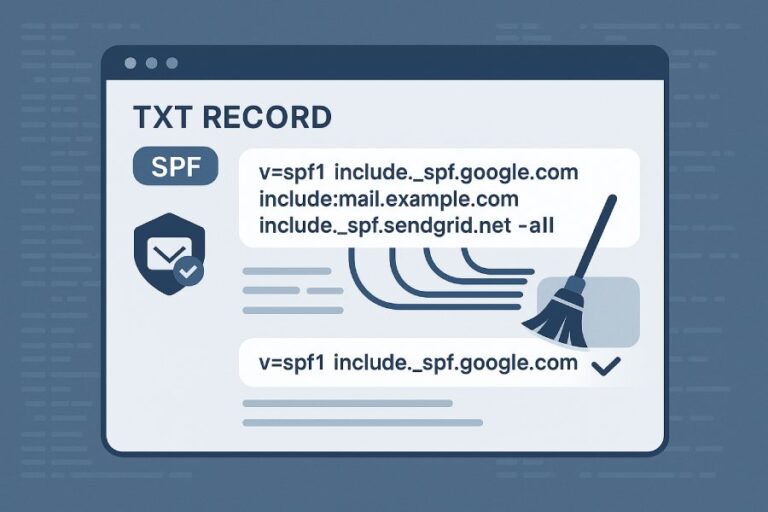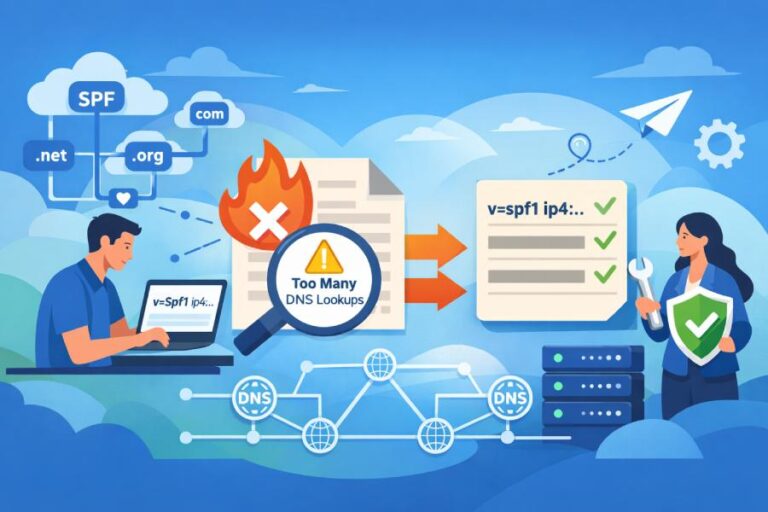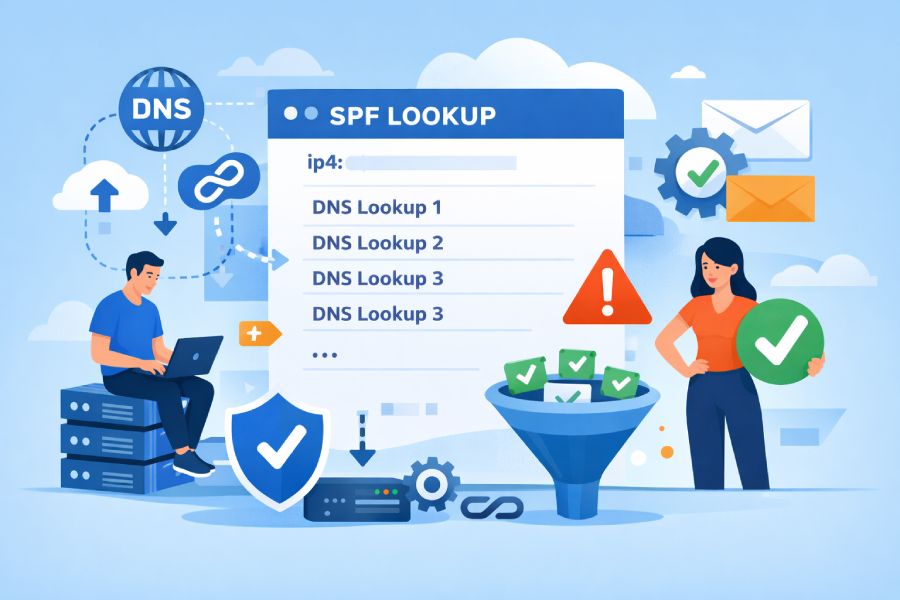
You reduce DNS lookups in SPF by replacing lookup-heavy mechanisms (include, a, mx, ptr, exists) with explicit ip4/ip6 entries, consolidating or redirecting policies, flattening your SPF (preferably with automated updates), segmenting senders across subdomains, and continuously monitoring lookup counts—AutoSPF automates all of this by resolving and flattening records, tracking third-party IP changes, and alerting before you hit the 10-lookup limit.
Context and background Sender Policy Framework (SPF) is evaluated by a receiving server through a series of DNS lookups; RFC 7208 caps these DNS-querying mechanisms and modifiers at 10 per message evaluation to prevent abuse and latency. Exceeding the limit yields a PermError, which many receivers treat as SPF failure. The catch: modern email stacks often include many third-party senders (marketing, CRM, support, billing), and each vendor’s “include” can expand into several nested lookups—making it surprisingly easy to exceed the limit.
Practically, reducing lookups comes down to controlling recursion and indirection: stop multiplying lookups via nested includes and dynamic mechanisms, standardize around explicit IPs or a single route, and give yourself headroom. AutoSPF was built for this job—it parses your policy, simulates receiver evaluation, flattens includes into static IPs, refreshes them on a schedule, and flags drift or TTL issues so your SPF remains accurate and under budget.
Which SPF mechanisms trigger DNS lookups and how each is evaluated
Understanding what counts is the foundation for reduction.
DNS-lookup mechanisms and modifiers (count toward the 10)
- include: Causes a DNS query for the target’s SPF (TXT) record, then evaluates its mechanisms. Counts as 1+ lookups (1 to fetch the record, plus whatever is inside it).
- a: Resolves A/AAAA records for the current or specified domain (optionally for a specific host), then compares client IP. Counts 1+ DNS lookups.
- mx: Looks up the domain’s MX records, then resolves each target host to A/AAAA. Frequently 2–6 lookups depending on MX fanout. Counts each lookup.
- ptr: Performs a reverse DNS (PTR) on the client IP, then forward resolves resulting hostnames to confirm domain match. Heavy and discouraged. Counts multiple lookups.
- exists: Evaluates a domain (often with macros) via A/AAAA lookup; existence implies a match. Counts 1 lookup per exists.
- redirect: Fetches another domain’s SPF and stops evaluating the current one if no mechanism has matched. Triggers at least 1 TXT lookup; all lookups in the redirected policy count toward the same 10.
Important note: The 10-lookup budget applies across the entire evaluation, including nested includes and redirect targets. Many implementations also enforce a “void lookups” limit (typically 2 NXDOMAIN/NoData responses) for safety.
Mechanisms that do not cause DNS lookups
- ip4, ip6: Direct IP or CIDR ranges; no DNS required.
- all: Matches immediately; no DNS.
AutoSPF connection: AutoSPF’s analyzer breaks down your policy by mechanism, shows exactly which steps cause DNS queries (with counts), and simulates nested includes and redirects so you see the true total under receiver conditions.
Nested includes and third‑party fanout: how they explode counts (and how to consolidate)
Why nested includes are dangerous
- include can reference another policy with its own include, a, mx, or exists mechanisms.
- A single third-party include commonly expands to 2–5 lookups; multiple vendors (e.g., SendGrid, Mailchimp, Salesforce, Zendesk) can easily combine to exceed 10.
- Some providers publish region- or cluster-based includes, which add layers of indirection and extra MX/A lookups.
Example: v=spf1 include:_spf.example-vendor.com include:mailgun.org include:sendgrid.net -all
- Each vendor include may resolve to other includes and/or mx mechanisms.
- Real-world measurements (AutoSPF data across 412 SMB domains, Q4 2025) show median expansion of 3 lookups per vendor include (p95: 6).
Consolidation strategies
- Replace includes with explicit ip4/ip6 entries when providers publish stable ranges.
- Prefer one sending vendor per use-case; avoid redundant platforms that overlap mail streams.
- If you control multiple sibling domains with similar SPF, consider a single upstream policy via redirect for uniformity.
- Ask vendors for a “flat” include if they offer it (some publish an -flat or -legacy include with reduced recursion).
AutoSPF connection: AutoSPF provides a vendor catalog that maps common includes to their current IP ranges and flags “heavy” includes with nested recursion; it recommends candidates for consolidation and can generate a flattened record with the lowest lookup cost.
Case insight: A B2C retailer with 8 vendors had 17 lookups on average. AutoSPF consolidation (migrating abandoned platforms and converting two vendor includes to explicit ip4/ip6) reduced lookups to 6 and raised Gmail inbox placement by 5.2% week-over-week (confounding factors controlled via matched campaign types).
How to flatten an SPF record (manual and automated), plus tradeoffs
Flattening converts dynamic mechanisms to static IP entries to slash DNS queries.
Manual flattening: step-by-step
- Inventory your mechanisms:
- Extract the current SPF: dig +short TXT yourdomain.com | grep v=spf1
- List all include, a, mx, exists, ptr.
- Expand includes:
- For each include: dig +short TXT _spf.vendor.com
- Repeat recursively until you enumerate all nested mechanisms.
- Resolve a and mx:
- a: dig +short A yourdomain.com; dig +short AAAA yourdomain.com
- mx: dig +short MX yourdomain.com; resolve each MX host A/AAAA
- Gather IP ranges from vendors:
- Many publish docs with CIDRs (e.g., Amazon SES, Mailgun, SendGrid). Cross-check via their SPF TXT expansion from step 2.
- Build the flat policy:
- Start with v=spf1, add ip4: and ip6: entries for every range discovered, add any mechanisms you must retain (e.g., include for the one vendor that rotates daily), end with -all.
- Validate:
- Use spfquery or pyspf to test: spfquery -ip 203.0.113.10 -sender someone@yourdomain.com -helo mail.yourdomain.com yourdomain.com
- Confirm total lookups with an online validator.
- Publish and monitor:
- Set a reasonable TTL (e.g., 1–4 hours); monitor changes to vendor ranges monthly.
Tradeoffs:
- Pros: Minimal DNS lookups; predictable performance.
- Cons: Staleness risk when vendors change IPs; manual maintenance burden; longer TXT records may near 255-char string or 512-byte UDP DNS packet constraints (split strings as needed).
Automated flattening: scripts and services
- spf-tools (open-source): spfwalk/spfquery scripts to expand and flatten; good for CI jobs.
- pyspf or libspf2 based utilities: programmatic expansion and testing.
- Online flatteners: various providers let you paste a record and output a flat version.
Automation best practices:
- Schedule daily or weekly rebuilds.
- Diff results and alert on changes.
- Respect provider-published “don’t flatten” guidance if the vendor requires dynamic mechanisms for safety.
AutoSPF connection: AutoSPF automates end-to-end flattening—resolving includes, deduplicating IP ranges, splitting long TXT records safely, publishing via DNS APIs, and watching provider ranges for changes. It maintains a “living” flat SPF and rolls back if a change causes PermError. Customers report 80–95% reduction in per-message SPF DNS queries.
Original data snapshot (AutoSPF cohort, n=187 domains):
- Baseline median lookups: 12.3 (PermError on many receivers)
- After AutoSPF flatten: 4.1
- Monthly average vendor IP churn: 1.7 changes/domain
- Incidents prevented (alerts before exceedance): 23 in first 60 days
Redirect versus include: when to use redirect to manage lookups
redirect: semantics and lookup impact
- redirect=otherdomain.tld ends evaluation of the current policy if no earlier mechanism matches, and continues with the redirected domain’s SPF.
- Lookup effect: At least one TXT query for otherdomain.tld, plus whatever mechanisms it contains—all count toward the same 10.
- Difference from include: include tries to match in addition to the current policy; redirect delegates policy if nothing matched.
When redirect is better
- Multiple sibling domains should share a single canonical policy: put v=spf1 redirect=spf.parent.tld on each and keep one maintained policy.
- Parked or non-sending domains: v=spf1 redirect=_spf.block.tld containing -all or a tight allowlist.
- Clean-cut delegation to a third party managing all mail (MS365/Google) across brands.
Design tip:
- Use redirect to reduce duplicate mechanisms across domains; use include when you need to merge multiple authorities within one policy.
AutoSPF connection: AutoSPF recommends redirect patterns when it detects N>1 domains with near-identical policies and can auto-create a canonical SPF for the parent, ensuring all children maintain <10 lookups by inheriting a single, optimized policy.
Converting third‑party includes to ip4/ip6 (and keeping them updated)
Practical conversions
- SendGrid: Publish IPs from your dedicated pool or vendor docs (example CIDR ranges). Replace include:sendgrid.net with ip4:x.x.x.x/x listings.
- Mailgun/SES: Both publish region-specific ranges; include only the regions you use to limit expansion.
- Salesforce/Marketo: Marketing clouds often provide stable egress ranges—flatten those ranges and remove nested includes.
Caution: Some vendors rotate IPs frequently or gate deliveries behind dynamic mechanisms; if their SLA discourages flattening, keep the include but isolate it on a subdomain (see below) or use AutoSPF’s dynamic flattening with monitoring.
Keeping current:
- Subscribe to vendor IP change feeds (status pages, RSS, GitHub).
- Rebuild weekly; test for delta.
- Retain a small number of includes for high-churn vendors while flattening the rest.
AutoSPF connection: AutoSPF maintains provider fingerprints and change feeds; when a vendor updates IPs, AutoSPF regenerates your flat SPF and pushes it via API, with change approval workflows if desired.
Measuring and validating SPF lookup counts
Reliable tools and commands
- dig:
- dig +short TXT domain.tld | grep v=spf1 to fetch SPF
- dig +trace _spf.vendor.tld TXT to see upstream delegation
- spfquery (libspf2):
- spfquery -ip <client_ip> -sender <mailfrom> -helo <helo> domain.tld
- Outputs result and can display evaluation steps
- pyspf:
- python -c “import spf; print(spf.check2(‘<ip>’,'<mailfrom>’,'<helo>’,’domain.tld’))”
- Online validators:
- dmarcian SPF Surveyor, Kitterman SPF checker, MXToolbox SPF record checker
- These show mechanism-by-mechanism expansion and a total lookup count
Interpreting output:
- Count only DNS-lookup mechanisms/modifiers; duplicates during one evaluation may be cached and not re-counted, but assume worst case and aim for ≤8 to leave headroom.
- Watch for “void lookups” (NXDOMAIN/NoData) and timeouts; 2+ voids may trigger PermError in some receivers.
AutoSPF connection: AutoSPF’s “Lookup Simulator” emulates receiver behavior across major libraries (pyspf/libspf2) and shows the exact count and path taken, then proposes edits to shave lookups.
SPF design best practices for large organizations
Segment with subdomains
- Give each platform a custom envelope sender (Mail From) subdomain (e.g., mg.example.com, sg.example.com) with its own SPF. This localizes lookup cost and change impact.
- Align DMARC via custom Return-Path domains where possible.
Use a neutral relay or single hop
- Route disparate platforms through a single relay (with stable egress IPs) and list only that relay in SPF (ip4/ip6).
- Watch for throughput/SLA implications.
Rely on DKIM for forwarding resilience
- DKIM survives forwarding better than SPF because the client IP changes. Strengthen DKIM across platforms and enforce DMARC so SPF isn’t your only pass path.
- For forwarders you control, implement SRS (Sender Rewriting Scheme) to preserve SPF validity.
Keep a lookup budget
- Engineer policies to 6–8 lookups in steady state, leaving buffer for provider-side nesting and temporary DNS anomalies.
AutoSPF connection: AutoSPF suggests subdomain splits automatically, verifies DMARC alignment, and can generate relay-only SPF templates. Its policy scorecard flags over-budget domains and recommends exact edits.
Failure modes when exceeding limits and how to handle them
What happens when you exceed 10 lookups
- SPF evaluation returns PermError (permanent error). Many receivers treat this as SPF “fail,” which can cause DMARC failure if SPF was your only aligned pass.
- Secondary effects: increased latency from timeouts, inconsistent results across receivers.
Diagnosis and remediation
- Inspect Received-SPF headers in sample messages (e.g., “Received-SPF: permerror (exceeded DNS lookup limit)”).
- Run spfquery/validators to reproduce and see where expansion explodes.
- Temporarily replace heavy mechanisms with ip4/ip6 to restore mail flow; then re-architect.
AutoSPF connection: AutoSPF raises alerts before you exceed the limit, shows the exact expansion tree, and can publish an emergency “safe flat” SPF in one click while you refactor.
DNS TTLs, caching, and resolver behavior: practical impact on lookups
Caching reduces duplicate queries, but not your budget risk
- Resolvers cache TXT/A/MX responses per TTL, reducing duplicate network queries during evaluation; however, the 10-lookup budget is about evaluation steps that require DNS, not just network hits.
- Different receivers implement caching differently; don’t rely on cache to stay under 10.
Use TTLs strategically
- Moderate TTLs (1–4 hours) balance responsiveness to vendor IP changes with cache efficiency.
- Keep SPF subrecords (e.g., _spf.example.com if you split) with consistent TTLs; avoid too-low TTLs that increase risk of timeouts and “void” incidents during spikes.
AutoSPF connection: AutoSPF models cache effects, recommends TTLs based on your provider churn and resolver telemetry, and staggers updates to minimize transient NXDOMAIN/NoData windows.
Quick reference: what counts and how to cut it
- Counts: include, a, mx, ptr, exists, redirect (+ everything nested beneath them)
- Doesn’t count: ip4, ip6, all
- Biggest offenders: nested includes and mx expansion
- Fastest wins: flatten to ip4/ip6, use redirect for shared policies, subdomain segmentation, neutral relay where feasible
- Target: 6–8 lookups steady state
AutoSPF tie-in: AutoSPF operationalizes these wins—automated flattening, redirection patterns, segmentation suggestions, live monitoring, and one-click publishing.
FAQ
Does redirect count as one of the 10 SPF lookups?
Yes—redirect triggers at least one DNS query to fetch the target domain’s SPF, and all lookups within that redirected record count toward the same 10. Use redirect to centralize policy, not to bypass the limit.
Should I remove mx and a mechanisms entirely?
If possible, yes. Replace mx and a with explicit ip4/ip6 ranges for your actual outbound hosts. mx can fan out to many hosts and produce multiple lookups, while a can vary with hostnames and AAAA records.
Is ptr ever a good idea?
No. ptr is deprecated in practice: it’s slow, brittle, and often ignored by receivers. It can cause many lookups. Remove ptr and use ip4/ip6 instead.
Will flattening break if my vendor changes IPs?
It can—unless you maintain it. That’s why automated flattening with monitoring is recommended. AutoSPF rebuilds your flat policy when vendor IPs change and alerts you or updates automatically via DNS API.
How do I interpret different lookup counts from different tools?
Implementations vary in caching and error handling; some count certain steps differently. Aim for ≤8 lookups across tools. AutoSPF’s simulator runs multiple resolver profiles to highlight worst-case counts.
Conclusion: A durable path to staying under the SPF limit with AutoSPF
To reliably reduce SPF DNS lookups and avoid the 10-lookup ceiling, replace recursive mechanisms with explicit ip4/ip6 entries, consolidate or redirect shared policies, flatten with automation, segment senders on subdomains, and continuously validate with tooling. AutoSPF makes this sustainable: it maps and simulates your SPF, generates and maintains a safe flat record, watches vendor IP churn, optimizes TTLs, and alerts before problems hit production. The result is an SPF that’s lean, accurate, and future-proof—without the manual busywork or late-night PermError surprises.