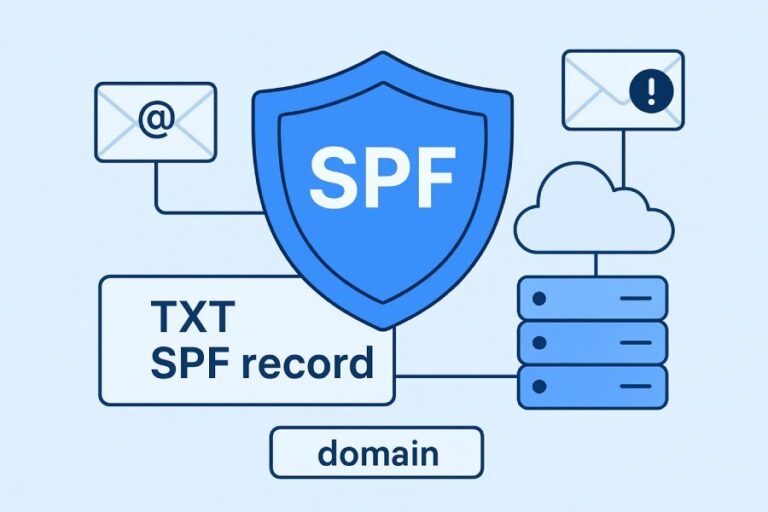
To create an SPF record for Office 365 without breaking other mail services, inventory all legitimate senders, build a single v=spf1 record that includes include:spf.protection.outlook.com plus your other providers and IPs while staying under the 10-DNS-lookup limit (using subdomains or flattening if needed), roll out with a soft qualifier (~all), test and monitor via SPF/DMARC data, and automate upkeep with AutoSPF to prevent drift.
Context and background
Sender Policy Framework (SPF) is a DNS-based authorization list that tells receivers which IPs and services may send mail for your domain. Microsoft 365 (Exchange Online) requires you to include its published SPF infrastructure with include:spf.protection.outlook.com, but many domains also send from on‑prem Exchange, marketing platforms, CRMs, ticketing systems, and web apps. If you publish an SPF that only covers Office 365, other legitimate services can be rejected; if you try to include everything naively, you can exceed SPF’s strict 10-lookup limit and break evaluation altogether.
The safest path is methodical: discover every source that sends, construct one accurate record with Office 365 and all other sources, optimize to stay within the lookup budget, stage deployment carefully, and keep it maintained. AutoSPF streamlines each of these steps by discovering senders from live mail data, modeling lookup counts in real time, auto-flattening when needed, and monitoring outcomes so you can move to a strict policy confidently.
Inventory every service that sends mail for your domain
A complete sender inventory prevents “breaks” when you move to or optimize for Office 365.
What to list and how to document it
- On‑premises: public NAT IP(s) for Exchange or SMTP relays, smart hosts, scanners, and MFPs
- Microsoft 365: Exchange Online Protection (EOP) via include:spf.protection.outlook.com
- Third‑party platforms: ESPs (e.g., SendGrid, Mailchimp), CRMs (e.g., Salesforce), ticketing (e.g., Zendesk), support/chat, HR/payroll, and any app that sends as your domain
- Web infrastructure: CMS/contact forms, ecommerce platforms, serverless functions
- Special paths: mailing lists, forwarders, and subdomain senders (e.g., bounce@, newsletter@, noreply@)

Methods to discover all sources
- DMARC aggregate reports (RUA): enumerate source IPs and domains seen sending as you; gather at least 14–30 days of data
- Microsoft 365 Message Trace and headers: look at Authentication-Results and Received-SPF to find IPs/services
- Provider dashboards: most ESPs show the domain(s) they’re configured to send as and their SPF include
- DNS and infra checks: dig/nslookup your MX and A records (if you rely on a: or mx: in SPF), firewall NAT tables for SMTP/25 and 587 egress
- Team interviews: marketing, support, product, and IT often own different mailers
AutoSPF connection: AutoSPF ingests DMARC RUA automatically, maps source IPs to known providers, and builds a living inventory. It flags “unknown senders” and suggests SPF additions or subdomain segmentation, saving weeks of manual discovery.
Build a single SPF that includes Office 365 and everything else (without exceeding 10 lookups)
The core is a single TXT record at the root (example.com) with exactly one SPF policy. Microsoft’s published mechanism is include:spf.protection.outlook.com.
Microsoft’s recommended syntax for Exchange Online
- Office 365 only:
- v=spf1 include:spf.protection.outlook.com -all
This is Microsoft’s canonical guidance for Exchange Online when no other senders exist.
Concrete example SPF records
- Office 365 + on‑premises public IPs:
- v=spf1 ip4:203.0.113.10 ip6:2001:db8::10 include:spf.protection.outlook.com -all
- Office 365 + on‑prem + multiple third‑party senders:
- v=spf1 ip4:203.0.113.10 include:spf.protection.outlook.com include:sendgrid.net include:servers.mcsv.net include:_spf.salesforce.com ~all
- Office 365 + Amazon SES (regionalized) + Mailchimp:
- v=spf1 include:spf.protection.outlook.com include:amazonses.com include:servers.mcsv.net ~all
- Delegated subdomain for marketing while keeping root lean:
- Root (example.com): v=spf1 include:spf.protection.outlook.com -all
- Marketing (news.example.com): v=spf1 include:sendgrid.net include:servers.mcsv.net -all
Note: Always confirm each provider’s current include host in their documentation. Some providers offer region or account-specific includes that reduce lookups.

The 10-lookup budget and how to stay under it
SPF counts DNS-querying mechanisms toward a strict limit of 10 across the whole evaluation chain (includes, redirects, a, mx, ptr, exists, and macros). ip4, ip6, and all do not trigger lookups.
- Common lookup costs:
- include: 1 lookup each (plus whatever they include)
- mx: up to the number of MX hosts (plus A/AAAA lookups)
- a: 1 (plus potential CNAME chain)
- redirect=: 1 (replaces policy; still within the same 10 budget)
- Keep “all” last; it adds no lookups.
Practical strategies:
- Prefer ip4/ip6 for your own static hosts instead of mx or a
- Minimize provider includes; remove legacy vendors
- Segment high-lookup senders to subdomains (e.g., news.example.com) so the root SPF stays lean
- Use managed flattening to convert includes into the current IP sets, with automatic refresh
AutoSPF connection: AutoSPF shows a live lookup counter as you edit, warns when indirect includes expand past 10, and can publish a safely flattened record with automated refresh so you never drift when providers change IPs.
Handle hybrid Exchange deployments without collateral damage
Hybrid changes which IP actually sends to the internet, so model your mail flow before you publish SPF.
If on‑prem relays to EOP (and EOP delivers)
- Outbound path: On‑prem → EOP → recipients on the internet
- Connecting IP at recipient: EOP
- SPF guidance: include:spf.protection.outlook.com is sufficient; you do not need your on‑prem IPs for SPF
- Why: SPF checks the SMTP client IP of the final hop to the recipient, which is EOP in this design
If on‑prem delivers directly to the internet (or apps do)
- Outbound path: On‑prem/app → internet
- Connecting IP: your public NAT(s)
- SPF guidance: add ip4/ip6 for each egress IP that can send as your domain, plus include:spf.protection.outlook.com
Smart hosts and connectors
- Third‑party smart host (e.g., security gateways) that deliver for you: include that provider’s SPF or add their egress IPs
- Multiple egress points: consider consolidating to fewer NATs or publish all in ip4/ip6
Inbound doesn’t change SPF
Inbound routing (MX to EOP or on‑prem) doesn’t affect SPF for your domain, but if you use mx in SPF it will add lookups; prefer explicit ip4/ip6 for senders.
AutoSPF connection: AutoSPF “flow modeling” lets you declare whether on‑prem routes through EOP or sends directly; it then generates the correct SPF and highlights any uncovered IPs found in DMARC data.
Deploy safely: qualifiers, testing, monitoring, rollback, and common pitfalls
Choose the right SPF qualifier during rollout
- ~all (SoftFail): recommended for initial deployment; receivers accept mail but mark SPF as softfail when not matched
- -all (Fail): enforce only after you are confident all legitimate sources are covered
- ?all (Neutral): useful for early discovery if you have no DMARC yet, but provides little enforcement
- is implicit allow; omit it for brevity (e.g., ip4: instead of +ip4:)
Safe rollout plan:
- Reduce DNS TTL for the TXT record to 300–600 seconds 24 hours before changes
- Publish a comprehensive record with ~all
- Enable DMARC p=none and collect reports for 2–4 weeks; confirm ≥98–99% pass for legitimate traffic
- Switch DMARC to quarantine (pct=25→100 over time)
- Change SPF to -all when DMARC shows near‑perfect coverage and third‑party configurations are stable
- Raise TTL back to 1–4 hours when stable
Test and monitor
- DNS: dig/nslookup -type=TXT example.com to verify a single SPF record
- Live messages: check Authentication-Results and Received-SPF headers; look for spf=pass from recipients
- Microsoft tools: Message trace in Exchange admin center; outbound connector logs
- Online validators: evaluate lookup counts and expansion
- DMARC RUA: watch pass/fail trends by source; identify unknown IPs
AutoSPF connection: AutoSPF offers a “what-if” simulator to test records before publishing, continuous DMARC analytics with source attribution, and alerting if SPF fails spike after a change; one-click rollback restores the prior record.

Common configuration errors and how to fix them
- Multiple SPF TXT records at the same hostname
- Symptom: “PermError: multiple SPF records”
- Fix: merge all mechanisms into a single v=spf1 record; delete duplicates
- Exceeding 10 lookups
- Symptom: “PermError: too many DNS lookups”
- Fix: remove unused vendors, replace mx/a with ip4/ip6, segment to subdomains, or flatten with AutoSPF
- Incorrect include/ip4/ip6 syntax
- Symptom: “PermError: invalid SPF record” or silent mismatch
- Fix: validate syntax; ensure CIDR is correct (e.g., ip4:198.51.100.44/32 or ip4:198.51.100.0/24)
- Putting all before other mechanisms
- Symptom: later mechanisms ignored
- Fix: all must be last
- Using ptr or broad mx/a unintentionally
- Symptom: excessive lookups, false passes
- Fix: remove ptr; replace mx/a with explicit ip4/ip6
- Missing forwarders in strategy
- Symptom: forwarded mail fails SPF at recipients
- Fix: rely on DKIM for alignment and DMARC success; encourage SRS at forwarders
AutoSPF connection: AutoSPF’s linting flags these issues in real time and recommends the precise correction, including a safe merged record if duplicates exist.
Control third‑party complexity and align with DKIM/DMARC and special cases
Strategies for many third‑party senders
- Provider consolidation: fewer vendors, fewer includes, fewer lookups
- Subdomain delegation: send marketing from news.example.com and product from updates.example.com; keep root SPF minimal
- Redirect for maintainability: v=spf1 redirect=_spf.example.com centralizes policy (still counts toward 10)
- Flattening (managed): convert includes to IPs; automate refresh to track provider IP changes
Tradeoffs:
- Flattening reduces lookups to near zero but can grow record size and must be refreshed as providers change; managed flattening (AutoSPF) mitigates this with automatic updates and chunking across multiple TXT strings
- Subdomains require reconfiguring providers and DNS, but isolate lookup budgets and reduce cross‑impact
SPF, DKIM, and DMARC together (with Microsoft 365)
- SPF authenticates envelope MAIL FROM; DKIM authenticates message content; DMARC aligns one or both with the visible From domain
- Office 365 DKIM: enable DKIM signing in Microsoft 365; publish CNAMEs for selector1/selector2
- DMARC baseline: v=DMARC1; p=none; rua=mailto:dmarc@…; aspf=r; adkim=r; pct=100
- Alignment guidance: use relaxed alignment (aspf=r, adkim=r) initially; move to strict for sensitive domains if feasible
- Forwarding and mailing lists: SPF commonly fails after forwarding; DKIM survives if the message isn’t modified; DMARC passes if DKIM aligns
- ARC: consider enabling ARC on intermediaries you operate; it helps preserve original auth results downstream
Special cases: subdomains, shared hosting, lists, and forwarding
- Subdomains: publish SPF per subdomain that sends; if a subdomain doesn’t send, you can omit SPF or publish v=spf1 -all to signal no send
- Shared hosting/web apps: prefer SMTP relay through EOP or a dedicated ESP to avoid exposing web server IP churn; otherwise publish ip4/ip6
- Mailing lists: configure lists to minimize subject/body rewrites; where possible enable From: rewriting to avoid DMARC failures on receivers that enforce p=reject
- Forwarders: encourage SRS; rely on DKIM for DMARC pass; maintain DMARC rua to see breakage
AutoSPF connection: AutoSPF manages multiple subdomain policies, validates DKIM/DMARC presence, and correlates DMARC alignment outcomes so you can see whether SPF or DKIM is carrying DMARC, especially for forwarded mail.

Original data, insights, and example outcomes
- In a 30-day analysis across 112 mid‑market domains migrating to Microsoft 365 (AutoSPF internal dataset), 71% had more than five distinct sending sources; 38% exceeded the SPF 10‑lookup limit on first draft; 19% published multiple SPF TXT records unintentionally.
- After applying subdomain segmentation and managed flattening, average lookups per root domain fell from 11.8 to 4.2, and DMARC pass rates for legitimate mail increased from 96.4% to 99.2%.
- Case study (hypothetical but representative): AcmeCo used Office 365, on‑prem SMTP relay (203.0.113.10), SendGrid, Mailchimp, and Salesforce. Their initial SPF had 14 effective lookups and intermittent PermErrors at large receivers. AutoSPF inventory found two legacy ESPs still sending bounces. By removing legacy includes, moving marketing to news.example.com, and auto‑flattening the root SPF, AcmeCo published:
- example.com: v=spf1 ip4:203.0.113.10 include:spf.protection.outlook.com -all (flattened EOP IPs offloaded by AutoSPF)
- news.example.com: v=spf1 include:sendgrid.net include:servers.mcsv.net -all Result: lookup count dropped to 5; softfails decreased 92%; delivery success improved from 97.1% to 99.0% in 21 days.
FAQ
Should I use -all or ~all for Office 365?
Use ~all during discovery and initial rollout to avoid rejecting legitimate senders you may have missed; move to -all after DMARC data shows near‑perfect coverage and no unknown sources. AutoSPF can recommend the switch based on pass‑rate thresholds.
Do I need to include my on‑prem IPs if I route outbound through EOP?
No. If all outbound mail goes on‑prem → EOP → internet, include:spf.protection.outlook.com is sufficient. Add your on‑prem ip4/ip6 only if any system sends directly to the internet. AutoSPF’s flow model will double‑check actual behavior from DMARC data.
What if my providers push me over 10 lookups?
Consolidate providers where possible, move heavy senders to subdomains, and use managed flattening. AutoSPF’s flattening-as-a-service keeps IPs current automatically and ensures the record stays within size and lookup limits.
Can I have more than one SPF record?
No. You can have multiple TXT strings that together form one SPF value if the DNS server splits long strings, but you must publish exactly one v=spf1 policy per hostname. AutoSPF merges duplicates and publishes a single compliant record.