

Getting emails into the inbox is not just about writing a good message; it’s about proving, again and again, that your emails deserve to be there. Many senders focus only on content, but inbox placement is influenced just as much by technical setup, consistency, and user behavior. A small issue in any of these areas can quietly push your emails into spam without any clear warning.
In this guide, we’ll break down what actually causes emails to land in spam and, more importantly, how you can fix it step by step. Whether you’re sending marketing campaigns or transactional emails, these insights will help you build long-term trust with email providers.
Common reasons why ESPs mark your emails as spam
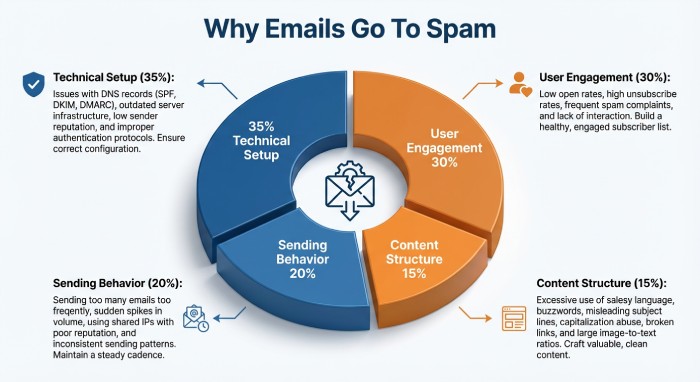
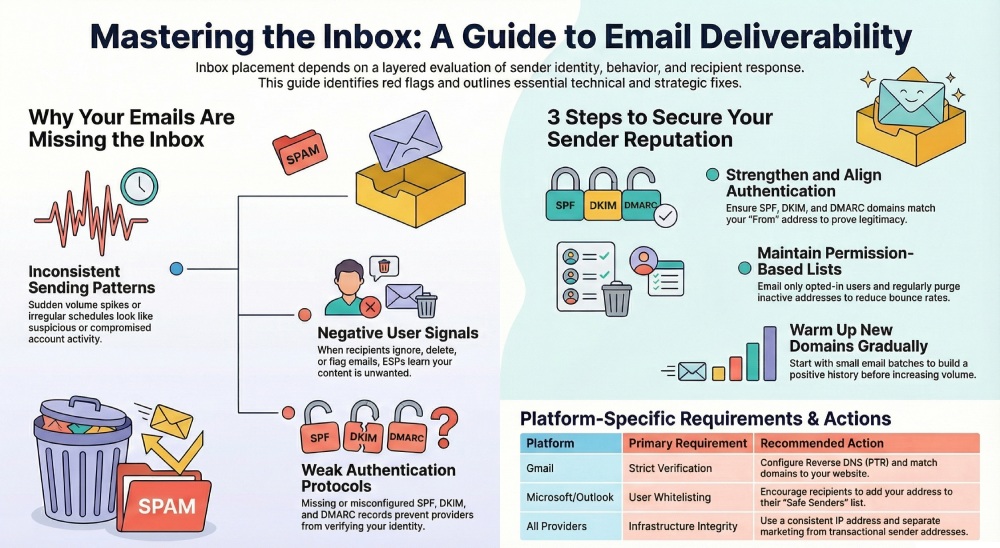
Email service providers don’t randomly decide to push your emails into spam. They follow a layered evaluation process that looks at your identity, behavior, and how recipients respond to your emails over time. Even small inconsistencies can slowly reduce trust.
Here are the key reasons ESPs may flag your emails as spam, and why each one matters:
Inconsistent or suspicious sending patterns
Email providers closely monitor how often and how much you send. Sudden spikes in volume or irregular sending behavior can look unnatural, especially if there is no established history behind your domain. For example, jumping from low-volume emails to large campaigns overnight can raise red flags. ESPs may interpret this as compromised activity or spam behavior. Consistency helps build trust, while unpredictability makes your emails more likely to be filtered out.
Low engagement and negative user signals
How recipients interact with your emails plays a major role in deliverability. If users ignore your emails, delete them without opening, or mark them as spam, ESPs quickly learn that your content may not be valuable. These engagement signals are powerful. Even technically perfect emails can land in spam if users consistently show disinterest. Over time, low engagement signals to ESPs that your emails are unwanted, which directly affects inbox placement.
Content that triggers spam filters
The way your email is written and structured also matters. Messages that rely heavily on promotional language, excessive links, or image-heavy layouts with little text can appear untrustworthy to spam filters. ESPs analyze content patterns to detect potential spam. While a single email may not cause issues, repeated use of risky formatting or language increases suspicion. Balanced, clear, and relevant content helps maintain credibility and improves your chances of reaching the inbox.
Weak or broken email authentication
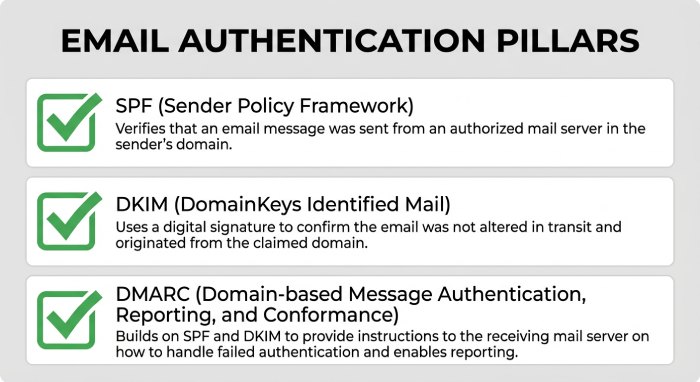
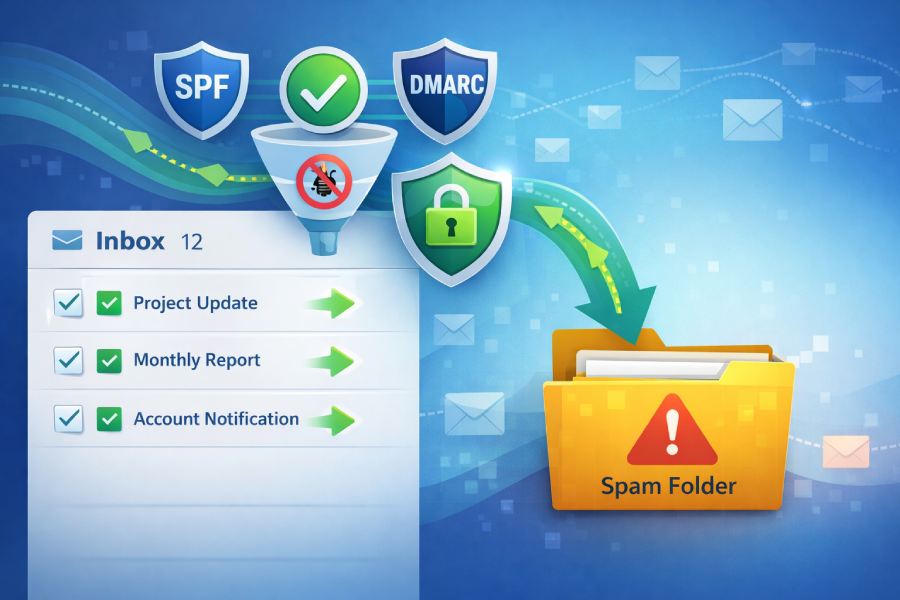
Authentication acts like your email’s identity proof. When protocols such as SPF, DKIM, or DMARC are missing, misconfigured, or not aligned, ESPs struggle to verify that your message is genuinely from you. This uncertainty creates risk. Even legitimate emails can appear suspicious without proper authentication signals. Over time, repeated failures weaken sender trust, making it more likely that future emails are filtered into spam instead of reaching the inbox consistently.
Damaged sender reputation over time
Your domain and IP reputation are built gradually based on your sending habits. If your emails generate spam complaints, bounce frequently, or interact with risky contact lists, ESPs start associating your identity with poor sending behavior. This doesn’t always happen instantly. A few negative signals may seem harmless, but they accumulate. Once your reputation drops, even well-crafted emails may struggle to reach inboxes because ESPs prioritize protecting users from potentially unwanted content.
Technical setup and infrastructure gaps
Behind every email is a technical setup that ESPs evaluate. Issues like incorrect DNS records, poorly configured mail servers, or sending from unverified domains can make it difficult to establish trust. New domains are especially vulnerable because they lack a sending history. Without proper setup and gradual warm-up, ESPs have no baseline to trust your emails. This often leads to initial filtering into spam until a reliable sending pattern is established.
How to avoid emails from going to spam in Gmail
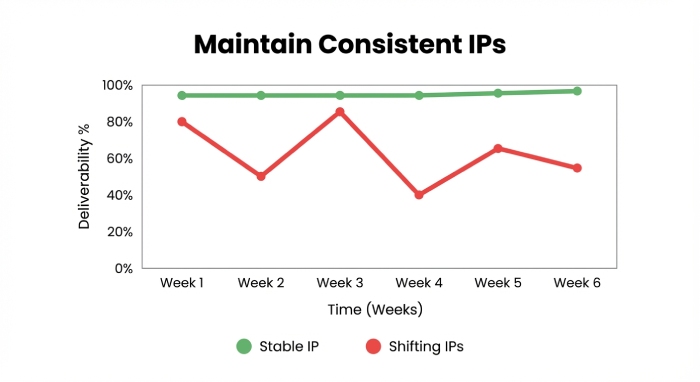
Here are simple best practices recommended by Gmail itself to avoid having your emails lost in the spam folder:
- Set up SPF and DKIM for your domain. These help Gmail confirm that your emails are genuine and not forged.
- Configure reverse DNS (PTR records) to allow receiving servers to verify where your emails are coming from.
- Ensure your sending domain matches your official website domain to build trust.
- Try to send emails from a consistent IP address. Frequent IP changes can look suspicious and affect deliverability.
- Use different sender addresses for different email types. For example, send marketing emails from one address and transactional emails from another.
- Avoid mixing different purposes in one email; keep transactional emails (like password resets) separate from promotional content.
- Do not send test emails from your main domain, as it can negatively impact your reputation.
- Never pretend to be someone else; impersonation can trigger spam filters and make your emails appear to be spoofed.
How to avoid emails from going to spam in Microsoft Outlook, Hotmail, and Microsoft 365 (former Office 365)
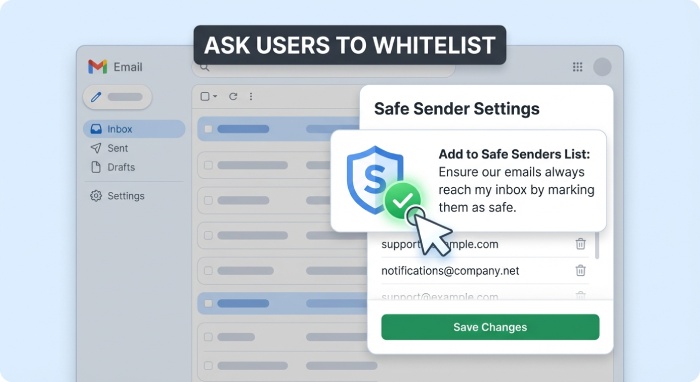
Unlike Google, Microsoft does not give clear steps to keep emails out of the spam folder. So, the best approach is to follow general email best practices and ask your recipients to mark your email address as safe. They can whitelist you in two ways:
- Add your email address to their safe sender’s list
- Create an inbox rule to make sure your emails always land in the inbox
9 practical ways to prevent your emails from going to spam
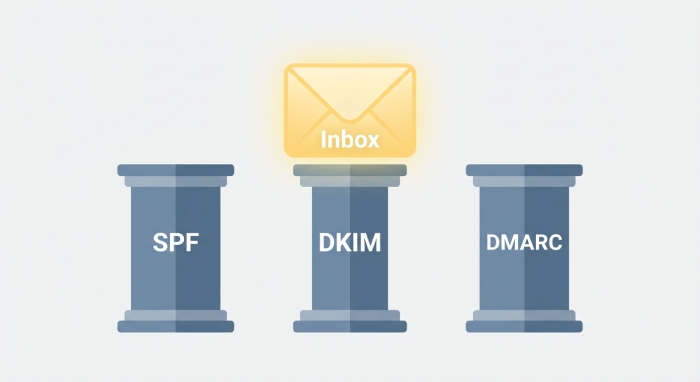
Avoiding the spam folder isn’t about fixing just one thing; it’s about building trust from multiple angles at once. Think of it like a reputation system where every small improvement adds up. Here are nine practical ways to strengthen your email deliverability and consistently reach the inbox:
- Strengthen your email authentication setup
Authentication is not just a one-time setup; it needs to be correct, aligned, and maintained. Go beyond simply adding SPF and DKIM. Make sure DKIM signatures are valid and not breaking during forwarding, and that your DMARC policy is properly configured (not just set to “none” forever).
Alignment is key here. Your “From” domain, DKIM domain, and SPF domain should match or align closely. This consistency tells ESPs that your emails are fully verified. Regularly monitor DMARC reports to catch failures early and fix issues before they impact delivery.
- Move toward stricter DMARC policies over time
If your DMARC policy is still set to “none,” you’re only observing and not protecting. Gradually move to “quarantine” and eventually “reject” once you’re confident in your setup. This step signals to ESPs that you take email security seriously. It also prevents unauthorized senders from abusing your domain. A properly enforced DMARC policy increases trust and, over time, improves how mailbox providers treat your emails.
- Maintain a clean and permission-based email list
Sending emails to people who didn’t explicitly opt in is one of the fastest ways to hurt deliverability. Focus on building a list where users have clearly agreed to hear from you.
Also, regularly clean your list by removing inactive users, invalid addresses, and hard bounces. This reduces the chances of hitting spam traps and improves engagement rates, both of which are closely monitored by ESPs.
- Warm up new domains and IPs gradually
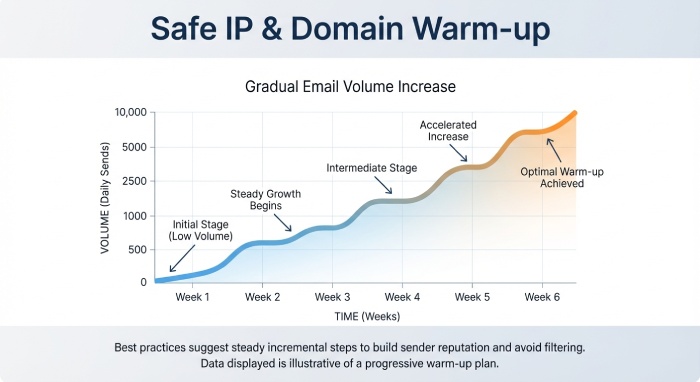
If you start sending large volumes from a new domain or IP, it can look suspicious. Instead, begin with small batches and slowly increase your sending volume over time. This process, known as warming up, helps build a positive sending history. It allows ESPs to observe consistent and safe behavior, making them more likely to trust your emails as your volume grows.
- Keep your email frequency predictable
Consistency matters more than intensity. Sending emails at random intervals or in sudden bursts can confuse spam filters. Instead, follow a regular schedule; whether it’s daily, weekly, or biweekly. When your sending pattern becomes predictable, ESPs can better understand your behavior, reducing the chances of your emails being flagged as unusual or risky.
- Make it easy for users to unsubscribe
It might sound counterintuitive, but giving users a clear way to unsubscribe actually improves deliverability. If people can’t easily opt out, they are more likely to mark your emails as spam. A visible and simple unsubscribe option reduces complaints and shows ESPs that you respect user preferences. This small step can significantly improve your sender reputation over time.
- Optimize your email structure and formatting
Instead of focusing only on avoiding “spammy” words, pay attention to the overall structure of your emails. Keep a good balance between text and images, avoid excessive links, and ensure your HTML is clean and properly coded. Broken layouts, heavy designs, or emails that rely entirely on images can trigger filters. A simple, well-structured email is often more effective and trusted than an overly designed one.
- Monitor and act on engagement data
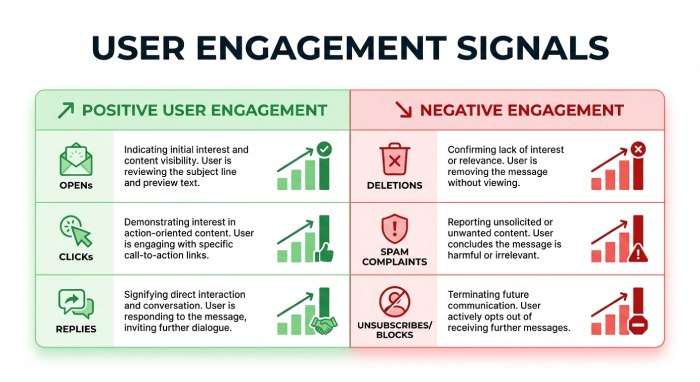
Deliverability doesn’t stop after sending the email. Track how users interact with your campaigns by evaluating the opens, clicks, replies, and complaints. If certain segments are not engaging, consider reducing frequency or removing them from your list. Focusing on active users improves your overall engagement metrics, which directly influences inbox placement.
- Use a reliable sending infrastructure
Your choice of email service provider and infrastructure plays a major role in deliverability. Use a trusted platform that follows best practices, manages IP reputation, and provides proper authentication support. Also, ensure your sending domain has a clear history and is not associated with past abuse. A strong infrastructure supports everything else you do and helps maintain consistent inbox placement.
Final thoughts
Avoiding the spam folder is an ongoing process, not a one-time fix. As your email volume grows and your setup becomes more complex, even small technical issues can impact deliverability. One common challenge is hitting the SPF lookup limit, which can break authentication and reduce trust.
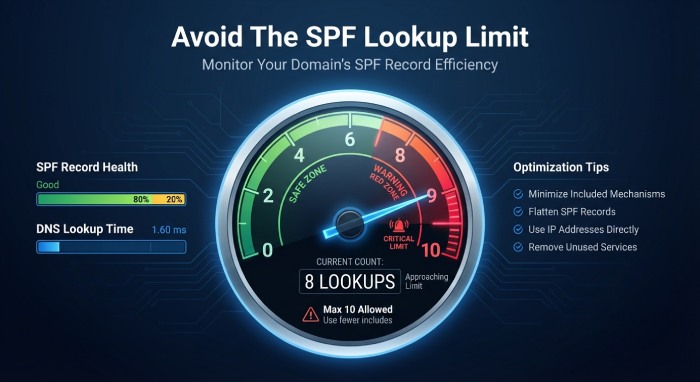
This is where AutoSPF can help. It simplifies and optimizes your SPF record, so you stay within limits while maintaining proper authentication. If you’re scaling your email operations, it’s worth using a solution that keeps your SPF setup clean, efficient, and reliable. Reach out to us to know more.