How to avoid spam and phishing emails in your inbox

Quick Answer
Spam and phishing emails are no longer just a minor inconvenience sitting quietly in your junk folder. They are often the first step in phishing attacks, financial fraud, and brand impersonation scams that can harm both individuals and businesses. Every day, attackers attempt to send emails that look legitimate, posing as trusted brands, service providers, or even your own organization.
How to avoid spam and phishing emails in your inbox
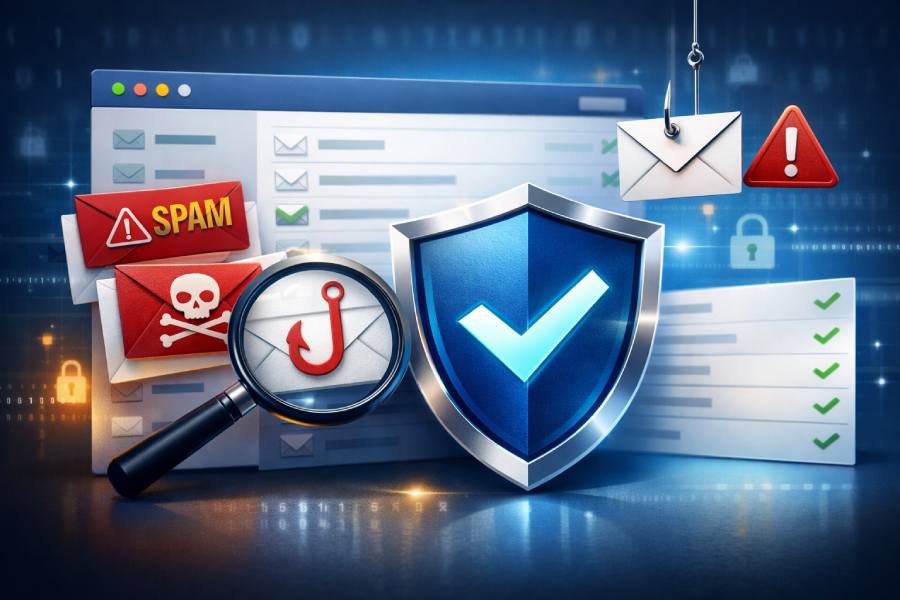
Spam and phishing emails are no longer just a minor inconvenience sitting quietly in your junk folder. They are often the first step in phishing attacks, financial fraud, and brand impersonation scams that can harm both individuals and businesses. Every day, attackers attempt to send emails that look legitimate, posing as trusted brands, service providers, or even your own organization, to trick recipients into sharing sensitive information or making payments. When these emails reach inboxes successfully, the damage goes far beyond annoyance. It affects customer trust, brand credibility, and long-term reputation.
According to the FBI’s 2022 Internet Crime Report (IC3), 300,497 US-based victims reported phishing incidents in a single year, and Business Email Compromise (BEC) - a domain-spoofing attack that SPF, DKIM, and DMARC are specifically designed to prevent - caused more than $2.7 billion in direct losses.
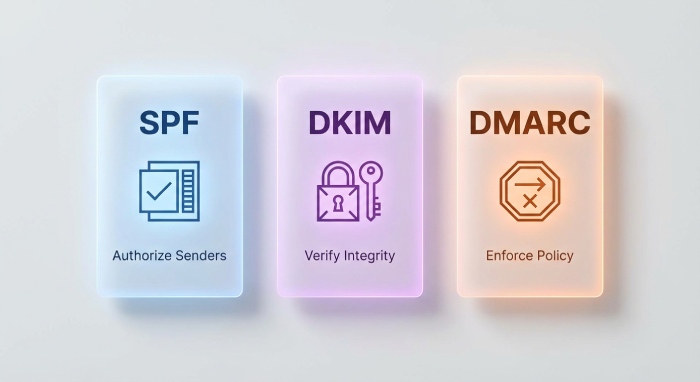
The challenge is that spamming or phishing does not appear randomly. It usually slips through when email domains are not properly protected or when authentication policies are weak or missing. Fortunately, preventing spam and phishing is no longer guesswork. Modern email authentication standards such as SPF, DKIM, and DMARC allow domain owners to verify legitimate senders and block unauthorized messages before they ever reach recipients. Combined with smarter inbox filtering practices and user awareness, these protections can significantly reduce unwanted and malicious emails.
In this guide, we will explore practical ways to avoid spam and phishing emails in your inbox and explain how stronger email authentication can serve as one of the most effective long-term defenses.
Why do you receive spam or phishing emails?
Spam and phishing emails usually reach your inbox because attackers find ways to obtain your email address or exploit weak email security settings. Understanding how this happens makes it easier to prevent future attacks.
1. Your email address was shared publicly
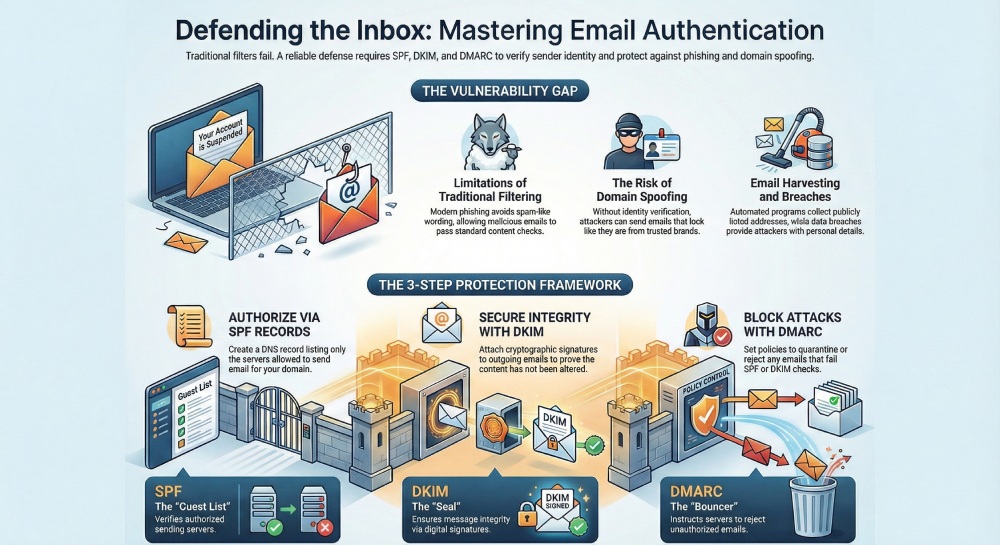
If your email address is listed on websites, social media profiles, forums, or online directories, automated programs called “email harvesters” can easily collect it. These programs scan web pages and build large databases of active email addresses. Once collected, your address may be sold to marketing spammers or cybercriminal groups who send bulk phishing campaigns.
2. Your email was exposed in a data breach
Many spam emails start after a company you signed up with experiences a data breach. When attackers gain access to customer databases, they often steal email addresses along with other information such as names or phone numbers. This data helps attackers create more convincing phishing emails because they already know details about you.
3. Weak email authentication on sender domains
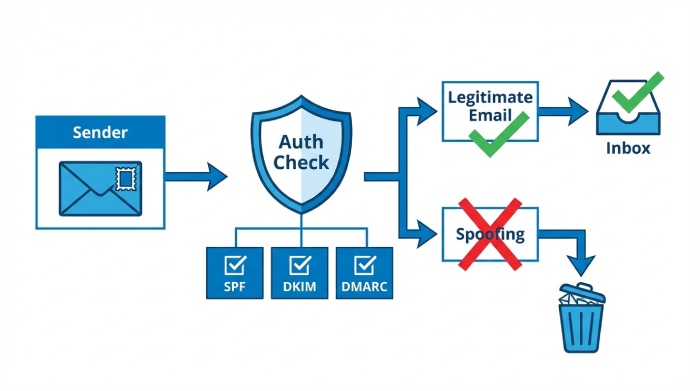
Some phishing emails reach inboxes because the sending domain does not have strong authentication controls in place. If a domain does not properly use SPF, DKIM, or DMARC, attackers can attempt to send messages that appear to come from legitimate organizations. Without proper verification checks, some mailbox providers may initially accept these emails before filtering systems identify them as suspicious.
4. Interaction with suspicious websites or subscriptions
Entering your email address on unknown websites, downloading unverified applications, or subscribing to low-quality mailing lists can also increase spam. Some websites collect email addresses primarily to sell them to advertising networks or spam operators.
5. Predictable or auto-generated email addresses
Business emails such as info@domain.com, sales@domain.com, or support@domain.com are easy for attackers to guess. Cybercriminals often send phishing emails to these predictable addresses because they know organizations commonly use them.
Why traditional email filters are not fully effective
Traditional email filters were built to detect spam by checking the content of messages, suspicious keywords, attachments, and the reputation of the sending server. These methods still block a large number of unwanted emails, but they are not always strong enough to stop modern phishing attacks. Today, attackers carefully write emails that look genuine, avoid spam-like wording, and use sending systems that appear legitimate. Because of this, some phishing emails can pass through standard filters and reach inboxes.
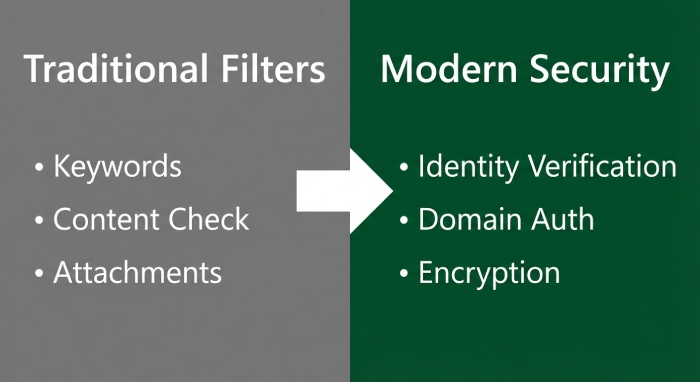
Another important limitation is that many traditional filters focus mainly on how an email looks instead of confirming whether the sender is actually allowed to use the domain shown in the message. When proper identity verification checks are not in place, attackers can spoof domains and make emails appear as if they were sent by trusted companies. Since email technology was originally created without strict identity verification, relying only on content-based filtering leaves security gaps that attackers can take advantage of.
How to prevent spam and phishing emails in 2026
Preventing spam and phishing emails requires more than basic spam filters. Businesses must actively secure their email domains so attackers cannot impersonate them in the first place. The most reliable approach is to combine email authentication technologies with ongoing monitoring and operational discipline. The following steps form a strong protection framework.
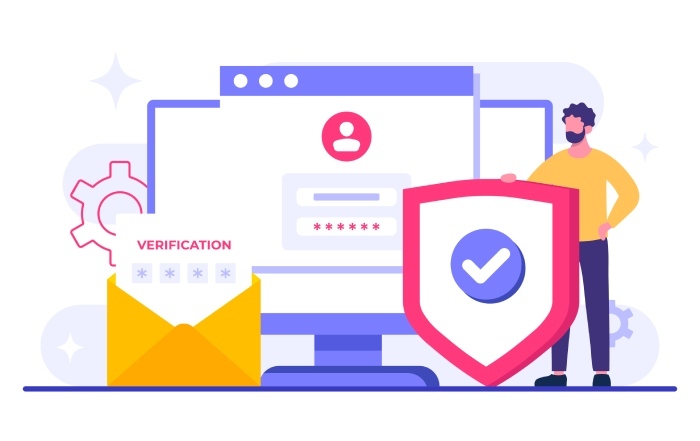
1. Implement SPF records to authorize legitimate senders
SPF (Sender Policy Framework) is a DNS record that lists all servers allowed to send emails using your domain, published according to a strict SPF record syntax. When an email is received, the recipient’s mail server checks this list. If the sending server is not listed, the email can be flagged or rejected.
SPF must be reviewed regularly because organizations frequently add new platforms such as marketing tools, CRM systems, and ticketing software that send emails on their behalf. Building in regular SPF record checks keeps the record current. If these services are not included in the SPF record, legitimate emails may fail authentication, while incomplete configurations can leave room for abuse.
2. Deploy DKIM to digitally sign emails
DKIM (DomainKeys Identified Mail) attaches a cryptographic signature to each outgoing email. Receiving servers use the public key stored in DNS to verify that the message content has not been altered and that the sender is legitimate.
DKIM works silently in the background, but it is essential for proving email integrity. Organizations should maintain proper key management practices, including rotating keys periodically and ensuring every sending platform signs emails correctly.
3. Enforce DMARC policies to block impersonation
DMARC (Domain-based Message Authentication, Reporting, and Conformance) connects SPF and DKIM results and instructs receiving servers how to handle emails that fail authentication. Policies can be set to monitor, quarantine, or reject suspicious emails.
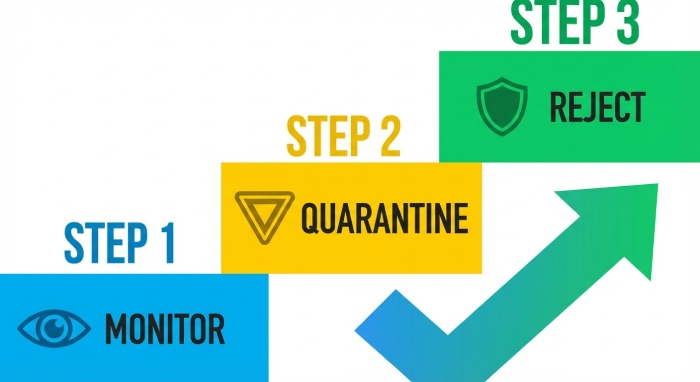
Moving to enforcement mode, such as quarantine or reject, is critical because it prevents attackers from successfully spoofing your domain. Before enforcement, organizations should analyze DMARC reports to identify legitimate senders and confirm they are properly authenticated.
4. Add BIMI for visual brand verification
BIMI (Brand Indicators for Message Identification) allows verified logos to appear next to authenticated emails in supported inboxes. This visual confirmation helps recipients quickly recognize legitimate messages and become more cautious when emails appear without the expected logo. BIMI requires strong DMARC enforcement, making it an advanced but valuable step in brand protection.
5. Verify all third-party email senders
Many companies rely on multiple external platforms to send emails. Each authorized sender must be properly configured with SPF, DKIM, and DMARC alignment; understanding how SPF alignment works makes this far easier. Maintaining an updated inventory of all sending services reduces hidden risks, and learning to consolidate SPF records prevents unauthorized systems from using your domain.

6. Monitor authentication reports continuously
DMARC generates detailed reports that show who is sending emails using your domain and whether authentication checks are passing or failing. Regularly reviewing these reports helps detect impersonation attempts early, identify configuration errors, and maintain long-term protection against phishing campaigns.
By implementing these measures together and maintaining them over time, organizations can significantly reduce spam, prevent domain spoofing, and protect both customers and brand reputation.
How AutoSPF can help
Setting up SPF, DKIM, and DMARC correctly can feel complex, especially when multiple email services are involved. AutoSPF simplifies this process by automatically generating, validating, and maintaining accurate SPF configurations, reducing the risk of authentication gaps. By helping you quickly authorize legitimate senders and prevent unauthorized use of your domain, AutoSPF provides an easy starting point for strengthening email security and reducing spam and phishing threats. So, reach out to us to get started.
Topics
General Manager
General Manager of DuoCircle. Product strategy and commercial lead for AutoSPF's 2,000+ customer base.
LinkedIn Profile →