How to Check Whether Your BIMI Record and VMC Certificate Are Valid

Quick Answer
BIMI validation checks whether your BIMI DNS record, SVG logo, and VMC or CMC certificate meet email authentication requirements. Verify your DNS syntax, HTTPS accessibility, certificate validity, and DMARC enforcement to support secure brand logo display in email inboxes.
Try Our Free BIMI Checker
Verify your BIMI record and check VMC certificate status.
Check BIMI Record →
What BIMI Validation Means and Why It Matters
Brand Indicators for Message Identification (BIMI) lets participating mailbox providers display brand logos beside authenticated emails. A valid BIMI record identifies the logo, while a VMC or CMC verifies the mark.
BIMI validation checks DNS records, SVG logos, certificates, hosting URLs, and DMARC configuration. Proper validation supports logo display and brand trust, although visibility depends on provider support and policies.
Prerequisites: DMARC Enforcement, Brand Logo Requirements, and DNS Access
DMARC Enforcement and Authentication Baseline
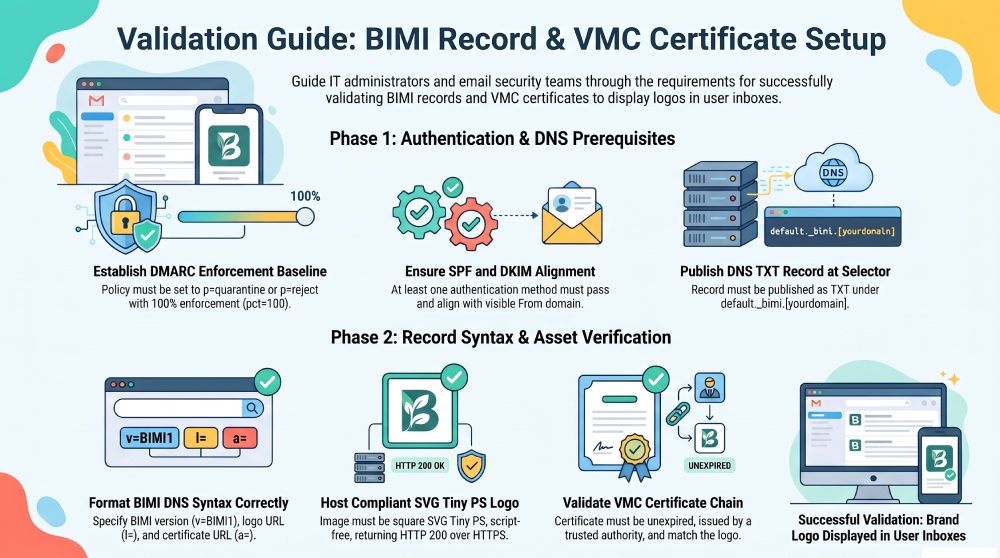
The most important prerequisite for BIMI is DMARC enforcement. Your organizational domain must have a DMARC policy set to either p=quarantine or p=reject, with the policy applying to 100% of messages (pct=100). A monitoring-only policy such as p=none does not meet BIMI’s DMARC enforcement requirements.
A typical DMARC policy looks like this:
v=DMARC1; p=quarantine; pct=100; rua=mailto:dmarc-reports@example.comAlternatively, you can use:
v=DMARC1; p=reject; pct=100; rua=mailto:dmarc-reports@example.comThe p=quarantine policy instructs receiving servers to treat messages that fail DMARC as suspicious, while p=reject requests that they reject those messages. The pct=100 tag indicates that the policy applies to all messages covered by the record.
Correct SPF and DKIM configurations are essential for DMARC alignment. At least one authentication method must pass and align with the visible From domain for a message to pass DMARC. Check your organizational domain and relevant subdomain policies to ensure they meet applicable BIMI requirements.
AutoSPF helps organizations manage complex SPF records and multiple email senders to support reliable email authentication.
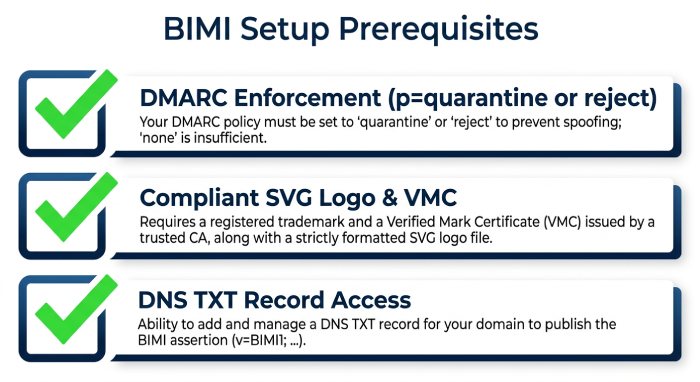
Brand Logo and Certificate Requirements
Your BIMI logo must use a secure, compliant SVG format without scripts, animations, external references, or unsupported elements. A valid VMC or CMC may also be required, depending on mailbox provider requirements.
DNS Access and Tooling
To publish the BIMI DNS record, you need access to your domain’s DNS zone. BIMI is published as a DNS TXT record at a selector-based location, typically:
default._bimi.example.comA BIMI record lookup checks whether the record resolves correctly and contains the required tags. Use a BIMI validator or checker to verify its configuration and follow the BIMI implementation guidelines for proper setup and maintenance.
How to Check Your BIMI DNS Record for Correct Syntax and Placement
Run a BIMI Record Lookup
A typical BIMI record looks like this:
v=BIMI1;l=https://example.com/bimi/logo.svg;a=https://example.com/bimi/vmc.pemThe v=BIMI1 tag identifies the BIMI record version. The l= tag points to the publicly accessible SVG logo over HTTPS. The a= tag points to the VMC or CMC certificate file when required by the applicable BIMI implementation and mailbox provider requirements.
A BIMI checker can help verify that the record exists, uses the expected selector, and follows the required syntax. If no record is found, check the selector, DNS propagation, and authoritative DNS zone.
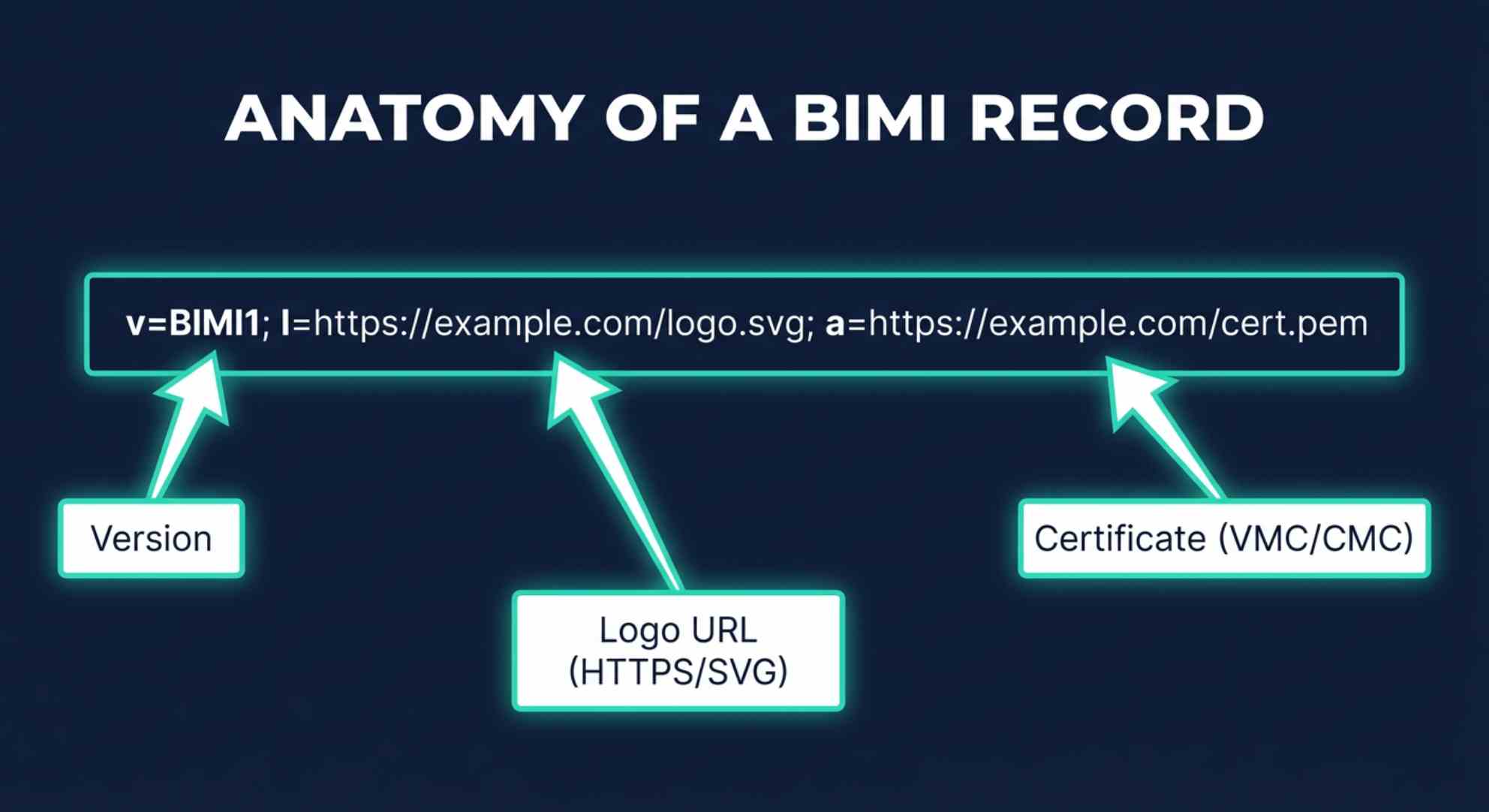
Confirm Syntax, Tags, and Selector Placement
Your BIMI check should verify the following:
- The record begins with
v=BIMI1. - The
l=value points to a valid SVG file. - The logo URL uses HTTPS.
- The
a=value points to a valid mark certificate when required. - The BIMI DNS record is published as TXT, not CNAME or another record type.
- There are no duplicate BIMI records at the same selector.
- The domain has DMARC enforcement with a DMARC policy of
p=quarantineorp=reject.
Example of a Valid BIMI DNS Record
default._bimi.example.com.TXT"v=BIMI1;l=https://assets.example.com/bimi/logo.svg;a=https://assets.example.com/bimi/*vmc*.pem;"During BIMI validation, a checker may verify the domain’s DMARC policy, SPF and DKIM alignment, and authentication compliance. Advanced checks may also assess redirects, TLS security, MIME type, logo accessibility, and SVG validity.
How to Verify Your VMC Certificate and Logo Hosting URL
Validate the VMC or CMC Certificate
The VMC or CMC must be issued by a trusted certificate issuer and match the logo in the BIMI record. Check that the certificate is accessible, valid, not expired or revoked, and served over HTTPS. Ensure the certificate chain and brand details are correct. If errors appear, contact the certificate issuer.
Confirm Logo Hosting, SVG Format, and HTTPS Accessibility
The l= tag must point to a publicly accessible HTTPS URL. The SVG logo should be securely hosted and accessible without login or restrictions.
Check that the logo uses the approved SVG Tiny PS format, is square, has no external dependencies, and loads with a valid HTTPS connection and HTTP 200 status. Avoid unnecessary redirects and ensure the correct content type.
Mailbox providers may apply their own BIMI validation and display policies. Final logo visibility also depends on sender reputation and provider requirements.
Common BIMI and VMC Validation Errors and How to Fix Them
 Common issues include:
- No BIMI record found: Run a BIMI record lookup against
default._bimi.yourdomain.com. Confirm that the DNS TXT record was published in the authoritative zone and that DNS propagation has completed. - Invalid DMARC policy: Update your DMARC policy from
p=nonetop=quarantineorp=reject. BIMI requires DMARC enforcement, and many mailbox providers will ignore a BIMI DNS record without it. - SPF or DKIM alignment failure: Review your sending sources and make sure authenticated email messages align with the visible From domain.
- Malformed BIMI record: Check for missing semicolons, unsupported tags, duplicate records, or incorrect URL values. Use a record builder or validation tool to generate a clean record.
- Logo file rejected: Convert the SVG logo to SVG Tiny PS and remove scripts, embedded raster images, external links, and unsupported SVG elements.
- Logo URL not accessible: Host the file at a publicly accessible HTTPS URL, avoid authentication barriers, and verify that the secure URL returns HTTP 200.
- Invalid or expired VMC: Reissue the verified mark certificate through an approved certificate issuer and confirm that the certificate matches the brand logo.
- Certificate URL blocked: Ensure the VMC file is reachable without bot protection, IP restrictions, or forced downloads.
- Mailbox provider does not display the logo: Confirm mailbox support, sender reputation, and the provider’s current BIMI requirements. Some providers may support VMC, others may support CMC, and some may not display BIMI logos consistently.
Run a BIMI check after DNS changes, certificate renewals, logo updates, or DMARC adjustments. Regular validation helps maintain security, protect brand reputation, and build recipient trust by supporting verified logo display in authenticated emails.
General Manager
General Manager of DuoCircle. Product strategy and commercial lead for AutoSPF's 2,000+ customer base.
LinkedIn Profile →