How to Check If a Domain Is Secure: 7 Essential Security Checks Beyond HTTPS

Quick Answer
A secure domain requires more than HTTPS. Verify the SSL certificate, domain age, DNS records, WHOIS details, malware status, reputation, and email authentication (SPF, DKIM, and DMARC) to better assess trust and reduce security risks.
Every day, people visit websites to shop, manage finances, access business services, and communicate online. While a website may look legitimate, appearances alone don’t guarantee it’s safe. Cybercriminals often create convincing fake websites or compromise legitimate domains to steal credentials, spread malware, or launch phishing attacks.
For businesses, website security is only one piece of the puzzle. Protecting your domain also means securing the emails sent from it. Technologies like SPF, DKIM, and DMARC help prevent email spoofing and build trust with customers.
In this guide, we’ll explore seven essential checks to help you determine whether a domain is secure and explain why both website and email security matter.
Why Domain Security Matters
A secure domain protects more than just a website. It safeguards your online reputation, customer trust, and business communications.
Without proper security measures, attackers may:
- Create phishing websites that imitate your brand.
- Spoof your domain to send fraudulent emails.
- Steal login credentials or payment information.
- Deliver malware through malicious links.
- Damage your organization’s reputation.
By combining website security with email authentication, you significantly reduce these risks.
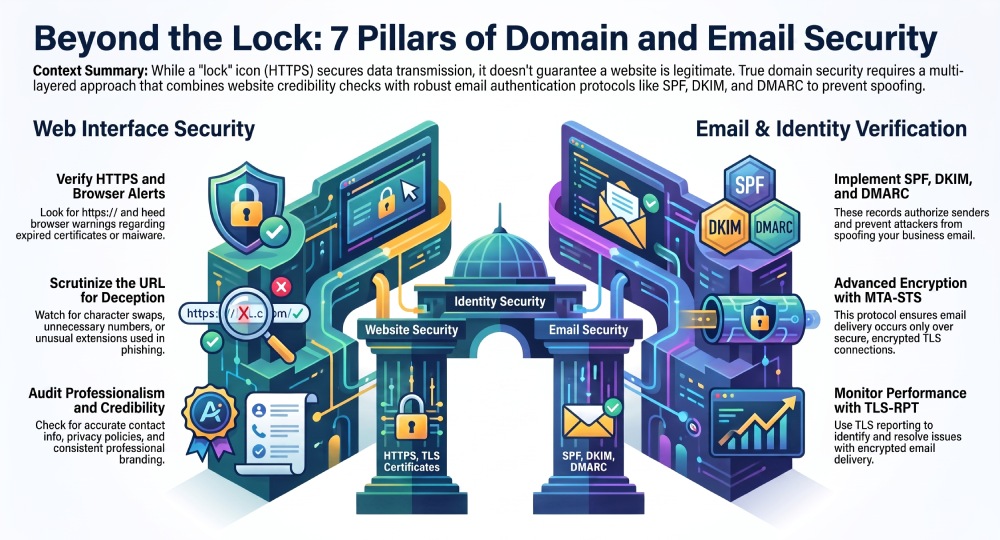
1. Confirm the Website Uses HTTPS
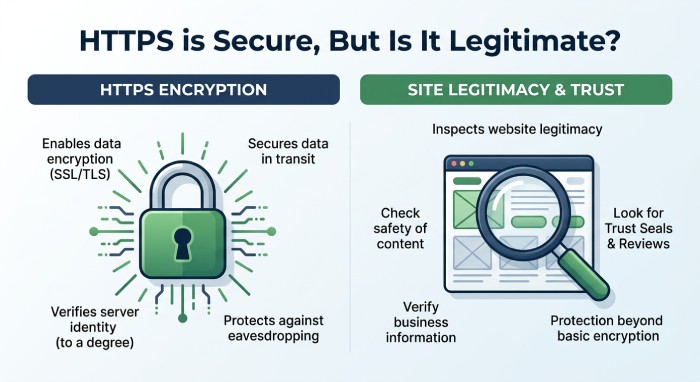 One of the first things to check is whether the website uses HTTPS.
HTTPS encrypts the connection between your browser and the web server using TLS (Transport Layer Security). This protects data such as passwords, payment details, and personal information while it’s being transmitted.
Look for these indicators:
- The URL begins with https://
- Your browser displays a secure connection icon
- No certificate or security warnings appear
Keep in mind that HTTPS only secures the connection. It does not verify that the website itself is trustworthy. Even fraudulent websites can obtain valid TLS certificates.
2. Verify the Domain Name Carefully
Many phishing attacks rely on deceptive domain names that closely resemble legitimate ones.
Attackers may:
- Replace letters with similar-looking characters
- Add unnecessary words or numbers
- Use unfamiliar domain extensions
- Create misleading subdomains
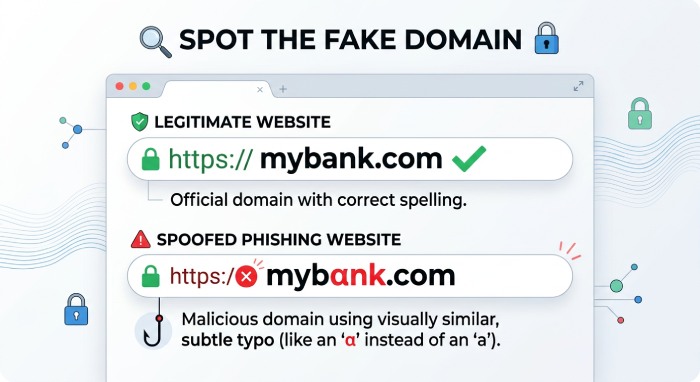 Before entering sensitive information, carefully review the domain name character by character. A small spelling difference could indicate a phishing website.
3. Pay Attention to Browser Security Warnings
Modern browsers actively protect users by identifying potentially dangerous websites.
Warnings may appear when:
- A TLS certificate has expired
- The certificate cannot be verified
- The connection isn’t encrypted properly
- Malware has been detected
- The website is known for phishing
If your browser displays a security warning, avoid proceeding unless you fully understand the risk and trust the website.
4. Check Whether the Domain Uses Email Authentication
A secure website doesn’t automatically mean the domain’s email is protected.
Businesses should also publish email authentication records that help prevent spoofing and phishing.
Important technologies include:
SPF (Sender Policy Framework)
SPF identifies which mail servers are authorized to send email on behalf of a domain. Messages sent from unauthorized servers are more likely to be rejected or flagged as suspicious. You can confirm a domain publishes a valid record with a free SPF checker, then validate SPF syntax to be sure it parses correctly.
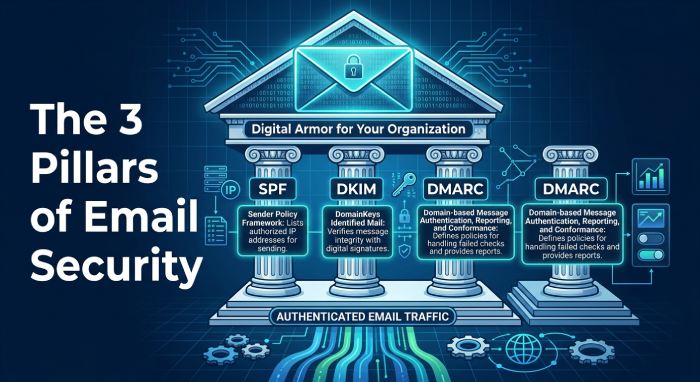
DKIM (DomainKeys Identified Mail)
DKIM digitally signs outgoing messages so receiving servers can verify that the email hasn’t been altered during transit.
DMARC (Domain-based Message Authentication, Reporting, and Conformance)
DMARC builds on SPF and DKIM by telling receiving mail servers how to handle authentication failures. It also provides reporting that helps domain owners detect unauthorized email activity.
Together, these technologies help protect both businesses and customers from email impersonation.
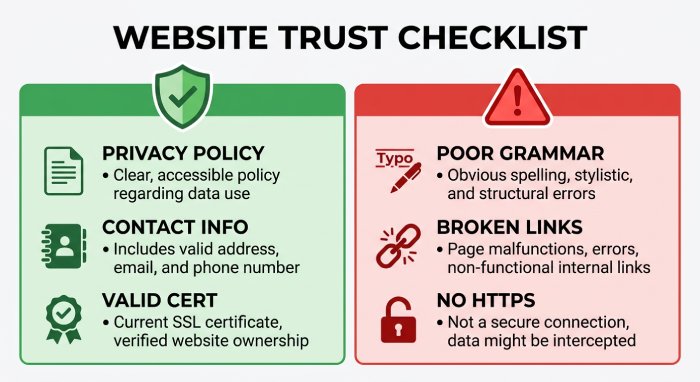
5. Evaluate the Website’s Credibility
A trustworthy website should present clear and consistent information.
Signs of a legitimate website include:
- Professional design
- Accurate contact information
- Privacy policy
- Terms and conditions
- Consistent branding
- Up-to-date content
Exercise caution if you notice poor grammar, broken links, excessive advertisements, or unrealistic offers, as these may indicate a fraudulent or poorly maintained website.
6. Research the Domain’s Reputation
Before sharing personal information or making a purchase, spend a few moments researching the website.
Helpful sources include:
- Customer reviews
- Independent review platforms
- Business directories
- Public company information
- Security reputation services
A history of phishing reports, malware distribution, or customer complaints should be treated as a warning sign.
7. Look for Additional Email Security Protections
Organizations that take email security seriously often implement additional technologies beyond SPF, DKIM, and DMARC.
These may include:
MTA-STS
MTA-STS helps ensure that email is delivered over encrypted TLS connections and prevents certain downgrade attacks during message delivery.
TLS Reporting (TLS-RPT)
TLS-RPT allows domain owners to receive reports about problems establishing encrypted email connections, making it easier to identify and resolve delivery issues.
These standards strengthen email security and improve the reliability of encrypted communications.
Common Warning Signs of an Unsafe Domain
Be cautious if you notice multiple warning signs, including:
- Missing HTTPS encryption
- Browser security alerts
- Suspicious or misleading URLs
- Requests for unnecessary personal information
- Numerous spelling or grammar mistakes
- Broken pages or missing contact details
- Reports of phishing or scams
- Missing SPF, DKIM, or DMARC records for business domains
One warning sign doesn’t always indicate malicious activity, but several together should prompt extra caution.
Best Practices for Staying Safe Online
Whether you’re browsing the web or managing a business domain, these practices can improve your security:
- Keep your browser and operating system updated.
- Use strong, unique passwords for every account.
- Enable multi-factor authentication (MFA).
- Avoid clicking unexpected links in emails or text messages.
- Verify domain names before entering sensitive information.
- Monitor your domain’s email authentication records regularly.
- Review DMARC reports to identify unauthorized email activity.
- Update DNS records whenever email providers change.
What to Do If You Suspect a Website Is Unsafe
If you believe a website or domain may be malicious:
- Leave the website immediately.
- Do not enter personal or payment information.
- Scan your device if you downloaded files.
- Change passwords if you submitted login credentials.
- Enable MFA on affected accounts.
- Monitor financial accounts for suspicious activity.
- Report phishing websites to your browser or security provider.
Taking action quickly can help reduce the impact of a potential security incident.
Final Thoughts
Website security is an important first step, but true domain protection goes further. While HTTPS encrypts data exchanged with a website, it doesn’t stop attackers from impersonating your domain through email.
Combining HTTPS with SPF, DKIM, DMARC, MTA-STS, and TLS reporting creates a stronger security posture that protects both your website visitors and your email recipients. Regularly reviewing these security measures, including routine SPF record checks, helps reduce phishing risks, improve email deliverability, and strengthen trust in your brand.
By making domain security a routine part of your cybersecurity strategy, you can better defend your business against evolving online threats while providing a safer experience for your customers.
General Manager
General Manager of DuoCircle. Product strategy and commercial lead for AutoSPF's 2,000+ customer base.
LinkedIn Profile →