How to Encrypt Email and Protect Sensitive Messages

Quick Answer
Email remains one of the most widely used communication tools for businesses and individuals, but it is also one of the most common targets for cyberattacks. Sensitive information such as financial records, passwords, contracts, customer data, and private conversations often travel through email systems every day. Without proper protection, these messages can be intercepted, stolen, or altered by unauthorized parties.
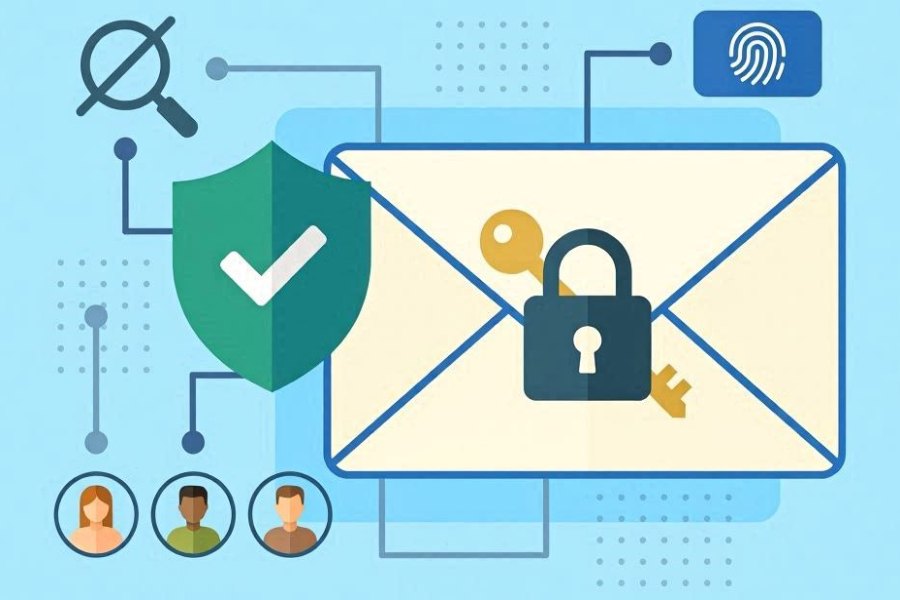
Email remains one of the most widely used communication tools for businesses and individuals, but it is also one of the most common targets for cyberattacks. Sensitive information such as financial records, passwords, contracts, customer data, and private conversations often travel through email systems every day. Without proper protection, these messages can be intercepted, stolen, or altered by unauthorized parties.
Email encryption helps solve this problem by converting readable email content into coded text that only the intended recipient can unlock. Whether you are sharing confidential business information or simply protecting personal communication, encrypted email adds an essential layer of security.
What Is Email Encryption?
Email encryption is a security process that transforms the contents of an email into an unreadable format while it is being transmitted or stored. Only someone with the correct decryption key can view the original message.
Instead of sending emails as plain text, encryption scrambles the information so outsiders cannot interpret it even if they gain access to the message during delivery.
This protection is especially important because cybercriminals frequently target email systems through phishing attacks, account compromises, and data interception techniques.
Why Email Encryption Matters
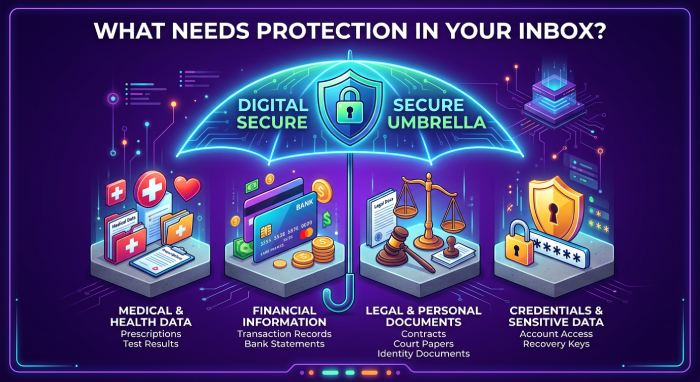
Many organizations exchange confidential information through email every day. This can include:
- Legal documents
- Customer records
- Banking information
- Medical details
- Internal business communications
- Login credentials
If these emails are not encrypted, attackers may access sensitive data and use it for fraud, identity theft, or corporate espionage.
Email encryption also helps businesses comply with privacy regulations and industry security requirements. Organizations operating in sectors such as healthcare, finance, education, and government often rely on encryption to meet compliance obligations and reduce liability risks.
Beyond regulatory protection, encrypted communication helps build trust with customers, employees, and business partners.
How Email Encryption Works
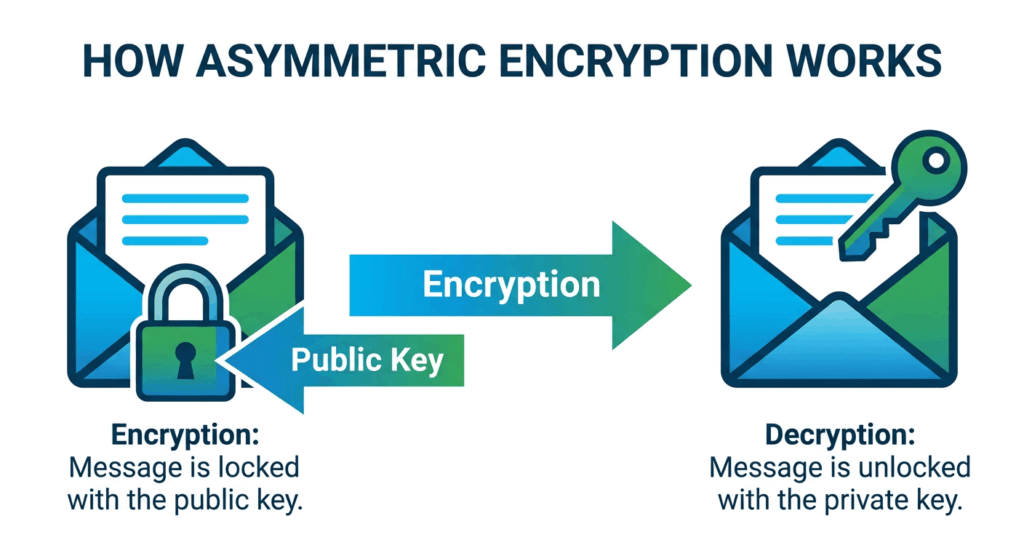
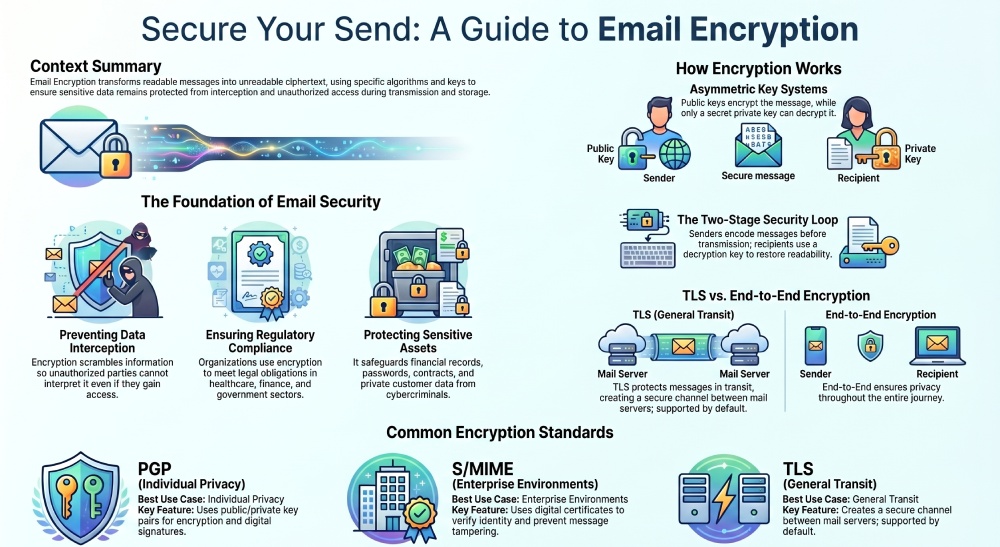
When an email is encrypted, its contents are converted into ciphertext using a mathematical algorithm. The message becomes unreadable until it is decrypted using a special key.
The process generally involves two stages:
1. Encryption
The sender’s email is encoded before transmission. This ensures the message cannot be understood if intercepted while traveling across servers or networks.
2. Decryption
The recipient uses a decryption key to restore the message to its original readable format.
Modern email encryption systems often automate these steps, allowing users to secure messages without needing advanced technical knowledge.
Types of Email Encryption
There are several approaches to encrypting email communications. Each method offers different levels of protection and usability.
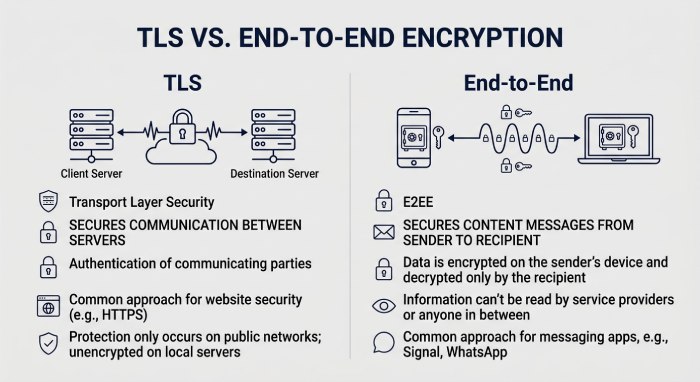
Transport Layer Security (TLS)
TLS protects emails while they travel between mail servers. It creates a secure communication channel that prevents attackers from intercepting messages during transmission.
Most major email providers support TLS by default. However, TLS does not fully protect emails after they reach the recipient’s inbox.
End-to-End Encryption
End-to-end encryption ensures that only the sender and recipient can access the contents of a message. Even the email provider cannot read the email.
This method provides a much higher level of privacy because the message stays encrypted throughout its entire journey.
Two of the most widely used end-to-end encryption standards are:
Understanding Public and Private Keys
Most modern encryption systems use asymmetric encryption, which relies on two separate keys:
Public Key
The public key is shared openly and is used to encrypt messages.
Private Key
The private key remains secret and is used to decrypt messages.
When someone wants to send you an encrypted email, they use your public key. Only your private key can unlock and read the message.
This method improves security because the private key never needs to be shared.
PGP Email Encryption
PGP is one of the oldest and most respected email encryption methods. It allows users to encrypt messages and digitally sign emails for authenticity.
With PGP:
- Users generate public and private key pairs
- Public keys are shared with contacts
- Messages are encrypted using the recipient’s public key
- Only the recipient’s private key can decrypt the message
PGP is highly secure, but it can be complicated for beginners because it often requires manual key management.
S/MIME Email Encryption
S/MIME uses digital certificates issued by trusted certificate authorities to encrypt and sign emails.
This method is commonly used in enterprise environments because it integrates with many corporate email systems, including Microsoft Outlook and Apple Mail.
S/MIME helps organizations:
- Encrypt confidential emails
- Verify sender identity
- Prevent message tampering
- Improve communication integrity
How to Encrypt Emails in Gmail
Gmail uses TLS automatically to secure messages in transit. However, standard Gmail accounts do not provide full end-to-end encryption by default.
Users can improve email security in Gmail by using:
Confidential Mode
Gmail’s Confidential Mode allows senders to:
- Set expiration dates for emails
- Require SMS verification codes
- Restrict forwarding and downloading
While useful for added control, Confidential Mode is not true end-to-end encryption.
S/MIME for Google Workspace
Some Google Workspace plans support S/MIME encryption for enterprise users. This feature enables stronger protection for business communications.
How to Encrypt Emails in Outlook
Microsoft Outlook includes several built-in email protection features.
Microsoft Purview Message Encryption
Outlook users can encrypt messages directly from the email compose window. This feature allows senders to:
- Encrypt-only messages
- Prevent forwarding
- Apply sensitivity labels
- Protect attachments automatically
Encrypted emails can still be received by Gmail, Yahoo, and other providers using secure verification methods.
Encrypting Email Attachments
Attachments often contain the most sensitive information within an email. Fortunately, many secure email systems automatically encrypt attached documents when the message itself is encrypted.
Additional protection methods include:
- Password-protected PDF files
- Encrypted ZIP folders
- File-sharing platforms with access controls
Combining encrypted attachments with encrypted email delivery provides stronger overall protection.
Email Encryption vs. Email Authentication
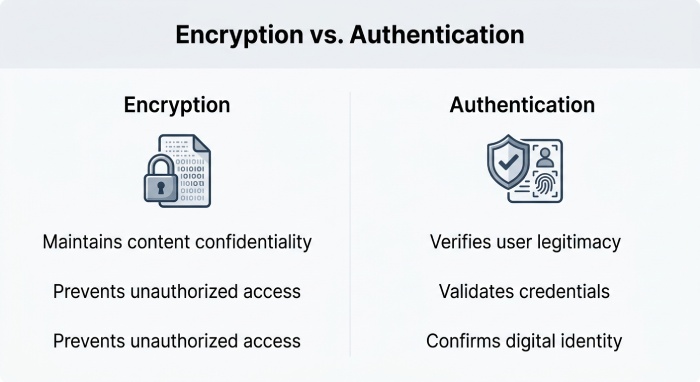
Although they are related, encryption and authentication serve different purposes.
Email Encryption
Encryption protects the content of a message from unauthorized viewing.
Email Authentication
Authentication verifies that the sender is legitimate and prevents email spoofing.
Protocols such as:
help confirm sender identity and reduce phishing risks; learning how SPF alignment works explains why they matter for DMARC. Consolidate your includes with an SPF flattening service to stay under the 10-lookup limit.
Using both encryption and authentication together creates a stronger email security strategy.
Benefits of Encrypting Emails
Implementing encrypted email communication offers several advantages.
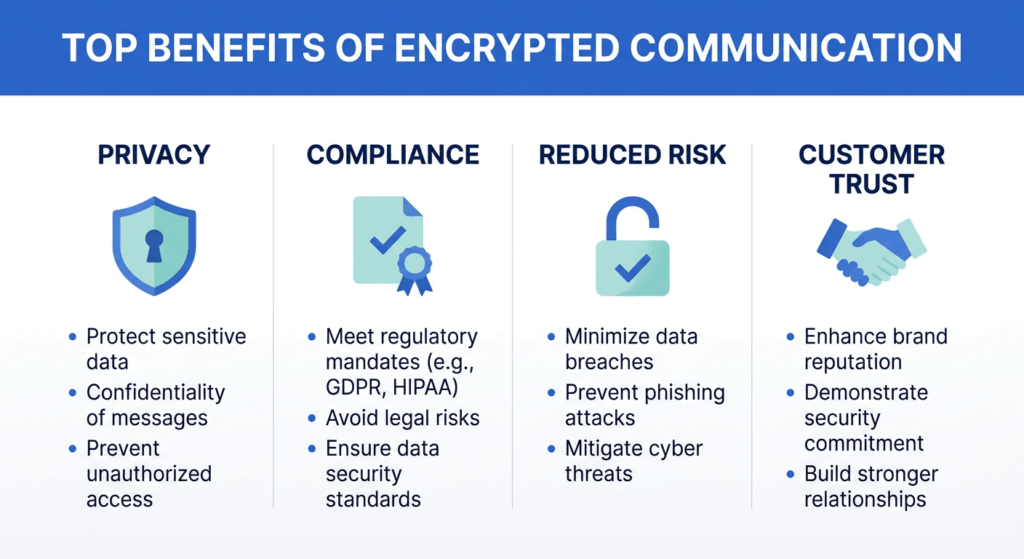
- Better Data Privacy: Sensitive information remains protected from unauthorized access.
- Reduced Cybersecurity Risks: Encryption lowers the risk of interception, phishing-related breaches, and data theft.
- Regulatory Compliance: Many privacy laws and industry standards encourage or require encrypted communications.
- Increased Customer Trust: Secure communication demonstrates a commitment to protecting customer information.
- Improved Message Integrity: Digital signatures help confirm that emails have not been altered during transmission.
Challenges of Email Encryption
While email encryption improves security, it also comes with some challenges.
- Key Management Complexity: Users must securely store and manage encryption keys.
- Compatibility Issues: Not all email providers support the same encryption standards.
- User Adoption Difficulties: Some users may find encrypted email systems confusing or inconvenient.
- Setup Requirements: Advanced encryption methods may require software installation or certificate configuration.
Despite these limitations, modern cloud-based encryption tools have made secure email communication far easier than in the past.
Best Practices for Secure Email Communication
To maximize protection, organizations and individuals should follow several email security best practices.
- Use Strong Passwords: Secure passwords reduce the risk of unauthorized mailbox access.
- Enable Multi-Factor Authentication: Adding an extra login verification step improves account security.
- Encrypt Sensitive Messages: Use encryption whenever transmitting confidential information.
- Implement DMARC, SPF, and DKIM: Authentication protocols help prevent spoofing and phishing attacks. Run an SPF check to confirm your record is valid.
- Keep Software Updated: Regular updates help patch security vulnerabilities in email clients and systems. Routine SPF record checks keep your authentication current too.
- Train Employees: Security awareness training helps users recognize phishing scams and suspicious messages.
Choosing the Right Email Encryption Solution
The best encryption method depends on your specific needs.
For Individuals
Secure email providers and encrypted email plugins may offer sufficient protection.
For Businesses
Enterprise-grade solutions with centralized management, compliance tools, and authentication integration are often more effective.
When evaluating solutions, consider:
- Ease of use
- Compatibility with existing systems
- Regulatory compliance needs
- Key management features
- Scalability
- Support for mobile devices
The Future of Email Security
As cyber threats continue evolving, encrypted communication is becoming increasingly important. Organizations are investing more heavily in technologies that protect email data and defend against phishing, spoofing, and business email compromise attacks.
Future developments in secure email technology will likely focus on:
- Easier end-to-end encryption adoption
- Better user experience
- Automated key management
- AI-driven threat detection
- Stronger integration with cloud collaboration platforms
Email security is no longer optional. Encryption has become a critical component of protecting digital communication in both personal and professional environments.
Topics
General Manager
General Manager of DuoCircle. Product strategy and commercial lead for AutoSPF's 2,000+ customer base.
LinkedIn Profile →