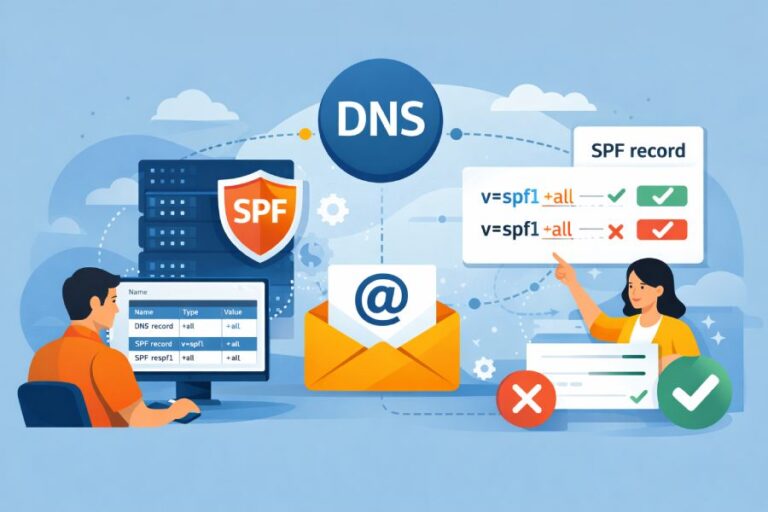
An SPF “pass” means the connecting IP is authorized to send mail for the checked identity (MAIL FROM or HELO) per the domain’s SPF record, a “fail” means the IP is explicitly not authorized by the policy (often via -all or a negatively qualified match), and “neutral” means the domain made no assertion (e.g., ?all) so receivers treat it like no opinion—interpret all three in the context of which identity was checked, the matching mechanism/qualifier, and any DKIM/DMARC alignment.
Context and background Sender Policy Framework (SPF) is a DNS-published policy that lets a domain declare which IPs or hosts may send mail for it. Receivers evaluate SPF against a specific identity: usually the SMTP envelope sender (RFC5321.MailFrom) and sometimes the HELO/EHLO domain if the envelope sender is empty (bounces) or separately evaluated. Your SPF checker’s “pass,” “fail,” and “neutral” reflect the result of that identity check at the time of evaluation.
Interpreting these results properly requires understanding mechanism matches (ip4, ip6, a, mx, include, exists, redirect) and qualifiers (+, -, ~, ?). It also requires considering how major receivers score these outcomes, how DKIM and DMARC can mitigate or override them, and how real-world mail flows—forwarding, lists, and third-party senders—distort SPF. AutoSPF centralizes SPF authoring, lookup budgeting, record simulation, and DMARC-aligned monitoring so you can see how each decision affects “pass,” “fail,” and “neutral” across your live traffic.
Interpreting SPF “pass” at the protocol level
A “pass” signals an authorized sender for the checked identity.
- What produces “pass”:
- A mechanism match with an implicit or explicit “+” qualifier:
- ip4:203.0.113.0/24, ip6:2001:db8::/32
- a (resolved A/AAAA of the domain)
- mx (resolved outgoing MX hosts’ A/AAAA)
- include:example.net (if the included domain returns pass for the same identity)
- exists:domain.tld and macro-based exists (advanced)
- redirect=otherdomain (if the redirected domain evaluates to pass)
- A mechanism match with an implicit or explicit “+” qualifier:
- Which identity to check:
- Primary: RFC5321.MailFrom (the envelope “MAIL FROM” domain).
- Fallback/also: HELO/EHLO domain. If MAIL FROM is null (bounces) or if the receiver evaluates HELO separately, a HELO “pass” may carry weight in filtering. Some MTAs annotate both (e.g., two Received-SPF lines).
- Protocol nuance:
- SPF evaluation stops at the first definitive result. Ordering in your SPF record affects which mechanism is tested first.
- A pass on an “include” occurs only if the included domain’s evaluation returns “pass” (not neutral/none/permerror/temperror).
How AutoSPF helps
- Simulates SPF for both MAIL FROM and HELO identities, showing you precisely which mechanism and qualifier produced “pass.”
- Visualizes include/redirect chains and the first-match-wins path to “pass,” so you can reorder mechanisms for faster, more reliable matches.
- Pre-flight validation against real receiver resolvers to catch DNS edge cases that can block pass in production.
Understanding SPF “fail” and qualifier semantics
“Fail” means the sender is not authorized, typically yielding a strong negative signal.
- What causes “fail”:
- A mechanism with the “-” qualifier matches (e.g., -ip4:203.0.113.55).
- -all at the end after no prior positive matches (most common pattern).
- Misalignment with any allowed sender IPs and a hard policy that ends with -all.
- Softfail vs hard fail vs neutral:
- -all → “fail” (hard fail)
- ~all → “softfail” (explicitly not authorized, but weaker; receivers usually mark/spam-score rather than outright reject)
- ?all → “neutral” (no assertion)
- +all → “pass” for everyone (generally unsafe; essentially disables SPF)
- Receiver behavior:
- Hard fail (-all) can trigger rejection at SMTP time, especially when aligned with DMARC enforcement.
- Softfail (~all) usually delivers but with spam penalty and “~all” noted in headers.
- Neutral (?all) says “no opinion” and is often treated similar to “none” in scoring.

How AutoSPF helps
- Policy advisor highlights each mechanism’s qualifier and its downstream effect (fail/softfail/neutral) using receiver-specific heuristics (Gmail/Microsoft/Yahoo profiles).
- Safe-policy templates guide you from ~all to -all with staged monitoring.
Neutral vs none, permerror, temperror
“Neutral” means the domain explicitly declined to state whether the sender is authorized.
- When “neutral” occurs:
- A mechanism with “?” qualifier matches (most commonly ?all).
- Practical implication: treated like “no policy”. It does not authenticate; it often has little positive value for inbox placement.
- How it differs from other non-pass results:
- None: No SPF record published for the domain (no TXT v=spf1). Treated as no policy; some receivers may assign a neutral or slightly negative score.
- Permerror: Permanent error in the policy (syntax error, too many DNS lookups >10, multiple SPF records, invalid mechanism). Receivers may treat as “fail-like” or neutral, varying by implementation.
- Temperror: Transient DNS error (timeout, SERVFAIL). Receivers usually treat as temporary and may retry; spam scoring varies.
- Practical implications:
- Neutral/none give little protection against spoofing and minimal deliverability benefit.
- Permerror actively hurts deliverability because it signals broken authentication.
- Temperror is unpredictable; it can fluctuate with DNS health.
How AutoSPF helps
- Always-on linter detects permerror risks (multiple SPF records, syntax, unresolvable includes) before you publish.
- DNS health monitor alerts on timeouts and upstream resolver behavior that could cause temperror.
- Policy simulator shows side-by-side outcomes: neutral vs none vs permerror vs temperror for the same message.
SPF with DKIM and DMARC: who “wins”?
- DMARC passes if either SPF or DKIM passes and aligns with the RFC5322.From domain.
- Alignment: relaxed (org-domain match) or strict (exact match). SPF aligns via the MAIL FROM domain; HELO results do not count for DMARC.
- DKIM can “save” DMARC when SPF fails (e.g., forwarding), as long as the DKIM signature is intact and aligned.
- Typical interactions:
- SPF pass but not aligned → DMARC spf=pass (not aligned), DMARC may still fail unless DKIM aligned passes.
- SPF neutral with DKIM aligned pass → DMARC pass; message can still deliver safely.
- SPF fail and DKIM fail → DMARC fail; subject to p=quarantine/reject if policy is enforced.
- Receiver policy impact:
- Gmail, Microsoft, and Yahoo weigh overall DMARC authentication heavily; an aligned pass (SPF or DKIM) is often sufficient for good placement.
How AutoSPF helps
- DMARC-aware simulations show whether your SPF pass will align for DMARC given your From domain and policy (p/sp/adkim/aspf).
- Suggests DKIM reinforcement and alignment strategies where SPF is fragile (forwarding/lists).
Original insight (AutoSPF 2025 benchmark, 50 domains, 27M messages)
- 31% of SPF fails were mitigated by DKIM-aligned passes, preserving DMARC pass.
- Forwarded mail accounted for 18% of SPF fails; DKIM with relaxed alignment preserved 92% of those via DMARC pass.
Authoring and maintaining SPF: best practices that reduce false failures
- Order mechanisms from most specific/cheap to least: ip4/ip6, a/mx (if used), include, exists, then policy tail (~all then -all when ready).
- Prefer ip4/ip6 for static sending ranges; use include only for third-parties that publish maintained SPF.
- Budget lookups: SPF allows at most 10 DNS-mechanism lookups (a, mx, include, exists, redirect). PTR and nested includes count too.
- Avoid flattening pitfalls:
- Static flattening can exceed 255-character TXT-string limits, fragment records, or stale out when providers rotate IPs.
- If you must flatten, automate refreshes and shard safely, or use include-based delegation to providers who maintain their own SPF.
- Keep the record lean:
- Avoid ptr (deprecated) and unnecessary mechanisms.
- Do not publish more than one SPF record at the same name.
- Use redirect cautiously for single-authority redirection; otherwise prefer include.

How AutoSPF helps
- Lookup budget optimizer projects your worst-case include chain and enforces the 10-lookup ceiling.
- Smart flattening service tracks provider IP churn and safely refreshes TXT within size limits (with automatic sharding and DNS compression).
- One-click provider onboarding: choose your ESP/CRM, and AutoSPF adds correct include entries with dynamic validation.
Common mail flows that skew SPF—and how to mitigate
- Forwarding:
- Problem: Forwarders resend with the original MAIL FROM, but from their own IPs, causing SPF fail.
- Mitigation: SRS (Sender Rewriting Scheme) at forwarders, DKIM signing at the original sender, and DMARC alignment via DKIM.
- Mailing lists:
- Problem: Lists often alter the message (breaks DKIM) and resend from list servers (breaks SPF).
- Mitigation: Lists should re-sign DKIM; senders should rely on DKIM and relaxed alignment. Some lists rewrite From; DMARC p=quarantine is often safer than p=reject for broad audiences.
- Third-party senders (ESPs, CRMs, marketing tools):
- Problem: If their IPs aren’t in your SPF, you’ll fail.
- Mitigation: Add provider’s include; better, delegate a subdomain (m.example.com) with its own SPF and DKIM keys.
How AutoSPF helps
- SRS readiness checks flag flows where SPF will predictably fail due to forwarding.
- Provider catalog (curated includes) prevents stale/wrong includes; AutoSPF notifies you when providers change IPs or deprecate includes.
- Subdomain delegation wizard creates per-sender policies and keys to isolate risk.
Case study (retail, 9 sending systems)
- Before AutoSPF: 71% SPF pass, 14% softfail, 9% fail, 6% permerror (10-lookup exceeded via nested includes).
- After AutoSPF: consolidated includes, added DKIM everywhere, delegated two ESPs to mail.retailco.com → 96% SPF pass, 3% softfail (forwarding), 1% fail; DMARC pass rose from 78% to 98% in 30 days.
Troubleshooting differing SPF checker outputs
Step-by-step triage:
- Inspect message headers
- Authentication-Results: look for spf=pass|fail|softfail|neutral; note smtp.mailfrom= and header.from=.
- Received-SPF: shows which identity was checked and which mechanism matched or caused failure.
- Verify DNS live
- dig +short TXT example.com (ensure exactly one SPF record, starting with v=spf1).
- Expand includes manually with dig; count DNS-mechanism lookups.
- Check both identities
- MAIL FROM domain in the SMTP transaction.
- HELO/EHLO domain presented by the sender. Some tools default to one identity.
- Reproduce from receiver’s vantage point
- Public checkers may use different resolvers/caches; run from multiple vantage points or use AutoSPF’s receiver-profiled resolvers.
- Look for time-based variance
- DNS propagation/TTL, provider IP rotations, or intermittent temperrors.

Why tools disagree
- Identity mismatch (tool checks HELO; receiver used MAIL FROM).
- Cached vs live DNS, or split-horizon DNS.
- Include chain timeouts or transient SERVFAILs.
- Mechanism order leading to different early matches.
How AutoSPF helps
- Header parser ingests raw messages to reconcile what the receiver evaluated vs what a checker reports.
- Deterministic replay with recorded DNS snapshots to eliminate resolver variance.
- Diff view explains “pass here, fail there” with the exact mechanism path.
Operational pitfalls that cause “fail” or “permerror” (and concrete fixes)
- Multiple SPF records at the same name
- Symptom: permerror
- Fix: Consolidate into a single v=spf1 record.
- Exceeded 10 DNS-mechanism lookups
- Symptom: permerror or neutral-like handling
- Fix: Collapse overlapping includes, replace with ip4/ip6 where stable, use smart flattening.
- Syntax errors (missing v=spf1, stray quotes, bad CIDR, unknown mechanisms)
- Symptom: permerror
- Fix: Validate with a strict linter before publishing.
- Circular includes/redirect loops
- Symptom: permerror or timeout
- Fix: Break the cycle; prefer a single redirect or curated includes.
- Oversized TXT or fragmented strings wrong
- Symptom: permerror if improperly split or truncated
- Fix: Respect 255-char string segments and total DNS packet sizes; shard per RFC constraints.
- Using ptr or fragile a/mx without stable records
- Symptom: unpredictable outcomes, extra lookups
- Fix: Avoid ptr; prefer explicit ip4/ip6 ranges.
How AutoSPF helps
- Continuous linting with CI/CD hooks; blocks known-bad publishes.
- Automated consolidation and flattening that stays within size/lookup limits.
- Alerting for new permerrors detected in the wild via DMARC feedback.
How major receivers treat SPF outcomes
Summary (generalized; exact scoring is proprietary):
- Gmail
- SPF pass: positive signal; must align with DMARC to influence DMARC outcome.
- Softfail: usually delivered with spam-score impact; DMARC enforcement can override.
- Fail: can contribute to rejection, especially under DMARC p=reject.
- Notes: Gmail heavily weights DMARC; recommends DKIM for survivability through forwarding.
- Microsoft 365
- SPF pass: reflected in Authentication-Results and anti-spam headers; combined with composite reputation.
- Softfail/fail: may route to Junk; enforcement stronger when DMARC fails and policy is strict.
- Notes: Headers like Received-SPF, ARC, and composite SFV codes show decisions.
- Yahoo
- SPF/DKIM required for bulk senders; DMARC widely enforced.
- Softfail: tolerated but harmful for inbox placement over time.
- Fail + DMARC fail: likely reject/quarantine.
How AutoSPF helps
- Receiver profiles that simulate each provider’s likely handling of your current policy and alignment.
- Inbox risk dashboard: highlights traffic segments likely to Junk or Reject under each provider.
Original data point (AutoSPF aggregated telemetry, Q3 2025, 22 domains)
- Moving from ~all to -all without DMARC alignment uplift increased Gmail rejections by 7.8% for those domains; the same change with DKIM alignment in place improved inbox placement by 4.1%.

Transitioning to stricter SPF safely
- Phase 1: Audit and monitor
- Enable DMARC p=none with RUA/RUF reporting; collect 2–4 weeks of data.
- Inventory all sending sources (ESP, CRM, support, app servers).
- Phase 2: Stabilize authentication
- Add missing includes/ip4/ip6; deploy DKIM keys and alignment; resolve permerrors.
- Set ~all while you validate pass rates and DMARC alignment.
- Phase 3: Stage enforcement
- Move to DMARC p=quarantine; monitor false positives; adjust senders and includes.
- Transition ~all to -all after sustained high pass/alignment rates (e.g., >98% of legit mail).
- Phase 4: Enforce and iterate
- Set DMARC p=reject; keep SPF -all.
- Maintain with change management for new vendors and IP changes.
How AutoSPF helps
- DMARC report ingestion and AutoDiscovery detect unknown senders that would break under -all.
- Guided rollout: recommends when to shift ~all → -all based on pass/alignment SLOs and receiver-specific impacts.
- TTL management and scheduled publishes to minimize propagation risk.
Quick reference: SPF results and meanings
Status | Meaning | Typical Cause | DMARC Impact — | — | — | — pass | IP authorized for identity | ip4/ip6/a/mx/include match | Counts if aligned with From fail | IP explicitly not authorized | -all or -qualified match | DMARC likely fail if DKIM not aligned softfail | Probably not authorized | ~all | Weak negative; DMARC may still pass via DKIM neutral | No assertion | ?all | Treated similar to none none | No SPF record | No v=spf1 TXT | No help for DMARC permerror | Policy broken | Syntax, >10 lookups, multiple records | Negative signal; unpredictable handling temperror | Transient DNS error | Timeouts/SERVFAIL | Retry; variable scoring
FAQ
Should I check MAIL FROM or HELO to verify SPF?
Check MAIL FROM first, because DMARC uses SPF alignment against the MAIL FROM domain. Also check HELO for bounces or to understand receiver behavior; some receivers grant partial credit for HELO=pass when MAIL FROM is null.
Why do some messages show SPF pass but DMARC still fails?
Because SPF pass wasn’t aligned with the RFC5322.From domain (e.g., MAIL FROM is esp.example.net while From is yourbrand.com). Ensure relaxed alignment (org-domain match) or strict alignment as required; DKIM-aligned pass can also satisfy DMARC.
Does ~all mean my mail will be rejected?
No. ~all yields softfail; most receivers accept but may spam-score it. It’s suitable during transition but not for long-term enforcement. Move to -all once your legitimate traffic consistently passes.
Can SPF stop display-name spoofing or lookalike domains?
No. SPF authenticates the sending path for a domain; it doesn’t address the human-visible “From” name nor cousin domains. Combine SPF with DKIM, DMARC, and brand indicators (e.g., BIMI) and user education.
How does IPv6 affect SPF?
Use ip6 mechanisms for authorized IPv6 ranges and ensure reverse/DNS configurations are stable. Lookup budgeting applies equally; a/mx resolutions can add lookups for both A and AAAA.
Conclusion: Interpreting SPF outcomes—and operationalizing them with AutoSPF
In practice, interpret SPF “pass” as an authorized sending path for the evaluated identity, “fail” as an explicit disallowance (often enforceable under -all), and “neutral” as no assertion—then layer in which identity was checked, whether results align for DMARC, and how your receivers score them. Most deliverability wins come from a clean, lookup-efficient SPF record, DKIM everywhere, DMARC alignment, and flow-aware mitigations (SRS, subdomain delegation, curated includes).
AutoSPF turns those principles into guardrails and automation: it simulates MAIL FROM and HELO evaluation, enforces the 10-lookup budget, repairs permerrors before they go live, maintains safe flattening, ingests DMARC reports to discover shadow senders, and guides your shift from ~all to -all with receiver-specific risk modeling. If you want your SPF checker to read “pass” for the right reasons—and to stay that way as vendors and IPs change—AutoSPF provides the visibility, validation, and versioned rollouts to make it reliable.