How To Set Up Protonmail.Ch SPF Record: Step-By-Step Guide

Quick Answer
Learn how to set up the Protonmail.ch SPF record with this step-by-step guide. Configure SPF correctly to authenticate outgoing emails, improve email deliverability, reduce spoofing risks, and ensure your domain meets email authentication best practices.
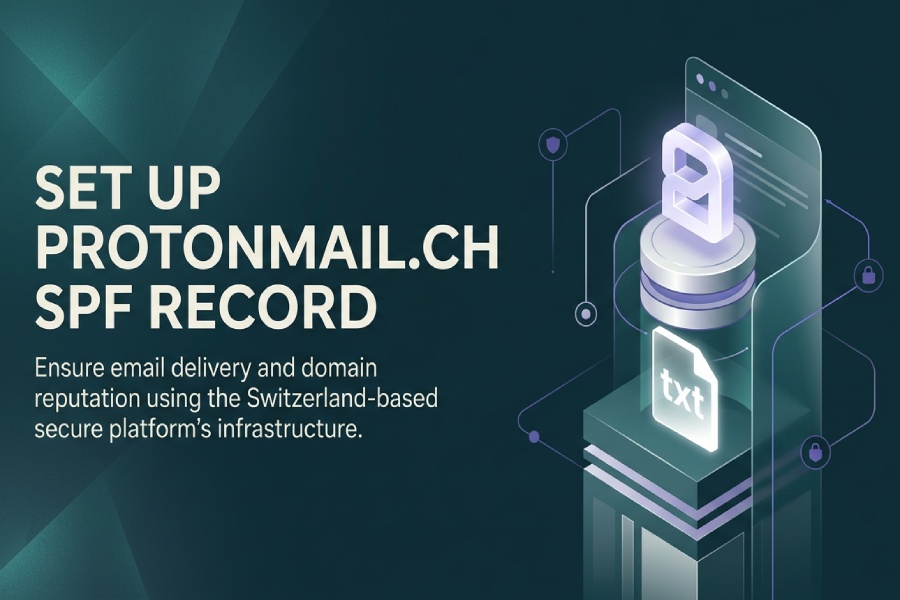
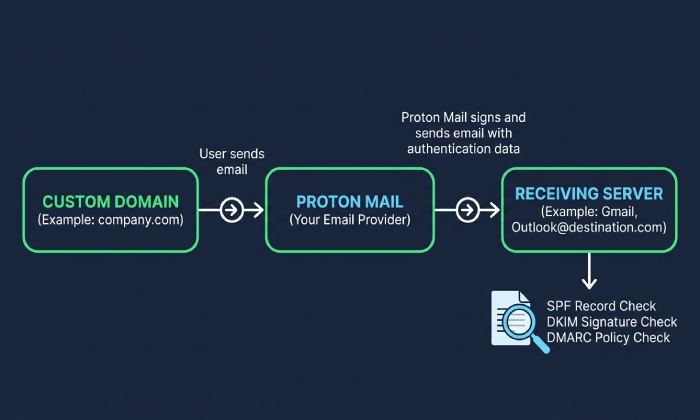
An SPF record, or Sender Policy Framework record, is a DNS TXT record that tells receiving mail servers which systems are authorized to send email for a domain. When you use Proton Mail with a custom email domain, SPF helps mailbox providers verify that messages sent through Protons infrastructure are legitimate. This improves deliverability and reduces the risk of spoofing, phishing, and impersonation.
For Proton Mail, the key SPF mechanism is:
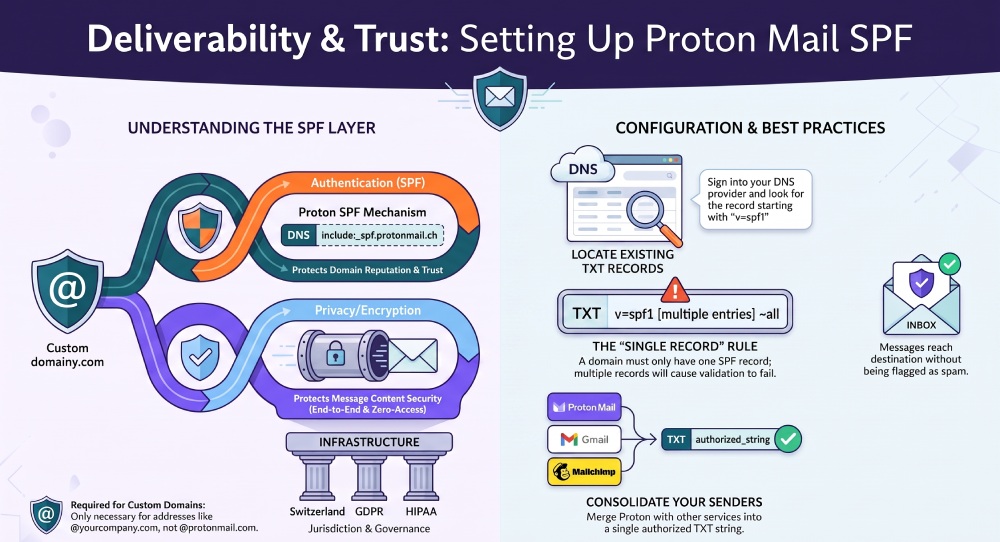
include:_spf.protonmail.ch
This does not mean you are editing the DNS for protonmail.ch itself. Proton owns and manages protonmail.ch in Switzerland. Instead, you add Protons SPF include to the DNS zone of your own custom email domain so that Proton Mail can send mail on your behalf.
Why SPF matters for secure email and encrypted email
Proton Mail is known as a secure email and encrypted email service focused on privacy, encryption, zero-access encryption, and end-to-end encryption. SPF does not encrypt message content; that role belongs to encryption technologies such as end-to-end encryption, zero-access encryption, and OpenPGP-based systems like OpenPGPjs. However, SPF supports the trust layer around your email service by confirming that Proton Mail is an approved sender for your domain. If you are new to the standard, our guide to what SPF records are explains how they protect email domains.
That distinction matters. A private email platform can protect message content with encryption, while SPF, DKIM, and DMARC protect domain reputation and authentication. Together, they help make a personal email or business email setup more trustworthy.
For organizations subject to HIPAA, GDPR, privacy laws, or broader data protection requirements, properly configured SPF is part of responsible email governance. Proton Mails privacy model, Switzerland-based jurisdiction, zero-access encryption, and end-to-end encryption are valuable, but DNS authentication is still essential for business email continuity and compliance workflows.
Understanding Proton Mail Sending Domains and the Role of protonmail.ch
Proton Mail is an email service operated by Proton, a privacy-focused company based in Switzerland. Protons ecosystem includes Proton VPN, Proton Drive, Proton Calendar, Proton Pass, Proton Authenticator, Proton Wallet, Proton Docs, Proton Sheets, and Lumo AI. Proton also integrates with privacy tools and related products such as SimpleLogin for email aliases and hide-my-email functionality, and Standard Notes for encrypted notes.
The protonmail.ch domain plays a specific technical role in SPF. When you add include:_spf.protonmail.ch to your custom email domain, you are authorizing Proton Mails sending infrastructure to send messages for your domain. This is useful whether you use Proton Mail for personal email, business email, or both.
protonmail.ch versus your custom email domain
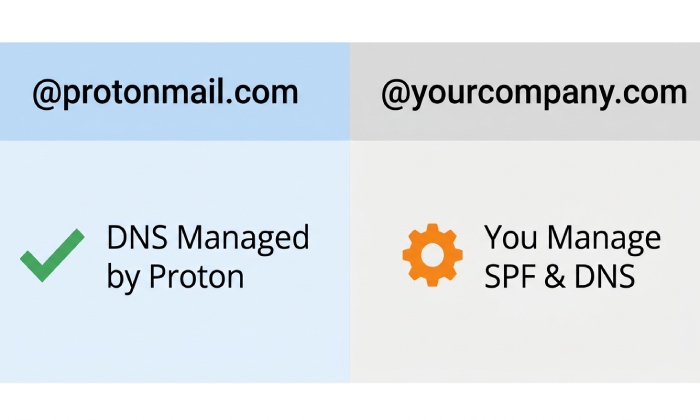
If your address is something like you@protonmail.com or you@protonmail.ch, Proton already manages SPF, DKIM, and DMARC for that Proton-controlled domain. You do not need to create an SPF record.
If your address is you@yourcompany.com, then yourcompany.com is the custom email domain. In that case, you must publish an SPF record in your own DNS settings. The SPF record should authorize Proton Mail by referencing include:_spf.protonmail.ch.
This applies to many Proton Mail plans, including Proton Free, Mail Plus, Proton Unlimited, and business-focused paid subscriptions. A free email account can be useful for testing Proton Mail as a secure email provider, but custom email domain support is typically associated with paid subscriptions. Proton Mail can serve as a personal email solution, a business email platform, or a privacy-first alternative to Gmail, Fastmail, Tuta, and Microsoft Outlook.
How SPF complements encryption, privacy, and compliance
SPF does not replace Proton Mails encryption features. Proton Mail uses zero-access encryption to help ensure Proton cannot read stored mailbox content, and end-to-end encryption protects messages between Proton Mail users and supported external recipients. This encrypted email model supports privacy, security, and digital freedom, especially for users concerned about digital spies, targeted ads, third-party data sharing, and AI training on personal communications.
For regulated organizations, SPF also supports compliance posture. If you handle protected health information under HIPAA or personal data under GDPR, you should treat SPF, DKIM, and DMARC as part of your business email security baseline. Proton Mails privacy-focused architecture, Switzerland jurisdiction, ISO 27001-aligned security practices, independently audited and open source components, and strong data protection positioning can support organizations that need secure email and encrypted email tools.
Prerequisites Before Creating or Updating Your SPF Record
Before editing DNS, confirm that your domain is already added to Proton Mail and that you have access to your domain registrar or DNS hosting provider. This might be Google Domains/Squarespace, Cloudflare, GoDaddy, Namecheap, Route 53, or another DNS platform.
You should also know whether Proton Mail is your only outbound email service. If you also send through Gmail, Microsoft Outlook, Mailchimp, a CRM, a newsletter platform, or transactional email partners, your SPF record must include all authorized senders in a single TXT record.
Items to gather before editing DNS
Prepare the following before making changes:
- Your custom email domain, such as example.com
- Access to DNS settings for that domain
- Your current SPF record, if one exists
- Confirmation that Proton Mail is configured for the domain
- The Proton SPF include value:
include:_spf.protonmail.ch - Any other sending services, such as Gmail, Microsoft Outlook, newsletter tools, or partners
- Access to Proton Mail support or priority customer support if your plan includes it
If you are setting up Proton Mail for business email, also consider your broader workflow. Proton Mail works across the web app, iOS, Android, macOS, Windows, and Linux. Users can access mail through the Proton Mail app download, desktop client, or Proton Mail Bridge for compatible clients such as Apple Mail or Microsoft Outlook. Proton Calendar supports a team calendar and appointment scheduling; Proton Drive provides cloud storage and extra storage options; Proton Pass is a password manager; Proton Authenticator supports account security; and Proton Wallet is a Bitcoin wallet. These tools can support collaboration, folders and labels, business continuity, and a secure inbox.
Proton Mail is also ad free, uses no trackers, and supports creating an email without phone number in many cases. Its privacy approach is often covered by outlets such as TechCrunch, Forbes, and PCMag, while the Proton Blog, Business Blog, Proton Newsletter, Proton Partners, Proton Team, and Proton Foundation communicate product and policy updates. This broader ecosystem matters because SPF is only one piece of a secure email and encrypted email environment.
Finding Your Existing SPF Record in Your DNS Settings
To find your current SPF record, sign in to your DNS provider and open the DNS management page for your custom email domain. Look for TXT records at the root domain, often shown as @, the bare domain, or your domain name itself. Familiarising yourself with the six SPF record types makes it easier to recognise what you are looking at.
An SPF record always starts with:
v=spf1
For example:
v=spf1 include:_spf.*google*.com ~all
or:
v=spf1 include:servers.mcsv.net ~all
If you already have an SPF record, do not create a second one. A domain should have only one SPF TXT record. Multiple SPF records can cause SPF validation to fail, which can hurt deliverability for Proton Mail, personal email, and business email. If you need to build one from scratch, our free SPF record generator creates a valid record in seconds.
General Manager
General Manager of DuoCircle. Product strategy and commercial lead for AutoSPF's 2,000+ customer base.
LinkedIn Profile →