RUA vs. RUF in DMARC: Reporting Types, Differences, and Configuration

Quick Answer
RUA and RUF are DMARC reporting tags with different purposes. RUA delivers aggregate reports for monitoring email authentication, while RUF requests detailed failure reports for forensic analysis. RUA is widely supported; RUF has greater privacy concerns and limited availability.
Try Our Free DMARC Checker
Validate your DMARC policy, check alignment settings, and verify reporting configuration.
Check DMARC Record →
DMARC Reporting Basics: Why RUA and RUF Matter
DMARC is an email authentication standard that builds on SPF and DKIM to help a domain owner detect spoofing, phishing, and unauthorized use of an email domain. A DMARC record is published as a TXT record in DNS, and it tells a receiving email server how to evaluate messages using SPF, DKIM, identifier alignment, and the visible header from domain.
RUA and RUF are two DMARC tag types used for reporting. They tell an email receiver where to send a DMARC report when mail is processed. RUA is used for aggregate report delivery, while RUF is used for forensic report delivery. Together, they support DMARC monitoring, DMARC compliance, and eventually DMARC enforcement.
How DMARC reporting supports authentication visibility
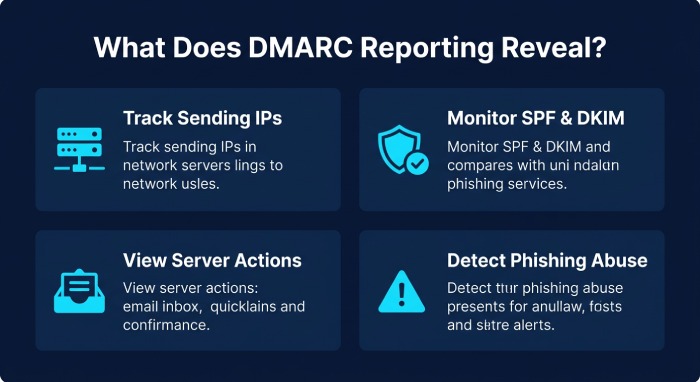
Without RUA or RUF, a domain administrator may publish a DMARC policy but have limited visibility into actual email traffic. A DMARC report helps answer critical questions:
- Which IP address sources are sending mail for the domain?
- Are SPF and DKIM passing?
- Is SPF or DKIM aligned with the header from domain?
- Which email server or Internet Service Provider is accepting, quarantining, or rejecting messages?
- Is a phishing attacker abusing the domain?
DMARC reporting is especially important for organizations in healthcare, financial services, government, and education, where domain security, compliance, and business reputation depend heavily on secure email authentication. A reliable DMARC Management Platform can help organizations analyze DMARC reports, identify authentication issues, and strengthen email security.
What Is RUA? Aggregate Reports, Use Cases, and Data Included
RUA stands for “Reporting URI for Aggregate reports.” The rua tag in a DMARC record specifies the email address where DMARC aggregate report data should be sent. These reports, typically delivered daily as XML files, provide insights into SPF, DKIM, and DMARC authentication results from participating mailbox providers.
An aggregate report does not usually contain message content. Instead, it provides aggregate statistics about email authentication results. This makes RUA the most widely supported and operationally useful DMARC report type.
Data included in a DMARC aggregate report
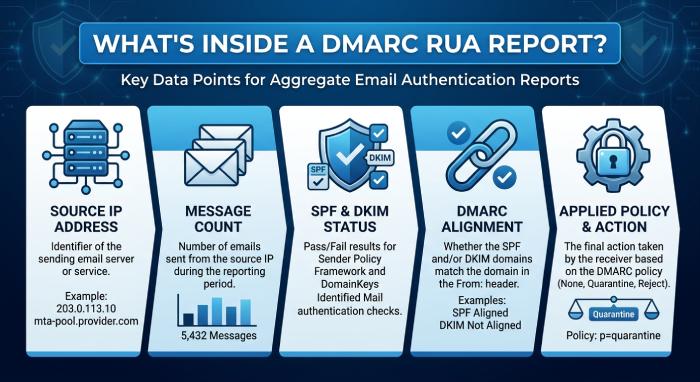
A DMARC aggregate report usually includes:
- Source IP address sending mail for the email domain
- Message count by source
- SPF authentication status
- DKIM authentication status
- DMARC alignment results
- Applied DMARC policy, such as none, quarantine, or reject
- Receiving organization or reporter
- Disposition taken by the email receiver
Because an aggregate report summarizes email logs rather than exposing full message bodies, it creates fewer privacy concerns than RUF. The dmarc rua report is the foundation of DMARC monitoring and helps identify legitimate email sender services, broken SPF record entries, missing DKIM record signing, and unauthorized senders.
Common RUA use cases
RUA is useful during every stage of DMARC implementation. A domain owner can start with a relaxed DMARC policy such as p=none, collect an aggregate report from major receivers, and use that data to fix SPF, DKIM, and alignment issues before moving toward DMARC enforcement.
For example, an organisation may discover through its DMARC aggregate reports that a CRM, billing platform, or marketing service is sending legitimate email on its behalf but is not properly authorised through SPF or DKIM. Using a DMARC report analysis tool, the domain administrator can investigate the sending source, verify the email service, correct authentication or alignment issues, and improve DMARC compliance before moving from p=none to p=quarantine or p=reject.
What Is RUF? Forensic Reports, Privacy Limits, and Practical Availability
RUF is the DMARC tag used to specify Reporting URI(s) for failure reports. The ruf tag in a DMARC record identifies where a domain owner requests DMARC failure reports to be sent when a message fails DMARC evaluation. These reports are commonly known as forensic reports because they can provide detailed, message-level information about an individual authentication failure.
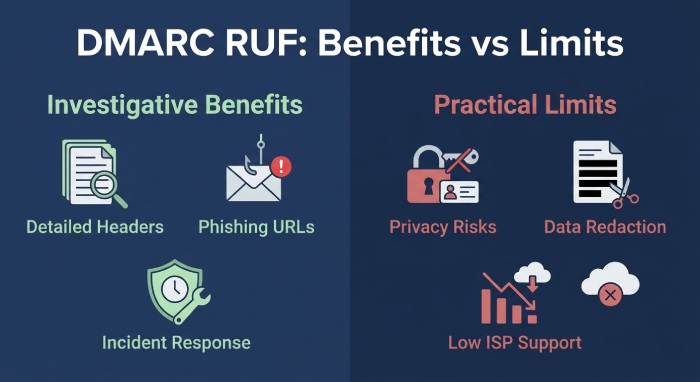
Unlike an aggregate report, a forensic report may include portions of the original email, headers, authentication results, URLs, or message metadata. In theory, this makes the dmarc ruf report useful for incident response, abuse investigation, takedown intelligence, and identifying malicious URLs used by a phishing attacker.
Privacy limits and reduced RUF availability
In practice, RUF is much less commonly supported than RUA. Many large mailbox providers and Internet Service Provider networks restrict or do not send forensic report data because of privacy concerns. A forensic report may expose personally identifiable information, message content, recipient addresses, or sensitive business communication.
This is why organizations such as healthcare providers, financial services firms, government agencies, and education institutions must treat RUF carefully. Even when a receiving email server supports RUF, the email receiver may redact content or send limited metadata only.
When RUF is still useful
RUF can still be valuable when supported by the receiving organisation. A failure report may provide additional information about an individual message that failed DMARC evaluation, such as authentication results, relevant message headers, or other available metadata. This can help security teams investigate suspicious email activity, understand authentication failures, and identify potential abuse of their domain.
Because RUF reports may contain sensitive information, organisations should evaluate their privacy, data-handling, retention, and security requirements before enabling failure reporting. Availability and the amount of information included in RUF reports can also vary between receiving mail systems.
Key Differences Between RUA and RUF: Frequency, Detail, Security, and Compliance
RUA and RUF are both DMARC reporting mechanisms, but they serve different operational purposes.
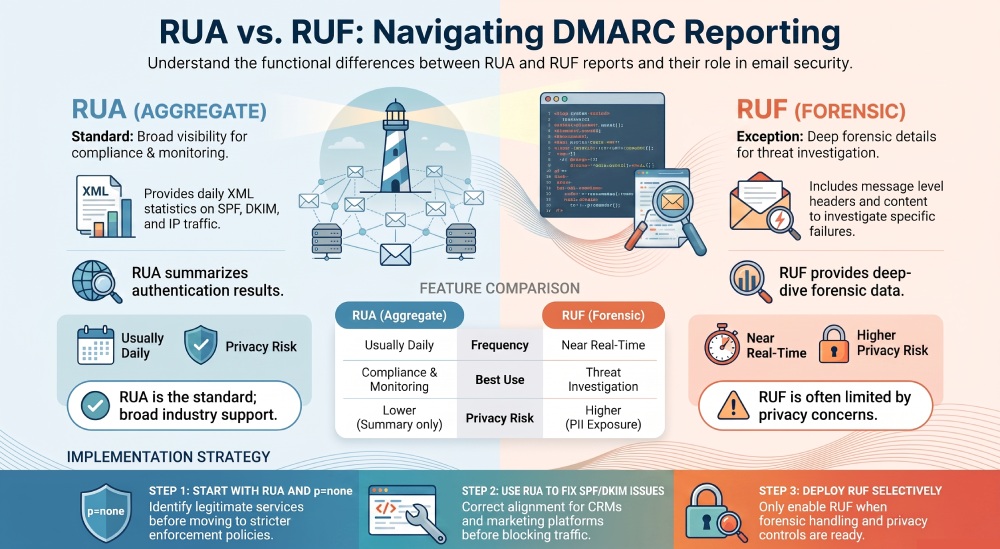
RUA vs. RUF side by side
| Area | RUA | RUF |
|---|---|---|
| Report type | Aggregate report | Forensic report |
| Also known as | DMARC aggregate report, dmarc rua report | DMARC forensic report, failure report, dmarc ruf report |
| Frequency | Usually daily | Near real-time if supported |
| Format | XML report | Varies; may include headers or redacted samples |
| Detail level | Summary-level aggregate statistics | Message-level failure details |
| Privacy risk | Lower | Higher due to personally identifiable information |
| Availability | Broadly supported | Limited support |
| Best use | DMARC monitoring, source discovery, compliance status | Threat investigation, takedown intelligence, abuse analysis |
RUA is the practical backbone of DMARC adoption because it provides reliable aggregate report data from many receivers. RUF is more specialized. It offers richer detail, but that detail creates privacy concerns and inconsistent availability.
From a DMARC compliance perspective, RUA is usually essential. RUF is optional and should be deployed only when the organization has a clear process for protecting sensitive information. For domain security programs, the safest model is to use RUA broadly and RUF selectively.
How to Configure RUA and RUF Tags in a DMARC Record
A DMARC record is published in DNS as a TXT record at _dmarc.example.com. The record includes a DMARC policy and optional reporting tags. The rua tag points to the mailbox or URI for aggregate report delivery. The ruf tag points to the mailbox or URI for forensic report delivery.
DMARC record example with RUA and RUF
Here is a basic dmarc record example:
_dmarc.example.com TXT "v=DMARC1; p=none; rua=mailto:dmarc-reports@example.com; ruf=mailto:dmarc-forensics@example.com; fo=1; adkim=s; aspf=s"In this DMARC record:
v=DMARC1identifies the record as DMARC.p=nonesets the DMARC policy to monitoring mode.rua=mailto:dmarc-reports@example.comsends each aggregate report to the reporting address.ruf=mailto:dmarc-forensics@example.comrequests a forensic report for failures.fo=1requests failure reporting when SPF or DKIM fails.adkim=sandaspf=srequire strict DKIM and SPF alignment.
Before publishing, a domain administrator can use a DMARC Record Generator to create an accurate policy and minimize syntax errors. After publishing, verify the TXT record in DNS settings and monitor DMARC reports to track SPF, DKIM, and DMARC authentication status.
External domain verification for reporting addresses
If the reporting address is on a different domain, external domain verification is required. For example, if example.com wants reports sent to reports.vendor.com, the vendor domain must publish a DNS authorization record allowing it to receive DMARC report data for that email domain.
This prevents attackers from abusing a DMARC tag to flood third-party systems with XML report attachments. Many managed services handle this automatically, but the domain owner should still confirm the configuration before relying on the DMARC report stream.
For a mature DMARC implementation, start with RUA, review every aggregate report, fix SPF record and DKIM record issues, then progress toward quarantine or reject. Add RUF only when forensic report handling, privacy controls, mailbox retention, and security workflows are ready.
General Manager
General Manager of DuoCircle. Product strategy and commercial lead for AutoSPF's 2,000+ customer base.
LinkedIn Profile →