

HIPAA compliance means protecting sensitive patient data, also called protected health information or PHI. This includes names, medical records, insurance details, and any information that could identify a patient. Any organization that handles this data must keep it private and secure.
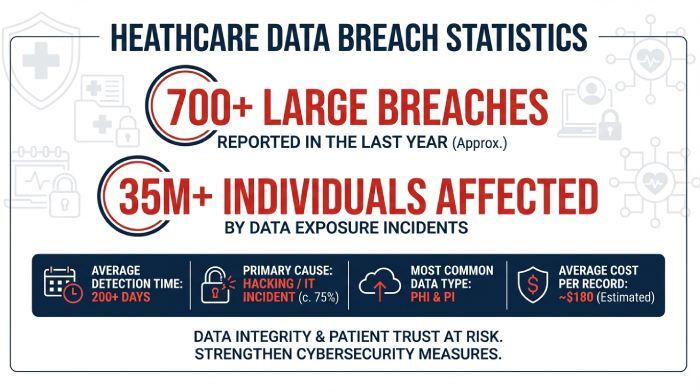
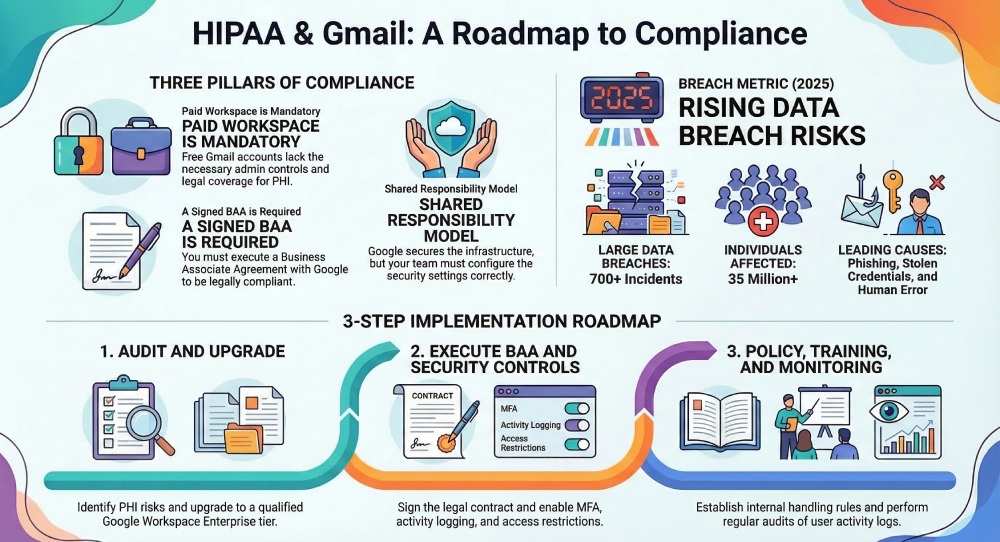
Email becomes a problem because it was not designed for sensitive communication. Messages can be intercepted, sent to the wrong person, or accessed without proper protection. In fact, healthcare breaches are still on the rise, with over 700 large data breaches reported in 2025 alone and more than 35 million individuals affected. Many of these incidents involve simple issues like phishing, stolen credentials, or human error.
This is why healthcare providers, SaaS platforms, and insurers must be extra careful with email. In this blog, we will break down whether Gmail fits into this picture and what businesses need to know before using it for PHI.
Is Gmail HIPAA-compliant?
Gmail is not HIPAA-compliant by default. This is the most important thing to understand before using it to send or store sensitive patient data.
That said, Gmail can be made HIPAA compliant under specific conditions. It is not about the tool alone but about how it is set up and used. Google provides a secure infrastructure, but compliance is a shared responsibility between Google and your organization.
HIPAA’s expectations for emails
When you use email to send or store this data, there are a few basic rules HIPAA expects you to follow:
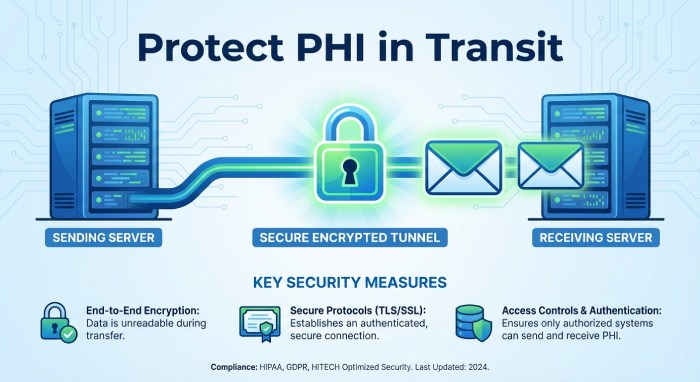
Emails must be protected while being sent
Any email with PHI should be encrypted during delivery. This is usually done using TLS, which protects the connection between mail servers. However, it does not fully protect the content from end to end. If the receiving server does not support TLS, the email may be delivered without proper protection. This creates a risk during transmission that many organizations overlook.
Emails must be protected when stored
PHI stored in inboxes or servers should also be encrypted. This helps prevent unauthorized access if the system is compromised.
This applies to backups, archives, and cloud storage as well. Even if no one is actively accessing the email, the data still needs to remain secure at all times.
Only the right people should have access
Not everyone in your organization should see PHI. Access should be limited based on roles and removed when no longer needed. Using shared inboxes or weak permission settings can easily expose sensitive data. Regular access reviews help ensure that only authorized users retain access.
You must track access
Your system should record who accessed data, when, and from where. These logs are important during audits or investigations. Without proper logging, it becomes difficult to trace incidents or prove compliance. Keeping logs for a sufficient period is also part of good security practice.
Data should not be changed without permission
PHI must stay accurate and protected from tampering, whether accidental or intentional.
This includes preventing unauthorized edits, deletions, or overwrites. Systems should have safeguards in place to maintain data integrity over time.
You need a signed agreement with vendors
If a third party like an email provider handles PHI, you must sign a Business Associate Agreement with them. This agreement makes the vendor legally responsible for protecting your data. Without it, you are fully liable for any misuse or breach involving that provider.
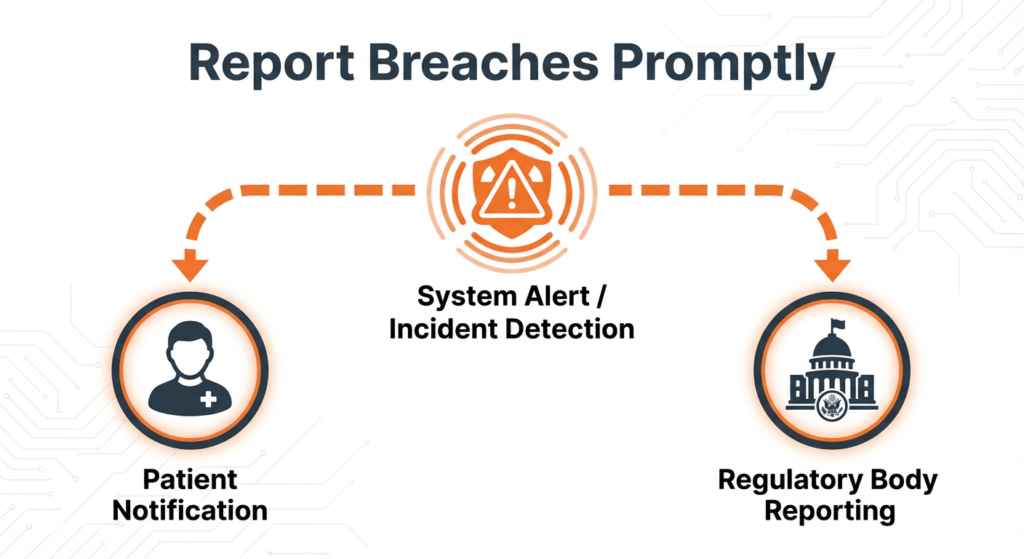
You must report data breaches
If PHI is exposed, you must inform affected individuals and authorities within a set time frame.
Delays or failure to report can lead to serious penalties. Having a clear incident response plan helps organizations act quickly and stay compliant.
When can Gmail be considered HIPAA-compliant?
Gmail can be considered HIPAA-compliant only when a specific set of conditions is met. It is not a single switch you turn on. It is a combination of the right platform, legal agreements, and proper setup.
You are using Google Workspace (not free Gmail)
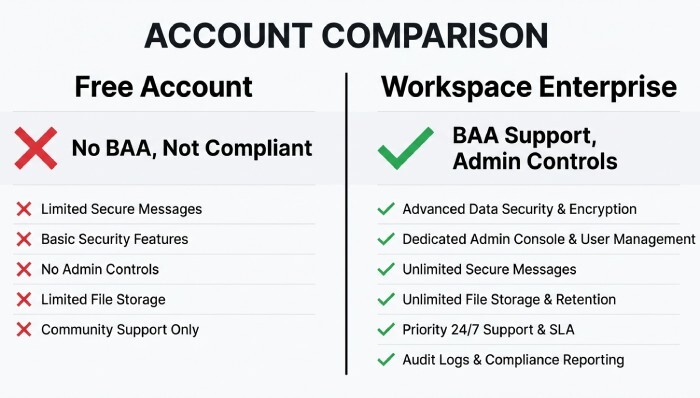
The first requirement is to use Google Workspace instead of a free Gmail account. Free Gmail is built for personal use and does not offer the level of control, monitoring, or legal coverage required for handling sensitive healthcare data.
Google does not provide a Business Associate Agreement for free Gmail users. This alone makes it non-compliant for any use involving PHI. Even if you follow best practices, using a free account means you are operating outside HIPAA requirements.
Google Workspace, on the other hand, is designed for businesses. It provides admin controls, security settings, and audit capabilities that are necessary for compliance. However, not all Workspace plans qualify. Typically, only higher-tier plans, such as Enterprise, are suitable for handling PHI.
A Business Associate Agreement (BAA) is signed
A Business Associate Agreement, or BAA, is a legal contract between your organization and Google. In simple terms, it confirms that Google will handle any protected health information in line with HIPAA requirements.
This agreement is not optional. It is a mandatory requirement under HIPAA whenever a third-party service provider processes or stores PHI on your behalf. If you use Gmail for PHI without a signed BAA, you are automatically non-compliant, regardless of how secure your setup is. In the event of a data breach, the absence of a BAA can also increase your organization’s legal and financial risks.
Security controls are properly configured
Even with the right plan and a signed BAA, Gmail is not compliant until it is properly configured. This is where most organizations fall short. Google provides the tools, but your team is responsible for using them correctly. This includes enabling multi-factor authentication, setting strong access controls, restricting data sharing, and monitoring user activity.
HIPAA compliance is not just about technology. It also depends on user behavior. Employees must be trained to handle PHI carefully, avoid phishing attacks, and follow internal policies. In practice, compliance comes down to two things working together. The right configuration and responsible usage. Without both, even a secure platform like Google Workspace can become a risk.
Gmail’s built-in security features for HIPAA
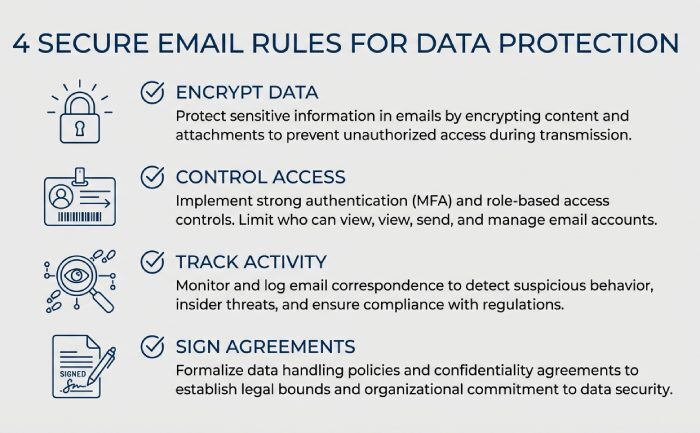
Gmail comes with several built-in security features that help protect sensitive data and support HIPAA compliance. These features provide a solid starting point, especially for organizations using Google Workspace. However, they are only part of the picture and need to be properly configured and supported by internal policies.
Encryption in transit (TLS)
Gmail uses Transport Layer Security to encrypt emails while they are being sent between servers. This reduces the risk of interception during delivery. However, this protection depends on the recipient’s email server also supporting TLS. If it does not, the message may be delivered without encryption, which creates a potential gap.
Spam and phishing protection
Gmail has strong built-in filters that detect spam, phishing attempts, and malicious attachments. These filters help block harmful emails before they reach users. This is especially important because phishing attacks are a major cause of data breaches. Still, no filter is perfect, and some threats may still get through.
Multi-factor authentication (MFA)
MFA adds an extra layer of security by requiring users to verify their identity using a second factor. This could be a code, prompt, or device-based verification. Even if a password is stolen, MFA makes it much harder for unauthorized users to access accounts.
Access controls and admin policies
Google Workspace allows administrators to control who can access data and how it is shared. Permissions can be set based on roles, and risky actions can be restricted. This helps limit exposure of PHI and ensures that only the right people have access to sensitive information.
Logging and monitoring
Gmail provides activity logs that track user actions, login attempts, and data access. These logs are useful for audits and investigating incidents. Regular monitoring also helps detect unusual behavior early and respond before it becomes a bigger issue.
Steps to make your Gmail HIPAA-compliant
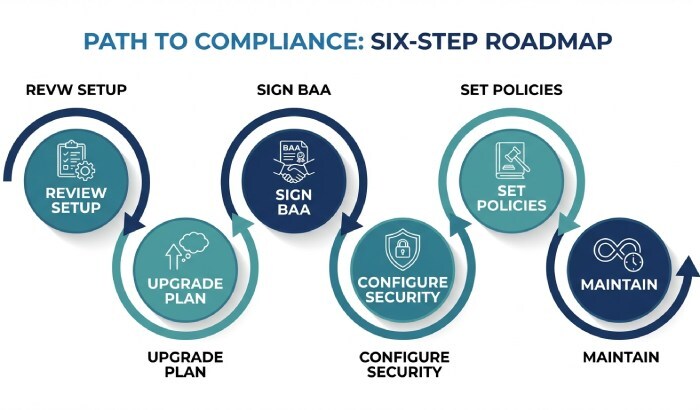
If your organization has decided to use Gmail, you need to set it up carefully to meet HIPAA requirements. This is not a quick fix. It usually takes a few weeks of setup, testing, and training.
Step 1: Review your current setup
Start by understanding how Gmail is being used in your organization. Identify which accounts handle patient data and which do not. Check for risks like shared inboxes, auto-forwarding, or third-party apps connected to Gmail. These can expose sensitive data without you realizing it.
Make a list of what security measures you already have and where the gaps are. This will help you plan the next steps.
Step 2: Upgrade to Google Workspace
Free Gmail is not suitable for HIPAA. You need a paid Google Workspace plan, usually the Enterprise tier. While upgrading, confirm which services are covered and request a Business Associate Agreement at the same time. Do not move any patient data until this is clear.
Step 3: Sign the BAA
A Business Associate Agreement is a legal contract with Google. It confirms that Google will handle your data according to HIPAA rules. Review it carefully with your legal team before signing. Keep a copy for your records, as it is required for compliance.
Step 4: Set up security controls
Now configure your system properly. Turn on multi-factor authentication, set strong password rules, and enable activity logging. Limit data sharing, block auto-forwarding, and set up alerts for sensitive data. Test everything to make sure it works as expected.
Step 5: Create internal policies
Technology alone is not enough. Your team must follow clear rules when handling patient data.
Train employees on what they can and cannot do. Give access only to people who need it for their role.
Step 6: Monitor and maintain
Compliance is ongoing. Regularly check logs, review settings, and update controls when needed. Run security checks, refresh employee training, and keep track of all systems that handle patient data.
Setting up Gmail for HIPAA takes time and effort. Before committing, it is also worth comparing it with email solutions that are built specifically for healthcare use.
Understanding how Gmail aligns with HIPAA requirements alongside key protocols like AutoSPF, SPF, DKIM, and DMARC helps businesses strengthen email security, protect sensitive healthcare data, and ensure compliant communication practices.