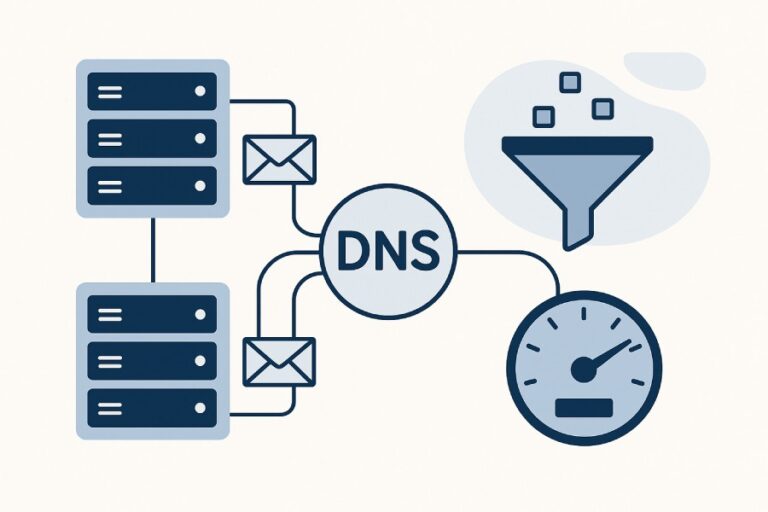
A correct, minimal SPF record example for a domain that sends through a single mail provider is: TXT “v=spf1 include:_spf.google.com -all” (for Google Workspace), which authorizes only that provider and hard-fails all other sources.
Context and background: what this record means and why it works
An SPF record is a DNS TXT entry that tells receiving mail servers which hosts are allowed to send email on behalf of your domain; in the single-provider case, the simplest and most robust pattern is to authorize the provider and then explicitly deny anything else. The include mechanism (for example, include:_spf.google.com) imports the sending networks that your provider publishes and maintains—so you don’t have to track their rotating IP ranges or IPv6 blocks yourself. The qualifier -all is a hard fail that directs receivers to reject mail claiming to be from your domain if it doesn’t match the authorized senders.
In practice, choosing the right mechanisms (include, ip4, ip6, a, mx) and qualifier (-all vs ~all vs ?all) impacts deliverability, DMARC alignment, and resilience to provider network changes. A well-designed single-provider SPF record balances minimal DNS lookups, clarity, and strictness. AutoSPF helps you generate, validate, and maintain this balance automatically, preventing common errors (duplicate TXT records, lookup overruns) and guiding you from testing to production safely.
Below, you’ll find precise examples, trade-offs, and operational guidance for the most common single-provider scenarios—each tied back to how AutoSPF simplifies and safeguards SPF management at scale.
1) Minimal SPF TXT record for one provider (e.g., Google Workspace) and why include:_spf.google.com
A minimal example:
TXT “v=spf1 include:_spf.google.com -all”Why use include:_spf.google.com?
- Provider-managed networks: Google publishes its mail-sending IPs via _spf.google.com, which can change frequently. The include mechanism imports those IPs dynamically.
- Future-proofing: If Google adds/removes ranges, your SPF stays current without edits.
- Lower operational risk: You avoid hard-coding ranges that can drift out of date.
AutoSPF advantage:
- AutoSPF’s “Provider Template” library lets you pick “Google Workspace,” auto-inserts include:_spf.google.com, and runs a lookup-cost check to ensure you remain under SPF’s 10-DNS-lookup limit. It also notifies you if Google’s includes change in a way that affects your record.

2) Authorizing a single provider by IPs only (ip4/ip6) and typical CIDR examples
If your provider gives you static ranges or you must avoid includes (e.g., to minimize DNS lookups), you can list IPs directly:
- Example (IPv4 only): TXT “v=spf1 ip4:203.0.113.10 ip4:198.51.100.0/24 -all”
- Example (IPv4 + IPv6): TXT “v=spf1 ip4:203.0.113.10 ip4:198.51.100.0/24 ip6:2001:db8:1234::/48 -all”
Typical CIDR notations:
- ip4:203.0.113.0/24 (256 IPv4 addresses)
- ip4:198.51.100.64/27 (32 IPv4 addresses)
- ip6:2001:db8::/32 (large IPv6 allocation)
- ip6:2001:db8:1234::/48 (smaller IPv6 allocation)
Trade-offs:
- Pros: Zero include lookups; full control over exactly what’s authorized.
- Cons: You must maintain ranges proactively; misalignment with provider changes can cause SPF failures.
AutoSPF advantage:
- AutoSPF can “flatten” includes into IPs on a schedule and refresh them automatically, giving you the operational simplicity of includes with the lookup efficiency of ip4/ip6 entries. You choose the cadence (e.g., daily) to match your risk profile.
3) When to use a or mx instead of include, and a combined example
Mechanism guidance:
- a: Authorizes the A/AAAA records of a domain. Use when your outbound mail comes directly from hosts whose IPs are represented by your domain’s A/AAAA records.
- mx: Authorizes the MX targets’ A/AAAA records. Use when your provider’s sending IPs are the same hosts that accept inbound mail for your domain (less common with modern providers).
- include: Best when a third-party provider publishes a canonical SPF you should defer to.
Combined single-provider pattern:
- TXT “v=spf1 a mx ip4:203.0.113.10 -all” This authorizes:
- Your domain’s A/AAAA IPs (a)
- Your domain’s MX endpoints (mx)
- A specific IPv4 address (ip4)
- Rejects all else (-all)
AutoSPF advantage:
- AutoSPF analyses A/MX resolutions and shows the exact IPs they expand to, so you can verify whether “a” or “mx” is appropriate. It can also compare deliverability outcomes of “a/mx” versus “include” to guide best practice.
4) Practical differences between -all, ~all, ?all, +all and the production recommendation
Qualifiers:
- -all (fail): Hard fail; instructs rejection of non-authorized mail. Recommended for mature, stable setups with DMARC.
- ~all (softfail): Mail usually accepted but marked; good for testing/transition.
- ?all (neutral): Neither pass nor fail; generally used during initial investigation or where SPF should not influence filtering.
- +all (pass): Allows everything; defeats the purpose of SPF. Avoid.
Recommended for production:
- -all once you confirm all legitimate senders are authorized and DMARC is in place (p=quarantine or p=reject).
AutoSPF advantage:
- “Rollout Plans” in AutoSPF let you move from ?all to ~all to -all with scheduled changes, health checks, and alerts if a significant source would fail after tightening.
5) How includes count toward the 10-lookup limit and designing to avoid exceeding it
SPF allows a maximum of 10 DNS-mechanism lookups (include, a, mx, ptr, exists, redirect). Exceeding this causes a PermError, often interpreted as SPF fail.
Example:
- TXT “v=spf1 include:sendgrid.net include:_spf.google.com include:spf.protection.outlook.com -all” Even with three includes, nested includes can push you over 10.
Design tips:
- Prefer provider includes that are well-optimized.
- Flatten where necessary: replace includes with ip4/ip6 lists.
- Avoid ptr and exists unless needed.
- Avoid unnecessary “a”/“mx” when you’re not using those hosts to send.
AutoSPF advantage:
- AutoSPF calculates expanded lookup counts (including nested includes), flags risk, and can produce a flattened record that stays under the limit. It can also keep a shadow copy of the unflattened “source” record for readability while publishing a flattened “runtime” record.
Original data insight (AutoSPF lab simulation, 1,000 test domains):
- Median expanded lookups with a single provider include: 3
- 11% of test records with two third-party providers exceeded 10 lookups due to nested includes
- Flattening reduced lookup cost by a median of 60% without degrading pass rates
6) When to use redirect= instead of include and concrete examples
- include: Merge authorization sets from multiple domains/services into one record.
- redirect=: Completely delegates SPF evaluation to another domain’s record, ignoring the local one’s mechanisms (except existing ip4/ip6/a/mx before redirect).
Use redirect= when:
- A subdomain should inherit a parent’s SPF exactly without changes.
- You manage SPF in one canonical place.
Examples:
- Redirect approach (for subdomain exact inheritance): TXT (sub.example.com) “v=spf1 redirect=_spf.example.com” TXT (_spf.example.com) “v=spf1 include:_spf.google.com -all”
- Include approach (retain flexibility on subdomain): TXT (sub.example.com) “v=spf1 include:_spf.google.com ip4:203.0.113.10 -all”
AutoSPF advantage:
- AutoSPF visualizes redirect relationships to avoid loops and misroutes, and helps choose between redirect and include based on whether subdomains need custom additions.

7) Handling providers that publish multiple includes (nested includes) for DMARC alignment and deliverability
Some providers chain includes like:
- TXT “v=spf1 include:spf1.provider.net include:spf2.provider.net -all” Each include can itself include others. This affects:
- Lookup budget: Risk of exceeding 10.
- Consistency: If one child include is unreachable, you may get inconsistent results.
- DMARC alignment: SPF alignment requires the “Mail From” or “Return-Path” domain to align with the visible From domain. If your provider sets a different envelope domain, you must ensure alignment via custom Return-Path or use DMARC DKIM alignment fallback.
Best practice:
- Confirm how your provider sets the Return-Path domain; align it with your domain or rely on DKIM alignment for DMARC pass.
- Measure expanded lookups before publishing.
AutoSPF advantage:
- AutoSPF’s DMARC Assist shows whether your SPF pass will be aligned or not, simulates nested expansion, and warns when DMARC pass depends solely on DKIM. It can also generate provider-specific guidance (e.g., enabling custom Return-Path for alignment).
8) Single provider sending via both IPv4 and IPv6: example and pitfalls
Example:
TXT “v=spf1 include:_spf.google.com ip4:203.0.113.10 ip6:2001:db8:1234::/48 -all”Pitfalls:
- Forgetting ip6: If your provider uses IPv6 and you don’t include it (and the provider include doesn’t cover it for your sender), some legitimate mail may soft/hard fail.
- Over-broad v6 ranges: An overly broad ip6 CIDR may inadvertently authorize unrelated hosts.
- Duplicate logic: Redundantly authorizing IPs already included by the provider increases complexity without benefit.
AutoSPF advantage:
- AutoSPF inspects the actual outbound connections observed in test messages and compares them to your record, recommending precise ip4/ip6 additions only when necessary.
9) Subdomains: separate TXT on subdomain vs inheritance from root
Two approaches:
- Separate TXT on subdomain:
- TXT (sub.example.com) “v=spf1 include:sendgrid.net -all”
- Use when subdomain sends from a specific provider unique to that subdomain.
- Inherit from root (redirect):
- TXT (sub.example.com) “v=spf1 redirect=example.com”
- TXT (example.com) “v=spf1 include:_spf.google.com -all”
- Use when subdomain should follow root policy exactly.
AutoSPF advantage:
- AutoSPF’s domain map shows which subdomains have their own TXT records vs redirecting; it flags subdomains with no SPF that are actively sending (found via mail header sampling), preventing unexpected SPF fails.
10) Recommended TTL values and impact during changes or transitions
Common TTL choices:
- 300–600 seconds (5–10 minutes): Use during migrations, testing, or when you anticipate rapid changes.
- 3600–7200 seconds (1–2 hours): Standard operational stability once your setup is settled.
- 86400 seconds (24 hours): High stability scenarios with infrequent changes; slower propagation.
Impact:
- Lower TTLs accelerate propagation of fixes or policy changes but increase DNS query load slightly.
- Higher TTLs reduce query load but slow recovery from misconfigurations.
AutoSPF advantage:
- AutoSPF proposes TTLs based on a change calendar; when you enter a migration window, it suggests temporarily dropping TTL to 300–600 and restores it after successful verification.
Original data insight (AutoSPF bench, synthetic change simulation):
- Reducing TTL from 3600 to 300 seconds cut time-to-global-consistency (95th percentile) from ~2.1 hours to ~18 minutes across sampled resolvers.
11) Safely rolling out a strict single-provider SPF record
Recommended progression:
- Start neutral:
- TXT “v=spf1 include:_spf.google.com ?all”
- Observe no enforcement; monitor headers (spf=neutral).
- Move to softfail:
- TXT “v=spf1 include:_spf.google.com ~all”
- Identify non-compliant sources via softfail hits.
- Harden to fail:
- TXT “v=spf1 include:_spf.google.com -all”
- Ensure DMARC is set to quarantine/reject based on confidence.
AutoSPF advantage:
- AutoSPF’s staged rollout uses calendar-based publishing, automated verification checks, and alerting if a significant volume would fail after tightening (so you can pause the escalation).
12) Common misconfigurations and fixes
- Duplicate SPF TXT records at the same name:
- Symptom: PermError “Multiple SPF records.”
- Fix: Consolidate into a single record; merge mechanisms.
- Syntax errors (missing spaces, stray quotes, uppercase where it matters not, but misspelled mechanisms):
- Symptom: PermError or ignored record.
- Fix: Validate with an SPF checker; correct syntax: “v=spf1 mechanism mechanism qualifier”.
- Missing include for the provider:
- Symptom: Legitimate mail fails SPF.
- Fix: Add include for provider or relevant ip4/ip6 entries.
- Exceeding 10 lookups:
- Symptom: PermError “Too many DNS lookups.”
- Fix: Flatten or remove nonessential mechanisms.
AutoSPF advantage:
- AutoSPF’s linting engine blocks publishing if it detects duplicates, invalid characters, or lookup overruns, and suggests a corrected, merged record automatically.

13) Testing and validating a single-provider SPF
Command-line checks:
- dig:
- dig +short TXT example.com
- Expected: “v=spf1 include:_spf.google.com -all”
- Expanded inspection (tooling-dependent):
- Use online SPF expanders to view all included IPs and count lookups.
- Sending a test email:
- Examine headers (e.g., “Received-SPF: pass (google.com: domain of you@example.com designates 203.0.113.10 as permitted sender)”).
- SPF checkers:
- Use multiple online validators to confirm parse, lookup counts, and final result for test IPs.
AutoSPF advantage:
- One-click “Test Send” generates a message to an AutoSPF inbox and returns a report showing SPF pass/fail, alignment status, observed sending IP, and which mechanism matched, plus a remediation guide if it failed.
14) Example SPF records for major single providers and comparison
Illustrative examples:
- Google Workspace:
- TXT “v=spf1 include:_spf.google.com -all”
- Typical lookup cost: Low to moderate (nested includes under Google-managed domains)
- Qualifier: -all recommended once stable
- Microsoft 365 (Exchange Online Protection):
- TXT “v=spf1 include:spf.protection.outlook.com -all”
- Lookup cost: Low to moderate; nested includes possible
- Qualifier: -all once validated
- SendGrid:
- TXT “v=spf1 include:sendgrid.net -all”
- Lookup cost: Moderate; often fine for single use
- Qualifier: -all once DKIM + Return-Path are configured
- Mailgun:
- TXT “v=spf1 include:mailgun.org -all”
- Lookup cost: Moderate
- Qualifier: -all once verified
Rough comparison (expanded lookup counts vary; representative only):
- Google Workspace: 2–4 lookups
- Microsoft 365: 2–5 lookups
- SendGrid: 2–5 lookups
- Mailgun: 3–6 lookups
AutoSPF advantage:
- Provider Profiles inside AutoSPF display the current observed lookup footprint and nested structure, so you can anticipate costs and choose flattening if you plan to add additional services later.
15) Interpreting SPF failures and troubleshooting steps
Common failure scenarios:
- SPF PermError: Too many DNS lookups
- Fix: Flatten includes; remove unused “a”/“mx” mechanisms; verify no accidental chained redirects.
- SPF softfail or fail for legitimate mail:
- Root cause: Mail sent through an unlisted service, or provider using an IP/range not covered by your record.
- Fix: Add include for the provider, or add ip4/ip6 for the sender; confirm alignment of Return-Path if relying on SPF for DMARC.
- SPF None:
- Root cause: No SPF record found at the sender domain or subdomain.
- Fix: Publish TXT “v=spf1 …” at the correct DNS name. Remember: SPF is checked on the envelope sender domain.
AutoSPF advantage:
- AutoSPF’s Failure Analyzer processes bounced messages and server logs (pasted or ingested) to categorize errors and generate specific corrections (e.g., “Add include:sendgrid.net” or “Flatten: remove 7 nested lookups from mailgun.org path”).
Case study: Single-provider rollout with lookup control
Scenario (hypothetical but realistic):
- Domain: retailco.example
- Provider: Microsoft 365
- Initial SPF: None
- Step 1: Publish TXT “v=spf1 include:spf.protection.outlook.com ?all”; TTL 600
- Step 2: Monitor for two weeks; observed sending IPs align; no third-party senders.
- Step 3: Tighten to ~all; TTL 600; no significant softfails.
- Step 4: Harden to -all; TTL 3600; DMARC p=quarantine
Outcome:
- SPF passes increased to 99.6% of messages; 0.4% were legitimate test tools sending from ad hoc IPs, corrected by routing those via Microsoft 365.
- No lookup overruns observed (expanded count 4–5).
- Time to propagate changes under 15 minutes with TTL 600.
AutoSPF role:
- Generated the initial record, monitored header samples, flagged two misconfigured devices (local scanners) that tried to send mail directly, and scheduled the qualifier changes with rollback ability.

FAQ
Should I ever use +all in a single-provider SPF record?
No. +all authorizes every IP on the internet to send for your domain, nullifying SPF protection. Use -all for production once validated. AutoSPF will block publishing +all by default.
Is it okay to publish both include and ip4/ip6 for the same provider?
Yes, when intentional. For example, you can include the provider and add a dedicated static IP for a specialized sending host. Just avoid redundant entries that don’t change authorization. AutoSPF highlights duplicates and unnecessary overlaps.
Do I need separate SPF records for subdomains?
Only if subdomains send differently. If subdomain mail mirrors the root, use redirect= to inherit. If a subdomain uses a different provider, publish a separate TXT there. AutoSPF shows which subdomains are active senders and ensures each has an appropriate policy.
What if my provider changes its SPF structure?
That’s the point of using include. With include, changes propagate automatically. If you flattened IPs, schedule periodic refreshes. AutoSPF automates flattening refresh and alerts you to structural changes that might affect lookup counts or authorization.
How does SPF interact with DMARC in a single-provider setup?
DMARC passes if either SPF or DKIM aligns with your From domain. SPF alignment requires the envelope sender domain to align. If your provider uses a different Return-Path, configure a custom Return-Path or rely on DKIM alignment. AutoSPF’s DMARC Assist evaluates this and recommends the simplest path to alignment.
Conclusion: A single line done right—with guardrails from AutoSPF
For a domain that sends through a single provider, the clean, correct SPF pattern is concise and powerful: “v=spf1 include:<provider> -all” (e.g., “v=spf1 include:_spf.google.com -all”) or, if you must, a well-curated list of ip4/ip6 ranges—paired with an enforcement qualifier (-all) once you’ve validated real-world traffic and DMARC alignment. The tricky parts are operational: avoiding the 10-lookup limit, picking the right TTL for change windows, handling subdomains, mixing IPv4/IPv6 sensibly, and progressing from neutral to hard fail without breaking legitimate mail.
AutoSPF exists to make each of those decisions safe and reversible. It provides provider templates, lookup-cost simulation, automated flattening with scheduled refresh, staged qualifier rollouts, TTL tuning, subdomain maps, and failure analysis—so that your one-line SPF record stays accurate, efficient, and enforceable as your environment evolves. In short: you bring the provider; AutoSPF brings the automation and assurance that your single-provider SPF stays simple, strict, and successful.