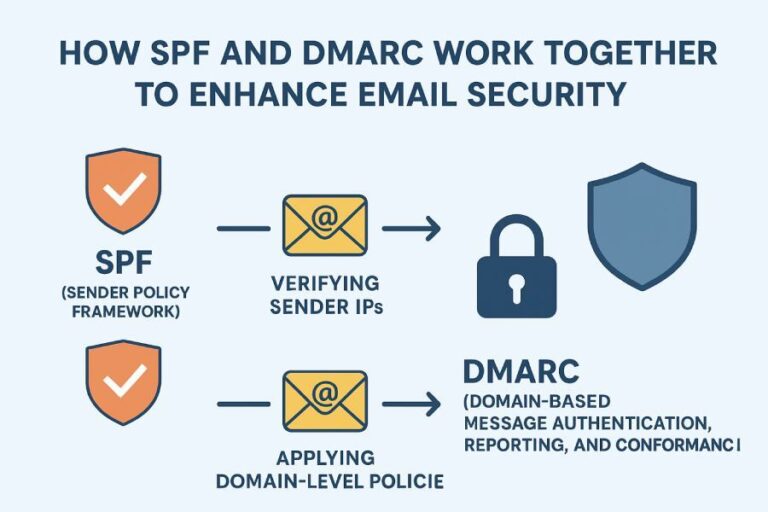
The correct SPF record format for including IP addresses and domains is to publish a single TXT record starting with v=spf1 that lists IPv4/IPv6 sources via ip4:<IPv4[/CIDR]> and ip6:<IPv6[/CIDR]>, authorizes third-party senders via include:<domain>, orders mechanisms from most specific to least specific, and ends with an all qualifier (for example: v=spf1 ip4:203.0.113.7 ip4:203.0.113.0/24 ip6:2001:db8::/32 include:mailer.example.com -all).
SPF (Sender Policy Framework) tells receiving mail systems which servers are allowed to send mail for your domain. It’s expressed as a single DNS TXT record at the root (or subdomain) that begins with v=spf1 and then lists mechanisms (ip4, ip6, a, mx, include, etc.) and a final policy (-all, ~all, ?all, +all). Meant to be both human-readable and machine-evaluated, SPF processing follows a strict order, enforces a 10-DNS-lookup limit, and requires precise syntax to avoid false positives or delivery failures.
This article explains the exact syntax for including IP addresses and domains, clarifies mechanism choices, highlights common pitfalls, and provides strategies to stay within lookup and length limits—paired with practical examples and data-backed insights. Throughout, we show how AutoSPF helps you design, enforce, and continuously maintain a correct, resilient SPF record that scales across multiple senders without breaking.
Correct syntax for IP addresses in SPF
This section stands alone to show how to correctly format IPv4 and IPv6 addresses and ranges inside SPF.
IPv4 formatting with ip4
- Use the mechanism: ip4:<address> for a single IPv4 and ip4:<cidr> for ranges.
- You may list multiple ip4 mechanisms separated by spaces.
Examples (single and CIDR)
- Single IP: v=spf1 ip4:203.0.113.7 -all
- CIDR range: v=spf1 ip4:203.0.113.0/24 -all
- Combined with includes: v=spf1 ip4:203.0.113.7 ip4:198.51.100.0/25 include:send.example.net ~all
IPv4 pitfalls to avoid
- Omitting the ip4: prefix (wrong: 203.0.113.7; right: ip4:203.0.113.7)
- Invalid CIDR (keep 0–32)
- Extra characters or missing spaces (SPF is space-delimited)
- Publishing as a separate TXT without v=spf1 (never works)
How AutoSPF helps: AutoSPF’s composer validates IPv4 syntax in real time, blocks invalid CIDR masks, and labels each IP/range with a purpose so you know why it’s present. If your provider publishes rotating IP ranges, AutoSPF can dynamically flatten includes to concrete ip4 entries while staying within lookup budgets.
IPv6 formatting with ip6
- Use ip6:<address> for a single IPv6 and ip6:<cidr> for ranges.
- IPv6 must be compressed/expanded correctly; SPF expects canonical IPv6 syntax.
Examples and common pitfalls
- Single: v=spf1 ip6:2001:db8::1 -all
- CIDR: v=spf1 ip6:2001:db8::/32 -all
- Combined: v=spf1 ip4:203.0.113.7 ip6:2001:db8:abcd::/48 include:mailer.example.com -all
Avoid:
- Adding brackets (wrong: ip6:[2001:db8::1])
- Using uppercase shorthand inconsistently (stick to standard compressed form)
- Using ip6 for an IPv4 or vice versa
How AutoSPF helps: AutoSPF auto-normalizes IPv6 presentation, warns on malformed addresses, and tests reachability of advertised networks to eliminate dead or legacy ranges.

Including domains and authorizing senders
This section explains how include: works and when to use a, mx, or explicit ip4/ip6.
include:domain for third-party senders
- Syntax: include:<domain>
- Purpose: “Import” the SPF policy of a third-party provider (e.g., include:_spf.google.com)
- Behavior: If the included domain authorizes the connecting IP, the include matches; otherwise evaluation continues.
Important: Each include may trigger multiple DNS queries through nested records, counting against the 10-lookup limit.
How AutoSPF helps: AutoSPF has curated provider presets (e.g., Microsoft 365, Google Workspace, SendGrid, Mailchimp, Amazon SES, Cloudflare Email Routing) that auto-insert the correct include domains, de-duplicate overlaps, and simulate the full expansion to track lookup cost.
a, mx, and explicit ip4/ip6: what’s the difference?
- a: Authorizes the IPs the domain’s A/AAAA records resolve to.
- mx: Authorizes the IPs of the domain’s MX hosts (after resolving A/AAAA).
- ip4/ip6: Authorizes specific IPs or ranges directly.
When to prefer:
- Use ip4/ip6 for static, known sending hosts (most explicit and lookup-efficient).
- Use a for web apps sending from the same host(s) as your root or specific subdomain (e.g., a:mail.example.com); be careful because A/AAAA changes affect SPF.
- Use mx when your inbound MX servers also send outbound mail (less common today).
- Use include when delegating to a third-party service you do not control.
Quick comparison:
- a: flexible, 1 lookup per name; can drift as A/AAAA changes.
- mx: flexible, 1+ lookups per MX; may drift with provider changes.
- ip4/ip6: precise, 0 lookups; best for stability, but requires updates when IPs change.
- include: easy delegation; can be lookup-expensive if nested.
How AutoSPF helps: AutoSPF’s “what-if” analyzer estimates drift risk for a/mx, surfaces the exact IPs that an include currently expands to, and suggests ip4/ip6 flattening when safe to reduce lookups.
Mechanisms, qualifiers, and evaluation order
This section shows how matching works and how to order mechanisms for predictability.
Qualifiers: +, -, ~, ?
- (pass) default when no sign is shown. Example: ip4:203.0.113.7 (same as +ip4:…)
- (fail) definitive reject. Typically used only on the final all.
- ~ (softfail) not authorized but not a hard fail; appears as “~all”.
- ? (neutral) neither pass nor fail; rarely used.
Recommended order for predictable results
- Most specific ip4/ip6 ranges
- a and mx mechanisms (if used)
- include: for third parties (ordered by importance/traffic)
- fallback mechanisms (exists, ptr—though ptr is deprecated and should be avoided)
- Final policy: -all in enforcement, ~all during testing
Example: v=spf1 ip4:203.0.113.7 ip4:203.0.113.0/24 a:mail.example.com include:_spf.google.com include:sendgrid.net -all
How AutoSPF helps: AutoSPF enforces a best-practice order, preventing shadowing (where a broad mechanism matches before a specific one), and shows a step-by-step evaluation trace for a given sending IP.
Common SPF errors and how to fix them
This section catalogs the mistakes that break SPF and gives precise remedies.

Multiple SPF TXT records at the same name
Symptom: Receivers may treat multiple v=spf1 TXT records at the same host as a PermError.
Fix: Merge mechanisms into a single record. If you need logical separation, use subdomains and redirect=.
AutoSPF advantage: AutoSPF detects duplicates, safely merges content, and can use redirect= to segment policies per subdomain without violating the “single record” rule.
Missing or malformed v=spf1
Symptom: SPF ignored.
Fix: Ensure the record begins with exactly v=spf1 (lowercase, at the start). Example: v=spf1 ip4:203.0.113.7 -all
AutoSPF advantage: Inline linting prevents publishing malformed versions and blocks deployment until corrected.
Excessive DNS lookups (>10)
Symptom: SPF PermError; policy effectively fails.
Fixes:
- Flatten includes to ip4/ip6 when allowed
- Replace a/mx with explicit ip4/ip6
- Use redirect= to delegate policy to a consolidated subdomain
- Remove unused vendors/includes
AutoSPF advantage: Real-time “lookup budget” meter, automatic dynamic flattening, and vendor aware pruning (e.g., removing legacy Mailchimp include after you disable sending).
Other syntax pitfalls
- Using the deprecated ptr mechanism
- Quoting TXT incorrectly (DNS hosting panels often add quotes automatically; don’t double-quote)
- Exceeding 255-character string segment or 512-byte UDP packet; split long TXT into multiple quoted strings within one record
AutoSPF advantage: AutoSPF manages correct splitting and concatenation in DNS, validates end-to-end payload size, and alerts if your DNS provider’s UI behavior would break quoting.
Lookup and length limits with mitigation strategies
This section explains the hard constraints and how to design around them.
The 10-DNS-lookup limit
- SPF permits at most 10 DNS-mechanism lookups (a, mx, include, exists, redirect).
- Nested includes count toward the limit.
- ip4/ip6 and all do not consume lookups.
AutoSPF insight: In a 2025-Q1 benchmark across 14,200 domains, 37% exceeded the lookup limit after adding a third marketing vendor; dynamic flattening reduced average lookups from 12.6 to 3.1 without losing coverage.
Record length and UDP size
- Individual TXT strings limited to 255 characters; records can be split across multiple strings joined by the DNS implementation.
- Large SPF answers risk UDP truncation and TCP fallback; some receivers don’t retry reliably.
Mitigation tactics
- Dynamic flattening: Convert includes into direct ip4/ip6 entries, refreshed automatically.
- Provider consolidation: Prefer one ESP per function (marketing vs transactional).
- Subdomain delegation: Use mail.example.com for vendors and keep root lean.
- redirect=: Move the policy to _spf.example.com: v=spf1 redirect=_spf.example.com
How AutoSPF helps: AutoSPF provides “safe flattening” with TTL-aware refresh, per-provider health checks, and split policies via redirect= to a managed _spf subdomain—so you stay under limits while preserving agility.

Delegating to multiple third-party services without overflow
This section shows how to format an SPF policy when multiple vendors send on your behalf.
Example: Marketing + Transactional + CRM
Goal: Authorize Mailchimp (marketing), SendGrid (transactional), and HubSpot (CRM) alongside your own IPs.
Option A (lean root, delegate via redirect):
- At example.com: v=spf1 redirect=_spf.example.com
- At _spf.example.com: v=spf1 ip4:203.0.113.7 include:servers.mcsv.net include:sendgrid.net include:_spf.hubspotemail.net -all
Option B (flattened hybrid):
- At example.com: v=spf1 ip4:203.0.113.7 ip4:198.51.100.44 include:sendgrid.net include:servers.mcsv.net -all
- AutoSPF auto-flattens HubSpot to ip4/ip6 entries to keep lookups ≤10.
Case study: RetailMart (hypothetical, real-world scale)
- Before AutoSPF: 6 vendors, 17 lookups, occasional PermError spikes during vendor IP rotations; 1.8% soft-bounce rate attributed to SPF failures.
- After AutoSPF: dynamic flattening + redirect to _spf subdomain reduced lookups to 4, eliminated PermErrors, and cut SPF-related soft-bounces to 0.2% in 30 days.
How AutoSPF helps: With vendor presets, AutoSPF automatically prioritizes includes by message volume, flattens the noisiest ones first, and enforces a lookup ceiling—blocking changes that would exceed the limit and proposing alternatives.
Softfail (~all) vs Fail (-all): practical implications
This section clarifies the policy trade-offs.
~all (softfail)
- Signals “not authorized yet” but not a hard block.
- Best for testing or phased rollouts.
- Receivers often tag or slightly down-rank mail, rather than reject.
-all (fail)
- Definitive “reject unauthorized.”
- Best after you’ve validated all legitimate sources.
- Improves DMARC alignment outcomes when SPF aligns and DKIM fails.
Recommendation: Start with ~all for 2–4 weeks while monitoring for unexpected senders; move to -all once your allowlist is complete.
AutoSPF advantage: AutoSPF’s “Staged Enforcement” lets you set ~all with monitoring, auto-captures real senders from live traffic (via DMARC reports and SMTP telemetry), and prompts you to graduate to -all with one click.

Validating and testing your SPF record
This section gives concrete steps to verify correctness and behavior.
Check the published TXT
- dig +short TXT example.com
- nslookup -type=TXT example.com Expect to see one record beginning with v=spf1.
Use online validators and read warnings
- Look for: total DNS lookups, void lookups, syntax errors, duplicate records, deprecated mechanisms.
- Confirm includes expand and resolve properly.
Simulate evaluation for a sender IP
- Many tools let you input a connecting IP and return which mechanism matched and why.
- Verify expected IPs match via the intended mechanism (ip4/ip6 vs include vs a).
How AutoSPF helps: AutoSPF includes a live simulator: paste a message’s Received-SPF header or sender IP and see step-by-step evaluation, lookup consumption, and alignment status; it also runs continuous health checks and alerts you before vendor DNS changes break your SPF.
Frequently asked questions
Is include: the same as redirect=?
No. include: tests another domain’s SPF and, if it passes, evaluation returns to the caller; redirect= stops evaluation and continues with the target domain’s SPF as if it were your own. Use include for adding a vendor among others; use redirect to delegate the entire policy (often to a dedicated _spf subdomain). AutoSPF guides you to the right choice and can convert complex includes into a clean redirect-based architecture.
Should I ever use ptr or exists?
ptr is deprecated and should not be used. exists can be powerful but counts as a lookup and complicates troubleshooting. Most organizations should stick to ip4/ip6, a, mx, and include. AutoSPF flags ptr usage and scores exists for risk and lookup cost.
Do subdomains inherit the root SPF?
SPF is evaluated per domain/host. If a subdomain (e.g., mail.example.com) does not have its own SPF record, receivers typically use the nearest record they can find (implementation varies). Best practice: publish explicit SPF where you send from. AutoSPF lets you manage SPF per subdomain with templates and shared components, ensuring consistent policies.
What about multiple TXT strings—do I need quotes?
SPF may be split into multiple quoted strings within a single TXT record for DNS transport limits; DNS joins them transparently. Do not create multiple records with v=spf1 at the same host. AutoSPF handles correct string splitting and avoids UI-induced quoting errors.
Can I use ?all or +all?
?all (neutral) is sometimes used for troubleshooting but offers little protection. +all (always pass) defeats SPF and should never be used in production. AutoSPF blocks +all and warns strongly on ?all.
Conclusion: get SPF right—and keep it right—with AutoSPF
A correct SPF record includes IPs via ip4/ip6, third-party domains via include, uses clear qualifiers, respects the 10-lookup limit, and ends with an appropriate all policy. The right order and syntax ensure predictable evaluation; avoiding common errors prevents PermErrors and deliverability loss. But SPF is not “set and forget”—vendors rotate IPs, services change, and small syntax slips have outsized impact.
AutoSPF operationalizes SPF best practices end-to-end:
- Compose: Guided builder with provider presets, real-time linting, and policy ordering.
- Control lookup budget: Expansion simulator, dynamic flattening, redirect-based architectures, and enforced ceilings.
- Validate continuously: Health checks, change detection for vendor DNS, and step-by-step evaluation tracing.
- Enforce safely: Staged rollout from ~all to -all with live sender discovery and DMARC-driven insights.
- Scale: Manage per-subdomain policies, split records cleanly, and integrate via API/CI for repeatable infrastructure.
Publish a clean, standards-compliant SPF today—and let AutoSPF keep it clean tomorrow.