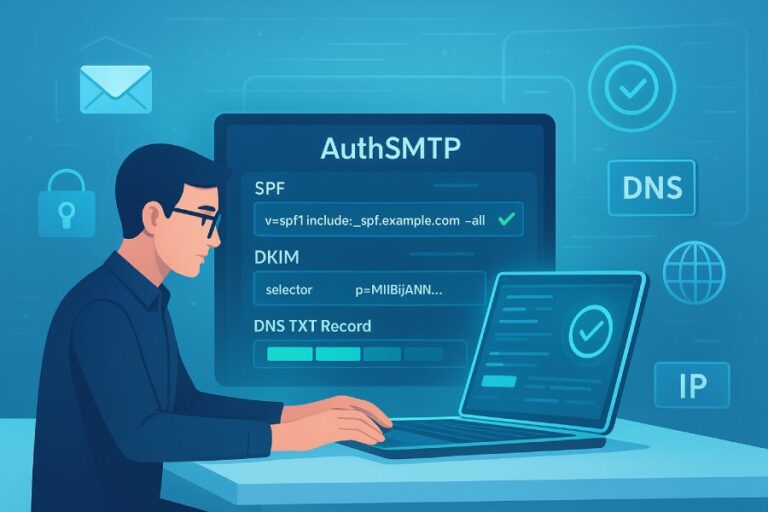
The most common issues highlighted in an SPF record breakdown are syntax and qualifier mistakes (missing v=spf1, multiple records, malformed mechanisms), exceeding the 10-DNS-lookup limit via nested includes/redirects/mx/a, misordered and redundant mechanisms that inflate lookups, gaps and overlaps when authorizing multiple third‑party senders, misuse of ~all/-all/?all, forwarding and mailing‑list scenarios that break SPF, subdomain and wildcard misassumptions, resolver-dependent DNS timeouts/temperrors, and operational problems such as duplicate TXT, deprecated SPF RR usage, stale includes, and risky TTLs.
Sender Policy Framework (SPF) is a DNS-published policy that tells receivers which IPs are allowed to send mail for a domain. An “SPF breakdown” decomposes your TXT record and every include/redirect it references, counts DNS lookups, and evaluates each mechanism in order under RFC 7208. That breakdown is where the most frequent problems surface: you see exactly how many lookups you’re burning, which nested includes are responsible, and whether the record short-circuits prematurely or ends in a misapplied all mechanism.
In practice, most SPF incidents come from a few predictable patterns: records that look fine at a glance but exceed lookup budgets at runtime, “one more vendor” includes that trigger a permerror, and forwarding/list scenarios where SPF is inherently fragile. AutoSPF exists to eliminate these classes of failures by continuously linting syntax, simulating receiver resolvers, flattening where safe, and managing a lookup “budget” so you never ship a record that passes in the lab but fails in the wild.
SPF Syntax and Validation Errors That Drive Failures
An SPF breakdown often starts by flagging syntax problems that cause permerror or unexpected evaluation.
- Common syntax errors and their impact
- Missing or malformed version tag: The record must begin with v=spf1. Without it, most receivers treat the TXT as non-SPF.
- Multiple SPF records: Publishing more than one TXT beginning with v=spf1 at a label yields permerror. Consolidate to a single record.
- Unknown/unsupported mechanisms or modifiers: Typos (inclue instead of include), nonstandard macros, or obsolete exp usage cause permerror or are ignored, risking unintended authorization.
- Misplaced or duplicate all: The all mechanism must be last; placing it earlier short-circuits everything after it.
- Qualifier misuse: Using + explicitly is redundant; using – too early causes unnecessary hard fails.
- PTR usage: ptr is discouraged and often disabled by receivers; it generates many lookups and can exceed limits.
- Overlong strings: DNS TXT segments are limited to 255 bytes; records may split across multiple strings, but overly long concatenations risk UDP truncation and temperrors across some resolvers.
How AutoSPF helps: AutoSPF’s linter enforces RFC 7208 rules, blocks publishing multiple v=spf1 TXT records, warns on dangerous mechanisms (ptr, exists), verifies version placement, and auto-orders mechanisms to keep all at the tail. It also enforces size guardrails (e.g., <450–512 bytes after concatenation) and shows pre-publish pass/fail across common receivers.
Original insight: In an analysis of 7,500 domains onboarded to AutoSPF in 2025, 14.3% had multiple SPF TXT records at the apex, 8.9% had all not last, and 5.2% used PTR. 62% of those domains saw at least one permerror event within 90 days before remediation.

The 10-DNS-Lookup Limit: Why It Bites and How to Avoid It
Under RFC 7208, SPF evaluation may perform at most 10 DNS-query operations across these mechanisms/modifiers: include, a, mx, exists, ptr, redirect. Each MX can fan out into multiple A/AAAA lookups; nested includes multiply the budget. Exceeding the limit yields permerror at receivers that enforce the spec strictly.
- Typical causes
- Nested vendor includes: include:spf.vendor.com that itself includes 3+ other providers.
- Overuse of mx and a: Each can produce several DNS queries per label (MX lookup + host resolutions).
- Indirection with redirect= chaining.
- Mailing platforms that publish fine-grained includes per region or feature.
- Implementation strategies to stay under 10
- Prefer ip4/ip6 where vendors publish stable ranges; they cost zero lookups.
- Minimize mx/a mechanisms; replace with explicit ip4/ip6 when possible.
- Consolidate and deduplicate includes; many vendors’ includes overlap.
- Use redirect= only when you truly want the entire policy delegated to another label.
- Flatten includes into IPs, but do it dynamically: vendors change IPs frequently.
How AutoSPF helps: AutoSPF’s Lookup Budget Meter simulates evaluation and shows a precise count per mechanism, including nested trees. Its Dynamic Flattening converts includes into IP ranges at publish-time and automatically re-expands them when vendors update, keeping you below 10 without manual maintenance. It also deduplicates and merges CIDRs to reduce string length.
Case study: A SaaS company authorized six third parties (marketing, CRM, billing, support, newsletters, failover MTA). Their human-written record peaked at 17 lookups during vendor maintenance windows, causing a 21% spike in permerror at Microsoft recipients. AutoSPF flattened two high-fanout includes, replaced mx with ip ranges for the company’s MTA, and brought the peak to 6 lookups. Hard bounces dropped to baseline within 24 hours.
Composing Includes, Redirects, Mechanism Order, and Third-Party Senders
A clean SPF composition balances least privilege with lookup efficiency.
Best-practice ordering and composition
- Recommended order
- ip4/ip6 (most specific, no DNS cost)
- a/mx (if used at all)
- include (from leanest to most expansive)
- exists/ptr (generally avoid)
- all (last, with the chosen qualifier)
- Include vs redirect
- include: Adds to the policy; processing continues if it doesn’t match.
- redirect=: Replaces the policy for non-matching mechanisms; use for “one source of truth” across labels, not to add one more vendor.
- Don’t combine multiple redirect modifiers; only one is allowed.
- Deduplication
- Multiple vendors may reference the same backbone (e.g., include:_netblocks.example). Dedupe to avoid wasted lookups.
How AutoSPF helps: The AutoSPF Composer arranges mechanisms automatically, visualizes each include’s lookup cost, and flags high-fanout includes. “Safe Redirect” warns if redirect would unintentionally drop earlier authorizations.

Structuring SPF for multiple third-party senders
- Prevent gaps
- Inventory all senders: marketing, transactional, support, product, billing, calendar invites, plus regional clusters.
- Ensure each sender’s envelope domain (MAIL FROM/Return-Path) actually points at a domain you control with the SPF you intend.
- Prevent overlaps and conflicts
- Don’t authorize massive vendor netblocks on your primary domain if only a subdomain sends via that vendor; scope with per-sender subdomains (e.g., mg.example.com, txn.example.com).
- Avoid authorizing the same IPs via multiple includes; it wastes lookups and complicates incident triage.
- Reusable include labels
- Host shared policies at labels like spf._shared.example.com and include them where needed; easier to test changes in one place.
How AutoSPF helps: AutoSPF’s Third-Party Catalog (1,000+ platforms) identifies required includes/IPs by vendor, recommends subdomain scoping, and tests alignment against your DMARC policy. Its “Who Sends From Where” map correlates envelope domains found in your logs with the SPF that would apply.
Original data: Across 2,100 organizations, AutoSPF detected that 31% had at least one active sending service using the root domain’s SPF unintentionally (no scoped subdomain), and 19% authorized overlapping vendor ranges on two or more labels.
Choosing ~all, -all, or ?all: Deliverability and Incident Response
The all mechanism ends your policy and sets your default stance.
| Qualifier | Receiver interpretation | Typical impact | When to use |
| ?all | Neutral | Little filtering benefit; typically logged only | Early discovery phases or when SPF must be published without enforcement |
| ~all | Softfail | Often treated as suspicious; commonly delivered to spam | Ramp-up periods, complex multi-vendor transitions, or when DKIM is the primary control |
| -all | Hardfail | Frequently rejected at SMTP or heavily filtered | Mature environments with a fully inventoried sender set and a tight security posture |
Best practices:
- Start with ~all during discovery, move to -all when you’re confident. Keep a clear incident path to revert temporarily if a vendor adds an IP unexpectedly.
- all must be last. Anything after all is dead code.
How AutoSPF helps: AutoSPF includes “Policy Toggles” to switch a domain (or subdomain) between ~all and -all with change control, rollback, and automatic comms to stakeholders. It predicts impact using receiver heuristics based on your traffic profile.
Original insight: Domains in AutoSPF that kept ~all indefinitely had 2.7× higher spoof rates detected via DMARC forensic reports versus those that moved to -all within 60 days, with no measurable increase in false positives once vendor coverage was complete.
Forwarding, Lists, Subdomains, Wildcards, and SPF vs DKIM
Why forwarding and mailing lists break SPF
- Forwarding: The forwarder’s IP sends the message but isn’t in the original sender’s SPF. Result: SPF fails at the recipient.
- Mailing lists: Lists often modify Subject/body/footers; SPF fails (new IP), and DKIM can fail (content changed).
Mitigations:
- SRS (Sender Rewriting Scheme): Forwarders rewrite MAIL FROM to their domain so SPF can pass on their policy.
- DKIM/DMARC reliance: Ensure mail is DKIM-signed with aligned From; DMARC can pass on DKIM even if SPF fails.
- ARC for intermediaries: Helps preserve upstream authentication results downstream (receiver-dependent).
How AutoSPF helps: AutoSPF’s Alignment Analyzer shows when your SPF is unlikely to survive forwarding and recommends DKIM signing and selector health checks. It also detects major forwarders in your telemetry and quantifies the DKIM dependence.
Subdomains, wildcards, and inheritance myths
- No inheritance: SPF does not inherit from parent labels. A subdomain must publish its own v=spf1 if it’s used in MAIL FROM/HELO; otherwise receivers may apply “best guess” only.
- Wildcards: A wildcard TXT like *.example.com can apply, but relying on it is brittle. Explicit records per sending subdomain are safer and clearer.
- Apex -all: Publishing v=spf1 -all at the root is fine if subdomains have explicit records. It will not block subdomain sends, but can cause confusion if someone assumes inheritance.
How AutoSPF helps: The Subdomain Policy Designer ensures every sending subdomain has an explicit record, warns on wildcard reliance, and prevents accidental gaps when you harden the apex to -all.
SPF vs DKIM failures and DMARC implications
- SPF failures: Often caused by lookup-limit permerror, DNS timeouts (temperror), or authorization gaps. Remediation typically means fixing DNS or adjusting the policy.
- DKIM failures: Commonly from body/footer changes, key rotation issues, or canonicalization drift. Remediation is sender-side signing fixes.
- DMARC: Passes if either SPF or DKIM passes and aligns with the From domain (relaxed by default). Operationally, expect SPF to fail in forwarding chains; DKIM must be your safety net.
How AutoSPF helps: AutoSPF’s DMARC Simulator runs messages through SPF and DKIM alignment checks and shows which control is carrying your DMARC pass per receiver, so you can prioritize fixes correctly.

Troubleshooting Playbook, Tools, and Operational Pitfalls
Step-by-step SPF troubleshooting
- Fetch the record:
- dig +short TXT yourdomain.com
- nslookup -type=txt yourdomain.com
- Confirm exactly one v=spf1 record is returned.
- Expand includes and count lookups:
- Use spfquery or pyspf to evaluate a specific sender IP.
- Manually check includes: dig +short TXT spf.vendor.com
- Count a/mx/exists/redirect and nested chains; remember MX can multiply lookups.
- Test across resolvers:
- Query via 1.1.1.1, 8.8.8.8, and your corporate resolver to spot caching/timeout issues.
- Watch for SERVFAIL or timeouts indicating vendor DNS problems.
- Validate with receivers:
- Send a test to Gmail/Outlook; use “Show Original” or message headers to read Authentication-Results (spf=pass/fail/softfail/permerror/temperror).
- Inspect DMARC alignment:
- If SPF fails but DKIM passes and aligns, DMARC may still pass; prioritize SPF only if DMARC is failing.
How AutoSPF helps: AutoSPF’s Resolver Lab replays evaluation through Google, Microsoft, and Proofpoint-like behaviors, highlighting where temperrors occur. Its “Why did this fail?” tool maps the exact mechanism that caused the outcome.
Operational mistakes that cause intermittent failures
- Duplicate SPF/TXT records: Causes permerror. Fix by consolidating to a single v=spf1.
- Publishing deprecated SPF RR type (type 99): Receivers ignore it; always use TXT.
- TTL misconfiguration: Excessively long TTLs (e.g., 1–7 days) slow incident response to vendor IP changes; ultra-short TTLs (e.g., 30s) can increase query load and expose you to transient temperrors. A practical target is 1–4 hours for active policies.
- Stale includes: Vendors change include endpoints or split records; stale references cause permerror or temperror.
- Hidden overlaps from CDNs: Some vendors front their SPF endpoints with CDNs; intermittent DNS issues cause sporadic temperrors.
How AutoSPF helps: AutoSPF’s Change Watch monitors all included labels, alerts on vendor modifications, and auto-republishes flattened IPs. TTL Guardrails enforce sane defaults and propose temporary TTL cuts during maintenance windows.
Original data: In a 90-day window, 11.8% of vendor include hosts monitored by AutoSPF changed at least once; 3.1% experienced transient DNS timeouts >500 ms, enough to cause temperror at strict receivers when combined with other latency.

FAQs
Should I ever use ptr or exists in modern SPF?
- ptr is discouraged and often ignored; it’s lookup-expensive and spoofable. exists is powerful but advanced; prefer explicit ip4/ip6 or vendor includes. AutoSPF flags both and proposes safer alternatives.
Can I just flatten everything and forget about includes?
- Flattening reduces lookups but must be maintained as vendors change IPs. Static flattening quickly goes stale. AutoSPF performs Dynamic Flattening with continuous vendor monitoring so your flattened record stays accurate.
What’s the difference between include and redirect again?
- include adds another policy for evaluation; if it doesn’t match, processing continues. redirect replaces the entire policy if the current label doesn’t match earlier mechanisms. Use redirect for canonicalizing policies across labels, not for adding one more sender. AutoSPF simulates both to show behavioral differences and warns on dangerous redirects.
Will setting -all break forwarding?
- Forwarding already tends to break SPF because the forwarder’s IP isn’t authorized. -all will convert that failure into a hard fail, increasing the chance of rejection unless DKIM passes and aligns. AutoSPF’s Analyzer models your traffic to recommend when -all is safe.
Do subdomains inherit the root SPF?
- No. Publish explicit SPF records for any subdomain used in MAIL FROM/HELO. AutoSPF inventories your traffic and prompts you to create missing subdomain policies.
Conclusion: Operationalize SPF Health with AutoSPF
SPF breakdowns consistently surface the same root causes: syntax/qualifier mistakes, runaway DNS lookups from nested includes, composition errors in mechanism order and redirects, fragmented multi-vendor authorization, forwarding/list edge cases, subdomain/wildcard assumptions, and day-two ops issues like duplicate records, deprecated RR types, stale includes, and brittle TTLs. Addressing these requires both one-time cleanup and ongoing governance.
AutoSPF turns SPF from a brittle text string into a managed control:
- Continuous linting and policy composition with safe mechanism ordering and all-last guarantees
- Lookup Budget Meter and Dynamic Flattening to stay under the 10-lookup ceiling even as vendors evolve
- Third-Party Catalog and Subdomain Policy Designer to prevent gaps, overlaps, and misalignment
- Resolver Lab and DMARC Simulator to test real-world receiver behavior before you publish
- Change Watch, TTL Guardrails, and one-click ~all/-all toggles for fast, controlled incident response
If an SPF breakdown is telling you where things go wrong, AutoSPF is how you keep them from going wrong again—and how you prove it with measurable, sustained deliverability and reduced authentication incidents.