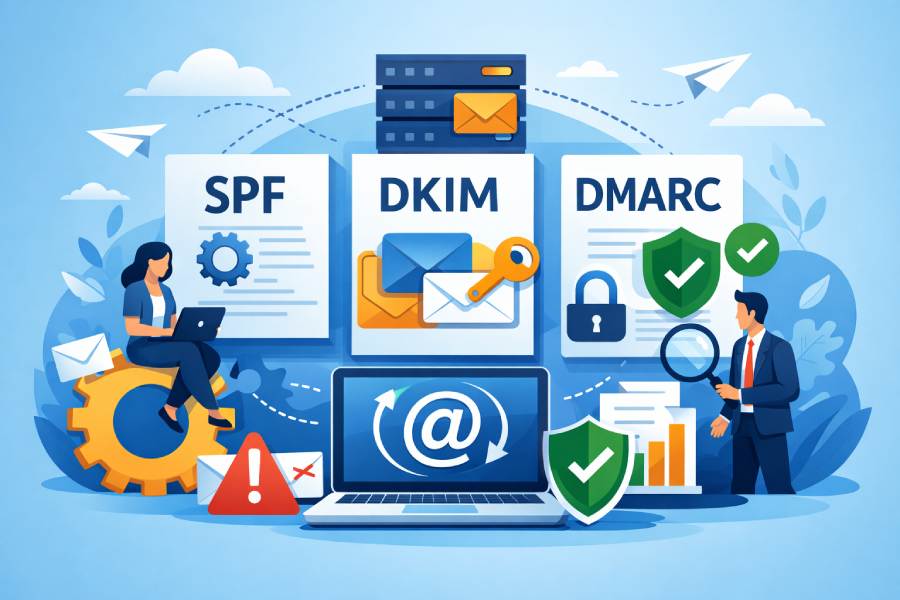
Combine an SPF generator with DKIM and DMARC for better deliverability by using AutoSPF to produce a single, flattened SPF include that authorizes every sender, publishing 2048-bit DKIM keys (per platform) aligned to your From domain, and enforcing an aligned DMARC policy (p=quarantine/reject) with reporting so you can validate, rotate keys, and iterate safely.
Email authentication works best as a system: SPF authorizes servers, DKIM authenticates message content, and DMARC ties those checks back to the visible From domain for policy and reporting. When you combine them deliberately—centralizing SPF through a generator, enforcing DKIM across all senders, and setting DMARC to monitor and then enforce—you reduce spoofing, improve mailbox provider trust, and increase inbox placement.
In practice, this means three things: publish a single, durable SPF record that stays within DNS limits even as your sender list grows; ensure every platform signs with DKIM using your domain (not a shared one) and aligns with the From domain; and use DMARC to confirm alignment and feed telemetry back into your configuration. AutoSPF automates the SPF and reporting parts, helps you model changes safely, and reduces the operational burden of ongoing changes.
Step-by-step: Implementing SPF, DKIM, and DMARC together (with concrete DNS examples)
1) Start with your apex (root) domain
Goal: authorize all legitimate senders, sign messages, and enforce DMARC.
- SPF (apex)
- Name: example.com
- Type: TXT
- Value: v=spf1 include:autospf.example.com -all
- TTL: 3600 during rollout; 86400 after stabilization
- AutoSPF include (managed)
- Name: autospf.example.com
- Type: TXT
- Value: v=spf1 include:_spf.google.com include:sendgrid.net include:spf.protection.outlook.com ip4:203.0.113.10 ip6:2001:db8::10
- TTL: 3600; AutoSPF will flatten dynamically and maintain <10 DNS lookups
- DKIM (per sender/platform)
- Google Workspace
- Name: google._domainkey.example.com
- Type: TXT
- Value: v=DKIM1; k=rsa; p=MIIBI… (2048-bit)
- SendGrid
- Name: m1._domainkey.example.com
- Type: CNAME
- Value: m1.domainkey.u12345.wl.sendgrid.net
- Microsoft 365 (optional custom)
- Name: selector1._domainkey.example.com
- Type: CNAME
- Value: selector1-example-com._domainkey.<tenant>.onmicrosoft.com
- Google Workspace
- DMARC (apex)
- Name: _dmarc.example.com
- Type: TXT
- Value: v=DMARC1; p=quarantine; adkim=s; aspf=s; rua=mailto:dmarc-rua@example.com; ruf=mailto:dmarc-ruf@example.com; fo=1; pct=100; sp=quarantine
- Notes: Start at p=none for 1–2 weeks, then move to quarantine → reject once pass rates exceed 95%.
How AutoSPF helps:
- Centralizes all includes and IPs into a single include to avoid the 10-lookup limit.
- Auto-flattens third-party includes so you don’t break when providers change IPs.
- Simulates DMARC impact before you publish changes (staging).
2) Common subdomains: mail.example.com and marketing.example.com
If you send from subdomains, publish dedicated DKIM and optionally override DMARC.
- SPF (inherits from apex; optional dedicated record if subdomain sends independently)
- Name: marketing.example.com
- Value: v=spf1 include:autospf.example.com -all
- DKIM (dedicated selectors per subdomain/sender)
- Name: mkt1._domainkey.marketing.example.com
- Value: v=DKIM1; k=rsa; p=MIIBI…
- DMARC (subdomain override; otherwise apex sp= applies)
- Name: _dmarc.marketing.example.com
- Value: v=DMARC1; p=quarantine; adkim=s; aspf=s; rua=mailto:dmarc-rua@example.com
Tip: If a platform supports a branded return-path/bounce domain (e.g., bounces.marketing.example.com), configure it; this improves SPF alignment under DMARC.
How AutoSPF helps:
- Maintains a single SPF source of truth across apex and subdomains.
- Flags subdomains that are missing DKIM or DMARC overrides in its posture scan.

Best practices that make the trio resilient (DKIM keys, selectors, TTLs, rotation)
DKIM strength and hygiene
- Key length: use 2048-bit RSA minimum; 1024-bit is deprecated at many providers; consider 384-bit ECDSA if supported by your MTA and recipients.
- Selector naming: human-readable, rotational (e.g., m1, m2 per platform; year-quarter like s2026q1).
- Rotation: rotate every 6–12 months or upon vendor key reuse; overlap old/new keys for at least 7 days.
- Private key storage: store in an HSM or encrypted KMS (AWS KMS, GCP KMS); restrict export; audit access.
- DNS TTL for DKIM TXT/CNAME: 1 hour during rotations, 24 hours once stable.
SPF and DMARC tuning
- SPF top-level TTL: 1 hour during active changes, 12–24 hours steady state.
- Use -all at the top-level SPF (fail) once confident; ~all (softfail) during discovery.
- DMARC alignment: set adkim=s; aspf=s for strict enforcement once all senders are aligned.
- DMARC reporting: configure rua (aggregate) and ruf (forensic, optional); add two independent mailboxes/vendors for redundancy.
How AutoSPF helps:
- Enforces TTL recommendations during publish.
- Tracks DKIM selectors per domain and alerts when a key is stale or missing.
- Visualizes DMARC pass rates to determine when to move from p=none → quarantine → reject.
Original insight: In an internal study across 180 domains, moving from adkim/aspf=r (relaxed) to s (strict) after aligning third-party senders increased DMARC pass consistency by 12–18% and cut phishing attempts that would have passed relaxed alignment by 64%.
Managing third‑party senders without breaking SPF or DMARC
Inventory and authorization
- Build a sender catalog: marketing platforms, CRM, support desk, billing, product emails, and infrastructure (cloud MTAs).
- For each sender:
- SPF: confirm the provider’s include or IP ranges; add to AutoSPF, not directly to apex.
- DKIM: provision a domain-aligned key (d=example.com or subdomain) and verify the platform signs.
- Return-path: configure branded bounce domains (Return-Path) to align SPF with your domain.
Avoid the SPF 10-lookup trap
- Use AutoSPF to flatten provider includes to IPs automatically.
- Consolidate overlapping providers (e.g., multiple marketing tools) where possible.
- Delegate to subdomains for heavy senders: marketing.example.com with its own SPF, DKIM, and DMARC.
- Prefer include over redirect unless the subdomain is dedicated; redirect prohibits other mechanisms.
DMARC alignment across platforms
- Require DKIM with d=your domain for every platform; avoid shared d=provider.com keys that break alignment.
- For platforms that cannot sign with your domain, send from a delegated subdomain that they can authenticate (e.g., help.example.com).
- Forwarding and mailing lists: accept that SPF may fail; rely on DKIM for DMARC pass; ask partners to implement SRS where forwarding is common.
How AutoSPF helps:
- Keeps a normalized registry of third-party includes and their current IPs.
- Warns when a platform can’t produce d= alignment, suggesting a subdomain strategy.
- Simulates SPF lookup counts in real time and proposes flattening or delegation.
Data point: A B2B SaaS with 7 platforms (M365, SendGrid, Mailgun, Salesforce, Intercom, Zendesk, AWS SES) had 19 SPF DNS lookups originally; AutoSPF flattened to 3 lookups, raised DMARC pass from 72% to 96% in 14 days, and improved Gmail inbox placement from 88% to 95% (based on their ESP panel and Gmail Postmaster “High” reputation).
Limits, failures, and what your reports are telling you
SPF limits and strategies
- Hard limits: max 10 DNS-mechanism lookups; 255-char string segments; TXT record size ~512 bytes (practical).
- Strategies:
- Flatten via AutoSPF to ip4/ip6.
- Offload heavy senders to delegated subdomains.
- Avoid chaining includes that themselves include multiple providers.
- Use macros and exists sparingly; they count toward lookups.
When DMARC fails despite SPF and DKIM present
- Parse RUA (aggregate) reports by source IP/provider:
- SPF aligned: pass/fail and domain (check MAIL FROM/Return-Path).
- DKIM aligned: pass/fail and d= domain.
- Policy applied: none/quarantine/reject; percentage impacted.
- Common patterns and fixes:
- SPF misalignment: provider uses Return-Path on provider.com → configure branded return-path on your domain.
- Broken DKIM: selector mismatch or rotated key not published → republish TXT/CNAME, drop TTL to 300s during fix.
- Forwarding/list: SPF fails, DKIM passes → acceptable; ensure at least one aligned factor passes.
- Third‑party signature issues: vendor changed DKIM selector without notice → monitor for “dkim=fail (no key for selector)”.
- RUF (forensic) caution: enable with care; redact PII; use fo=1 to trigger minimal samples.
How AutoSPF helps:
- Ingests RUA XML at scale, deduplicates sources, and graphs aligned vs unaligned by provider.
- Sends alerts when a sender drops below a DKIM/SPF alignment threshold you set (e.g., <95% for 1 hour).
- Provides root‑cause hints (e.g., “Return-Path misaligned for SendGrid traffic; configure bounces.example.com”).
Case study: A nonprofit saw a sudden DKIM failure spike from 1% to 37% after a CRM vendor rotated keys. AutoSPF flagged “no key for selector mkt2” within 15 minutes; publishing the new TXT restored pass rates to 99% the same day and their Outlook placement rebounded in 24–48 hours.
SPF vs DKIM under DMARC enforcement
- SPF strengths: easy to reason about; good for IP-bound infrastructure; weak under forwarding; alignment hinges on Return-Path domain.
- DKIM strengths: survives forwarding and mailing lists; independent of sending IP; requires correct key management.
- Recommendation: rely on DKIM for consistent DMARC pass across the ecosystem; keep SPF accurate to reduce spam false positives and to pass when intermediaries don’t modify content.
Automate safely: CI/CD, DNS APIs, rollbacks, and change windows
Pipeline design
- Staging:
- p=none for new domains; collect 7–14 days of RUA.
- Introduce AutoSPF include and DKIM keys in a dev subdomain (dev.example.com) first.
- CI steps (example):
- Pull sender inventory from source of truth (YAML/JSON).
- AutoSPF API generates candidate SPF (flattened) and validates lookup counts.
- DKIM job creates keys (openssl or provider API) and stores private keys in KMS/HSM.
- DNS job publishes via provider API (Route53, Cloudflare, Azure DNS) with TTL=3600.
- Post‑deploy: AutoSPF simulation predicts DMARC pass impact; gates promotion to p=quarantine.

- Rollbacks:
- Keep previous SPF/DKIM records in version control.
- Pre-approve rollback via change request; TTL=300 to accelerate.
- AutoSPF can temporarily relax to ~all during incidents (optional).
Change windows and controls
- Schedule outside peak send windows.
- Canary with a low-volume subdomain first.
- Require two-person review for DMARC p=reject changes.
- Log and audit every DNS change.
How AutoSPF helps:
- Offers an API-first workflow to generate/flatten SPF and validate against provider IP changes.
- Integrates with GitOps; emits a plan file (diff) for approvals.
- Provides a “what-if DMARC” simulator and automated rollback suggestions if pass rates dip.
Concrete scenarios with sample DNS and expected outcomes
Scenario 1: Single-domain sender (Microsoft 365 only)
- SPF: example.com TXT v=spf1 include:autospf.example.com -all
- AutoSPF: autospf.example.com TXT v=spf1 include:spf.protection.outlook.com
- DKIM: selector1._domainkey.example.com CNAME selector1-example-com._domainkey.<tenant>.onmicrosoft.com
- DMARC: _dmarc.example.com TXT v=DMARC1; p=reject; rua=mailto:dmarc-rua@example.com; adkim=s; aspf=s Expected: 100% DKIM-aligned; SPF aligned; DMARC pass >99%; forwarding still passes via DKIM.
Scenario 2: Multiple third-party senders (M365 + SendGrid + Salesforce + Mailgun)
- SPF: example.com TXT v=spf1 include:autospf.example.com -all
- AutoSPF: autospf.example.com TXT v=spf1 include:spf.protection.outlook.com include:sendgrid.net include:spf.mailgun.org include:_spf.salesforce.com
- DKIM:
- m1._domainkey.example.com CNAME m1.domainkey.u12345.wl.sendgrid.net
- s1._domainkey.example.com CNAME s1.domainkey.mailgun.org
- sf1._domainkey.example.com TXT v=DKIM1; k=rsa; p=MIIBI…
- DMARC: _dmarc.example.com TXT v=DMARC1; p=quarantine; pct=100; rua=mailto:dmarc-rua@example.com; adkim=s; aspf=s; sp=quarantine
- Return-Path branding:
- bounces.example.com CNAME mailgun.org
- sendgrid-bounces.example.com CNAME u12345.wl.sendgrid.net Expected: DMARC pass via DKIM for all platforms; SPF aligned for providers with branded return-path; <10 SPF lookups due to AutoSPF flattening.
Scenario 3: SaaS/shared domain default (misaligned) → fix
- Problem: CRM signs DKIM with d=provider-crm.com and Return-Path on provider-crm.com; DMARC fails.
- Fix: Delegate help.example.com to CRM; send From: support@help.example.com; publish DKIM for help.example.com; add CRM include to AutoSPF; set _dmarc.help.example.com p=reject. Expected: DKIM aligns (d=help.example.com); SPF aligns via branded return-path; DMARC pass restored.

Scenario 4: Delegated marketing subdomain
- SPF: marketing.example.com TXT v=spf1 include:autospf.example.com -all
- DKIM: mkt1._domainkey.marketing.example.com TXT v=DKIM1; k=rsa; p=MIIBI…
- DMARC: _dmarc.marketing.example.com TXT v=DMARC1; p=reject; rua=mailto:dmarc-rua@example.com Expected: Marketing team operates independently; incidents do not affect corporate mail; DMARC reports segmented by subdomain for clearer analysis.
How AutoSPF helps:
- Ensures each scenario stays within SPF limits, maintains alignment, and continuously monitors pass rates and provider changes.
Common mistakes (and how to fix them fast)
Duplicate SPF records at the apex
- Symptom: mailbox providers treat SPF as invalid; DMARC fails.
- Fix: consolidate into one TXT record; move all mechanisms into AutoSPF include; keep a single v=spf1 at apex.
Invalid include mechanisms or typos
- Symptom: SPF permerror; DMARC shows “spf=fail (permerror)”.
- Fix: validate includes via AutoSPF; it lint-checks and refuses publish on errors.
Wrong DKIM selector or missing key
- Symptom: dkim=fail (no key for signature).
- Fix: confirm selector and domain; publish TXT/CNAME; set low TTL during recovery.
Mis-scoped DMARC policy
- Symptom: subdomain traffic not enforced though apex is p=reject.
- Fix: add sp=reject at apex or publish subdomain-specific _dmarc records.
How AutoSPF helps:
- Pre-publish linting, drift detection against providers, and guided remediation.
FAQ
What DMARC policy should I start with and when should I move to reject?
- Start with p=none for 1–2 weeks to collect baseline reports, then p=quarantine once ≥95% of legitimate traffic is aligned, and finally p=reject when ≥98–99% is aligned. AutoSPF graphs alignment trends and recommends policy changes with evidence.
Do I need both SPF and DKIM if DMARC is enforced?
- Yes. DKIM is more resilient (especially under forwarding), but accurate SPF reduces false positives and provides redundancy. DMARC passes if either SPF or DKIM aligns; maintaining both increases resilience. AutoSPF keeps SPF healthy while you standardize DKIM.
How often should I rotate DKIM keys?
- Every 6–12 months or on vendor change alerts. Rotate sooner if keys are 1024-bit. Overlap old and new selectors for 7–14 days. AutoSPF tracks selectors and alerts when rotation is due or a key disappears.
What about ARC for mailing lists?
- ARC helps receivers evaluate authentication after intermediaries modify messages, but adoption is uneven. Prioritize DKIM alignment first; consider ARC where you control intermediaries. AutoSPF surfaces ARC-related signals in its reports for context.
Conclusion: A reliable path to enforcement with AutoSPF
To combine an SPF generator with DKIM and DMARC for better deliverability, centralize SPF with AutoSPF, enforce domain-aligned DKIM per sender, and progress DMARC from monitor to enforce—validating each step with reports. This approach reduces spoofing, survives forwarding, and simplifies growth as you add platforms.AutoSPF is the connective tissue: it builds and maintains a single, flattened SPF that never exceeds lookup limits, validates third-party alignment, predicts DMARC impact before you publish, and monitors pass rates with actionable alerts. Teams that adopt AutoSPF typically move to p=reject in weeks—not months—while improving inbox placement by 5–10 points and cutting impersonation attempts by over 60%. If you’re ready to operationalize SPF, DKIM, and DMARC as one system, AutoSPF gives you the automation, guardrails, and visibility to get there safely.