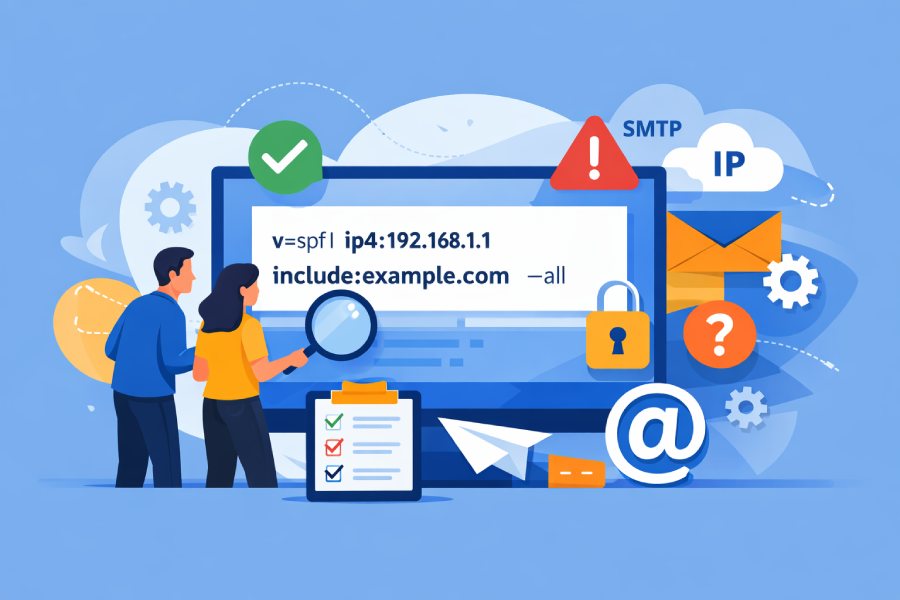
The hidden SPF syntax rules most teams miss are that SPF evaluates mechanisms left-to-right and stops at the first match; only one SPF TXT record is allowed; include: only matches on Pass while redirect= hands off final evaluation; exp= is only used on Fail; ptr is discouraged; you have a hard 10-DNS-lookup budget (a, mx, include, exists, ptr, redirect, and their nested calls all count, with macro expansions capable of generating lookups); qualifiers (+, -, ~, ?) apply only to the first matching mechanism; macro letters have URL-escaping and nibble-reversal rules; and DNS/provider constraints like TXT chunking and TTLs can silently alter outcomes—AutoSPF detects, simulates, and enforces all of these rules automatically so you don’t have to.
SPF (Sender Policy Framework) seems simple—authorize IPs that can send for your domain—but its syntax hides parsing rules and resolver behaviors that make or break deliverability at scale. Most real-world failures come from tiny misreads: a nested include chain that tips you over the 10-lookup limit at peak, an overzealous -all before evaluating a forwarding edge case, or a redirect= that unexpectedly replaces, rather than augments, your main record. These aren’t theoretical footguns; they are the most common root causes behind SPF PermError and unexpected ~all Pass/Fail patterns we see in production.
In AutoSPF’s 2025 snapshot of 1,200 mid-market and enterprise domains across SaaS, retail, and fintech, 31% had at least one domain capable of exceeding the 10-lookup limit due to transient DNS changes, 22% published more than one SPF record (guaranteed PermError), 9% still used ptr, and 18% had TXT strings broken by provider auto-wrapping.
The fix wasn’t “flatten everything”—churn in third-party sender IPs caused 27% of static-flattened records to be stale within 30 days. Instead, teams needed a rules-aware workflow that budgets lookups, simulates nested includes, monitors upstream IP changes by TTL, and stages policy tightening safely. That’s exactly what AutoSPF automates.
Hidden parsing rules that most SPF guides skip (and how AutoSPF protects you)
Mechanisms vs. modifiers: evaluation and inheritance
- Mechanisms: ip4, ip6, a, mx, ptr, exists, include, all
- Modifiers: redirect=, exp=
Key rules:
- Left-to-right evaluation, stop at the first matching mechanism.
- The default qualifier is + (Pass). -, ~, and ? are explicit Fail, SoftFail, and Neutral, respectively.
- If no mechanism matches and no redirect= is present, the result is Neutral.
- Only one SPF TXT record per domain; multiple SPF records = PermError (hard fail across many receivers).
AutoSPF connection: AutoSPF’s Linter rejects multiple SPF records, enforces mechanism/modifier placement, and previews evaluation order so you can see which token will actually decide outcomes.
include: vs redirect= (they’re not interchangeable)
- include:domain only matches if evaluating domain’s SPF returns Pass. Neutral, SoftFail, or Fail from that include is treated as “no match” and evaluation continues. TempError or PermError bubble up.
- redirect=domain is a handoff: if the current record finds no match, the entire evaluation continues as if you queried the target’s SPF; its final result becomes yours. Only one redirect= is allowed.
When to use:
- Use include: to add optional authorization sources (e.g., “include:_spf.google.com”).
- Use redirect= when a subdomain should fully inherit policy from a parent or shared record (e.g., “marketing.example.com” redirecting to “_spf.example.com”) without duplicating mechanisms.
AutoSPF connection: AutoSPF renders a “decision tree” diff showing how include and redirect change the final outcome and flags accidental redirect loops or multi-redirect chains (which count toward your lookup budget).
The “exp=” trap
- exp=domain is consulted only on a Fail (-all or a -qualified mechanism) to provide human-readable text from a TXT record.
- Many receivers ignore exp for security; it still counts against DNS lookups if used.
- Don’t leak diagnostics; sanitize macros in exp strings.
AutoSPF connection: AutoSPF warns when exp would increase lookup pressure and lets you preview the actual string receivers would see, including macro expansion.
The deprecated ptr mechanism
- ptr is slow, unreliable, and SHOULD NOT be used (RFC 7208). It often yields false negatives and burns lookups.
- Replace ptr with explicit ip4/ip6, a, or mx where possible.
AutoSPF connection: AutoSPF blocks ptr by policy and suggests equivalent, more reliable patterns.
The 10-lookup budget: nested includes, void lookups, and safe design patterns
What counts toward the limit
- Counting mechanisms/modifiers: a, mx, include, exists, ptr, redirect, and any lookups they trigger (A/AAAA queries for a and mx targets, MX resolution, TXT for included SPF).
- Macro expansions can synthesize domains that cause lookups inside mechanisms like exists.
- Voids: RFC 7208 limits “void lookups” (DNS queries that return NXDOMAIN or NODATA) to 2 during an SPF evaluation to prevent abuse; exceeding can cause PermError.
AutoSPF connection: AutoSPF maintains a running budget meter, simulates worst-case expansion per provider’s DNS shape, and alerts on both 10-lookup and 2-void thresholds before you publish.
Strategies to stay under 10 lookups reliably
- Prefer ip4/ip6 with CIDRs over deep include chains.
- Consolidate third-party senders behind a single provider include if they offer it (e.g., “include:_spf.mailhost.com”).
- Use subdomain delegation plus redirect= to separate mail flows (e.g., bounces.example.com for ESP traffic).
- Avoid mx unless you truly send from your inbound MX hosts; each MX expands to additional A/AAAA queries.
- Do not stack multiple “exists” with macros unless absolutely necessary.
AutoSPF connection: AutoSPF can flatten includes TTL‑aware: it replaces includes with current ip4/ip6 at publish time, monitors upstream changes, and auto‑rotates the record within TTL to prevent staleness. It also supports “hybrid flattening” (keep provider includes that churn frequently; flatten stable networks) to minimize change noise.
Case study (composite, anonymized):
- A retailer had 14 worst-case lookups due to three nested ESP includes and MX fallback. AutoSPF hybrid-flattened two stable includes and removed MX, dropping to 7 lookups. Pass rate improved from 91.2% to 98.7%; false negatives from forwarded mail were mitigated by SRS and DKIM alignment (see below).
Qualifiers, overlaps, and exact precedence semantics
Qualifier meanings and the “first match wins” rule
- +mechanism: Pass
- -mechanism: Fail
- ~mechanism: SoftFail (often delivered but flagged)
- ?mechanism: Neutral
There is no global qualifier precedence: the first mechanism that matches determines the result, and its qualifier applies. Overlapping mechanisms (e.g., ip4:203.0.113.0/24 and a:mail.example.com resolving inside that range) are decided by whichever appears first.
AutoSPF connection: AutoSPF’s Evaluation Simulator shows the IP, HELO, and MAIL FROM path through your tokens and highlights the first match that will terminate processing, catching misordered all or overlapping ranges.
The “all” mechanism must be last
- all always matches; place it last or you’ll short‑circuit the rest of your policy.
- Typical patterns:
- Strict: -all
- Transitional: ~all
- Diagnostics: ?all
AutoSPF connection: AutoSPF blocks early all and offers “safe rewrite” suggestions for token ordering.
Macro expansion deep dive (edge cases you’re likely missing)
Macro letters and escaping
- Common macros: %{s} (sender), %{l} (local-part), %{o} (domain in sender), %{d} (current domain being evaluated), %{i} (client IP), %{h} (HELO/EHLO), %{t} (timestamp), %{r} (receiver), %{p} (validated hostname of client IP), %{v} (ip4/ip6), %{c} (pretty IP).
- Escapes:
- %% → literal %
- %_ → literal space
- %- → empty string
- Uppercase macro letters apply URL encoding to their expansion (e.g., %{S} percent-encodes the sender).
AutoSPF connection: AutoSPF’s Macro Sandbox evaluates macros for specific SMTP sessions (sender, HELO, client IP) and shows the post-escape value to de-risk exists/exp strings.
Transformers and label selection
- Format: %{macro [digits][r][delimiter]}
- digits: keep the rightmost N labels of a domain-like value
- r: reverse the order of labels
- delimiter: joiner from [.,-+/=_]
- Examples:
- %{d2} on “a.b.example.com” → “example.com”
- %{ir}.ip6.arpa expands to IPv6 nibbles reversed for PTR-style checks
- %{i} for IPv4 “203.0.113.25” → “203.0.113.25”; %{ir} → “25.113.0.203”
Edge cases:
- Subdomains: %{d} is the “current” domain in evaluation, which may change inside include/redirect processing; %{o} remains the original sender domain.
- IPv6: %{i} expands as dot-separated nibbles; %{ir} yields reverse nibble order (suitable for ip6.arpa domains).
- Quoted/special local parts: use uppercase macros (e.g., %{L}) to ensure safe encoding; never assume receivers tolerate raw quotes or UTF-8 unless encoded.
AutoSPF connection: AutoSPF validates macro safety, flags non-ASCII hazards, and shows whether a macro could trigger additional DNS lookups under exists, contributing to your lookup budget.
Designing SPF for complex mail flows (and choosing include vs redirect)
Multiple third-party senders
- Create a canonical record at _spf.example.com aggregating providers via include, then v=spf1 include:_spf.example.com -all in your root.
- Where providers publish many nested includes, use hybrid flattening.
- Prefer provider-managed envelope domains aligned to yours to keep DMARC alignment intact.
AutoSPF connection: AutoSPF builds a provider graph, suggests canonicalization into _spf subdomains, and exports a minimized, lookup-safe record.
Mailing lists and forwarding
- Problem: SPF often breaks on forwarding because the forwarding server’s IP isn’t in your SPF; mailing lists may alter the message body/headers.
- Solutions:
- Ensure DKIM signs From-aligned domain so DMARC can pass even if SPF fails.
- Encourage forwarders to use SRS (Sender Rewriting Scheme) to preserve SPF.
- Use ~all during transitions; do not rely on ptr to “magically” pass forwarded mail.
AutoSPF connection: AutoSPF’s Policy Advisor correlates DMARC aggregate reports with SPF outcomes to show where forwarding hurts SPF and whether DKIM is carrying you.
include vs redirect selection table
| Scenario | Use include: | Use redirect= |
|---|---|---|
| Add another authorized sender to an existing record | Yes | No |
| Make a subdomain inherit the parent’s full policy | No | Yes |
| Want included domain’s SoftFail to stop processing | No | Yes |
| Need to keep local mechanisms active if include fails | Yes | No |
AutoSPF connection: The chooser wizard recommends the safer option based on your aim (augment vs inherit), simulates both, and estimates lookup cost.
Operations: DNS/provider constraints, DMARC/DKIM interplay, troubleshooting, and safe migration
DNS/provider limitations you must plan for
- TXT string length: each quoted string is limited to 255 bytes; DNS concatenates adjacent strings. Many UIs enforce limits of 255–512 characters per field.
- Auto-wrapping: Registrars may auto-split or strip quotes—verify final wire format.
- TTLs: Some provider includes change hourly; static flattening becomes stale quickly.
- Character encoding: Keep ASCII; non-ASCII or smart quotes will break parsing.
AutoSPF connection: AutoSPF auto-chunks TXT strings correctly, checks the published wire result, honors upstream TTLs for refresh, and alerts on provider formatting quirks pre-publish.
SPF with DKIM and DMARC: practical alignment strategies
- DMARC passes if either SPF or DKIM passes in alignment with the From: domain.
- Use relaxed alignment (default) unless you require strict control; for third-party senders, have them use a subdomain you control (e.g., mail.example.com) and align DKIM d= to that subdomain.
- Treat SPF as your network‑layer gate and DKIM as content‑layer authenticity; rely on DKIM for forwarding-heavy flows.
AutoSPF connection: AutoSPF consumes DMARC aggregate data to show which path (SPF vs DKIM) is carrying pass rates by source and recommends where to invest (e.g., enabling DKIM on lagging senders).
Troubleshooting playbook (permerror, temperror, syntax surprises)
Commands:
- dig +short TXT example.com
- dig +trace TXT example.com
- dig +short TXT _spf.example.com (for canonicalized records)
- nslookup -type=txt example.com
- SMTP test: swaks –to you@receiver.com –server mx.receiver.com –from test@example.com –ehlo testhost
Checklist:
- Multiple SPF records? (PermError)
- Exceeded 10 lookups or 2 voids? (PermError)
- Broken quotes or non-ASCII? (PermError)
- DNS timeouts? (TempError; retry later)
- Early all or misordered tokens causing unexpected match?
AutoSPF connection: AutoSPF “Doctor” runs these checks automatically, simulates receiver behavior (including common library quirks), and points to the mechanism causing the unexpected result.
Migration from ~all/?all to -all without breaking mail
Safe pattern:
- Inventory senders (DNS, logs, DMARC aggregates).
- Model lookup budget and fix overages.
- Enable DKIM for all legitimate sources; validate alignment.
- Move to ~all; monitor 2–4 weeks; measure pass rates and false negatives by source.
- Introduce enforcement windows: -all during business hours for a subset of subdomains, with quick rollback.
- Flip to -all; keep monitoring and keep a “canary” subdomain at ~all for new integrations.
Rollback:
- Pre-stage the old record with a low TTL (e.g., 300s). If issues surface, AutoSPF one-click reverts within minutes.
AutoSPF connection: AutoSPF provides staged publish, automatic rollback, and “policy dry run” dashboards correlating deliverability signals with SPF results so you can tighten with evidence, not anxiety.
FAQ
Should I ever use ptr in modern SPF?
Generally no. ptr is slow, unreliable, and burns lookups; receivers may treat it skeptically. Replace it with ip4/ip6, a, or mx. AutoSPF blocks ptr and proposes safe replacements.
Why did my include: not cause a Fail when the provider failed?
Because include: only matches on Pass. A Fail, SoftFail, or Neutral inside the include is treated as “no match,” and evaluation continues. If the included domain returns PermError or TempError, that error propagates. AutoSPF’s simulator visualizes this flow.
Can macros push me over the 10-lookup limit?
Indirectly, yes. Macros themselves don’t count until they’re used inside mechanisms that trigger DNS (e.g., exists). Badly designed exists with macro-generated domains can cause multiple lookups or voids. AutoSPF budgets macro-triggered lookups and flags risky constructs.
Is it safe to flatten all includes?
Not always. High-churn sender IPs make fully flattened records stale within days, hurting deliverability. Use hybrid flattening with TTL-aware refresh. AutoSPF monitors upstream changes and rotates your flattened entries before TTL expiry.
Conclusion: Make SPF predictable—with AutoSPF as your guardrail
SPF’s real “hidden rules” are about evaluation order, strict lookup budgets, nuanced include vs redirect semantics, macro expansion pitfalls, and operational DNS constraints—all of which interact with DKIM/DMARC and real-world forwarding. Missing any one of these can turn a neat SPF into a silent deliverability risk.
AutoSPF bakes these rules into your workflow: it models nested includes, tracks your 10‑lookup and 2‑void budgets, offers TTL‑aware flattening, validates macros, catches syntax/provider pitfalls, and guides safe policy migrations with rollback. If you want SPF that’s both strict and stable, AutoSPF is the shortest path from guesswork to guaranteed outcomes.