
When your outgoing email does not return a normal pass or fail SPF, you might think that the message was simply not authenticated. But it can be a little more complex than that. Sometimes, the receiving server just cannot evaluate the SPF record at all, and you might come across errors like SPF PermError and SPF TempError.
Although at first glance they might look like the same error, they do not mean the same thing. But what’s common between them is that they both indicate that the SPF check did not complete normally. In other words, the receiving server was not able to return a clean SPF result after checking your domain’s record.
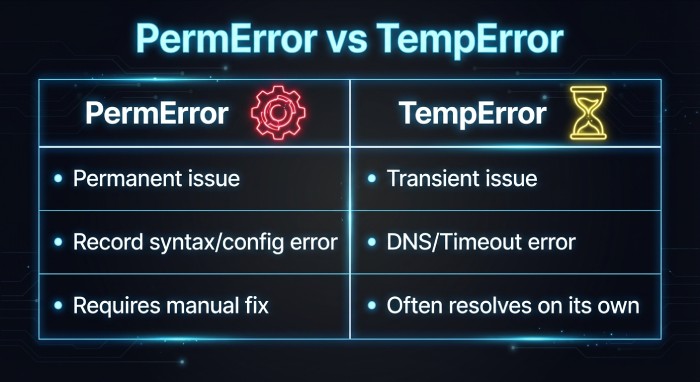
Apart from this, the main difference lies in why the check failed.
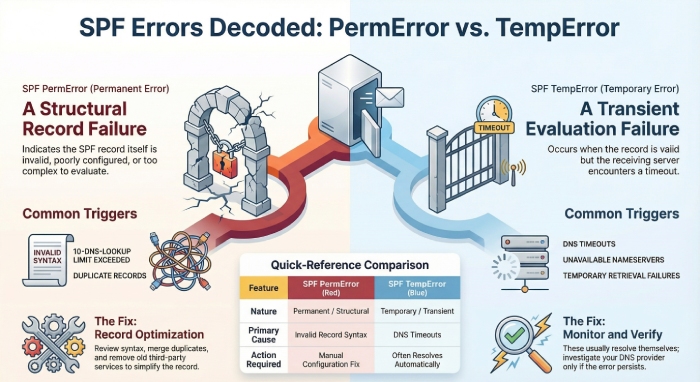
An SPF PermError is more like a standard error that tells you that there’s something wrong with your SPF record itself. It could be a configuration issue, a syntax problem, or the record may have been too complex to evaluate.
SPF TempError, on the other hand, indicates that the SPF check encountered a transient issue, such as a DNS timeout.
In this article, we will dig deeper into the differences between the two and understand why they happen and how you should respond to them.
What is SPF PermError?
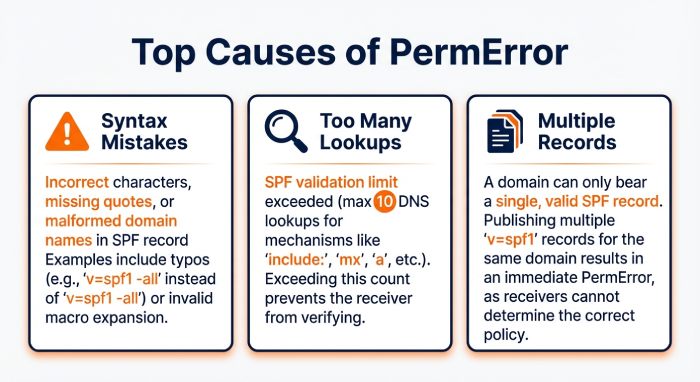
SPF PermError stands for permanent error. This error usually means that there is something wrong with your SPF record itself, so the receiving server cannot evaluate it properly. But one thing’s clear: the issue is not with the email alone, but with the way the SPF record has been written or configured. This could happen because of a syntax mistake, too many DNS lookups, multiple SPF records for the same domain, or some other issue in the record structure.
Since this is a permanent error, it will usually keep showing up as a syntax issue or a configuration issue until you correct the record. So, when you encounter an SPF PermError, the first thing to check is your SPF record to fix the issue.
What is SPF TempError?
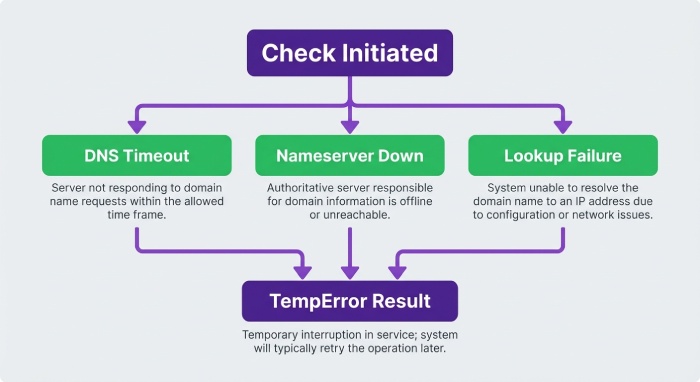
As for SPF TempError, it is a temporary error in the SPF evaluation process. The problem could be with the DNS lookup, the availability of the nameserver, or some other temporary issue that stopped the receiving server from completing the SPF check at that moment.
When this error shows up, it means that the receiving server tried to check your SPF record but could not complete the evaluation. This usually happens not because your SPF record was incorrectly configured, but because something went wrong during the process at that time. For instance, the DNS server may not have responded in time, the nameserver may have been temporarily unavailable, or the server may have failed to retrieve SPF information from one of the domains included in your record.
Since this is a temporary error, most of the time it goes away on its own, but if you keep encountering the same error repeatedly, it is usually a sign of DNS problems or temporary failures during SPF lookups.
How to address these errors?
Since the root cause of each of these errors is different, the way you address them should also be different.
Here’s how you can fix the SPF PermError and SPF TempError, respectively:
Fixing SPF PermError issue
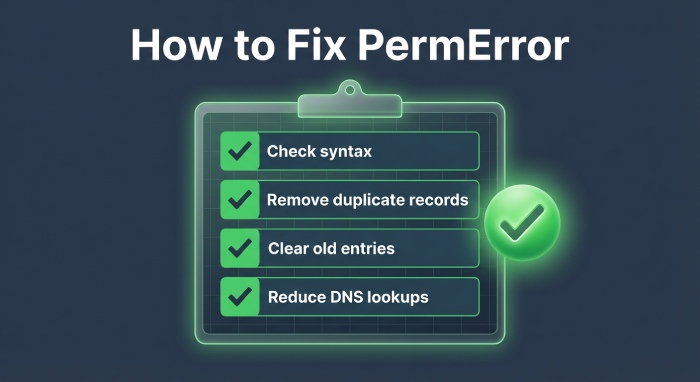
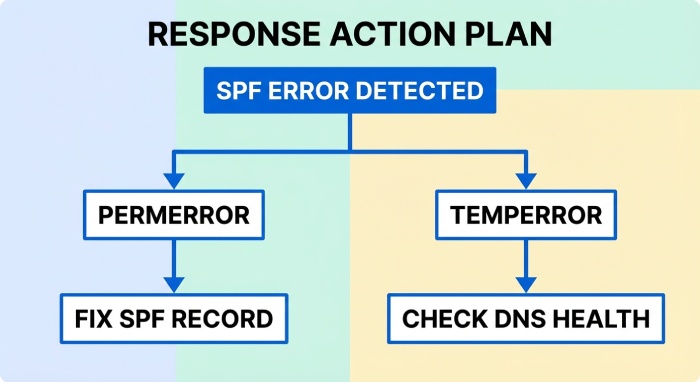
If you’re dealing with SPF PermError, the way to fix it is by reviewing and fixing your SPF record.
Since this error usually means that there is something wrong with your SPF record itself, you should start by cross-checking your record thoroughly to spot any syntax mistakes, duplicate SPF records, or invalid entries. It is also important to check whether your SPF record has too many DNS lookups, as exceeding the limit can also lead to a PermError.
Another thing you can do is review all the services included in your SPF record. Over time, many domains end up adding multiple third-party senders to their SPF record, some of which may no longer be needed. So, it is best to remove old or unnecessary entries to keep the record simple and easier to evaluate.
Fixing SPF TempError issue
Since SPF TempError means something went wrong during the lookup process, the first thing to do is check whether the issue was temporary. In many cases, SPF TempError happens because of a DNS timeout, a nameserver issue, or a temporary failure while retrieving SPF data.
If this happens once in a while, it usually resolves on its own and may not require immediate action. But if you keep seeing it repeatedly, then it is worth checking your DNS provider, nameserver availability, and any third-party services included in your SPF record.
It is common to encounter temporary or permanent errors when implementing SPF, but what’s important is why these errors happen and how you can fix them. Fixing SPF TempError issues with automated tools like AutoSPF, while properly aligning DMARC, DKIM, and SPF, helps ensure reliable email authentication and protects your domain from spoofing and delivery failures.If you need help with identifying and resolving SPF errors, get in touch with us.