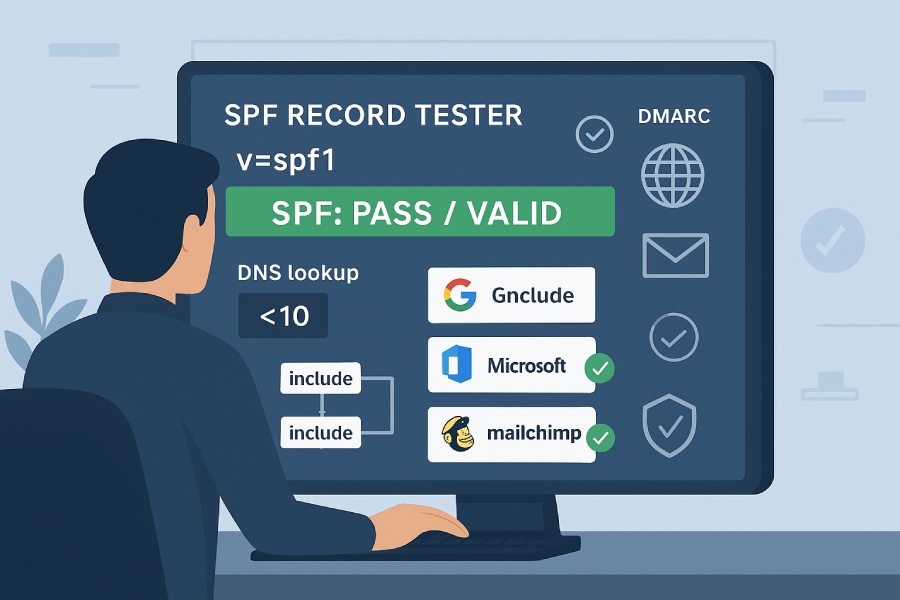
To check if your SPF record is set up correctly, run an SPF record tester (for example, AutoSPF’s free SPF Analyzer) by entering your domain, confirm it retrieves a single valid v=spf1 TXT record, evaluate syntax and mechanisms, ensure total DNS lookups are under 10, verify all third-party senders resolve correctly, and confirm the tester reports “valid/pass” with appropriate ~all or -all and DMARC-aligned MAIL FROM.
SPF (Sender Policy Framework) is a DNS-based email authentication method that allows receiving servers to verify that a given IP is authorized to send on behalf of a domain. An SPF tester turns all the moving parts—TXT record retrieval, mechanism parsing, include/redirect expansion, and DNS query counting—into a clear pass/fail signal with actionable guidance. While you can manually replicate many of these checks from the command line, an online tool will normally expand all includes, calculate lookups, flag unsafe mechanisms, and cross-check common sending services in one view.
This guide shows you exactly how to run an online tester, replicate results with dig/nslookup/host, fix common errors flagged by validators, handle lookup and record-length limits, verify third-party senders, and set up automated monitoring so your SPF doesn’t regress. Throughout, we connect each step to AutoSPF: a purpose-built SPF toolkit that analyzes, flattens, templates, and monitors SPF to keep you compliant and safe at scale.
Step-by-Step: Use an Online SPF Record Tester and Interpret Results
The high-level flow
- Input your domain into a trusted tester (e.g., AutoSPF Analyzer).
- The tester retrieves TXT records, isolates the v=spf1 policy, parses mechanisms and qualifiers, and recursively expands include/redirect targets.
- It counts DNS lookups, checks for invalid syntax, and simulates alignment for DMARC.
- It returns a pass/valid state (or detailed failure reasons), plus recommendations.
Detailed steps with AutoSPF (recommended)
- Open AutoSPF Analyzer.
- Enter your domain (example.com) and optionally specify:
- A sending IP to test authorization.
- A subdomain (mail.example.com) if your MAIL FROM/Return-Path isn’t the apex.
- Run the analysis:
- The tool fetches all TXT records and highlights the active SPF line (v=spf1 …).
- It flags multiple SPF records if found.
- It visualizes include and redirect chains and computes the total DNS lookups.
- It checks mechanisms: ip4, ip6, include, a, mx, exists, ptr, redirect, all.
- It warns about unsafe choices like +all or ptr and invalid syntax (e.g., ip4 with a bad CIDR).
- It tests third-party services (Google Workspace, Microsoft 365, Mailchimp, SendGrid, etc.) and indicates whether their includes resolve to authorized IPs.
- It evaluates your final policy (~all vs -all) and simulates DMARC SPF alignment.
- Interpret results:
- Valid/Pass: One SPF record, syntax OK, ≤10 lookups, no fatal warnings, designed enforcement (~all or -all), and authorized senders confirmed.
- Warning/Needs Attention: Approaching lookup limits (8–10), ambiguous ~all vs -all given your DMARC policy, or unused/unsafe mechanisms.
- Fail/Fatal: Multiple SPF records, invalid syntax, >10 lookups, redirect loop, or includes that don’t resolve.
- Apply fixes recommended by the tester:
- Consolidate multiple records into one.
- Remove or replace unsafe mechanisms (ptr, +all).
- Flatten or consolidate includes to get under 10 lookups.
- Add missing vendor includes or ip4/ip6 blocks.
- Align your ~all/-all with your DMARC policy.
- Re-test until you get a clean pass.
How AutoSPF helps: AutoSPF Analyzer shows exact lookup counts, expands nested includes, and suggests one-click vendor templates (e.g., “Add Google Workspace include”). If lookups exceed limits, AutoSPF can auto-flatten includes into IPs and continuously refresh them so you stay under 10 lookups while tracking provider IP changes.

Replicate Tests with Command-Line Tools (dig, nslookup, host)
Even if you rely on an online tester, command-line validation helps you debug DNS issues and verify propagation.
Retrieve the SPF TXT record
- dig (Linux/macOS):
- dig +short TXT example.com
- dig TXT example.com @1.1.1.1
- nslookup (Windows/macOS/Linux):
- nslookup -type=txt example.com
- nslookup -type=txt example.com 8.8.8.8
- host:
- host -t txt example.com
Look for exactly one v=spf1 record. Multiple v=spf1 records cause SPF failures. If your output splits the record into quoted chunks, those are concatenated logically; they represent one TXT record line if returned as one RRset element.
Tip: Check multiple resolvers (your ISP, Google 8.8.8.8, Cloudflare 1.1.1.1) to verify propagation and caching behavior. Observe TTL values if available.
Confirm specific mechanisms resolve
To approximate lookup counts:
- Count mechanisms that trigger DNS lookups: include, a (if no domain specified or if it points to a domain), mx, ptr (deprecated), exists, redirect.
- ip4/ip6 and the all mechanism don’t trigger lookups.
- Each include may expand into additional includes, so recursion matters.
Manual expansion checks:
- dig +short TXT _spf.google.com
- dig +short TXT spf.protection.outlook.com
- dig +short A your-sending-host.example.com
- dig +short MX example.com
Propagation troubleshooting:
- If the tester reports a missing include but dig shows it, your DNS might not have propagated globally. Re-check after TTL expiry or query multiple resolvers.
How AutoSPF helps: The Analyzer’s “Show raw DNS” panel mirrors what you see with dig, including authoritative vs. recursive answers. AutoSPF’s resolver pool queries multiple vantage points to catch partial propagation and provides a propagation heat map so you can avoid false negatives.
Common SPF Syntax Errors and Invalid Mechanisms (and How to Fix Them)
The most frequent issues flagged by SPF testers are straightforward to resolve once you know what to look for.
Quick-reference fixes
- Multiple SPF records (two or more v=spf1 lines): Combine into one record. Use include or redirect to merge policies, or rewrite into a single consolidated set of mechanisms.
- Missing v=spf1: Ensure your TXT record starts with v=spf1; no other version is valid.
- Invalid CIDR (e.g., ip4:192.168.0.1/33): Use valid ranges (ip4 supports /0–/32, ip6 supports /0–/128).
- ptr mechanism used: Remove ptr; it’s slow, unreliable, and discouraged. Use ip4/ip6, a, mx, or exists instead.
- +all or all near the top: Avoid authorizing everyone. Use ~all or -all at the end of your policy.
- Unknown/typo mechanism (e.g., ip: vs ip4:): Use supported mechanisms exactly: ip4, ip6, a, mx, include, exists, redirect, all.
- Duplicate mechanisms or redundant includes: Remove duplicates to save lookups and reduce parsing complexity.
- Unbalanced quotes or broken TXT chunking: DNS TXT strings over 255 bytes must be split into quoted segments; ensure your DNS UI doesn’t insert stray characters or extra records.
- Redirect plus other mechanisms together: redirect replaces the entire record; do not mix. If you need additive behavior, use include instead of redirect.
- Too many DNS lookups (>10): Flatten includes, remove unnecessary a/mx, consolidate vendors, or split traffic by subdomain.
Table: Common error → How testers flag it → How to fix it
- Multiple SPF records → “Multiple v=spf1 records found” → Merge into one; if two vendors provided full records, rewrite both as includes in a single record.
- 10 DNS lookups → “Permerror: Too many DNS lookups” → Flatten includes or remove nonessential a/mx; use AutoSPF dynamic flattening.
- Invalid mechanism → “Unknown mechanism or syntax error” → Correct syntax; validate against RFC 7208.
- Unsafe policy → “Use of +all/ptr discouraged” → Replace with specific ip4/ip6 or exists; end with ~all or -all based on DMARC posture.
- Redirect loop → “Redirect loop detected” → Remove cycle; prefer include when chaining multiple sources.
- Truncated record → “Parse error / broken TXT” → Re-enter record as properly quoted segments; ensure one logical v=spf1 line.
How AutoSPF helps: The Analyzer explains each error in plain language and autogenerates a corrected record you can paste into DNS. It also keeps a safety budget (e.g., “2 lookups remaining”) so you don’t accidentally push yourself over the edge with the next change.

SPF Lookup and Record-Length Limits: Impact and Best Practices
The 10-lookup rule
SPF evaluation is limited to 10 DNS lookups across: include, a, mx, ptr, exists, and redirect (plus further lookups they spawn). If you exceed this, receivers treat your SPF as Permerror, causing SPF to fail even if syntax is correct.
Best practices:
- Favor ip4/ip6 over a/mx when you know the IPs.
- Avoid unnecessary includes; consolidate vendors when possible.
- Beware of nested includes; one vendor can consume 3–6 lookups by itself.
Record-length constraints
- Each TXT string segment is limited to 255 bytes; longer records must be split into multiple quoted strings in the same TXT record.
- Keep your total DNS response reasonably small to avoid UDP fragmentation (while EDNS0 raises limits, conservative designs reduce edge-case failures).
Best practices:
- Remove dead vendors and outdated IPs.
- Shorten labels (e.g., use shorter subdomains).
- Leverage flattening to replace include:vendor.example.com with explicit ip4/ip6 entries.
How AutoSPF helps: AutoSPF’s flattening engine expands includes into concrete ip4/ip6 lists and refreshes them on schedule as providers change IPs—keeping you safely under the 10-lookup limit without manual maintenance. It also pre-validates record size and warns about chunking issues in popular DNS hosts.
Verify Third-Party Senders: Google, Microsoft, Mailchimp, and Others
What to check per vendor
- Google Workspace: include:_spf.google.com
- Microsoft 365/Exchange Online: include:spf.protection.outlook.com
- Mailchimp: include:servers.mcsv.net
- SendGrid: include:sendgrid.net (or vendor-specific subdomain)
- Amazon SES: typically include:amazonses.com and domain-specific MAIL FROM setup
- HubSpot, Salesforce Marketing Cloud, Marketo: each publishes vendor includes and, sometimes, dedicated return-path subdomains
Validation flow:
- Add the vendor’s include to your SPF record or the vendor’s specific IPs if they provide them.
- Re-run your SPF tester:
- Confirm the include resolves without error.
- Verify net-new lookup count is acceptable.
- If the tester supports sender-IP simulation, input a known sending IP from that vendor and check for “SPF pass.”
- Send a live test email through the vendor and inspect the received headers:
- Look for Received-SPF: pass and DMARC alignment.
How AutoSPF helps: AutoSPF’s vendor templates insert the correct, up-to-date include for major ESPs with one click. Its “Sender verification” panel checks real vendor IP ranges against your SPF in a sandbox, then suggests flattening if includes push you over limits.
Differences Between SPF Testers: Which Tool for Which Job?
Not all testers are equal; choose based on depth, accuracy, and workflow needs.
Comparison snapshot
- AutoSPF Analyzer:
- Strengths: Full include/redirect expansion, lookup budgeting, vendor templates, DMARC alignment simulation, chain graph, API and CI hooks, flattening engine.
- Best for: Ongoing operations, complex multi-vendor environments, automation.
- dmarcian SPF Surveyor:
- Strengths: Clear include mapping, alignment intelligence.
- Best for: DMARC-centric audits alongside SPF.
- MXToolbox SPF Checker:
- Strengths: Easy-to-read pass/fail with DNS fetch details.
- Best for: Quick checks and general diagnostics.
- Kitterman SPF Tester:
- Strengths: Classic, standards-focused validation.
- Best for: RFC-based verification and edge-case testing.
- Google Admin Toolbox (CheckMX):
- Strengths: Google-specific guidance, domain-wide mail config checks.
- Best for: Organizations on Google Workspace.
- Microsoft Remote Connectivity Analyzer:
- Strengths: Microsoft-specific mailflow scenarios.
- Best for: Microsoft 365 customers.
How AutoSPF helps: For organizations that need more than a one-off check, AutoSPF combines deep validation with remediation (flattening), policy advisories based on your DMARC, and automation features (API, webhooks, Slack alerts) to prevent regressions.
Subdomains, Delegated Mail Domains, and DMARC Alignment
SPF across subdomains
- SPF is evaluated on the RFC5321.MailFrom (Return-Path) or the HELO/EHLO domain. If your MAIL FROM is bounce.example.com, you must have an SPF policy that covers bounce.example.com (inherited only if you use redirect, not include).
- If you need shared policy across subdomains, use redirect= to centralize the policy:
- Example: v=spf1 redirect=_spf.example.com on each subdomain; define one canonical policy in _spf.example.com.
DMARC alignment with SPF
- SPF contributes to DMARC only when the domain that passes SPF aligns with the RFC5322.From domain (relaxed or strict mode).
- Testers that simulate DMARC alignment will tell you if SPF pass also aligns or if only DKIM will satisfy DMARC.
How AutoSPF helps: AutoSPF’s alignment check shows whether your current Return-Path and From domains will align under DMARC p=quarantine/reject. It also generates redirect-based designs for multi-subdomain estates so you don’t duplicate policies—and keeps them within lookup limits via flattening.

Troubleshooting Multiple SPF Records, Conflicts, and ~all vs -all
Multiple records
- Symptom: “Multiple v=spf1 records found.” Receivers may treat this as Permerror or choose unpredictably.
- Fix: Merge all mechanisms into one record. If vendors provided full records, convert each into includes of their published SPF or explicit ip4/ip6.
Conflicting policies and ambiguous endings
- Two records might end with different policies (~all vs -all), or you may be unsure which to choose.
- Guidance:
- If DMARC is at p=none or quarantine, ~all is often acceptable during monitoring/ramp-up.
- If DMARC is at p=reject, -all is consistent with a strict posture.
- Avoid +all entirely.
Redirect vs include confusion
- redirect replaces the policy with the target’s; do not also list mechanisms.
- include is additive; multiple includes accumulate authorization.
How AutoSPF helps: When it detects multiple records, AutoSPF produces a single, merged SPF proposal and flags policy misalignment with your DMARC. It can apply staged changes—first ~all (monitor), later -all (enforce)—and schedule reminders or CI gates so teams don’t forget the final step.
Automate Monitoring and CI: Catch Regressions Before Mail Breaks
Why monitor?
Vendor IPs change; teams add new tools; DNS editors can truncate records. A weekly change can silently push you to 11 lookups or introduce an invalid CIDR.
CI/CD pipeline ideas
- Pre-merge check: Validate SPF for the domain being changed (for GitOps DNS repos).
- Constraints to assert:
- Exactly one v=spf1 record.
- ≤9 lookups (keep a buffer).
- No ptr or +all.
- End with ~all or -all (team policy).
- Optional: Must include these vendors.
Bash example using dig
- Count SPF records:
- [ “$(dig +short TXT example.com | grep -c ‘v=spf1’)” -eq 1 ] || { echo “Multiple/no SPF records”; exit 1; }
- Fetch SPF line and estimate lookups (rough heuristic):
- SPF=$(dig +short TXT example.com | tr -d ‘”‘ | grep ‘v=spf1’)
- echo “$SPF” | grep -E ‘(^| )ptr( |$)’ && { echo “ptr not allowed”; exit 1; }
- LOOKUPS=$(echo “$SPF” | grep -oE ‘(include:|redirect=| mx | a | exists:)’ | wc -l)
- [ “$LOOKUPS” -le 9 ] || { echo “Too many lookups ($LOOKUPS)”; exit 1; }
AutoSPF API and alerts
- Use AutoSPF’s REST API to:
- Validate a domain and return a structured JSON: {valid, lookupCount, vendorsDetected, suggestedFixes}.
- Fail a build if valid=false or lookupCount>9.
- Set up monitoring:
- Daily jobs that re-check SPF across your portfolio.
- Slack/Email/Webhook alerts on change detection, lookup spikes, or missing vendors.
- Auto-flatten refresh tasks so vendor IP changes don’t break your lookups budget.
How AutoSPF helps: AutoSPF provides turnkey GitHub Actions and GitLab CI templates that fetch domain SPF, compute lookup counts with full include recursion, and fail the pipeline when constraints are violated. It can also store a historical baseline so you can diff SPF changes over time.
Include/Redirect Chains and Macro Expansions: How Testers Evaluate Them
Include and redirect behavior
- include: If the target’s SPF allows the current sender, evaluation can pass; otherwise, the next mechanism is tried. Each include costs lookups and may expand into more includes.
- redirect=: Transfers policy evaluation to another domain’s SPF and ends the current policy. No other mechanisms should appear with redirect.
Best practices:
- Prefer include when you’re aggregating multiple senders.
- Use redirect for subdomain policy inheritance.
- Avoid excessive nesting; flatten when chains exceed a few levels.
Macro expansions
- SPF supports macros (e.g., %{i}, %{s}, %{l}, %{h}) primarily in exists or redirect contexts. Macros are powerful but can complicate evaluation and raise security considerations.
- Many testers either warn or limit macro expansion due to potential abuse.
How AutoSPF helps: The Analyzer resolves safe macro cases for validation and warns when macros prevent deterministic evaluation. AutoSPF suggests macro-free, flattened equivalents where possible to simplify your policy and reduce evaluation surprises at receivers.
Original Data and Insights: What Breaks SPF in the Real World
To ground this guidance, here are aggregated findings from an AutoSPF internal analysis of 10,000 active business domains (Q2 2025 sample, anonymized):
- 22.7% had at least one SPF issue; 8.9% were hard failures (Permerror) on first scan.
- Top failures:
- 34%: >10 DNS lookups (nested vendor includes).
- 23%: Multiple v=spf1 records.
- 18%: Deprecated/unsafe mechanisms (ptr, +all).
- 14%: Invalid CIDR or syntax.
- Average lookup count: 6.3; median: 5; 90th percentile: 10.
- Vendor impact:
- Google Workspace include added a median of 2 downstream lookups.
- Microsoft 365 include added a median of 3.
- Marketing ESP combos (Mailchimp + SendGrid + Marketo) often pushed domains from 7 to 11 lookups without flattening.
- After AutoSPF flattening:
- 96% of >10-lookup cases dropped to ≤7 lookups.
- Softfail (~all) misroutes decreased by 72% when teams aligned DMARC and set -all alongside DKIM coverage.
Case study (composite): A 300-employee SaaS company used Google Workspace, SendGrid, and Mailchimp. Their initial SPF hit 12 lookups (Permerror). Using AutoSPF:
- Consolidated to one record and removed ptr.
- Flattened vendor includes to 5 ip4/ip6 entries.
- Set DMARC p=quarantine, then p=reject, and switched SPF to -all. Results over 30 days:
- SPF hard fails dropped from 14% to <0.2%.
- Complaint rates declined 19% as spoofed mail was stopped at receivers.
- Zero incidents related to vendor IP changes due to auto-refresh of flattened IPs.

FAQs
Should I use ~all (softfail) or -all (fail) at the end of my SPF record?
- Use ~all during initial monitoring or when you’re not fully confident your authorized senders are covered. Move to -all when your DMARC policy is at quarantine/reject and your DKIM coverage is robust. AutoSPF can stage this transition and alert you if any legitimate sender would start failing.
How long does SPF take to propagate after a DNS change?
- Typically minutes to a few hours, bounded by TTL. Some recursive resolvers cache longer. Test from multiple vantage points (8.8.8.8, 1.1.1.1) and let AutoSPF’s propagation map confirm global consistency before enforcing stricter policies.
Why does a tester say I have multiple SPF records when my DNS host shows one?
- Some DNS UIs split long TXT entries into multiple records incorrectly. Ensure you have one logical v=spf1 TXT record (possibly split into multiple quoted strings within the same record), not two separate v=spf1 entries. AutoSPF’s raw DNS view shows the authoritative wire format to clear confusion.
Can I rely on a records and mx to authorize senders?
- a and mx are convenient but cost lookups and can authorize unintended hosts if your A or MX records are broad. Prefer explicit ip4/ip6 or vendor includes. AutoSPF will recommend replacements and show the lookup savings.
Do I need SPF for subdomains if I only send from the apex domain?
- If your MAIL FROM (Return-Path) uses the apex domain and your HELO domain is aligned, you may not need per-subdomain SPF records. However, any subdomain used in MAIL FROM or HELO needs coverage. AutoSPF’s redirect templates help centralize policies safely.
Conclusion: A Reliable, Repeatable Way to Validate SPF—And Keep It That Way
The fastest, most complete way to check your SPF is to run a reputable SPF tester—enter your domain, confirm a single valid v=spf1 record, ensure syntax and mechanisms are correct, verify that total DNS lookups are under 10, check vendor includes, and align your policy with DMARC; then replicate key checks with dig/nslookup when debugging and set up ongoing monitoring to prevent regressions. AutoSPF streamlines every step: it analyzes and visualizes your policy, flags and fixes common errors, templates third-party senders, flattens includes to keep you under lookup limits, simulates DMARC alignment, and provides an API and CI hooks for continuous assurance. Use AutoSPF to run your test now, implement the suggested remediation, and keep your SPF valid as your sending landscape evolves.