How to Set Up SPF for IBM SmartCloud Notes Using Collabserv

Quick Answer
Learn how to set up an SPF record for IBM SmartCloud Notes using Collabserv. Follow the correct configuration steps to authorize email servers, prevent SPF failures, and improve email deliverability and authentication.
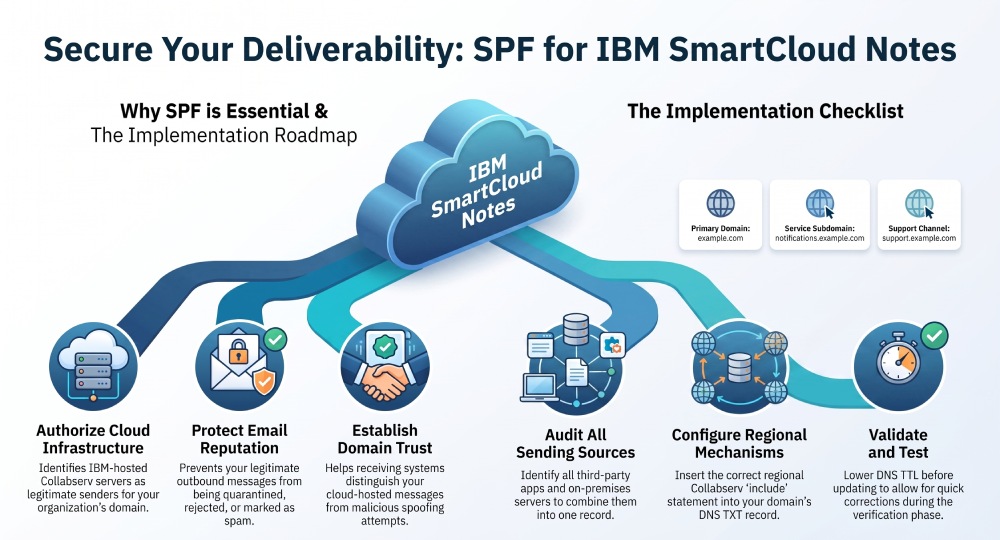
Sender Policy Framework, or SPF, is a DNS-based email authentication standard that tells receiving mail systems which servers are allowed to send email for your domain. For IBM SmartCloud Notes, SPF is especially important because outbound messages are often sent through IBM-hosted Collabserv infrastructure rather than directly from your own on-premises mail servers.
In practical terms, if your users send email from SmartCloud Notes, webmail, HCL Notes, Microsoft Outlook, or mobile access clients, the receiving server may check whether IBMs cloud mail infrastructure is authorized to send on behalf of your domain. Without a correct SPF record, legitimate messages may be quarantined, marked as spam, or rejected.
For IBM SmartCloud Notes users, SPF helps receiving mail servers verify that messages sent through Collabserv are authorised to use your domain. A properly configured SPF record can improve email authentication and reduce the risk of legitimate messages being flagged as suspicious or rejected.
Why SPF affects deliverability, security, and trust
SPF does not encrypt email and it does not replace DKIM or DMARC, but it is a critical part of secure email authentication. For organizations using IBM SmartCloud Notes as an email platform, SPF helps receiving systems distinguish legitimate cloud-hosted messages from spoofed mail.
This matters because organisations using IBM SmartCloud Notes may send email through IBM-hosted infrastructure rather than their own mail servers. A correctly configured SPF record helps receiving mail servers verify that Collabserv is authorised to send messages on behalf of your domain, reducing the risk of legitimate emails being treated as suspicious or rejected.
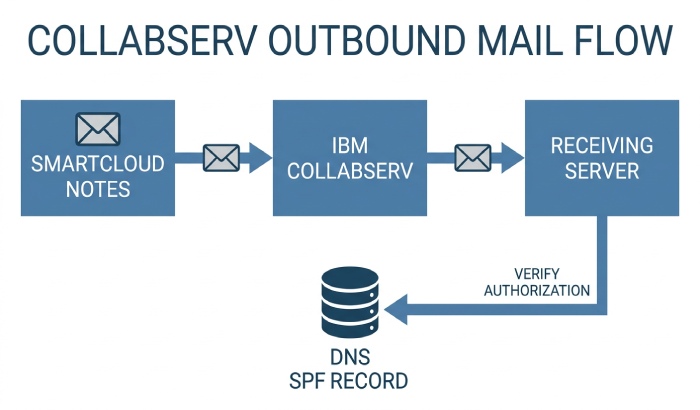
How Collabserv Handles Outbound Email Authentication
Outbound mail flow through Collabserv
Collabserv is the IBM SmartCloud Notes service domain historically used for cloud mail routing and service authentication. When users send messages through SmartCloud Notes, IBMs Collabserv infrastructure handles outbound delivery. The SPF record for your domain must therefore include the appropriate IBM Collabserv SPF mechanism.
A typical SPF record may look conceptually like this:
=spf1 include:spf.notes.na.collabserv.com ~all
However, the exact include mechanism depends on your SmartCloud Notes service region and IBM documentation. Common regional patterns have included North America, Europe, and APAC-oriented Collabserv SPF hosts, but administrators should always verify the current value in IBM service documentation or the SmartCloud Notes administration interface before publishing DNS changes.
Before publishing the SPF record, verify that you are using the correct Collabserv SPF include for your SmartCloud Notes environment. After updating DNS, validate the record and confirm that SPF authentication passes for messages sent through SmartCloud Notes.
Using SmartCloud Notes With Other Email Services
Organizations may use IBM SmartCloud Notes alongside other email services or business applications that send messages on their behalf. In these cases, the SPF record should authorise all legitimate email-sending sources, not just the infrastructure used by SmartCloud Notes. This helps prevent SPF failures when messages are sent through other approved platforms.
SPF Considerations for Hybrid Email Environments
Some organisations use IBM SmartCloud Notes alongside on-premises mail servers or other third-party email platforms. If multiple systems send email using the same domain, the SPF record must authorise each legitimate sending source.
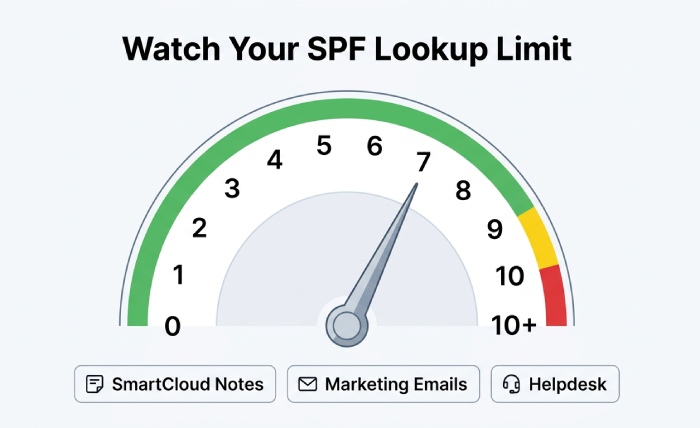
Before updating your SPF record, identify all services that send email for your domain. Then combine the required SPF mechanisms into a single TXT record while staying within SPF’s 10-DNS-lookup limit. Strong email security helps protect businesses from phishing, spoofing, malware, and other email-based threats.
Prerequisites: Domain Access, DNS Control, and SmartCloud Notes Admin Rights
Domain ownership and DNS authority
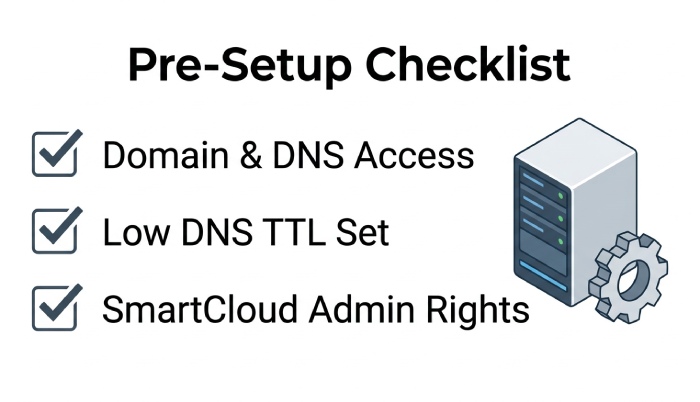
Before modifying SPF, confirm that you control the public DNS zone for the sending domain. You need access to create or edit TXT records for domains such as:
example.com
or for subdomains used by business applications, contact center systems, secure email gateways, or workflow tools:
mail.example.com
notifications.example.com
support.example.com
You should also confirm which DNS provider hosts your domain’s DNS zone. You will need access to create or edit the TXT record containing your SPF policy. If someone else manages your DNS, coordinate with the appropriate administrator before making any changes.
TTL, change control, and customer approvals
Lower the DNS TTL before making changes if your process allows it. This gives you flexibility if the SPF record needs correction. In enterprise collaboration environments, certified consultants or professional services teams often coordinate DNS updates as part of migration, integration, consulting, or support work.
Document the existing SPF record, the proposed change, the business reason, and the rollback plan. This is particularly important for organizations with strict data security, compliance, and secure communication requirements.
Admin rights and service context
You also need SmartCloud Notes administrator rights to verify domain settings, outbound mail routing, and service region. If your environment includes HCL Software products, on-premises HCL Domino mail routing, Microsoft Outlook clients, mobile access, and webmail, confirm how each channel sends mail.
Confirm DNS Ownership and Sending Infrastructure
Before changing your SPF record, confirm who manages your domain’s DNS zone and make sure you have permission to edit the required TXT record. If a DNS administrator or managed service provider handles your domain, coordinate the change with them before publishing the update.
Also verify the actual infrastructure that sends email for your domain. SPF should authorise the legitimate sending servers or services, rather than relying only on the name of the email platform.
Validating SPF Propagation and Syntax with Lookup Tools
After publishing, DNS propagation usually takes minutes to several hours, depending on TTL and DNS caching. Use lookup tools to confirm that the SPF record is visible and syntactically valid before running production tests.
Recommended Validation Checks
Use command-line tools or online SPF validators to inspect the TXT record:
dig TXT example.com
nslookup -type=TXT example.com
Check that:
- There is only one SPF record beginning with
v=spf1 include:collabserv.comresolves correctly- The record does not exceed the 10-lookup limit
- The final mechanism is appropriate, such as ~all during migration or -all after validation
- Any on-premises mail relay IP addresses are still current
This validation step is essential for secure email, cloud collaboration, and enterprise collaboration reliability. If an organization uses HCL Software alongside Microsoft Outlook, HCL Notes, webmail, and mobile access, one malformed SPF record can affect the user experience across every channel.
Validate Across Regions and Providers
Global enterprises operating in the US, EU, and APAC should validate DNS from multiple locations. A sovereign cloud or hybrid cloud design may rely on a regional data center, while a SaaS email platform may use distributed infrastructure. For example, collab.cloud deployments, IONOS-based sovereign cloud environments, AWS regions, and HCL Software services may resolve differently depending on routing and DNS caching.
This is also relevant for organizations with custom development, integrations, extensions, and low-code development using HCL Domino Leap or other business apps. SPF must support real-time communication, business productivity, secure communication, and enterprise collaboration without breaking transactional messages.
General Manager
General Manager of DuoCircle. Product strategy and commercial lead for AutoSPF's 2,000+ customer base.
LinkedIn Profile →