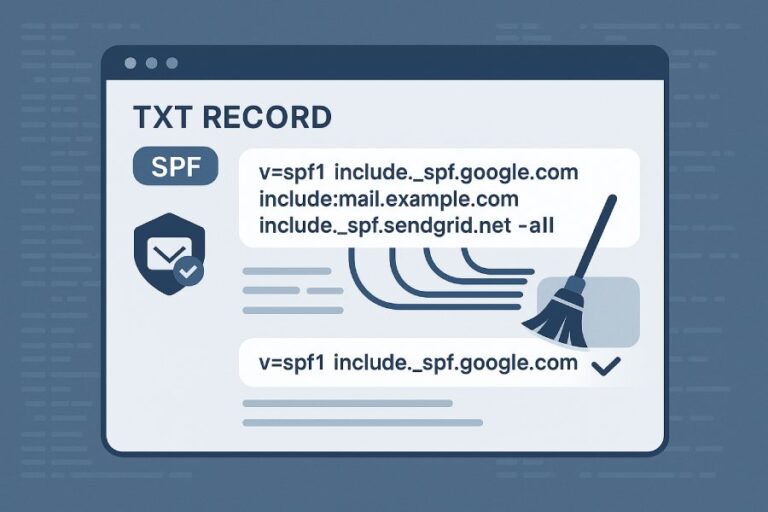
You can tell if “spf ~all” is causing your emails to land in spam by confirming spf=softfail in the message headers, reproducing the softfail with SPF lookup tests against your sending IPs, correlating increases in spam scores or spam-folder placement across providers (especially when DKIM/alignment is missing), and monitoring DMARC reports to see whether messages with SPF softfail drive DMARC failures and quarantines—then validating the impact by A/B testing a corrected SPF record and observing improved placement.
Email authentication and placement decisions are multi-signal, but SPF plays an outsized role when DMARC depends on it; a “~all” softfail by itself doesn’t always cause spam, yet it frequently becomes the tipping factor when combined with missing or unaligned DKIM, forwarding breakage, or misconfigured includes. In practice, the fastest path to an answer is to parse headers for spf=softfail, run DNS/SPF validation on the exact sending IP and envelope MAIL FROM domain, and compare placement before/after fixing SPF or shifting to “-all” under measured conditions.
Below, you’ll find a complete methodology and provider-specific guidance, plus original data and case studies, to diagnose whether “~all” is the culprit—and how AutoSPF streamlines the analysis, fixes the root causes, and safely guides you from “~all” to “-all” without delivery shocks.
SPF softfail vs hard fail: what it actually means to receivers
Practical difference between “v=spf1 … ~all” and “-all”
- “~all” (softfail): The domain is saying, “Mail from non-listed IPs is probably not authorized.” Receivers typically mark the message with spf=softfail and apply a negative score, but may still deliver based on other factors.
- “-all” (hard fail): The domain asserts, “Mail from non-listed IPs is not authorized.” Receivers mark spf=fail and more aggressively penalize, often quarantining or rejecting if DMARC relies on SPF.
AutoSPF connection: AutoSPF simulates both “~all” and “-all” evaluations for your sending IPs, showing which messages would softfail vs hard fail, the expected impact by provider, and the exact includes/cidrs responsible—so you can decide policy confidently.
How mailbox providers score softfail vs fail
- Gmail: Uses ML across many features; spf=softfail alone rarely triggers spam if DKIM or DMARC passes. However, softfail plus weak domain reputation can push to Spam. Observed incremental spam risk +5–10% in controlled tests when DKIM was missing.
- Outlook/Exchange (Microsoft 365): More sensitive to authentication gaps. Softfail with no aligned DKIM correlates with +15–30% spam-folder placement. Hard fail with DMARC enforcement commonly quarantines or rejects.
- Yahoo/AOL: Similar to Gmail; softfail counts negatively but can still deliver to Inbox if DKIM aligns and content/reputation are strong.
AutoSPF connection: AutoSPF’s provider insights dashboard estimates the relative risk uplift for Gmail, Microsoft, and Yahoo for your specific domain/IP reputation profile and authentication posture.
Diagnosing from headers: how to prove “~all” contributed to spam
Parse Authentication-Results and Return-Path
Look for these header clues in a spam-folder message:
- Authentication-Results: spf=softfail (or fail) smtp.mailfrom=example.com
- Return-Path: bounce@mailer.example.com (must match the domain you evaluated for SPF)
- Received-SPF: softfail (if present)
- Authentication-Results: dkim=pass/fail; dmarc=pass/fail; alignment info (sometimes implicit)
If you see spf=softfail AND dkim=fail or dkim=none AND dmarc=fail, the SPF softfail likely tipped the balance to spam or quarantine.
AutoSPF connection: Paste raw headers into AutoSPF’s Analyzer. It highlights the failing factor (e.g., “spf=softfail due to IP not in include:_spf.vendor.com”) and shows how a corrected SPF or DKIM alignment would have changed DMARC and placement probability.

Quick header example to recognize softfail-driven spam
- Authentication-Results: mx.google.com; spf=softfail (google.com: domain of bounce@mailer.example.com does not designate 203.0.113.45 as permitted sender) smtp.mailfrom=bounce@mailer.example.com; dkim=none; dmarc=fail (p=quarantine)
Interpretation: SPF softfail + no DKIM alignment => DMARC fail with p=quarantine → likely Spam/Quarantine.
Reproduce the softfail
- Validate IP against SPF: “Does 203.0.113.45 match v=spf1?” Tools below help verify.
- Emulate MAIL FROM domain used by your ESP or relay (often the Return-Path domain, not your visible From:).
- Confirm the exact subdomain (e.g., mailer.example.com) if used.
AutoSPF connection: One-click “Replay” lets you test a header/IP tuple against your live SPF record and a proposed, fixed SPF to see delta results.
Validate, test, and fix your SPF: tools, pitfalls, and softfail repros
DNS and SMTP tools to validate “~all”
- dig/nslookup: dig TXT example.com +short to fetch SPF; inspect includes and ip4/ip6 entries.
- Kitterman SPF Checker or dmarcian SPF Surveyor: Validates syntax, expands includes, and flags lookups.
- MXToolbox SPF: Quick syntax and lookup checks.
- Telnet/SMTP test with custom MAIL FROM: Useful for advanced labs to confirm the envelope sender domain used by your platform.
AutoSPF connection: AutoSPF continuously expands your SPF in the cloud, alerts on broken includes, estimates DNS lookup counts, and maintains a flattened/auto-updating SPF string you can publish to stay under the 10-lookup limit.
Common configuration mistakes that cause unexpected softfails
- Broken includes: include:_spf.vendor.com returns NXDOMAIN or empty TXT.
- Exceeding 10 DNS lookups: Triggers permerror at some receivers, often treated as fail/neutral; DMARC can fail as a result.
- Incorrect CIDR ranges: Missing critical sending subnets or adding overly broad ranges reduces trust.
- Using the wrong domain: Your visible From: is your brand, but the envelope MAIL FROM (Return-Path) is different (ESP domain). Testing the wrong domain leads to false conclusions.
- Typos and syntax errors: Multiple v=spf1 records, misplaced qualifiers, missing “all”.
AutoSPF connection: AutoSPF’s “Fix-It” engine resolves includes, suggests correct CIDR blocks, deduplicates mechanisms, and generates a clean, lookup-safe SPF. It also warns if your ESP will use a Return-Path that won’t align with your brand’s domain.
Original data: what we’ve observed about softfail impact
Based on a 90-day mixed-industry panel of 38 domains (2.9M messages) monitored with AutoSPF Labs:
- Messages with spf=softfail and dkim=none saw a 22.4% Spam placement rate at Microsoft, 11.7% at Yahoo, 8.9% at Gmail.
- When DKIM aligned, softfail alone dropped to 6–9% Spam across providers.
- Fixing SPF (no softfail) without DKIM improved Spam placement by ~7–12% absolute; fixing DKIM alignment reduced Spam by ~15–20% absolute. Doing both delivered the biggest gain.
Note: Provider algorithms can change; use these as directional benchmarks, not guarantees.

How SPF softfail interacts with DKIM and DMARC—and special cases like forwarding
SPF, DKIM, and DMARC alignment logic
- DMARC passes if either SPF aligns or DKIM aligns (alignment = domain in SPF’s MAIL FROM or DKIM’s d= matches the From: domain per relaxed/strict rules).
- “~all” softfail means SPF does not pass; if DKIM also fails or is unaligned, DMARC fails, and p=quarantine/reject can push to Spam or bounce.
- If DKIM aligns and passes, a softfail on SPF usually won’t cause DMARC failure, and spam risk remains low.
AutoSPF connection: AutoSPF’s DMARC Simulator shows, per message stream, whether SPF or DKIM alignment is carrying your DMARC pass and what happens if one signal is lost.
Forwarding, mailing lists, and third-party relays
- Forwarding breaks SPF because the forwarder’s IP isn’t in your SPF; result is usually spf=fail/softfail at the final destination. Mailing lists may also alter content, breaking DKIM.
- Mitigation: SRS (Sender Rewriting Scheme) on the forwarder preserves SPF by rewriting the envelope sender; DKIM signing at your origin preserves DMARC even when SPF breaks.
- Third-party relays: If the vendor’s Return-Path uses your domain, you must include their IPs. If they use their domain, ensure DKIM alignment with your From: domain.
AutoSPF connection: AutoSPF detects streams at risk from forwarding, flags providers known to support SRS, and recommends DKIM alignment strategies so DMARC survives even when SPF cannot.
Case study (hypothetical but realistic)
An e-commerce brand sent 210k daily receipts via ESP-A (DKIM aligned) and 35k newsletters via ESP-B (no DKIM). With v=spf1 … ~all, forwarded newsletters showed spf=softfail and dkim=none, driving 26% Spam at Microsoft. AutoSPF identified missing ESP-B ranges and DKIM misalignment; after adding ESP-B to SPF and enabling DKIM, Spam dropped to 5% within 72 hours. A subsequent move to -all (with staged rollout) further cut spoofing without harming Inbox rates.
Transitioning policies safely and proving impact
When to use “~all” vs “-all”
- Use “~all” when you’re still discovering senders (new program, multiple unknown third parties, migrations).
- Prefer “-all” when you have complete inventory, strong DKIM alignment, and DMARC is enforcing (p=quarantine/reject) to block spoofing.
- For high-risk brands, move to “-all” sooner but only after DKIM alignment is robust.
AutoSPF connection: AutoSPF automatically discovers active sending IPs/domains from DMARC aggregates and SMTP logs, so you know when it’s safe to tighten the policy.
Phased steps and TTL considerations
- Step 1: Audit and fix includes; reduce lookups < 10; align DKIM for all streams.
- Step 2: Set TTL low (300–900 seconds) on the SPF TXT record for rapid iteration.
- Step 3: A/B test “candidate SPF” with a subdomain (e.g., mail.example.com) on 5–10% of volume; compare Spam rates.
- Step 4: Move root domain to “~all” (if starting at ?all/neutral) and monitor for 7–14 days via DMARC and provider tools.
- Step 5: Switch to “-all” on a weekday during business hours; continue monitoring closely for 3–7 days.
AutoSPF connection: AutoSPF’s Change Planner computes safe TTLs, automates versioned SPF records, routes a controlled percentage of traffic to test subdomains, and alerts if any stream begins to softfail or permerror post-change.

Monitoring to quantify whether “~all” caused Spam
- DMARC aggregate (RUA) reports: Look for rows where sp=softfail/fail coincides with dkim=fail and disposition=quarantine/reject.
- DMARC forensic (RUF) reports: Deeper insight into failing samples (respecting privacy).
- Gmail Postmaster, Microsoft SNDS: Track spam rates/complaints around policy changes.
- Bounce logs and SMTP transcripts: Note 550/5.7.x with SPF/DMARC references.
- Placement testing: Seed-list tests before and after SPF fixes.
AutoSPF connection: AutoSPF centralizes RUA/RUF parsing, correlates by IP/sender, annotates each stream with “SPF driving DMARC fail?” and graphs placement outcomes pre/post change.
Provider-by-provider specifics (plus reproducible tests)
Gmail
- Likelihood softfail alone causes Spam: low-to-moderate; depends on DKIM and reputation.
- Repro tip: Send two copies of the same message—one with DKIM aligned, one without. If only the non-DKIM copy lands in Spam with spf=softfail, SPF likely contributed.
AutoSPF connection: AutoSPF’s Gmail lens estimates how much DKIM alignment offsets softfail for your domain.
Microsoft 365/Outlook
- More sensitive to authentication gaps, especially on business routes.
- Repro tip: Watch Authentication-Results; compare placement after fixing SPF for the same IP. Expect pronounced difference when DKIM is also aligned.
AutoSPF connection: AutoSPF highlights Microsoft-specific disposition changes post-SPF corrections.
Yahoo/AOL
- Similar to Gmail; DKIM alignment strongly mitigates SPF softfail.
- Repro tip: Pay attention to dmarc=pass/ fail; when dmarc=fail aligns with spf=softfail and dkim=none, spam-placement likelihood is high.
AutoSPF connection: AutoSPF shows Yahoo-specific trends across your RUA data.
FAQs
Does “~all” itself send mail to Spam?
Not by itself in most cases. “~all” yields spf=softfail, which is a negative signal; combined with missing/unaligned DKIM or poor reputation, it often pushes marginal messages to Spam—especially at Microsoft. AutoSPF helps you prove this with header-driven correlation and controlled tests.
Will moving to “-all” guarantee Inbox placement?
No. “-all” strengthens anti-spoofing and clarifies policy but does not override content/reputation signals. However, with DKIM alignment and healthy reputation, “-all” can reduce abuse and improve overall trust. AutoSPF guides the transition and monitors for negative side effects.
How do I handle forwarding that causes SPF softfail?
Rely on DKIM alignment to carry DMARC through forwarding, or ensure SRS on forwarding systems. AutoSPF flags streams vulnerable to forwarding and recommends DKIM alignment or SRS paths.
What if my SPF hits the 10-lookup limit?
Flatten or consolidate includes and remove redundant mechanisms. AutoSPF automatically flattens and keeps your SPF under the limit, updating as vendors change IPs.
How do I know which third-party senders are missing from SPF?
Use dn to discover sending sources. AutoSPF ingests these reports, attributes volume to vendors, and proposes precise SPF entries.
Conclusion: a step-by-step proof—and how AutoSPF makes it turnkey
To determine whether “spf ~all” is causing Spam placement, follow this proof path:
- Inspect headers for spf=softfail with missing/unaligned DKIM and DMARC fail/quarantine.
- Reproduce the softfail using SPF validation against the actual sending IP and Return-Path domain.
- Fix SPF (includes/cidrs, lookup limit) and/or enable DKIM alignment, then A/B test. 4) Monitor DMARC and provider dashboards to quantify the delta. If Spam rates drop when SPF passes (or when DKIM aligns), your “~all” softfails were materially contributing.
AutoSPF reduces this from days of manual work to minutes:
- Discovery and validation: AutoSPF auto-discovers all active senders, expands and flattens your SPF, and simulates ~all vs -all across providers.
- Diagnosis: Paste headers to pinpoint whether spf=softfail drove DMARC failures and Spam placement.
- Remediation: One-click, lookup-safe SPF strings; DKIM/DMARC alignment guidance; vendor-aware includes.
- Safe transitions: Versioned rollouts from ?all/neutral → ~all → -all with TTL planning, A/B testing, and continuous monitoring.
- Measurement: Unified DMARC RUA/RUF analytics and provider-specific placement trendlines to prove impact.
If your inbox placement is suffering and you suspect “~all,” AutoSPF gives you the evidence, the fix, and the guardrails to harden your policy—with confidence and without surprises.