

When you send an email, it doesn’t reach the recipient directly; it has to go through a complex journey before it lands in the inbox. And along the way, it is prone to being tampered with by the attackers who are always on the lookout for opportunities to exploit weak or inconsistent authentication.
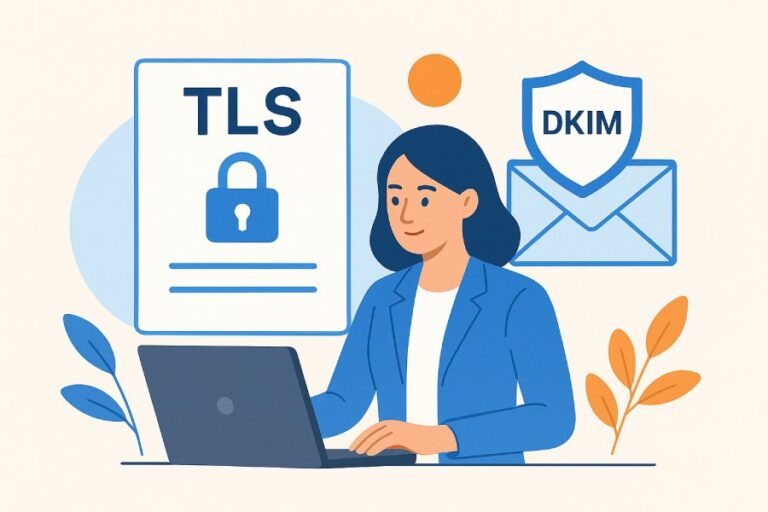
To avoid interception and manipulation by attackers, receiving servers rely on authentication protocols such as DKIM (DomainKeys Identified Mail). DKIM adds a cryptographic signature to every outgoing email so that when the receiving server processes the message, it can verify whether the email has remained unchanged during transit and whether the domain claiming responsibility for the message is legitimately authorized to send it.
To establish this kind of trust, mere DKIM implementation is not enough. What’s more important is how you configure and manage DKIM keys and signatures so that they align correctly with the sender’s domain identity. If there are any gaps in this alignment, even your legitimate emails can fail verification despite being correctly signed.
In this article, we will take a look at what causes DKIM failures and how you can ensure that your outgoing emails are properly verified.
What does DKIM alignment really mean?
It is a common misconception that DKIM authentication and DKIM alignment mean the same thing, but in reality, they are vastly different. While DKIM authentication only verifies the identity of the sender, alignment takes it a step further to determine whether it actually represents the sender.
In other words, it evaluates how the two domains—the one that signs the email and the domain shown in the “From” address— are related to each other. Ideally, they should either match exactly or belong to the same domain structure, depending on the alignment policy being applied. This ensures that the domain signing the email clearly matches the sender’s domain visible to the recipient.
How does DKIM work?
Your emails are not safe even when in transit, unless you actively protect them. As your outbound email moves across multiple servers, it can be altered or misused without your knowledge.
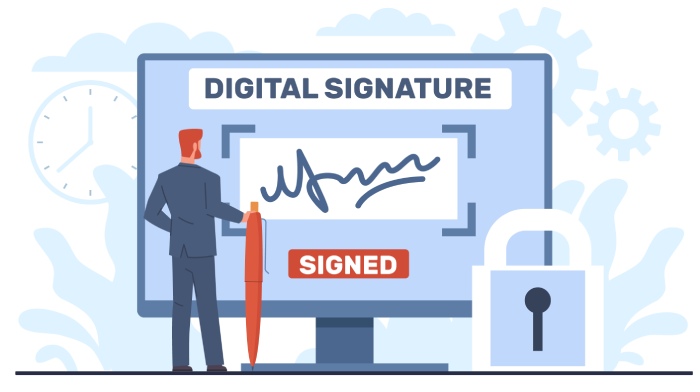
DKIM solves this problem by attaching a digital signature to every outgoing email. This signature allows receiving servers to verify that the message has not been changed during transit and that it was sent by a domain authorized to send email on your behalf.
Let’s dig deeper to understand how it actually happens:
Private and public keys
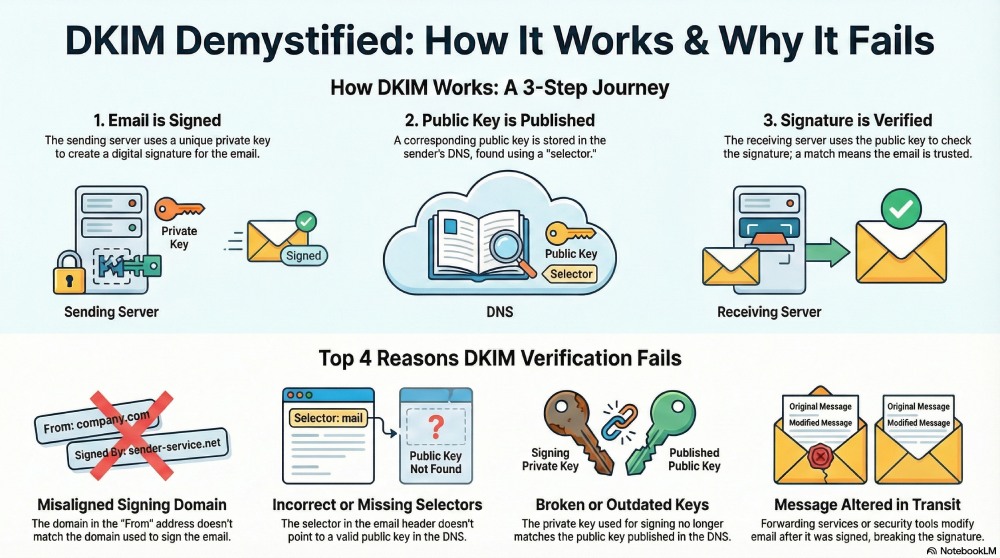
DKIM relies on a pair of cryptographic keys. The public key, which is published in your DNS, is used by receiving servers to validate incoming emails. The corresponding private key, however, remains with the sending servers and is used to generate the DKIM signature for each outgoing message.
DKIM selectors
A DKIM selector is an identifier that tells the receiving server which public key to use when verifying a DKIM signature. It is part of the DKIM header signature and directs the receiving server to the public key record in DNS.
With DKIM selectors in place, you can easily use multiple DKIM keys at the same time. This means you can rotate DKIM keys, rely on different sending systems, or isolate issues without worrying about email delivery.
What exactly gets signed in an email
DKIM does not sign the entire email. Instead, it only signs specific fields such as From, To, Subject, and Date, along with the message body. So, if any of these signed parts are altered along the way, the DKIM signature will also change, and the email will be considered suspicious by the receiving server.
How receiving servers verify the DKIM signature
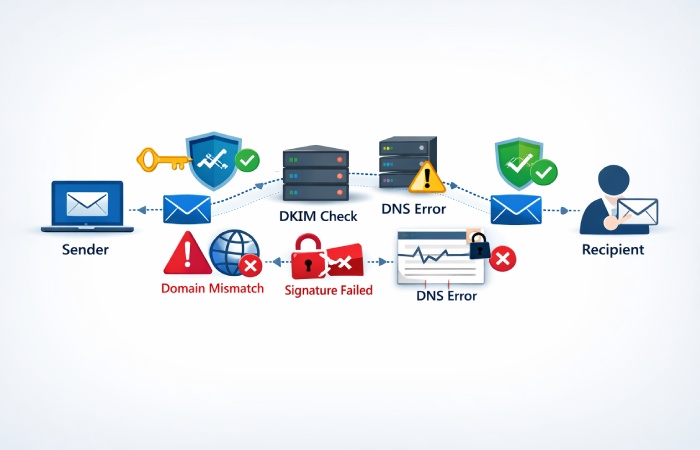
When an email is received, the receiving server reads the DKIM signature attached to the message. Using the selector and domain mentioned in the signature, it retrieves the public key from DNS and uses it to check the signature again. If the recalculated signature matches the one in the email, the message passes DKIM. If it does not match, DKIM fails.
This step allows the receiving server to decide whether the incoming email can be trusted and delivered to the inbox.
Why do emails fail DKIM verification?

Here are a few reasons why DKIM alignment is failing for your outgoing emails:
Misaligned signing domain
One of the most common reasons why your emails fail DKIM verification is when the domain used to sign the email does not match the domain shown in the “From” address. In such cases, the DKIM signature may still be technically valid, but it does not represent the sender’s identity visible to the recipient, causing the verification to fail.
Incorrect or missing DKIM selectors
If your email includes a DKIM selector that does not exist in DNS or points to an incorrect public key, the receiving server will not be able to validate the signature. In such a case, DKIM verification fails because the server has no reliable way to confirm that the message was signed by an authorized system.
Broken or outdated DKIM keys
If you haven’t rotated your DKIM keys in a while, they are updated incorrectly, or the private key that your emails are signed with no longer matches the public key published in DNS. When this happens, the receiving server will not be able to validate the signature, and verification will fail even if the email is legitimate.
The message is altered after sending
If any part of your email is altered during transit after it has been signed with DKIM, the signature will no longer remain valid. Since DKIM can only be verified if the email contents remain unchanged, any modification made after the message is sent will cause the signature to fail. Even small changes made by other systems, such as forwarding services, mailing lists, or security tools, can break the DKIM signature.
DKIM verification strengthens email security by authenticating messages with a digital signature, helping prevent spoofing and ensure emails are delivered safely.
Ensuring that your DKIM setup is seamless and efficient can be a bit tricky. If you are struggling to identify why your emails are failing DKIM verification or not being delivered to the recipient’s inbox, we can help you fix that! Reach out to us to know more.