What Is QR Code Phishing in Email? How to Detect and Prevent Quishing

Quick Answer
QR code phishing, or quishing, uses malicious QR codes in emails to trick users into visiting fake websites or sharing sensitive information. Learn how to detect suspicious QR codes and prevent phishing attacks through safer email practices.
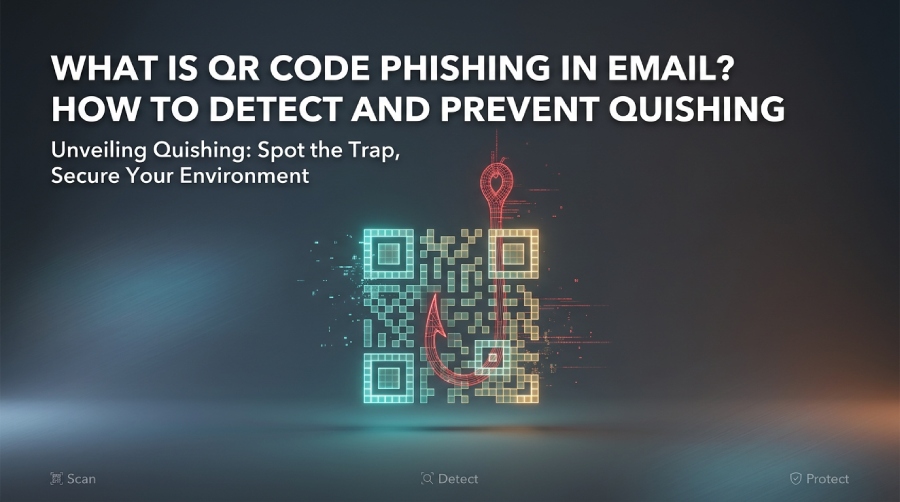
QR code phishing, also known as quishing, is a fast-growing email threat that uses QR codes instead of traditional phishing links to direct victims to fraudulent websites. While a typical phishing attack relies on a visible URL in the email body, quishing hides the destination inside an image-based QR code. When a user scans the QR code with a smartphone camera or code reader application, they may be sent to malicious websites designed to steal sensitive information, harvest credentials, trigger browser redirection, or download harmful content.
This matters because QR code phishing can make malicious URLs harder for some email security controls to analyze. Secure email gateways may inspect links, attachments, and message content, but a QR code can hide the destination URL inside an image. Security solutions that do not analyze or decode QR codes may therefore have difficulty identifying the embedded destination before a user scans it. Attackers can use this technique to target Microsoft 365 accounts, banking services, cloud applications, and corporate login pages.
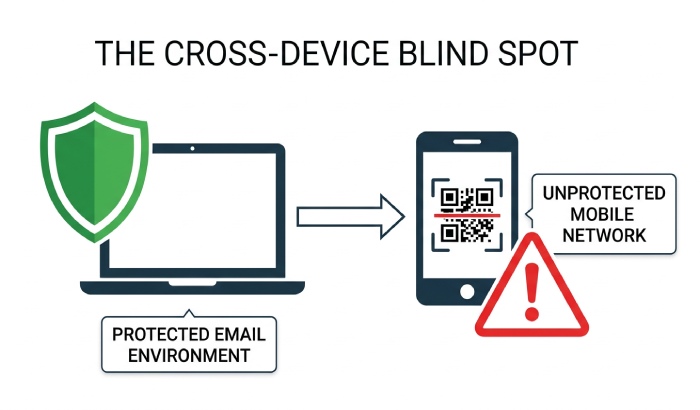
For cybersecurity teams, quishing is more than a simple phishing scam. A successful QR code phishing attack can lead to credential theft, account compromise, identity theft, financial fraud, malware infections, or ransomware. Because QR codes can move users from a protected email environment to a mobile device, attackers can exploit the gap between email security controls and the user’s subsequent browsing activity.
What Is QR Code Phishing? Definition of Quishing
QR code phishing is a social engineering technique in which attackers embed a malicious URL inside a QR code and deliver it through phishing emails, documents, printed flyers, social media, or physical objects. The goal is to trick victims into scanning the QR code and visiting fraudulent websites that steal sensitive information, capture login information, collect financial data, or install malware.
Quishing is simply the shorthand term for QR code phishing. In a quishing attack, the QR code may appear to support a legitimate business process: invoice payment, account verification, package tracking, payroll updates, user verification, MFA enrollment, or document access. The message may tell the recipient to scan to review, scan to authenticate, or scan to avoid account suspension.
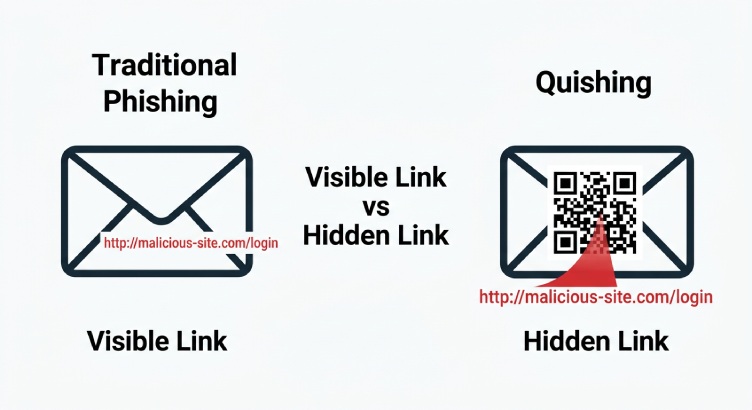
How malicious QR codes differ from ordinary phishing links
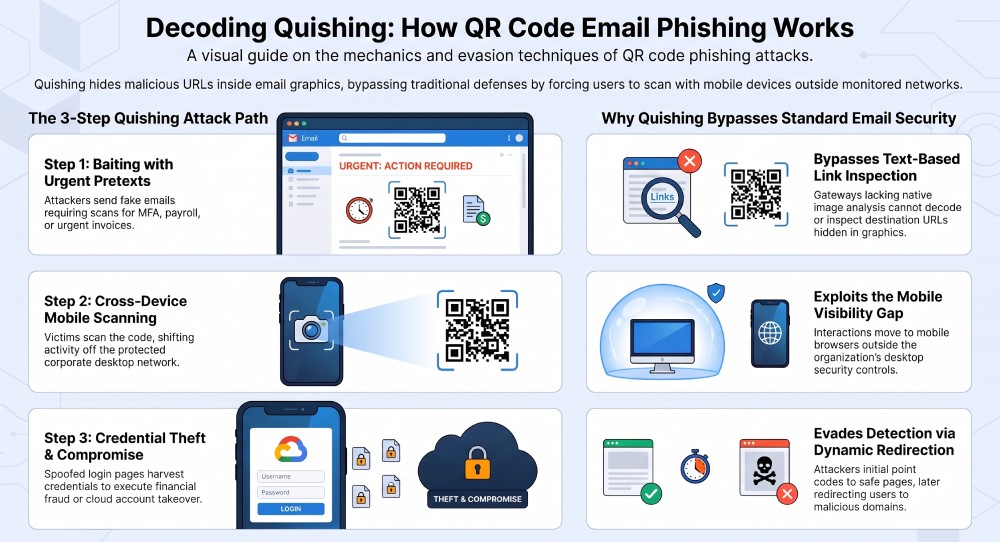
Traditional phishing links can often be evaluated through URL scanning, link protection, and reputation checks. Malicious QR codes change the workflow by hiding the destination URL inside an image. A user may view the email on a laptop, scan the QR code with a smartphone, and complete the interaction on a different device and network. This cross-device workflow can reduce visibility because the organization’s email security system may not see the final destination or the complete browser redirection chain.
In other words, QR codes can shift part of the phishing interaction from the protected email environment to another device and network. This can make QR code phishing more challenging to detect when email security controls have limited image analysis or cannot evaluate the QR code’s destination before the user scans it.
How QR Code Phishing in Email Works Step by Step
Quishing usually follows a predictable attack path, even when the branding, pretext, or destination changes.
Step 1: The attacker sends phishing emails with a QR code
Attackers create phishing emails that look like routine business communication. The email may impersonate Microsoft, DocuSign, a bank, a payroll provider, a shipping company, or an internal IT team. Instead of including obvious phishing links, the email displays a QR code. The message may claim that scanning is required for secure website access, invoice approval, password reset, or Zero Trust user verification.
This is where social engineering is most important. The phishing attack creates urgency and trust: Your account will be disabled, A payment is overdue, or Scan to review confidential files. These tactics are designed to prompt victims to act before they inspect the message.
Step 2: The victim scans the QR code
The victim uses a smartphone camera or code reader application to scan the QR code. If the malicious QR codes are not analyzed by secure email gateways, the user may never see a warning. Some mobile browsers show the destination url before opening it, but many users do not perform url verification.
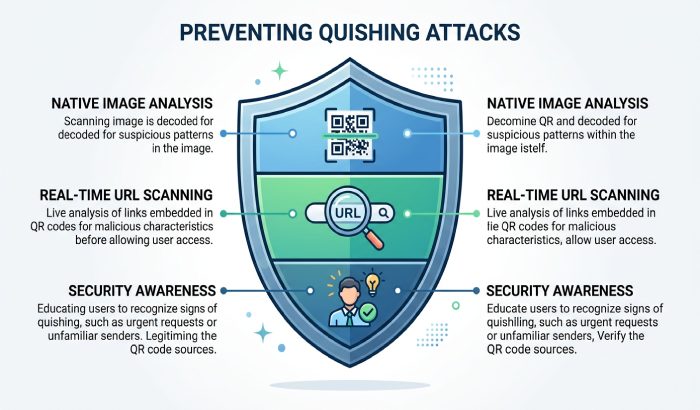
A practical defense is to avoid entering information after scanning unknown QR codes, especially when the email requests credentials, personally identifiable information, pii, financial data, or private information. Security awareness training should teach users that a QR code is just another link”and it can be a malicious url.
Step 3: The QR code sends the user to fraudulent websites
After scanning, browser redirection may send the victim through multiple domains before landing on fraudulent websites. These malicious websites often copy real login pages for Microsoft 365, Google Workspace, banking platforms, HR portals, or cloud storage services. The user enters login information, MFA codes, or payment card details, enabling credential harvesting, authentication theft, identity theft, or financial fraud.
Some fraudulent websites are built only to steal sensitive information. Others attempt to download harmful content, install malware, or stage ransomware. In more advanced campaigns, the phishing attack may use device fingerprinting, geofencing, or one-time links to frustrate fraud detection and threat intelligence review.
Step 4: The attacker uses the stolen credentials
Once attackers obtain credentials, they may access email accounts, reset passwords, move laterally, or conduct business email compromise. They may also use stolen pii for identity theft, drain accounts through payment fraud, or sell private information on criminal marketplaces. In enterprise environments, quishing can become the first stage of a larger cyber attack involving ransomware, data exfiltration, Endpoint Protection evasion, or cloud account compromise.
Why Cybercriminals Use QR Codes to Bypass Email Security
Cybercriminals favor quishing because it exploits both human behavior and technical blind spots. QR code phishing works well when organizations have strong link scanning but limited image-based phishing detection.
Email gateway limitations and image-based phishing
Many secure email gateways were designed to identify known phishing links, suspicious attachments, spoofed domains, or malicious file behavior. But QR code phishing hides the destination inside an image, meaning the email may contain no clickable URL at all. This allows attackers to bypass security filters that focus primarily on text and links.
Modern email security services can use image analysis to detect QR codes embedded in messages, decode the QR codes, extract their destination URLs, and evaluate those destinations for potential threats. These capabilities can help identify phishing emails that hide malicious links inside images rather than displaying them as clickable URLs.
Why native image analysis matters
Native image analysis allows a security gateway to identify a QR code inside an email image, decode it, and evaluate whether the embedded destination points to fraudulent websites, malware, or harmful content. Without native image analysis, malicious QR codes may look like harmless graphics.
Why real time analysis matters
Real time analysis is important because attackers often rotate infrastructure. A QR code may first point to a benign page, then later redirect to a malicious url. Strong cybersecurity programs combine secure email gateways, URL Filtering, browser isolation, Zero Trust policies, and fraud detection to prevent quishing before users interact with malicious websites.
General Manager
General Manager of DuoCircle. Product strategy and commercial lead for AutoSPF's 2,000+ customer base.
LinkedIn Profile →