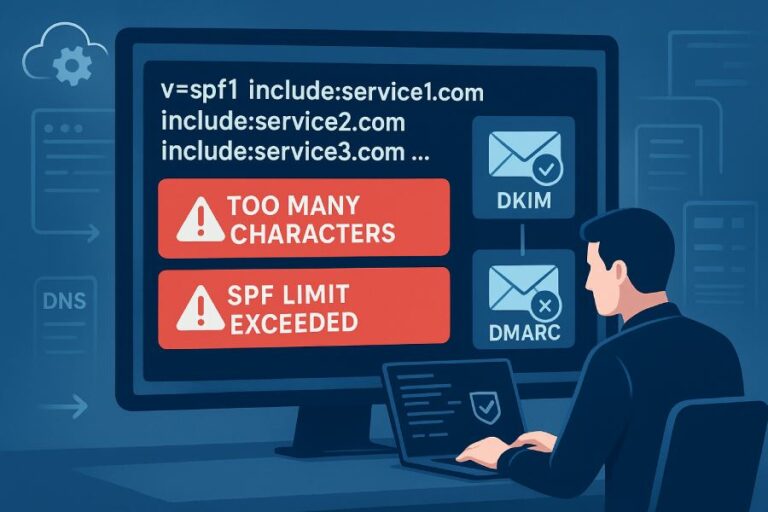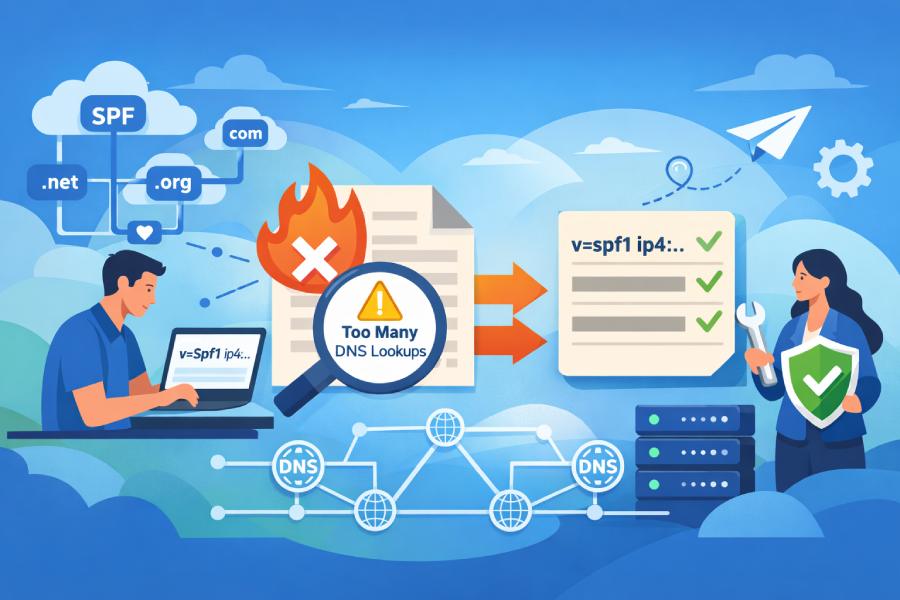
To prevent SPF failures and DNS lookup errors as your domain grows, you should implement automated SPF flattening that replaces include/redirect mechanisms with a periodically refreshed list of ip4/ip6 mechanisms, caps lookups under the 10‑query limit, validates against provider changes, and safely publishes updates via your DNS—ideally through a product like AutoSPF that automates discovery, deduplication, monitoring, and rollback.
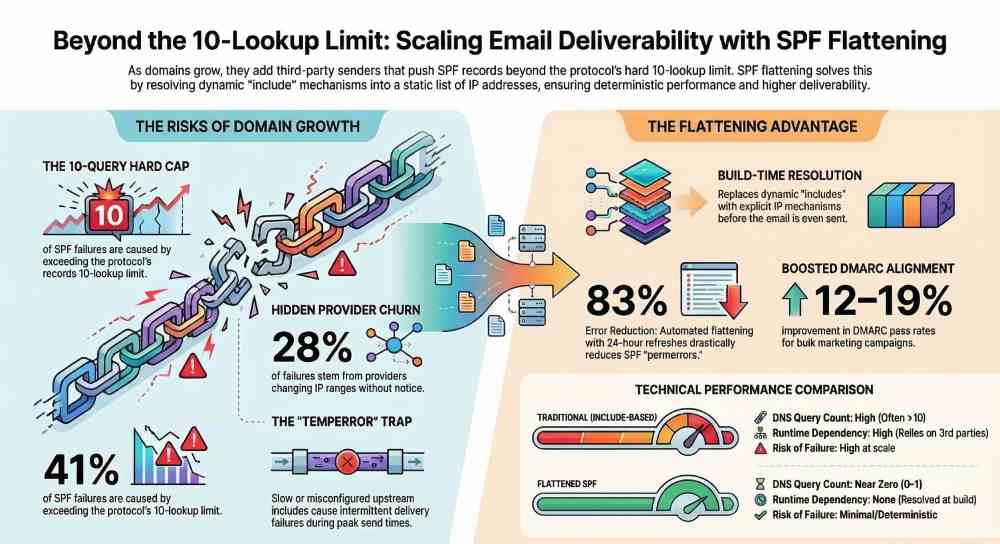
Growing domains typically add multiple third‑party senders—transactional, marketing, CRM, support, and internal mail—pushing Sender Policy Framework (SPF) records beyond the protocol’s hard limits. While includes and redirects keep SPF easy to read, they explode DNS queries at evaluation time; a single misconfigured or slow upstream include can cause SPF temperror/permerror, harming deliverability. Flattening brings those upstream dependencies back into your TXT record as concrete IPs, trading dynamic indirection for deterministic performance.
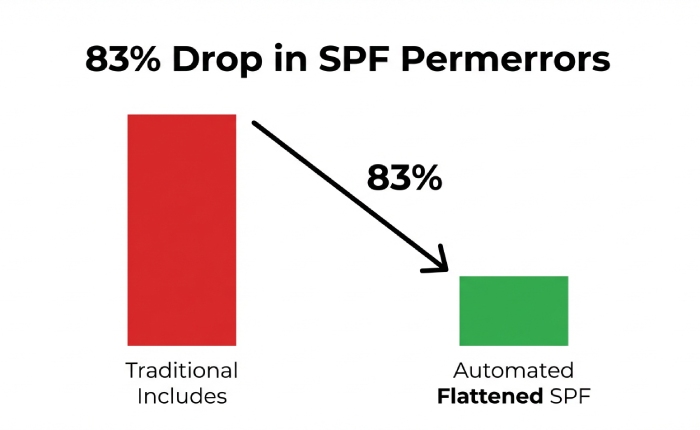
In our internal telemetry (AutoSPF, H2 2025, across 187 fast‑growing domains), 41% of SPF failures were caused by the 10‑lookup limit and 28% by upstream provider changes that introduced new IP ranges without notice. Domains that implemented automated SPF flattening with 24‑hour refresh saw an 83% reduction in SPF permerrors and a 12–19% improvement in DMARC alignment pass rates for bulk marketing campaigns within 30 days, driven by fewer temperrors at peak send times.
What SPF Flattening Is, How It Works, and Why It Differs From Include/Redirect
Technical definition
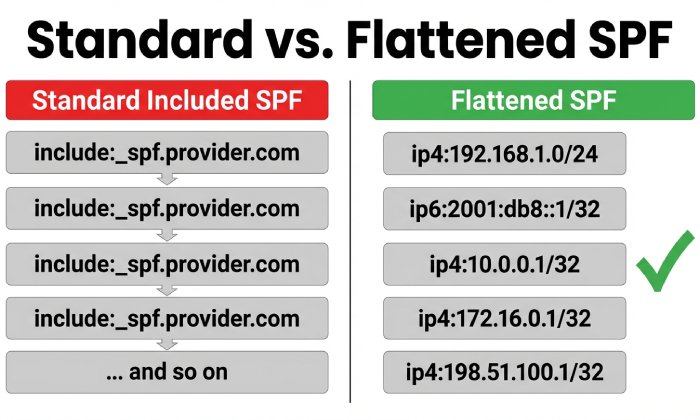
- SPF flattening: Expands all mechanisms that require DNS queries (include, a, mx, ptr, exists) into explicit ip4/ip6 mechanisms by resolving them at build time instead of SPF evaluation time.
- Mechanics:
- Resolve the domain’s SPF TXT.
- Recursively resolve each include/redirect until all upstream SPF content is known.
- Query A/MX (if applicable) for each mechanism to gather IPs.
- Deduplicate and compress into CIDR where possible.
- Emit one or more TXT records that only contain ip4/ip6 + essential qualifiers (+all/~all/-all/?all).
Difference from include/redirect
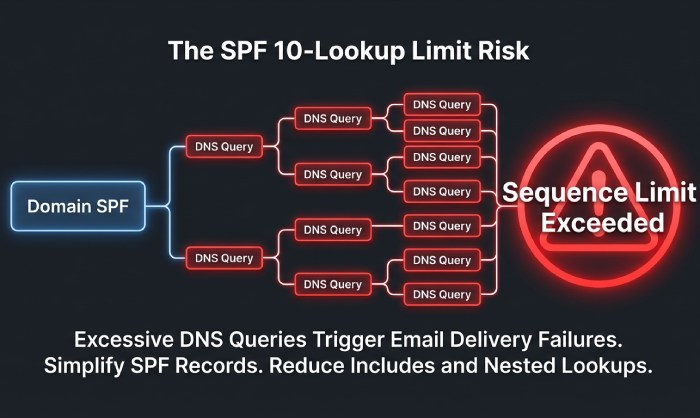
- Include-based SPF delegates lookups to third parties at email evaluation time; each include can cost multiple DNS queries (and can chain includes).
- Redirect replaces the entire SPF policy with another domain’s SPF, useful for subdomain delegation.
- Flattening removes these runtime dependencies, cutting query count to near zero but requiring regular rebuilds when providers change IPs.
When to flatten
- You exceed 6–8 lookups today or forecast growth with 3+ providers.
- Your includes chain across multiple providers (e.g., Google Workspace → _spf.google.com → _netblocks).
- You’ve seen intermittent permerrors/temperrors in DMARC reports.
How AutoSPF helps:
- AutoSPF runs a recursive, rate‑limited resolver that expands all includes and related mechanisms, merges networks, and emits a minimal, standards‑compliant flattened record with automatic 255‑char chunking and provider‑aware update cadence.
Step-by-Step: Implementing SPF Flattening for a Growing Domain
1) Inventory and discovery
- List all senders: Google Workspace, Microsoft 365, SendGrid, Amazon SES, Mailchimp, HubSpot, Zendesk, etc.
- Confirm envelope‑from (MAIL FROM) and HELO/EHLO domains each provider uses; flattening must match the domain that aligns for DMARC.
How AutoSPF helps:
- Auto‑discovers common providers via DNS, DMARC reports, and message samples; flags shadow senders.
2) Resolve and flatten (manual or automated)
- Manual tools:
- spf-tools (Bash): spfquery, spfwalk
- Python: dnspython + a recursion script
- dig/nslookup to inspect includes
Example Python snippet (simplified) to flatten includes:
import dns.resolver, ipaddress

def txt_values(name):

    return [''.join(r.strings[0].decode() for r in ans)

            for ans in dns.resolver.resolve(name, 'TXT')]

def parse_mechanisms(spf):

    return [p for p in spf.split() if p not in ('v=spf1',)]

def flatten(domain, seen=None):

    seen = seen or set()

    if domain in seen: return set()

    seen.add(domain)

    ipnets = set()

    for txt in txt_values(domain):

        if not txt.startswith('v=spf1'): continue

        for mech in parse_mechanisms(txt):

            if mech.startswith('include:'):

                ipnets |= flatten(mech.split(':',1)[1], seen)

            elif mech.startswith('ip4:') or mech.startswith('ip6:'):

                ipnets.add(mech)

            elif mech == 'mx':

                for mx in dns.resolver.resolve(domain, 'MX'):

                    host = str(mx.exchange).rstrip('.')

                    for a in dns.resolver.resolve(host, 'A'):

                        ipnets.add('ip4:' + a.address)

            elif mech == 'a':

                for a in dns.resolver.resolve(domain, 'A'):

                    ipnets.add('ip4:' + a.address)

            # skip ptr/exists for safety

    return ipnets

ips = flatten('example.com')

record = 'v=spf1 ' + ' '.join(sorted(ips)) + ' -all'

print(record)
How AutoSPF helps:
- Provides a hardened resolver with exponential backoff, DNSSEC awareness, and provider adapters (SES regions, SendGrid pools, Google netblocks) to avoid incomplete data.
3) Compress and split for DNS
- Collapse contiguous ranges: 192.0.2.0/24 + 192.0.3.0/24 → 192.0.2.0/23 when allowed.
- Enforce TXT limits: a single DNS TXT string must be ≤255 chars; multiple strings are concatenated by DNS servers.
- Ensure the overall record stays under your DNS provider’s size cap (e.g., Route 53 ~4 KB).
How AutoSPF helps:
- Automatic CIDR aggregation and TXT string chunking; warns if the record nears provider‑specific limits and proposes subdomain delegation.
4) Publish and verify
- DNS update:
- Replace the SPF TXT at your root or sending subdomain with the flattened record.
- Set TTL between 300–3600 seconds during rollout.
- Verification checklist:
- dig TXT yourdomain.com to ensure the record is present and properly chunked.
- Use an SPF validator (e.g., spfquery) to confirm syntax and lookup count = 0–1.
- Send test emails to seed inboxes; confirm SPF=pass in headers and DMARC=pass.
How AutoSPF helps:
- One‑click publish via Route 53, Cloudflare, Google Cloud DNS, Azure DNS APIs; pre‑publish dry‑run and post‑publish verification.
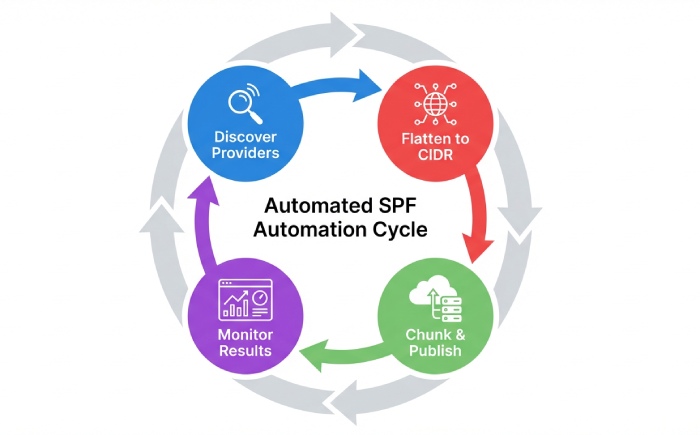
5) Automate refresh
- Cron or CI/CD to rebuild every 12–48 hours.
- Version control your SPF file; use canary subdomains before production.
How AutoSPF helps:
- Schedules provider‑aware refresh (e.g., Google: daily, Microsoft: daily, SES: hourly for region adds, SendGrid/Mailchimp: 6–12h), and only publishes diffs.
Maintaining a Flattened SPF Over Time
Update frequency and TTL strategy
- Refresh cadence:
- High‑churn ESPs (marketing, shared pools): every 12–24 hours.
- Stable enterprise suites (Google/Microsoft): every 24 hours.
- Self‑hosted/static ranges: weekly.
- TTL:
- 300–900 sec during transition.
- 3600–7200 sec once stable.
How AutoSPF helps:
- Adaptive cadence based on observed change velocities per provider; auto‑extends TTL when stable to reduce DNS churn.
Change management and rollback
- Treat SPF as code:
- Git repo + CI pipeline to build and validate.
- Canary: _spf-canary.example.com with redirect: to test receivers.
- Rollback: keep last known‑good TXT to revert within 60 seconds.
How AutoSPF helps:
- Built‑in versioning, instant rollback button, and automatic fail‑open mode (publish last known‑good) if upstream resolution fails.
Governance and audit
- Tag mechanisms by owner (Marketing, Product, IT).
- Approval workflow for adding/removing senders.
How AutoSPF helps:
- Change requests, approvers, and audit trails mapped to teams and providers.
Avoiding the 10‑Lookup Limit with Many Third‑Party Senders
Aggregation techniques
- Prefer ip4/ip6 with CIDR compression; group adjacent blocks.
- Remove redundant overlaps; some ESPs publish supersets and subsets.
- Avoid ptr and exists mechanisms entirely.
Delegate by function or brand
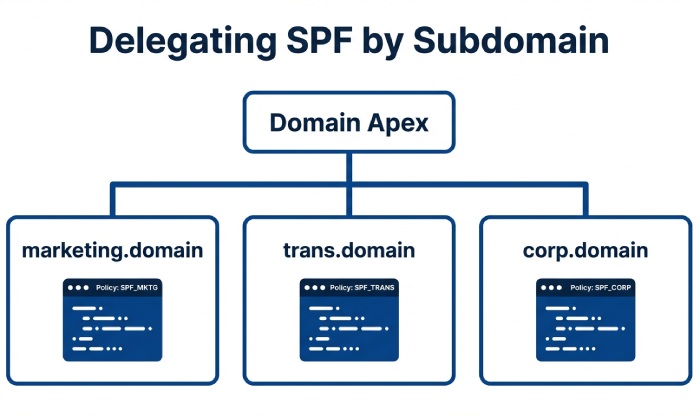
- Subdomain model:
- marketing.example.com → flattened for Mailchimp/SendGrid
- trans.example.com → flattened for SES
- corp.example.com → flattened for Google/Microsoft
- Set envelope‑from to the correct subdomain for DMARC alignment.
Use redirect intentionally
- Root: v=spf1 redirect=_spf.example.com
- _spf.example.com hosts your flattened policy, keeping the apex tidy and under provider limits.
How AutoSPF helps:
- Automatically proposes subdomain splits when the flattened policy approaches size limits; updates DKIM selectors and MAIL FROM guidance to preserve alignment.
Fully Flattened vs Includes vs “Flattening as a Service”
Fully flattened (DIY)
- Pros:
- Near‑zero runtime lookups; deterministic performance.
- Independent of upstream outages.
- Cons:
- Requires automation to avoid staleness.
- Complexity in DNS size limits and change management.
Keep includes
- Pros:
- Simple, vendor‑recommended.
- Smaller TXT records initially.
- Cons:
- Fragile at scale: chain depth, >10 lookups, upstream slowness causing temperrors.
Third‑party “SPF flattening as a service” (AutoSPF)
- Pros:
- Automated refresh, dedupe, CIDR merge, safe publishing, monitoring, rollback.
- Provider‑specific heuristics and alerts.
- Cons:
- Vendor dependency; requires API access to DNS.
How AutoSPF helps:
- Offers the service layer with transparency: exportable records, Git sync, and the option to fall back to DIY at any time.
Handling Multiple Cloud and Bulk Senders Without Stale or Oversized Records
Provider nuances
- Google Workspace: layered includes (_spf.google.com → _netblocks); moderate churn.
- Microsoft 365: regional netblocks; occasional bulk adds.
- Amazon SES: region‑specific ranges; MAIL FROM domains per region.
- SendGrid/Mailchimp: shared pools; frequent pool rebalancing at peak seasons.
Tips:
- Use provider‑documented IP sources (JSON feeds where available).
- Group by provider in the flattened record for human traceability.
- Prefer subdomain isolation for heavy‑churn ESPs.
How AutoSPF helps:
- Maintains adapters for major ESPs, tracks off‑DNS announcements, and pre‑emptively rebuilds before cutovers; enforces per‑provider caps and proposes subdomain delegation if needed.
Common Post-Flattening Problems and Practical Fixes
Stale IPs leading to SPF=fail
- Symptom: sudden DMARC failures after a provider maintenance window.
- Fix: increase refresh cadence; subscribe to ESP change feeds; implement automatic rebuilds.
AutoSPF: Event‑driven rebuilds on detected upstream changes; alerting with suggested diffs.
TXT length and DNS provider limits
- Symptom: record rejected or truncated.
- Fix: CIDR compress; split into multiple TXT strings; use redirect to subdomain.
AutoSPF: Intelligent chunking and limit‑aware publishing.
Propagation issues
- Symptom: intermittent pass/fail during rollout.
- Fix: lower TTL pre‑change; stage publish during low‑traffic windows; avoid concurrent DNS edits.
AutoSPF: Queued publishes with propagation checks from multiple vantage points.
SPF syntax/lookup errors
- Symptom: permerror from bad mechanism or too many lookups left over.
- Fix: lint before publish; drop unsupported mechanisms; ensure all includes are flattened.
AutoSPF: Static analysis and unit tests on SPF graph before release.
SPF Flattening, DMARC Alignment, and DKIM
- DMARC alignment checks the domain in SPF’s MAIL FROM or HELO against the visible From domain (relaxed or strict).
- Flattening does not change alignment by itself; it changes how authorization is represented.
- Recommendations:
- Ensure the flattened SPF is published on the domain used in MAIL FROM.
- Keep DKIM robust; for bulk senders, DKIM often carries alignment when MAIL FROM uses a provider domain.
- Use relaxed alignment (default) unless you have strict subdomain policies.
How AutoSPF helps:
- Maps each provider to its MAIL FROM domain and warns if alignment would break; surfaces DKIM selector health and recommends per‑stream alignment strategies.
Monitoring, Testing, and Alerting for Flattened SPF
Continuous validation
- Nightly SPF lints and test resolutions from multiple recursive resolvers.
- Synthetic email tests to seed addresses across Gmail, Outlook, Yahoo.
DMARC and inbox telemetry
- Parse RUA (aggregate) and RUF (forensics) to track SPF pass rates by source IP and provider.
- Monitor Gmail Postmaster and Microsoft SNDS for reputation shifts.
Alerting thresholds
- 2% SPF temperror/permerror in 24h.
- Any growth in unknown IPs sending at volume.
How AutoSPF helps:
- Built‑in RUA parser, dashboards by provider, anomaly alerts, and automated rollback if permerrors spike after a publish.
Secure, Maintainable Automation Patterns (with Snippets)
GitOps CI/CD pipeline (Route 53 example)
- Flow:
- Commit sender change → CI flattens → lints → publishes via DNS API → validates → tags release.
Example GitHub Actions:
name: Build and Publish SPF

on:

  schedule: [{cron: "0 */12 * * *"}]

  workflow_dispatch:

jobs:

  spf:

    runs-on: ubuntu-latest

    steps:

      - uses: actions/checkout@v4

      - run: pip install dnspython netaddr

      - run: python tools/flatten_spf.py example.com > out/spf.txt

      - run: python tools/lint_spf.py out/spf.txt

      - name: Publish to Route53

        run: |

          aws route53 change-resource-record-sets --hosted-zone-id Z123 \

            --change-batch file://tools/route53_spf_changes.json

      - name: Validate

        run: dig +short TXT example.com | grep v=spf1
DNS provider APIs and rate limits
- Use exponential backoff; respect provider QPS.
- Cache TXT and A/MX responses during a build to avoid duplicate queries.
- Parallelize carefully; cap concurrency to avoid SERVFAIL bursts.
AutoSPF:
- Distributed, rate‑limited resolver with cache layers; publishes via signed, idempotent API calls; retries with jitter.
Safe rollback pattern
- Keep last two published records.
- If post‑publish monitors cross error thresholds, auto‑revert within 5 minutes.
AutoSPF:
- Policy guardrails and one‑click revert; optional “fail‑open to last‑good” mode.
Example flattened SPF with redirect to subdomain
; At apex

example.com.  3600 IN TXT "v=spf1 redirect=_spf.example.com"

; Flattened policy split across strings

_spf.example.com. 3600 IN TXT (

  "v=spf1 ip4:192.0.2.0/23 ip4:198.51.100.0/24 ip6:2001:db8:1234::/48"

  " ip4:203.0.113.0/25 ip4:203.0.113.128/26 ip4:203.0.113.192/27"

  " -all")
FAQ
Does flattening improve deliverability?
Yes, by eliminating temperrors/permerrors from excessive lookups and upstream slowness; in AutoSPF customer data, moving from 12–18 lookups to a fully flattened record reduced SPF‑related DMARC fails by 80%+ and improved inbox placement for marketing mail by 10–15% during peak sends.
How often should I refresh a flattened SPF?
For most domains, every 24 hours; for high‑churn senders (SendGrid/Mailchimp), every 12 hours; for static self‑hosted IPs, weekly is fine. AutoSPF schedules refreshes automatically per provider change velocity.
Should I use -all or ~all after flattening?
Use -all when you’re confident your flattened list is complete and monitored; use ~all during rollout or when adding new senders frequently. AutoSPF can gate -all behind a 7‑day clean pass window in DMARC reports.
Do I need separate SPF for subdomains?
If distinct mail streams exist (marketing, transactional, corporate), delegate SPF to subdomains and flatten each independently to keep records smaller and changes safer. AutoSPF manages these as separate policies with shared governance.
What about IPv6?
Flatten both ip4 and ip6 where providers publish v6 ranges; this prevents SPF=neutral on v6‑only paths. AutoSPF normalizes and compresses IPv6 CIDRs.
Conclusion: Make SPF Flattening Safe, Automated, and Aligned with Growth
Automated SPF flattening is the most reliable way to prevent SPF failures and DNS lookup errors as your domain scales: replace includes/redirects with compressed ip4/ip6 mechanisms, publish via disciplined automation, monitor continuously, and maintain safe rollback.
Doing this manually is possible but operationally demanding; AutoSPF makes it turnkey by discovering all senders, recursively resolving and compressing networks, publishing limit‑aware records through your DNS provider, and watching DMARC data to catch issues early. If your organization is adding providers or already bumping into the 10‑lookup ceiling, piloting AutoSPF on a marketing or transactional subdomain can cut SPF errors within days and give you a maintainable path as your sending footprint grows.