SPF Record Verification Using dig, nslookup, and PowerShell Explained

Quick Answer
You can verify an SPF record by querying the domain's TXT record using dig, nslookup, or PowerShell (Resolve-DnsName). These tools confirm whether your SPF record is valid, properly configured, and helping protect against email spoofing.
Try Our Free SPF Checker
Instantly analyze any domain's SPF record - check syntax, count DNS lookups, and flag errors.
Check SPF Record →
What SPF Records Are and Why Verification Matters
An SPF record is a DNS TXT record that identifies which mail server, host, or third-party platform is authorized to send email for a domain. SPF stands for Sender Policy Framework, an internet standard used for email authentication and spoofing prevention. When a receiving email server gets a message, it performs a DNS lookup against the sender’s domain to determine whether the sending IP address is permitted by the published SPF policy.
A typical SPF record looks like this:
v=spf1 include:_spf.google.com include:spf.protection.outlook.com mx -allThis TXT record tells receiving systems that Google Apps, Microsoft, and the domain’s MX record hosts may send mail. The final qualifier, such as -all, ~all, or ?all, defines the sender policy for everything else. Correct spf syntax is critical because even a small syntax error can affect mail delivery. Run your record through an SPF syntax validator to catch errors early.
SPF validation matters because it helps protect a domain name from forged email address usage. Without a valid SPF record, attackers may impersonate a mail sender from your domain, increasing phishing risk and damaging sender reputation. For sysadmin teams, verifying the SPF record should be part of routine DNS records management, especially after changing an email server, adding a subdomain, or connecting services such as GitHub notifications, Google Workspace, Microsoft 365, CRM systems, or marketing platforms.
An SPF check confirms that the correct TXT record exists, that DNS resolution works, and that the SPF policy does not exceed lookup limits. You can perform an spf record lookup using DNS tools such as the dig command, nslookup, PowerShell, an SPF lookup tool, or an online spf check tool such as AutoSPF. For a quick browser-based check, run your domain through our free SPF checker.
How to Check an SPF Record with dig
The dig command is one of the most reliable command line utilities for querying DNS. It is commonly available on Linux and Unix systems and can also be installed on Windows through packages such as BIND tools, Git Bash, or WSL. Because dig communicates directly using the DNS protocol, it provides precise visibility into the DNS query, response, TTL, record type, and authoritative data.
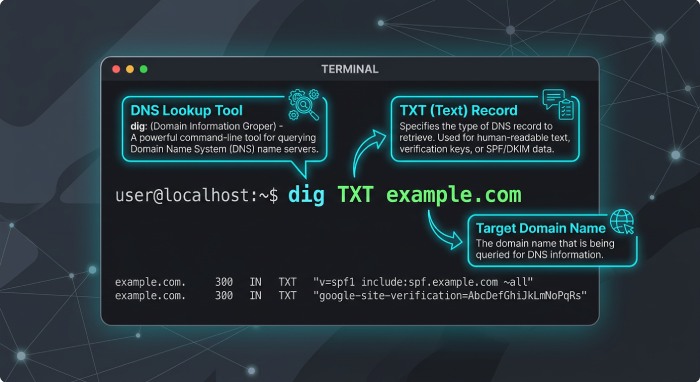
To check an SPF record with the dig command, query the TXT record for the domain:
dig TXT example.comBecause SPF is published as a TXT record, the query type should be TXT, not SPF. Older DNS implementations once supported an SPF DNS resource record, but modern SPF configuration relies on TXT. The output will usually include an answer section similar to this:
example.com. 3600 IN TXT "v=spf1 include:_spf.google.com mx -all"This dig output shows the domain, TTL, class, record type, and TXT record value. If the SPF record is missing, the DNS query may return no answer, NXDOMAIN, or only unrelated TXT values such as site verification tokens.
Useful dig command examples
For a concise SPF check, use +short:
dig TXT example.com +shortThis dig command returns only the TXT record strings, making the output easier to scan from the command line. If the domain has multiple TXT records, look for the one beginning with v=spf1.
To query a specific DNS server, such as Google Public DNS or OpenDNS, use:
dig @8.8.8.8 TXT example.com +short
dig @208.67.222.222 TXT example.com +short
This helps determine whether a DNS server has stale data or whether public DNS has already resolved the latest SPF record. A sysadmin may also use the dig utility to test a subdomain:
dig TXT mail.example.com +shortThe query string here combines the hostname and query type. If you are troubleshooting mail delivery from a specific host or email server, checking both the root domain and relevant subdomain can reveal mismatched SPF configuration.
Verifying SPF Records Using nslookup
nslookup is another widely available DNS lookup tool included with Windows, Linux, and Unix environments. While the dig command is often preferred by DNS administrators for detailed diagnostics, nslookup remains useful because it is installed by default on many Windows systems and can quickly verify a TXT record from the command line.
To perform an SPF record lookup with nslookup, run:
nslookup -type=TXT example.comThe response should include one or more TXT entries. The SPF record will start with v=spf1. For example:
example.com text = "v=spf1 include:_spf.google.com include:spf.protection.outlook.com -all"If the output shows no SPF record, verify that you queried the correct domain name. Many organizations publish SPF only at the organizational domain, while others publish SPF for a subdomain used by an application, newsletter platform, or transactional mail server.
Interactive nslookup mode
You can also use nslookup interactively:
nslookup
set type=TXT
example.com
To query a specific DNS resolver, such as Google or OpenDNS: `
nslookup
server 8.8.8.8
set type=TXT
example.com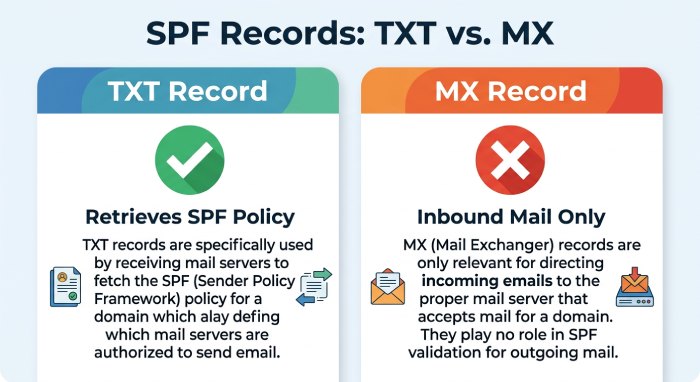 This approach is useful when comparing internal DNS server results against Public DNS. If an internal DNS resolver returns different spf results from public DNS, the issue may involve split-horizon DNS, caching, propagation delay, or an incorrect zone file.
A common mistake is using the wrong record type. SPF data must be retrieved as a TXT record. Querying an MX record is useful for identifying inbound mail server destinations, but it does not directly show the SPF policy. However, the SPF record may contain the mx spf mechanism, which authorizes the hosts listed in the domain’s MX record to send mail.
Checking SPF Records in PowerShell
PowerShell provides a native way to perform DNS lookup operations on Windows. This is especially useful for Microsoft administrators managing Exchange Online, Microsoft 365, hybrid email authentication, or Windows Server DNS.
The primary command is Resolve-DnsName:
Resolve-DnsName -Name example.com -Type TXTThis command line query returns TXT record data, including SPF if present. The relevant output may appear in the Strings field:
Name : example.com
Type : TXT
Strings : {v=spf1 include:spf.protection.outlook.com -all}
PowerShell is often easier to script than nslookup, making it practical for bulk SPF validation across multiple domains. For example:
$domains = "example.com","example.org","mail.example.net"

foreach ($domain in $domains) {
Resolve-DnsName Name $domain Type TXT |
Where-Object { $_.Strings -match "v=spf1" } |
Select-Object Name, Type, Strings
}
PowerShell checks for specific DNS resolvers
To query a specific DNS server with PowerShell, use the -Server parameter:
Resolve-DnsName -Name example.com -Type TXT -Server 8.8.8.8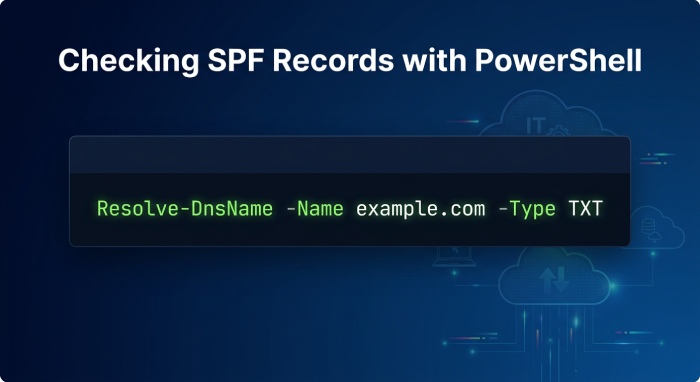 This spf query is helpful when comparing local DNS resolution with Google Public DNS. If your DNS server returns an old TXT record while Google returns the updated SPF record, the difference may be caused by TTL caching or delayed zone propagation.
For automation, PowerShell can also check whether a domain has more than one SPF record. Multiple SPF records are invalid and can cause SPF validation to fail:
$txt = Resolve-DnsName -Name example.com -Type TXT
$spf = $txt | Where-Object { $_.Strings -match "^v=spf1" }
$spf.Count
A result greater than one indicates a configuration problem. The fix is not to publish separate SPF records, but to merge all authorized services into a single SPF record.
Interpreting Results and Troubleshooting Common SPF Issues
Reading the SPF record correctly is just as important as running the DNS query. A valid SPF record starts with v=spf1 and contains one or more mechanisms such as ip4, ip6, include, a, mx, or exists. It usually ends with an enforcement qualifier such as -all, ~all, or ?all.
Common SPF interpretation points
The include mechanism authorizes another domain’s SPF policy. For example, include:_spf.google.com allows Google’s designated mail server infrastructure to send mail. The mx mechanism authorizes hosts listed in the MX record. The a mechanism authorizes the IP address of the domain’s hostname. The ip4 and ip6 mechanisms authorize explicit address ranges.
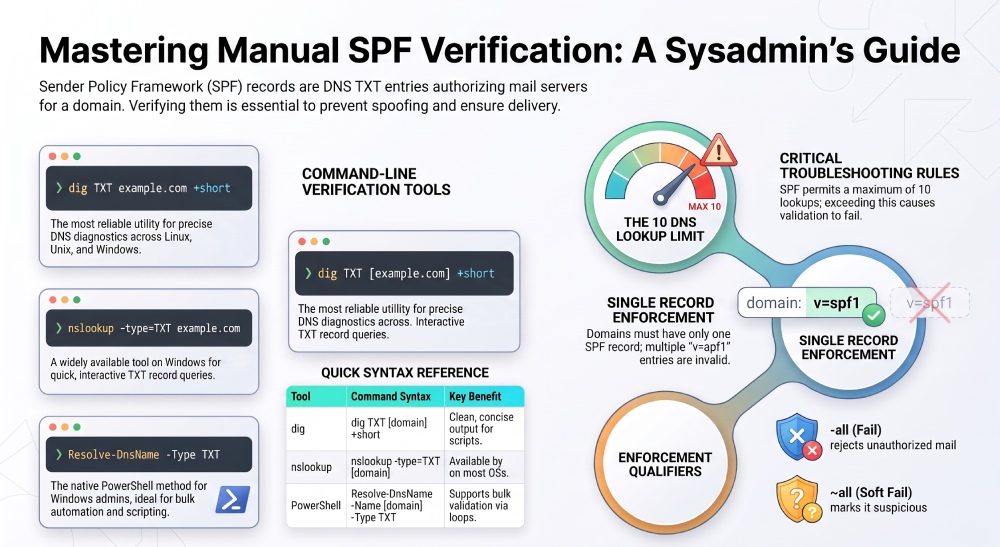
An SPF record using -all tells the receiving mail server to reject unauthorized senders. A record using ~all produces a soft fail, often accepted but marked suspicious. A record using ?all is neutral and provides weak spoofing prevention.
Frequent causes of SPF failure
One common issue is publishing multiple SPF records. DNS allows multiple TXT records, but SPF permits only one SPF record per domain. If two TXT records both begin with v=spf1, authenticating mail can fail.
Another common problem is exceeding the SPF DNS lookup limit. SPF allows a maximum of 10 DNS lookups caused by mechanisms such as include, a, mx, ptr, and exists. Too many third-party senders can break SPF validation. Understanding what is an SPF lookup helps you stay under the cap. In that case, simplify the SPF policy, remove unused services, or flatten carefully while monitoring changes.
Syntax errors are also frequent. Missing spaces, invalid mechanisms, malformed CIDR ranges, and incorrect quotation can prevent a mail server from interpreting the SPF record. Communities such as Stack Overflow and stackoverflow.com discussions may help explain command line behavior, but DNS and email authentication decisions should be verified against authoritative documentation and actual DNS query results.
Finally, remember that SPF checks the envelope sender domain, not always the visible From header. This means SPF alone is not complete email authentication. For stronger protection, pair SPF with DKIM and DMARC. A selector is more commonly associated with DKIM, but all three controls work together to improve domain protection, mail delivery reliability, and trust in the sending email server.
While dig, nslookup, and PowerShell are excellent tools for manually verifying SPF records, ongoing SPF management becomes more challenging as organizations add cloud email services. AutoSPF continuously validates SPF records, detects configuration issues, prevents lookup limit errors, and helps keep your email authentication accurate without manual DNS maintenance.
General Manager
Founder and General Manager of DuoCircle. Product strategy and commercial lead for AutoSPF's 2,000+ customer base.
LinkedIn Profile →