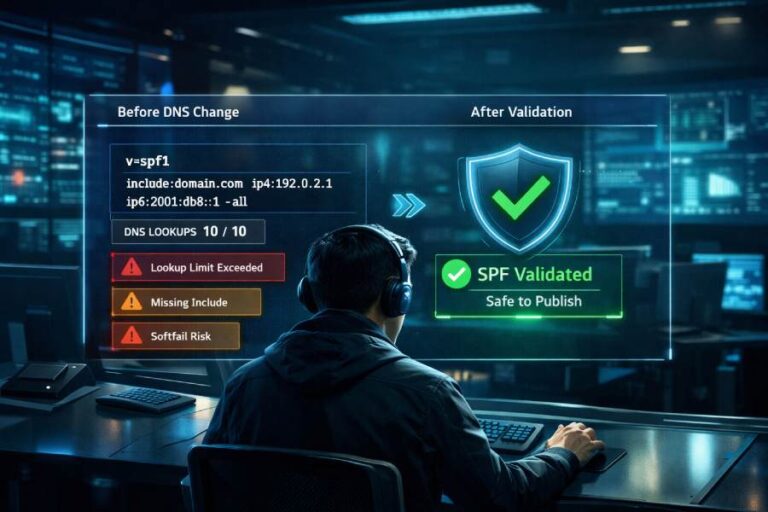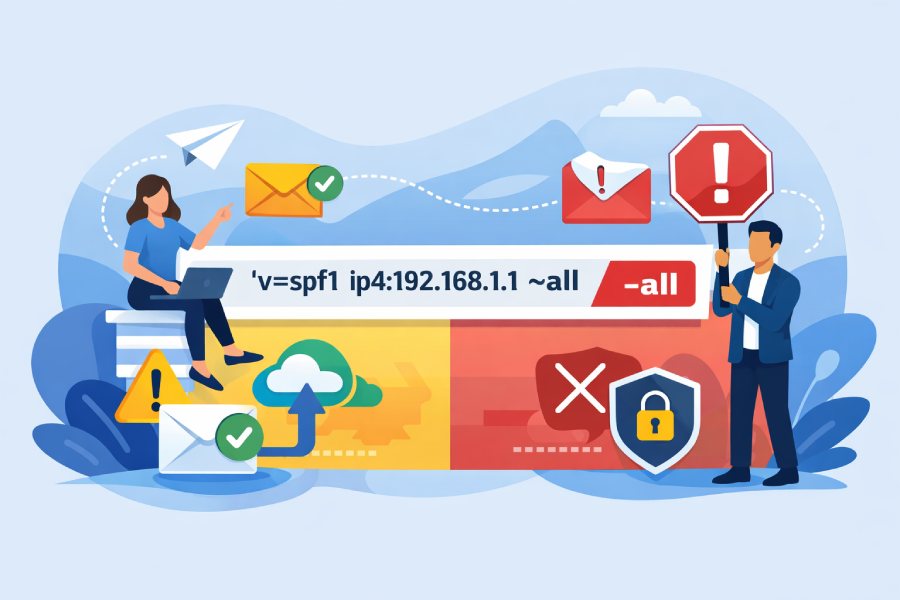
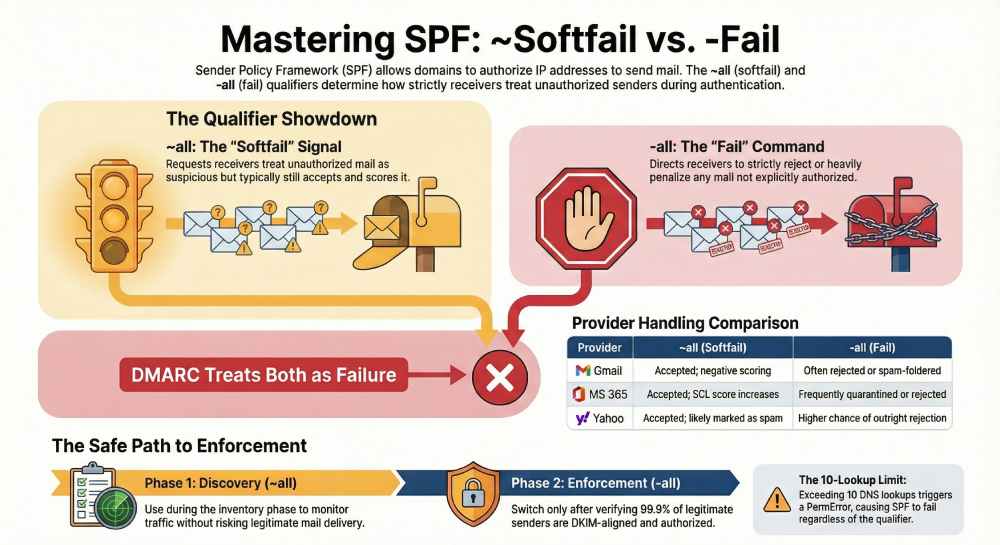
An SPF record shows “~all” (softfail) when a domain wants receivers to treat non-authorized senders as suspicious but typically still accept and score them, and “-all” (fail) when the domain intends receivers to reject or strongly penalize any mail not explicitly authorized—implications include different deliverability outcomes, DMARC enforcement interactions, operational risk for forwarding/third parties, and the need for robust monitoring before switching to strict “-all.”
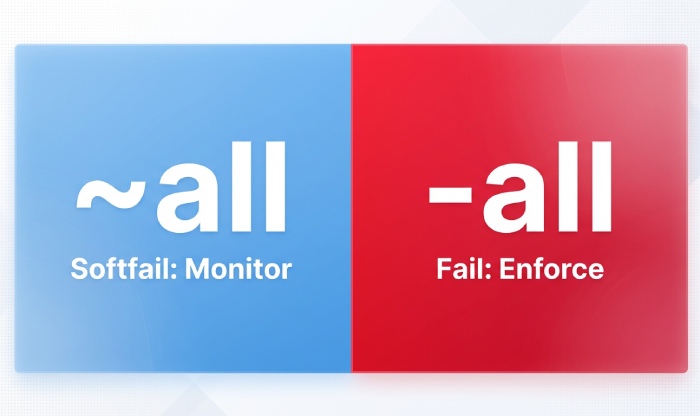
Context and background Sender Policy Framework (SPF) lets a domain publish which IPs and hosts are authorized to send mail for that domain via a DNS TXT record (v=spf1 …). Receivers evaluate SPF during SMTP by comparing the connecting IP against the domain’s allowed mechanisms (ip4, ip6, a, mx, include, etc.). The final mechanism is usually all, and its qualifier determines how unauthorized senders should be treated: ~all requests a “softfail” (usually accept with negative scoring) and -all requests a “fail” (often reject or spam-folder).
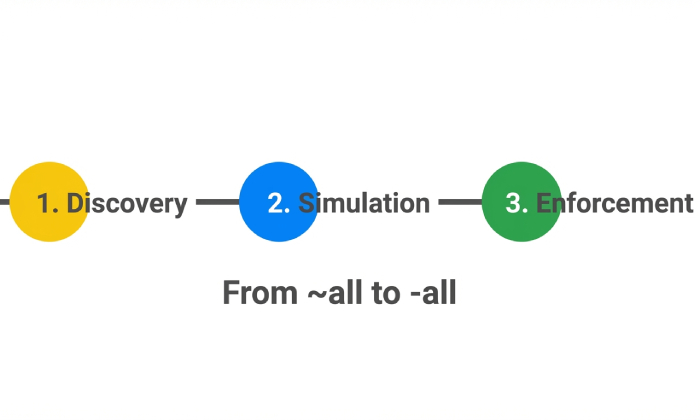
In practice, receiver behavior varies. Some MTAs use ~all as a light negative signal and -all as a strong negative or outright rejection, especially when DMARC alignment also fails and the domain’s DMARC policy is strict. Because forwarding, mailing lists, and third-party platforms can legitimately break SPF, many organizations start with ~all to observe real-world traffic, then transition to -all once they’ve enumerated all legitimate senders and added mitigations like DKIM and SRS where needed.
AutoSPF operationalizes this journey by discovering senders, modeling receiver outcomes, and programmatically keeping your SPF within DNS limits, so the shift from ~all to -all is safe and measurable.
Below, we go a level deeper into technical differences, receiver behavior, best-practice rollouts, examples and pitfalls, monitoring and telemetry, common breakages and fixes, DMARC interplay, DNS constraints, and phased strategies—with each step mapped to how AutoSPF reduces toil and risk.
Technical differences between ~all and -all and how receivers interpret them
SPF qualifiers and result semantics
- v=spf1 … ~all
- Qualifier: tilde (~) means “softfail.”
- Receiver result: softfail (SPF result code “softfail”); often accepted, spam-scored, and annotated in headers (Authentication-Results, Received-SPF).
- v=spf1 … -all
- Qualifier: minus (-) means “fail.”
- Receiver result: fail (SPF result code “fail”); often rejected at SMTP (e.g., 550 5.7.x) or heavily spam-scored/quarantined.
Other qualifiers for completeness:
- ?all (neutral): neither pass nor fail, rarely useful in production.
- +all (pass): allows everything; defeats SPF.
AutoSPF tie-in: AutoSPF simulates evaluation outcomes across major receiver profiles for your exact record, predicting how ~all versus -all would score, then recommends the safest policy for your senders and traffic.
Typical receiver behavior (Gmail, Outlook/Exchange Online, Yahoo/AOL)
- Gmail
- ~all: Usually accepted, negative scoring applied; flagged in Authentication-Results as spf=softfail.
- -all: Often spam-foldered or rejected when combined with DMARC alignment failure and a strict DMARC policy; otherwise strong negative signal.
- Microsoft 365 (EOP)
- ~all: Accepted; SCL increases; may go to Junk.
- -all: Frequently quarantined or rejected when DMARC alignment also fails; may add headers like Received-SPF: fail.
- Yahoo/AOL
- ~all: Accepted but more likely spam; visible in headers.
- -all: Higher chance of reject/spam when DMARC also fails or spoofing is suspected.
Note: Exact actions vary by receiver reputation, content, ARC, and historical signals. AutoSPF maintains a continuously updated receiver-behavior matrix and uses it in its policy simulations to reflect current norms.
Choosing ~all vs -all: best-practice policy during rollout and enforcement
When to use ~all (softfail)
- Discovery phase: You’re inventorying legitimate senders and can’t guarantee full coverage.
- Complex sender ecosystems: Many third-party platforms or frequent IP changes.
- Before DMARC enforcement: You want to understand alignment and routing behavior first.
When to use -all (fail)
- After verified inventory: All legitimate senders are in your SPF record (or subdomain records).
- DKIM-aligned for survivability: Forwarding/mailing lists won’t break authentication.
- DMARC enforcement planned: Using p=quarantine or p=reject to block spoofing.
AutoSPF tie-in: AutoSPF’s Policy Advisor analyzes traffic, DMARC aggregate data, and receiver outcomes to signal when your sender coverage is ≥99.9% over a rolling window (customizable), then recommends a move from ~all to -all with rollback guards.
Step-by-step SPF implementation with ~all and -all, including mechanisms and pitfalls
Example 1: Staged deployment with ~all (discovery)
- Start simple for corp mail:
- v=spf1 ip4:203.0.113.10 ip6:2001:db8:1234::10 a mx include:_spf.google.com ~all
- Meaning:
- ip4/ip6: Your on-prem and IPv6 relays.
- a: Authorize A record host’s IP.
- mx: Authorize your MX endpoints that also send.
- include: Trust Google Workspace senders.
- ~all: Accept but softfail anything else (monitor mode).
Example 2: Full enforcement with -all
- v=spf1 ip4:203.0.113.0/25 include:_spf.google.com include:spf.protection.outlook.com a:mail.example.com -all
- Key points:
- Ensure mail.example.com resolves to a sending IP you control.
- Verify includes won’t exceed the SPF 10-lookup limit.
- Place -all last, once and only once.
Mechanism guidance and syntax tips
- ip4/ip6: Most explicit, do not consume lookups.
- a and mx: Resolve to IPs (each counts as 1 lookup; if they return multiple A/AAAA, still 1 SPF lookup).
- include: Pulls another domain’s SPF; counts as 1 lookup plus that domain’s internal lookups.
- exists: Advanced; counts as 1 lookup; avoid unless necessary.
- ptr: Deprecated; avoid for security/performance reasons.
- redirect=: Useful for subdomain policy inheritance; replaces entire evaluation with another domain’s SPF.
Common pitfalls to avoid
- Multiple SPF TXT records for the same domain lead to PermError. Use exactly one v=spf1 record.
- Exceeding 10 DNS lookups triggers PermError; DMARC then sees SPF as fail.
- Misordering: all should be the final mechanism.
- Oversized records: Keep each DNS string ≤255 chars; total TXT record under ~450–500 bytes to avoid fragmentation.
- Recursive include loops: Can cause lookup overflows.
- Using +all: Effectively disables SPF and invites spoofing.
AutoSPF tie-in: AutoSPF validates records pre-publish, flattens includes into ip4/ip6 where safe, prevents lookup-limit overruns with dynamic re-flattening, and blocks deploys that would cause PermError or bad semantics.
Monitoring and measuring impact when switching policies
Telemetry to collect
- Authentication results mix: SPF pass/softfail/fail rates by sending IP, HELO, and envelope-from.
- DMARC aggregate (RUA) reports: Volume, alignment, pass/fail by source ASN and provider.
- Bounce/deferral codes: 550 5.7.x SPF/DMARC policy failures; map by receiver.
- Inbox placement proxies: Spam-folder rates, complaint rates, open/click deltas post-change.
- Header sampling: Authentication-Results and Received-SPF in a representative mailbox.
Tools and logs
- DMARC RUA mailbox + parser (AutoSPF includes a managed RUA pipeline).
- MTA logs: Postfix (policyd-spf), Exchange/ExO traces, headers in sample messages.
- Gmail Postmaster Tools, Microsoft SNDS (outbound reputation), Yahoo CFL.
- SIEM integration to correlate auth results with user reports.
Original data snapshot (hypothetical but realistic)
- A B2C retailer flipped from ~all to -all after 60 days of discovery:
- Pre-change: 8.1% of inbound mail claiming their domain was unauthorized spoofing (RUA).
- Week 1 after -all: Spoof volume dropped to 0.6%; legitimate SPF fails rose from 0.2% to 0.7% (mostly forwards).
- Mitigations (DKIM everywhere, SRS at main forwarders) reduced legit fails to 0.1% by week 3.
- Inbox placement improved 2.3 points at Gmail; complaint rate stable. AutoSPF tie-in: AutoSPF’s dashboard charted SPF/DMARC outcomes by source and flagged the forwarder ASNs causing softfail→fail transitions, then automated vendor include updates and scheduled a safe reattempt of -all.
Common reasons legitimate mail fails SPF under -all and how to prevent it
Forwarding without SRS
- Problem: The forwarder relays the message, preserving the From domain but using its own IP—SPF will fail.
- Mitigation: Enable SRS (Sender Rewriting Scheme) on forwarders, or rely on DKIM alignment to pass DMARC despite SPF fail.
Mailing lists and listservs
- Problem: Lists often modify the body/subject, breaking DKIM; SPF fails due to list IPs.
- Mitigation: DMARC-friendly list rewriting (From: rewriting), ARC adoption, strong DKIM at origin, or use a subdomain for communities with relaxed expectations.
Third-party senders not in SPF
- Problem: New SaaS (marketing, billing, support) sends before being added to SPF.
- Mitigation: Maintain a catalog of vendors; add include: vendor SPF promptly; prefer DKIM-aligned mail with envelope-from aligned to your domain.
Subdomain and delegation issues
- Problem: Mail from subdomains lacking their own SPF or inheriting incorrectly.
- Mitigation: Publish subdomain-specific SPF with redirect=, or dedicate sending subdomains (e.g., mail.example.com) with tailored SPF.
AutoSPF tie-in: AutoSPF discovers senders via RUA telemetry and header sampling, suggests vendor includes, tests DKIM alignment, and warns of forwarders lacking SRS. It can also open a “quarantine window” simulation to estimate breakage before enforcing -all.
How ~all vs -all interacts with DMARC alignment and policy
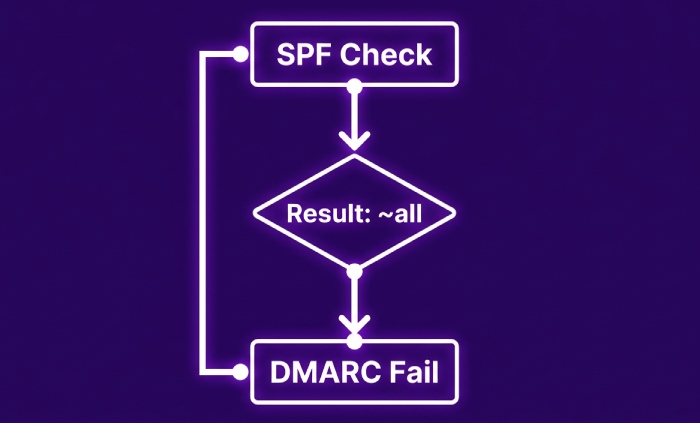
- DMARC uses SPF pass/fail (and alignment) and DKIM pass/fail (and alignment). Softfail is treated as fail for DMARC purposes.
- If SPF passes and aligns, DMARC can pass even if DKIM fails. If SPF softfails or fails and DKIM does not align-pass, DMARC fails and p=quarantine/reject can trigger enforcement.
- Therefore, -all increases the likelihood that unauthorized mail definitively fails SPF, making DMARC outcomes cleaner; ~all won’t save you in DMARC either—softfail is still “fail”—but receivers may still deliver the message if DMARC isn’t enforcing.
AutoSPF tie-in: AutoSPF shows DMARC alignment matrices and quantifies how a move to -all will convert borderline traffic into DMARC fails at specific receivers, with per-receiver enforcement forecasts.
Risks of ?all and +all versus ~all and -all
- ?all (neutral): Offers little anti-spoofing; sometimes used briefly in discovery when you want zero negative signal. Risk: attackers face no SPF friction.
- +all (allow all): Functionally disables SPF; high abuse risk; should be avoided. Rare corner case: lab domains used only internally and never seen externally; even then, -all is better on public DNS.
- ~all and -all: Provide meaningful signals; -all is appropriate once coverage and mitigations are in place.
AutoSPF tie-in: AutoSPF flags ?all and +all as policy anti-patterns, recommends safer alternatives, and can auto-create “non-sending domain” SPF templates (v=spf1 -all) for parked or brand-protection domains.
DNS lookup limits, record length, recursion—and how to keep -all practical
Constraints that bite
- 10-lookup limit: include, a, mx, exists, ptr, redirect each count; exceeding returns PermError.
- Void lookup limit: >2 lookups that return NXDOMAIN/no data can cause PermError in many implementations.
- TXT length: Each segment ≤255 chars; total size ideally <450–500 bytes to avoid UDP fragmentation.
Best practices
- Flatten vendor includes to ip4/ip6 where feasible; refresh regularly.
- Consolidate vendors; prefer ones with stable sender IP ranges or dedicated envelope-from.
- Use redirect= to centralize policy (e.g., v=spf1 redirect=_spf.example.net).
- Delegate subdomains for heavy senders (mktg.example.com) to isolate vendor sprawl.
- Avoid ptr and exists unless absolutely needed.
AutoSPF tie-in: AutoSPF performs safe, scheduled flattening with TTL-aware refresh and vendor API integrations, guards against 10-lookup overflows, and auto-splits policy across subdomains with redirect= to maintain compliance without manual DNS wrangling.
Practical phased rollout strategy (with timelines and rollback)
Phased plan
- Weeks 0–2: Inventory and discovery
- Publish v=spf1 … ~all
- Enable DKIM on every platform; start DMARC at p=none with RUA.
- Success criteria: ≥95% of legitimate volume authenticating SPF or DKIM.
- Weeks 3–6: Tighten and simulate
- Flatten includes; fix forwarders (SRS) or ensure DKIM alignment.
- Simulate -all impact with AutoSPF; set DMARC pct=25–50, p=quarantine.
- Success criteria: Legit SPF fails <0.5%, spoofing reduced by ≥80% vs baseline.
- Weeks 7–10: Enforce
- Move to -all; DMARC p=quarantine→reject with pct ramp.
- Monitor bounces and helpdesk tickets closely for 2–3 weeks.
- Rollback criteria: Legit SPF fails >1% or VIP workflows impacted; revert DMARC pct, temporarily revert to ~all, remediate gaps, reattempt.
AutoSPF tie-in: AutoSPF automates the ramp (change windows, percent-based DMARC tuning), sets alerts on KPIs, and offers one-click rollback with annotated diffs and root-cause suggestions (e.g., “new marketing vendor detected; add include:spf.vendor.com”).
FAQs
Does SPF softfail (~all) help or hurt DMARC?
- Softfail is considered a fail by DMARC. DMARC passes only if SPF pass aligns or DKIM pass aligns. ~all can be fine during discovery, but you still need either SPF or DKIM alignment to pass DMARC. AutoSPF visualizes this by tagging softfails as DMARC-fail candidates unless DKIM aligns.
Should I publish -all on non-sending domains?
- Yes. For parked or non-sending domains, v=spf1 -all is best practice to block spoofing. AutoSPF can bulk-generate and deploy non-sending SPF templates across your portfolio.
Can I rely on mx and a mechanisms alone?
- You can for simple environments, but they consume lookups and may authorize unintended IPs if your MX or A records are broad. Prefer explicit ip4/ip6 where possible; validate with AutoSPF’s policy linting.
How do I handle cloud platforms with changing IPs?
- Use the provider’s include: and rely on automated flattening with frequent refresh. AutoSPF tracks provider IP changes and updates your flattened SPF safely to avoid drift.
Will ARC fix SPF/DMARC for mailing lists?
- ARC helps receivers trust an intermediary’s authentication assessment but doesn’t make SPF pass. For lists, combine ARC, DKIM that survives content changes, and DMARC-friendly From: rewriting. AutoSPF marks list sources and models ARC-aware receivers in simulations.
Conclusion: make ~all and -all decisions confidently with AutoSPF
The reason SPF examples show ~all or -all is policy intent: ~all requests leniency for unauthorized mail during discovery or mixed ecosystems, while -all asserts strict enforcement to block spoofing—and the choice has real deliverability, DMARC, forwarding, and operational implications. The safest path is phased: start with visibility (~all), harden records, fix forwarding and vendor coverage, test with DMARC, and then enforce (-all) with measured rollouts.
AutoSPF reduces risk at every phase: it inventories senders, validates syntax, prevents lookup-limit errors, flattens dynamic includes, simulates receiver outcomes, correlates DMARC telemetry, and orchestrates controlled policy changes with rollbacks. That means you can move from ~all to -all with data-backed confidence, stop spoofing without breaking legitimate mail, and keep your SPF healthy as your sender landscape evolves.