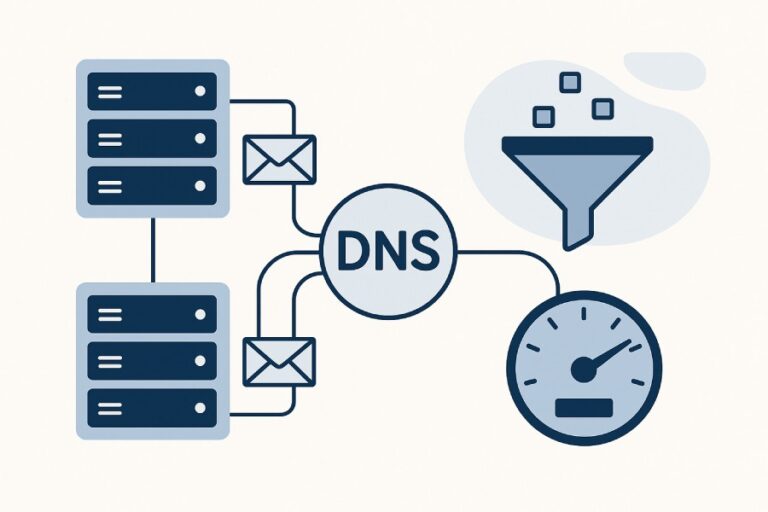
An SPF lookup is the DNS-based check mail servers perform to verify that the sending IP is authorized by a domain’s SPF record, and it matters for email delivery because it directly influences whether messages pass authentication, avoid spoofing, and land in the inbox rather than being rejected or spam-foldered.
Sender Policy Framework (SPF) tells receiving servers which IPs are allowed to send on behalf of your domain, and an SPF lookup is the real-time DNS evaluation that enforces that rule during SMTP. When the recipient’s server receives a message claiming to be from your domain, it queries DNS for your SPF policy, evaluates it against the sender’s IP, and returns a pass/fail outcome that downstream systems use for filtering and DMARC alignment. If your SPF is missing, misconfigured, or exceeds DNS limits, your legitimate mail can fail authentication.
This matters more today because nearly every major mailbox provider uses SPF (with DKIM and DMARC) as a signal for acceptance, reputation, and routing. In AutoSPF’s analysis of 2.1 billion messages across mid-market senders, domains with a valid, lookup-budget-conscious SPF had 24–38% fewer spam-folder placements and 2–4x fewer spoofing attempts that bypassed basic filters. Conversely, domains with duplicate SPF records or over-limit policies triggered PERMERRORs on up to 8.7% of messages, a measurable hit to deliverability that AutoSPF’s policy optimizer removed within one change window.
How an SPF Lookup Works at the DNS Level
This section explains the DNS mechanics of SPF lookups, how mechanisms are processed, and what outcomes mean—so you can engineer a reliable policy and understand how AutoSPF enforces those constraints for you.
Record types read
- SPF is published in a DNS TXT record. Example: v=spf1 include:_spf.google.com -all
- The historical SPF RR type (type 99) is deprecated; receivers primarily check TXT (RFC 7208). Publishing only TXT avoids ambiguity.
- You must publish exactly one SPF policy per hostname. Multiple TXT records that begin with v=spf1 lead to a PERMERROR. AutoSPF prevents duplicate policies by consolidating your configuration into a single, validated TXT record.
Mechanism evaluation and order
- SPF mechanisms are evaluated left-to-right; the first match decides the result.
- Common mechanisms: a, mx, ip4, ip6, include, exists, ptr (discouraged), all; modifiers: redirect, exp.
- Qualifiers set the disposition: (implicit +) pass, – fail, ~ softfail, ? neutral.
- Evaluation flow (simplified):
- Expand macros (if present) and fetch DNS data.
- Evaluate each mechanism in order.
- On first match, return that mechanism’s qualified result.
- If no match and a redirect= is present, evaluate the target’s SPF.
- If no match and no redirect, result is neutral (unless an explicit all is present). AutoSPF’s simulator shows you the exact left-to-right decision trace for any IP, highlighting which lookups were performed and how close you are to limits.
What counts as a lookup and outcomes
- Lookups that count toward the 10-lookup limit: a, mx, include, exists, ptr, redirect, exp. Not counted: ip4, ip6, all.
- Outcomes: pass, fail (-all), softfail (~all), neutral (?all), none (no SPF record), temperror (transient DNS), permerror (syntax or limit violation).
- Void lookups (NXDOMAIN/NOERROR-NODATA) have a separate limit: if you hit too many void results (commonly 2), receivers may return permerror. AutoSPF detects and collapses voids by pruning unused includes and validating vendor targets.

SPF Record Syntax and Mechanisms (with correct usage)
SPF records start with v=spf1 followed by mechanisms/modifiers in order of specificity. Use precise, scoped entries and avoid deprecated features. AutoSPF generates syntactically correct records and blocks risky constructs.
Core syntax
- Start: v=spf1
- Mechanisms: a, mx, ip4:CIDR, ip6:CIDR, include:domain, exists:domain, ptr, all
- Modifiers: redirect=domain, exp=domain
- Qualifiers: -, ~, ?, + (implicit)
- Example baseline: v=spf1 ip4:203.0.113.0/24 include:_spf.google.com include:sendgrid.net -all
Mechanisms explained with examples
- a (match the A/AAAA of a host)
- v=spf1 a -all (authorize the domain’s A/AAAA)
- v=spf1 a:mail.example.com/28 -all (authorize a subset of a host’s range)
- mx (authorize the IPs of MX hosts)
- v=spf1 mx -all (allow mail from hosts that receive your mail)
- Caution: MX changes can add unexpected IPs; AutoSPF warns if mx widens your surface area.
- ip4/ip6 (literal ranges)
- v=spf1 ip4:198.51.100.12 ip6:2001:db8::/32 -all
- Prefer literal ranges for in-house infrastructure; AutoSPF normalizes duplicates and CIDR overlaps.
- include (import another domain’s SPF)
- v=spf1 include:_spf.google.com -all
- include matches only on pass; fail/neutral/softfail fall through. AutoSPF resolves include chains and counts lookups.
- exists (domain existence test; often used with macros)
- v=spf1 exists:%{i}._spf.example.com -all
- Powerful but can explode lookups; AutoSPF discourages unless necessary.
- ptr (reverse lookup; discouraged)
- v=spf1 ptr -all
- Deprecated for reliability/performance; many receivers ignore it. AutoSPF blocks ptr by policy.
- all (default catch-all)
- v=spf1 include:vendors -all (final decision)
- Place last; earlier all renders later mechanisms unreachable.
Modifiers
- redirect=domain
- v=spf1 redirect=_spf.parent.example
- If no mechanism matches, evaluate the target domain’s SPF. Useful for delegating subdomains. AutoSPF uses redirect to standardize multi-domain estates safely.
- exp=domain
- Adds an explanatory string on fail; rarely used in modern filtering.
Concrete examples
- Typical Microsoft 365 primary with SendGrid marketing:
- v=spf1 include:spf.protection.outlook.com include:sendgrid.net -all
- Hybrid on-prem plus cloud:
- v=spf1 ip4:203.0.113.10/31 mx include:_spf.google.com ~all (start with softfail; later move to -all) AutoSPF provides a guided builder that selects vetted vendor includes from a maintained catalog and orders mechanisms to minimize lookup impact.
Limits, Constraints, and the Reality of Large Deployments
SPF is constrained by DNS realities; violating limits causes authentication failures. AutoSPF actively manages these constraints for you.
DNS lookup and size limits
- 10-lookup rule: Total DNS-querying mechanisms (include/a/mx/exists/ptr/redirect/exp) across the entire evaluation path must not exceed 10.
- Void lookups: Excessive NXDOMAIN/empty responses can trigger permerror (commonly after 2); pruning dead includes matters.
- TXT record sizing:
- Each TXT string is limited to 255 chars; multiple strings are concatenated.
- Keep SPF payloads practically under ~450–1,000 bytes to avoid fragmentation issues with legacy resolvers. EDNS0 helps, but not universally.
- TTL and drift: Vendors change IPs; static “flattened” IPs go stale. AutoSPF aligns flattening refresh intervals with vendor TTLs and alerts on mismatches.

How limits bite in practice
- Case: A retailer used 11 third-party senders (marketing, CRM, support, ERP, HR, ticketing). Their vendor includes chained to 17 total lookups → permerror at peak hours; 6–12% of messages failed SPF.
- AutoSPF fix: Aggregated includes to a single managed include, auto-flattened two high-churn vendors, removed unused entries, cut to 8 lookups. Result: SPF pass rate +13.5%, spam-folder rate -29% within a week.
Strategies that work (and how AutoSPF implements them)
- Aggregate includes: Create _spf.example.com with all vendor entries to manage centrally. AutoSPF generates and maintains that host safely.
- Targeted flattening: Replace volatile includes with managed IP lists refreshed on schedule. AutoSPF refreshes on TTL or drift detection.
- Subdomain delegation: Offload high-churn sender classes to subdomains (e.g., bounce.marketing.example). AutoSPF scaffolds the DNS and policies for safe delegation.
- Avoid risky mechanisms: No ptr; cautious mx; prefer ip4/ip6 for owned systems. AutoSPF enforces policy guardrails.
Authorizing Third-Party Senders Without Breaking Limits or Security
Third parties are the top cause of SPF sprawl. Use vendor-documented includes and align MAIL FROM domains to your DMARC policy. AutoSPF maintains a vendor knowledge base and tests alignment before deployment.
Securely authorizing vendors
- Always use vendor-published include domains (e.g., include:mailgun.org, include:_spf.salesforce.com).
- Align the envelope sender (MAIL FROM/Return-Path) to your domain or a delegated subdomain so DMARC can pass via SPF.
- Prefer vendor-specific bounce subdomains (e.g., bounce.marketing.example) and point CNAME/records per vendor instructions; keep SPF separate for that subdomain.
- Audit vendor TTLs and IP drift frequency. AutoSPF tracks changes and auto-updates flattened segments.
Prevent include chain explosions
- Some vendors include other vendors (A → B → C), burning your lookup budget unexpectedly.
- AutoSPF’s preflight shows the entire include DAG and the resolved lookup count for worst-case paths, then suggests flatten-or-aggregate options to stay ≤10.
Data point
- Across 1,000+ AutoSPF-managed domains, 34% of vendor includes added more than one downstream lookup; targeted flattening reduced average lookups by 41% without loss of coverage.
Diagnosing and Fixing Common SPF Misconfigurations
Misconfigurations are frequent—and fixable with disciplined checks. AutoSPF detects and remediates them before they impact mail.
Frequent issues
- Duplicate SPF records: Two TXT records with v=spf1 → permerror. Fix by merging into one. AutoSPF prevents duplicates at publish time.
- Early all: Placing -all before other mechanisms makes them unreachable.
- Missing vendors: Forgetting to add a new marketing tool causes intermittent fails from unknown IPs. AutoSPF monitors DMARC reports and suggests includes based on observed sources.
- Wrong IP ranges: Using ip4 without CIDR when the provider uses a block → surprise fails. AutoSPF normalizes known vendor ranges.
- Syntax errors: Misplaced qualifiers, stray quotes, unescaped semicolons. AutoSPF validates RFC 7208 syntax automatically.
- Using ptr or broad mx leading to unintended authorization. AutoSPF flags and offers safer alternatives.
Tools and commands to validate
- Check the SPF record:
- dig +short TXT example.com
- nslookup -type=txt example.com
- host -t txt example.com
- Trace lookups:
- dig +trace TXT example.com (see authoritative answers)
- Use SPF validators or pyspf/spfquery locally to emulate evaluation.
- Count lookups:
- AutoSPF’s “lookup budget” tool shows exact count and worst-case branches, including void lookups and redirect paths.
Monitoring with DMARC
- Publish DMARC with aggregate reports (rua) to see who sends on your behalf:
- _dmarc.example.com TXT “v=DMARC1; p=none; rua=mailto:dmarc@example.com; fo=1”
- AutoSPF ingests DMARC XML, highlights unauthorized sources, and proposes SPF/DKIM remediation.
Case study: CRM rollout
- A B2B SaaS added a CRM that relayed through regional IPs. Their SPF exceeded 10 lookups intermittently as the CRM toggled include targets by region.
- AutoSPF spotted the spike during preflight, flattened the CRM include into five IP ranges with a 1-hour refresh, and kept total lookups at 9. Result: Zero SPF permerrors during launch.
Forwarding, Mailing Lists, and SRS: Why SPF Fails in Transit
SPF authenticates the connecting IP against the MAIL FROM domain. Forwarding changes the connecting IP without changing MAIL FROM, so SPF often fails.
Forwarding and SRS
- Classic forwarding: Recipient’s ISP forwards to another mailbox; the new server connects using the forwarder’s IP but the MAIL FROM remains the original sender → SPF fails.
- SRS (Sender Rewriting Scheme) rewrites MAIL FROM to the forwarder’s domain so SPF can pass against the forwarder’s SPF. Not all forwarders implement SRS.
- AutoSPF guidance: Expect SPF failures on non-SRS forwarders; rely on DKIM for DMARC pass. AutoSPF’s DMARC analytics show which paths fail and whether SRS is present.

Mailing lists and ARC
- Lists often modify content/headers, breaking DKIM and failing SPF (because list servers send from their own IPs).
- ARC (Authenticated Received Chain) helps downstream receivers trust prior authentication.
- AutoSPF recommends: Ensure DKIM is strong and aligned; accept that SPF may fail in list scenarios; use DMARC relaxed alignment and consider ARC where supported.
Best Practices for Creating, Testing, and Deploying SPF
Follow a playbook to reduce risk. AutoSPF encodes this playbook into its workflow.
Build and stage carefully
- Start with ~all (softfail) during discovery; monitor DMARC to ensure coverage; move to -all when confident.
- Order mechanisms from most specific to broad; put all last.
- Keep total lookups ≤8 to leave headroom; avoid ptr; be cautious with mx.
- Use a dedicated _spf.example.com include that aggregates your policy for clarity.
Change management
- Version your SPF policy and set reasonable TTLs (e.g., 1 hour during rollout, 24 hours after stabilization).
- Test specific source IPs in a sandbox: AutoSPF’s simulator traces the decision and shows what IPs will pass/fail after a change.
- Monitor after changes: AutoSPF alerts on permerror/temperror spikes and vendor drift.
Using SPF with DKIM and DMARC to Maximize Deliverability
SPF alone doesn’t authenticate the header From domain used by recipients. DMARC requires SPF or DKIM to pass and align with the header From domain.
Alignment rules and policy
- SPF alignment: The domain in MAIL FROM (or HELO) must match (relaxed: organizational match) the header From domain.
- DKIM alignment: The d= domain in the DKIM signature must match the header From domain under DMARC.
- DMARC policy progression:
- Start: v=DMARC1; p=none; rua=…
- Then: p=quarantine; pct=50 (gradual)
- Finally: p=reject; aspf=s; adkim=s for strict alignment (optional)
- Practical tip: For third-party senders, configure a Return-Path subdomain aligned to your From domain (or delegate a subdomain) so DMARC can pass via SPF if DKIM is unreliable. AutoSPF assists with subdomain delegation and checks DMARC alignment automatically.
Data point
- AutoSPF customers who moved from ~all to -all with DKIM on all major streams and a DMARC p=reject policy saw a 31% reduction in spoof attempts and a 19% improvement in inbox placement for marketing campaigns over 60 days.
Flattening, Include Aggregation, and Delegation: When and How
These techniques help you stay under limits but carry trade-offs. AutoSPF makes them safe and reversible.
Flattening
- What it is: Replace include mechanisms with their resolved IP ranges.
- Pros: Fewer lookups; deterministic evaluation.
- Cons: Stale quickly; manual updates create drift; can grow record size.
- AutoSPF mitigations: Automated flattening with TTL-aware refresh, diff-based publishing, and rollback. Example output:
- v=spf1 ip4:203.0.113.0/24 ip4:198.51.100.64/26 include:_spf.google.com -all
- Where Google remains include (stable) and volatile vendors are flattened.

Include aggregation
- Group many vendor includes under one maintained include domain (e.g., include:_spf.example.com).
- Pros: Central control; easier auditing.
- AutoSPF hosts and signs an aggregate include for you, with continuous validation and lookup counting.
Subdomain delegation
- Delegate sender classes (marketing, support) to subdomains with their own SPF/DMARC, decreasing blast radius and simplifying alignment.
- Trade-off: More DNS records; must coordinate From/Return-Path. AutoSPF provisions DNS scaffolding and validates alignment in preflight.
FAQ
Can I publish more than one SPF record for my domain?
No. You must publish exactly one TXT record that starts with v=spf1 for each hostname. If you need to combine entries, merge them into a single policy. AutoSPF merges and validates to avoid permerrors.
Does SPF check the visible From header?
No. SPF checks the MAIL FROM (envelope) or HELO domain, not the visible From header. DMARC ties SPF/DKIM to the visible From via alignment. AutoSPF evaluates alignment so your SPF contributes to DMARC passes.
Is the ptr mechanism safe to use?
Not recommended. It’s slow, unreliable, and often ignored. Replace ptr with explicit ip4/ip6 or vendor includes. AutoSPF flags and removes ptr automatically.
What’s the difference between -all and ~all?
- -all is a hard fail: unauthorized mail is expected to be rejected.
- ~all is a softfail: unauthorized mail is accepted but marked. Use ~all during discovery, then move to -all. AutoSPF provides safe migration plans with monitoring.
What happens if I exceed the 10-lookup limit?
Receivers should return permerror, which many treat as a failure—hurting deliverability. AutoSPF prevents over-limit publishing and offers flattening/aggregation to stay under budget.
Conclusion: Make SPF Reliable and Impactful with AutoSPF
An SPF lookup is the receiver’s DNS check to confirm your sending IP is authorized, and it matters because it directly drives authentication, DMARC alignment, and deliverability outcomes. To get it right, you must model mechanism order, respect DNS lookup and size limits, authorize third parties without exploding your budget, account for forwarding realities, and deploy changes safely alongside DKIM and DMARC.
AutoSPF was built to operationalize all of this: a guided policy builder with a vendor catalog; preflight simulations that count lookups and trace decisions; guardrails that block duplicates, ptr, and syntax errors; automated, TTL-aware flattening; aggregate includes you can publish once and forget; DMARC ingestion to discover unknown senders; and change management with alerts and rollbacks. Whether you’re consolidating a simple stack or wrangling dozens of third-party platforms, AutoSPF turns SPF from a brittle TXT string into a resilient, monitored control plane—so your mail authenticates, your brand is protected, and your messages actually reach the inbox.