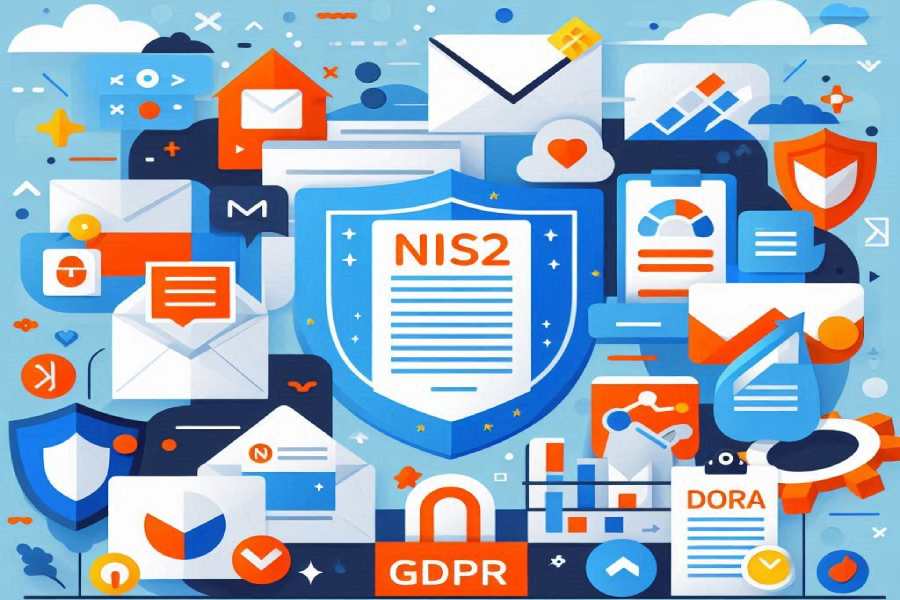

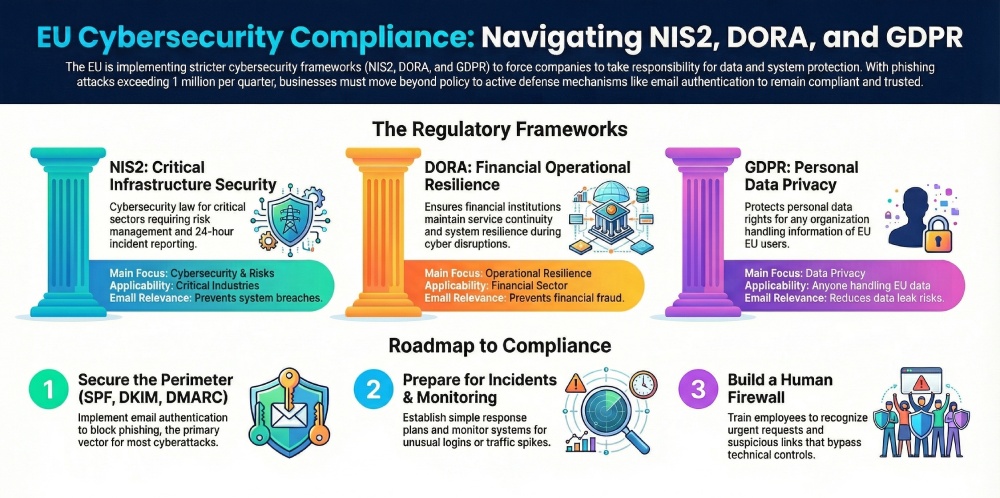
Cybersecurity rules in the EU are getting stricter, and businesses can no longer treat them as optional. Frameworks like NIS2, DORA, and GDPR are now pushing companies to take security more seriously, respond to incidents faster, and take clear responsibility for protecting their systems and data.
The risk is very real. In early 2025, more than 1 million phishing attacks were recorded in just one quarter, and the numbers are still growing. For EU businesses, especially those covered under NIS2 and DORA, this can lead to fines, compliance issues, and loss of customer trust.
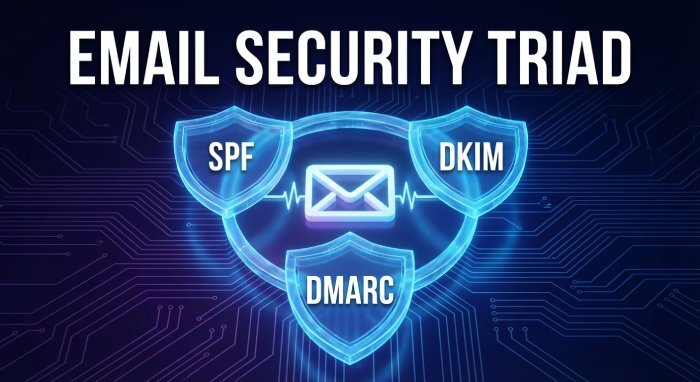
Because of this, compliance is no longer just about having policies in place. Businesses now need actual security measures that can stop attacks before they happen. This is where email authentication methods such as SPF, DKIM, and DMARC come into play. They help prevent spoofing, reduce phishing risks, and support compliance efforts at the same time.
In this blog, we will explain the differences between NIS2, DORA, and GDPR in simple terms. We will also look at where they overlap and what they mean for your business. Most importantly, we will show how email security fits into all of this and why it should be a key part of your compliance strategy.
What is the NIS2 Directive
The NIS2 Directive is a cybersecurity law made by the European Union. It helps companies improve their security and better handle cyberattacks. It is an updated version of an older law called NIS1, but it is much stricter and covers more businesses.
NIS2 applies to many types of companies. It includes both “essential” and “important” sectors like healthcare, energy, transport, finance, and digital services. Even medium-sized businesses can fall under this law if they are part of critical industries.
Here are a few main things businesses must do under NIS2:
- First, they need to manage risks properly. This means finding possible security issues and fixing them before they cause damage.
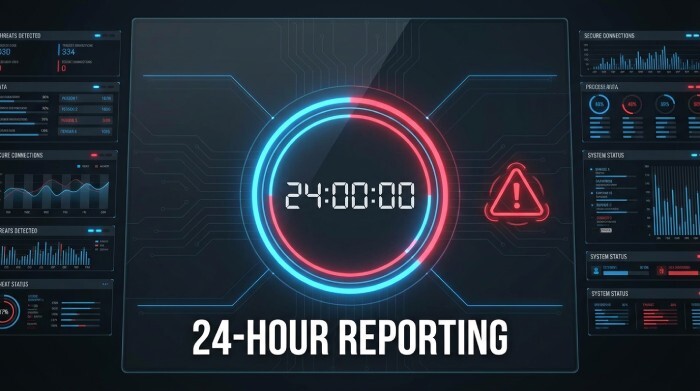
- Second, they must report serious cyber incidents within 24 hours. This helps reduce the impact of attacks.
- Third, companies must also check the security of their vendors and partners. This is called supply chain security.
What is DORA
DORA stands for Digital Operational Resilience Act. It is a cybersecurity law made by the European Union for the financial sector. The main aim of DORA is to make sure banks, fintech companies, insurers, and other financial businesses can continue their services even during cyberattacks or system failures.
DORA focuses on how well a company can handle and recover from disruptions. This is called operational resilience. It means your systems should not break easily, and even if they do, you should be able to get back to normal quickly.
What is GDPR?
GDPR stands for General Data Protection Regulation. It is a law made by the European Union to protect people’s personal data. It primarily concerns privacy and how companies collect, store, and use personal information.
GDPR applies to any business that handles data of people living in the EU. It does not matter where the business is located. If you collect names, email addresses, or any other personal details from EU users, you must comply with GDPR rules.
These are the few basic principles of GDPR for companies:
- They must protect personal data properly.
- They must take clear consent before collecting or using data.
- They must also inform users if a data breach happens.
NIS2 vs DORA vs GDPR: key differences
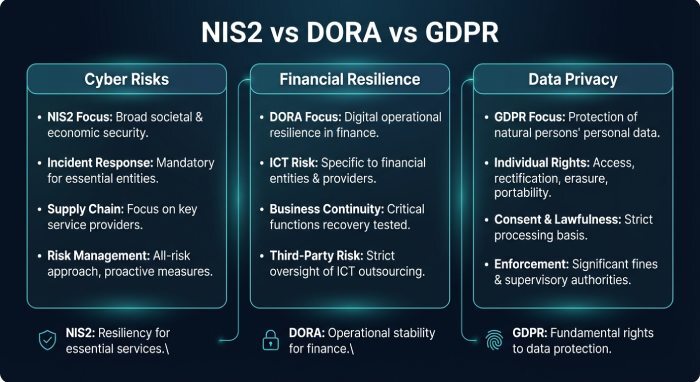
These three regulations may seem similar, but they focus on different areas. Understanding the differences helps businesses know what applies to them and what actions they need to take.
| Category | NIS2 | DORA | GDPR |
| Scope and Applicability | Applies to many critical industries like healthcare, energy, transport, and digital services | Applies only to the financial sector, such as banks, fintech, and insurers | Applies to any business handling personal data of EU users |
| Main Focus | Cybersecurity and reducing cyber risks | Operational resilience and system continuity | Data privacy and protection of personal data |
| Type of Protection | Protects networks, systems, and infrastructure | Ensures financial systems keep running during disruptions | Protects personal information and user rights |
| Incident Reporting | Requires quick reporting of cyber incidents | Focuses on reporting ICT-related disruptions in financial services | Requires reporting of personal data breaches |
| Who Needs to Comply | Essential and important entities in key sectors | Financial institutions and service providers | Any organization processing EU personal data |
| Penalties | Strict penalties for non-compliance | Strong enforcement with financial penalties | Very high fines, the most well-known regulation |
| Email Security Relevance | Helps prevent phishing and system breaches | Helps prevent fraud and email-based financial attacks | Helps reduce the risk of data leaks through email |
Why email authentication is critical across NIS2, DORA, and GDPR
Email is one of the most used communication tools in any business. It is also the easiest way for attackers to gain access to a company. Most cyberattacks begin with a simple email. These emails often look real and trick employees into clicking links, sharing passwords, or sending money.
Phishing is the most common method used by attackers. In a phishing attack, a fake email is sent pretending to be from a trusted source. This could be a bank, a vendor, or even someone from your own company. Once the attacker gains access, they can steal data, move inside systems, or carry out fraud.
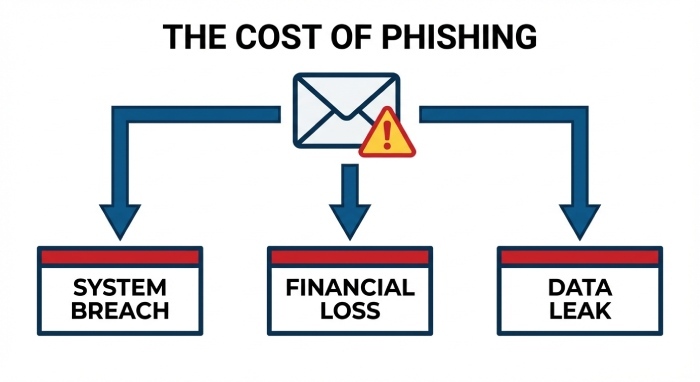
This is why email security is important for all three regulations. NIS2 focuses on reducing cyber risks, DORA focuses on preventing financial disruptions, and GDPR focuses on protecting personal data. Email attacks can affect all of these areas simultaneously. A single phishing email can lead to a system breach, financial loss, and data leak.
What is SPF
SPF stands for Sender Policy Framework. It is an email authentication method that helps verify whether an email is sent from an approved server. Every domain owner can create an SPF record in their domain settings. This record is like a list of servers that are allowed to send emails on behalf of that domain.
When an email is received, the receiving server checks the SPF record of the sender’s domain. It compares the sending server’s IP address with the list in the SPF record. If the server is on the list, the email passes SPF. If not, it fails.
What is DKIM
DKIM stands for DomainKeys Identified Mail. It is used to make sure that an email has not been changed while being sent. It works by adding a digital signature to every outgoing email.
When a company sends an email, it is signed using a private key. The receiving server then checks this signature using a public key that is stored in the domain’s DNS. If the signature matches, it means the email content is safe and has not been altered.
DKIM does not check who is allowed to send emails. Instead, it focuses on keeping the message secure and unchanged. This helps build trust in the email and ensures that the content is exactly what the sender intended.
What is DMARC
DMARC stands for Domain-based Message Authentication, Reporting, and Conformance. It builds on SPF and DKIM to give domain owners more control over their emails. It checks if the email passes SPF and DKIM and if they are properly aligned with the domain.
If an email fails these checks, DMARC allows the domain owner to decide what should happen. The policy can be set to monitor, quarantine, or reject such emails.
DMARC also provides reports that show who is sending emails using your domain. This helps identify misuse or attacks. By using DMARC, businesses can prevent spoofing, improve email security, and gain visibility into their email activity.
How to align with NIS2, DORA, and GDPR
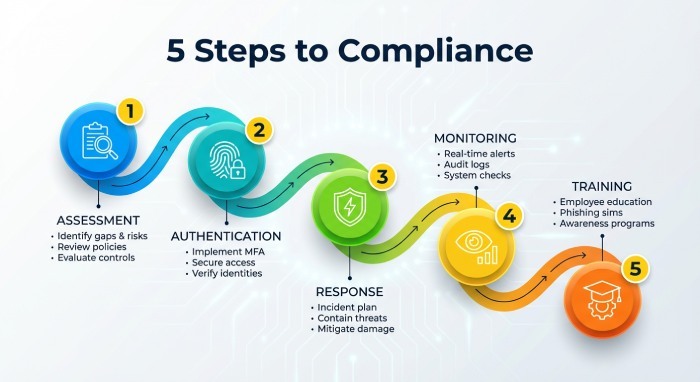
Here are clear steps for companies to be in compliance with the three regulations:
Step 1: Conduct a security risk assessment
Start by understanding where your risks are. Make a list of all your systems, tools, and data sources. Check which ones are most important for your business. Then look for weak points such as outdated software, unused accounts, or missing security settings. It also helps to review who has access to what. Keep a simple record of these risks and update it regularly. This gives you a clear starting point and helps you focus on what needs attention first.
Step 2: Strengthen email authentication (SPF, DKIM, DMARC)
Set up SPF, DKIM, and DMARC properly for your domain. Make sure your SPF record is clean and error-free. Enable DKIM for all email services you use. Start with a DMARC policy set to monitoring so you can see what is happening. Then slowly move to stricter policies like quarantine or reject. Keep checking reports to spot unknown senders. This step helps you gain control over your domain and reduce misuse.
Step 3: Implement incident response plans
Have a clear plan for what to do when something goes wrong. Decide who will handle the issue, who needs to be informed, and what actions should be taken. Keep this plan simple and easy to follow. Test it with small drills so your team knows how to react. A prepared team can respond faster and reduce damage during an incident.
Step 4: Monitor and report threats
Set up basic monitoring for your systems and email activity. Look for unusual behavior like unknown logins or sudden spikes in email traffic. Use simple dashboards or alerts to stay informed. Keep records of important events so you can review them later. If an issue happens, document it properly so it can be reported when needed.
Step 5: Train employees against phishing
Your team plays a big role in security. Teach them how to spot suspicious emails. Show common signs like urgent requests, unknown links, or unusual sender addresses. Run simple training sessions or share short guides. Even a little awareness can prevent major issues.
Final words
Being compliant to NIS2, DORA, and GDPR is important for brands storing and dealing with sensitive information. If you don’t adhere to the rules, the repercussions can be hard to bear. AutoSPF can help you manage SPF and stay within the lookup limit.