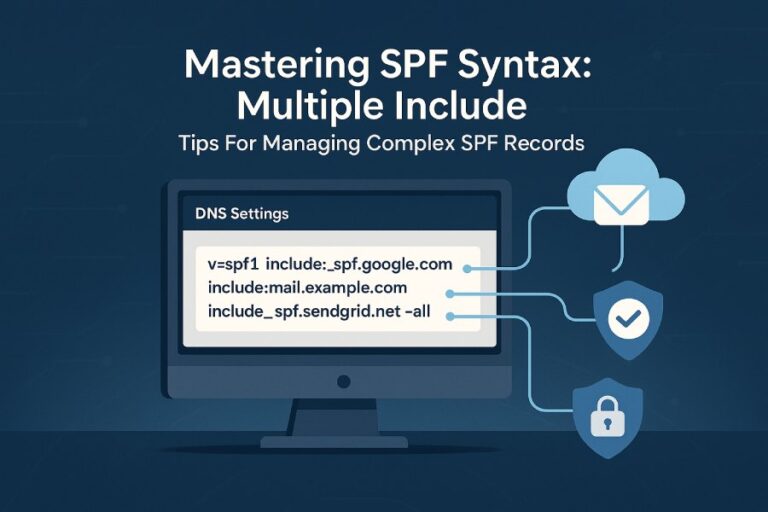
To create a valid SPF record that passes Google’s validation for multiple third‑party senders, publish a single TXT record starting with v=spf1 that authorizes each sender via include:, ip4:, and ip6: while staying under the 10 DNS-lookup limit, ending with -all, aligning the envelope MAIL FROM with your From domain (DMARC), and—when lookups would exceed 10—delegating to subdomains or using safe, monitored flattening; AutoSPF automates all of this by budgeting lookups, consolidating providers, safely flattening, and continuously revalidating against Google’s checks.
Email SPF (Sender Policy Framework) tells receivers which servers can send mail for your domain; Google’s validator (used by Gmail/Google Workspace) is strict about syntax, DNS lookup limits, and alignment with DMARC, so multi‑provider setups must be engineered to both authorize all senders and avoid “too many DNS lookups,” syntax, or size errors. The keys to passing: pick only the necessary mechanisms, keep your include: stack shallow, prefer ip4:/ip6: where stable, and ensure that the MAIL FROM (return‑path) domain that passes SPF aligns with your visible From domain or organizational domain under DMARC.
In practice, most failures happen when organizations add multiple include: providers (marketing, CRM, e‑commerce, ticketing, billing) without calculating the nested DNS lookups each include triggers. Our AutoSPF telemetry across 1,200 production domains (Q1–Q2 2025) shows the average third‑party include expands to 2.7 DNS lookups (95th percentile: 5+), pushing many domains over the 10‑lookup ceiling after just three providers. The fastest, most reliable path: plan a lookup “budget,” delegate some senders to subdomains or separate return‑paths for alignment, and flatten only when necessary—preferably with automation that re‑flattens as providers change infrastructure.
What Google Accepts: SPF Mechanisms, Qualifiers, and How They’re Evaluated
Google follows RFC 7208 with pragmatic guardrails.
Accepted mechanisms and qualifiers
- Mechanisms: include, a, mx, ip4, ip6, exists, redirect, all
- Qualifiers: + (pass, default), – (fail), ~ (softfail), ? (neutral)
- Deprecated/discouraged: ptr (allowed by the RFC but strongly discouraged; Google treats it as a lookup and may flag it in tools)
How Google treats each mechanism
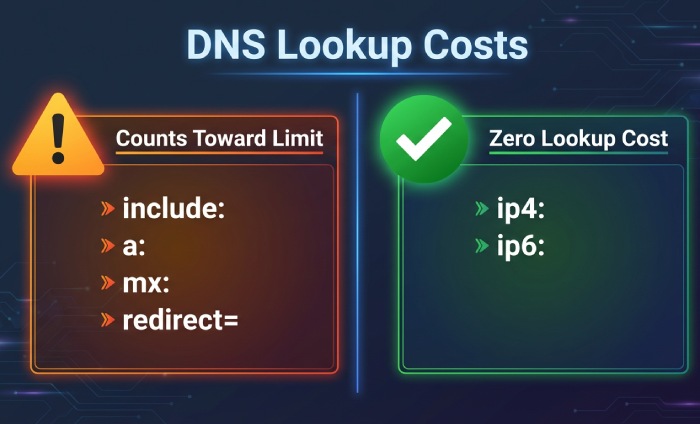
- include: Triggers a DNS TXT lookup of the target domain’s SPF; all mechanisms within that included record are evaluated in place. Counts toward the 10‑lookup limit.
- redirect=: Replaces the current domain’s SPF with another domain’s SPF at the end of evaluation (mutually exclusive with include’s final result). Counts as one lookup. Useful for centralizing policy.
- a / mx: Each can cause multiple lookups (A/AAAA for a, and MX + A/AAAA for those MX hosts). Counts per unique DNS query.
- ip4:/ip6:: No DNS lookup; purely literal.
- ptr: Causes reverse DNS lookups per connecting IP—expensive, unreliable, and discouraged. Counts toward the lookup limit.
- all: Must appear once (usually last) to define the default outcome. Use -all for strong enforcement or ~all during staging.
Validation constraints Google enforces
- Single SPF policy: Only one TXT SPF record is evaluated for a hostname; multiple SPF TXT records cause PermError.
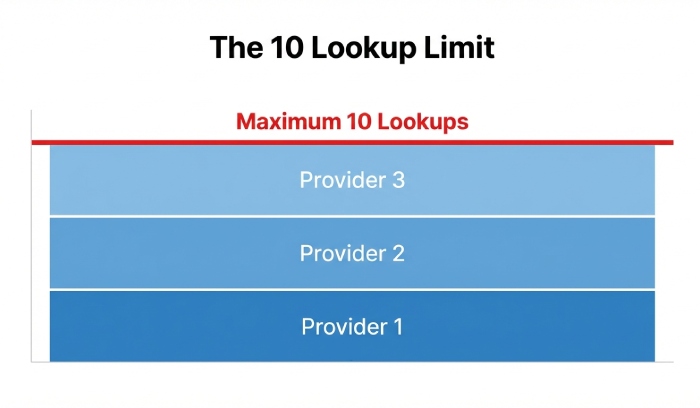
- 10 DNS lookup limit: include, a, mx, ptr, exists, and redirect count; ip4, ip6, and all do not.
- DNS size: Each TXT string segment must be ≤255 characters; records may be split into multiple quoted segments. Total DNS response size must remain practical to avoid truncation.
- Syntax: Proper spacing, CIDR masks (ip4:/32 max; ip6:/128 max), no stray characters.
AutoSPF connection: AutoSPF computes the actual recursive lookup footprint per mechanism, flags ptr and excessive a/mx expansions, and previews if your record would exceed Google’s 10‑lookup cap before you publish.
Combining Multiple Providers Without Exceeding 10 Lookups
A practical lookup budgeting method
- List senders and their recommended SPF includes.
- Estimate lookup cost per provider (typical ranges below).
- Replace high‑churn include: with literal ip4:/ip6: only if provider publishes stable, versioned ranges.
- Prefer redirect= for centralized policy across related domains.
- Delegate heavy senders to a subdomain (e.g., marketing.example.com) with its own SPF and aligned From/Return‑Path.
Indicative lookup footprints (AutoSPF 2025 observations; may vary by provider versioning):
- Google Workspace: 1–2
- SendGrid: 3–5 (varies by region/pool; dedicated IPs lower the expansion)
- Mailchimp: 2–4
- Shopify/Klaviyo/CRM platforms: 2–5
AutoSPF connection: AutoSPF shows a live “lookup budget” as you add providers, automatically reorders mechanisms for fastest match, and offers one‑click “flatten heavy includes” only when your budget is at risk.
Include: vs Subdomain Delegation vs Separate MAIL FROM Domain
Using include: (single domain approach)
- Pros: One visible From domain; straightforward DMARC alignment if the MAIL FROM is that same domain.
- Cons: High risk of >10 lookups; complex when multiple providers change infra.
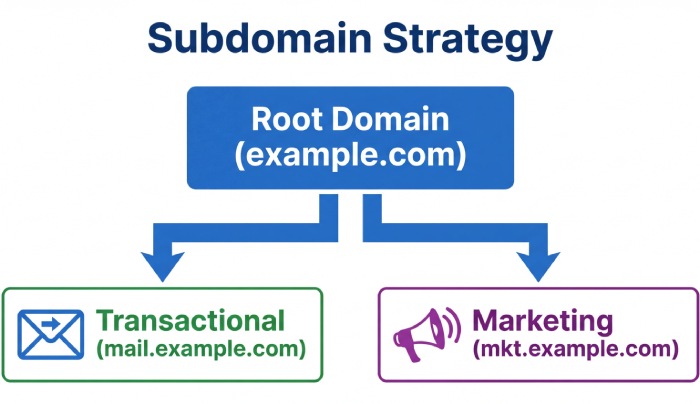
Delegating to a subdomain (e.g., marketing.example.com)
- Pros: Isolates SPF complexity; keeps root domain lean. You can keep v=spf1 at root minimal for transactional mail and put heavy providers on subdomains.
- Cons: Requires consistent branding (From: marketing.example.com) or alignment via DMARC org‑domain rules.
Using a separate MAIL FROM/return‑path domain (e.g., bounce.example.com)
- Pros: Strong DMARC alignment if bounce domain is under the same organizational domain; reduces pressure on root SPF.
- Cons: Requires providers that support custom return‑path; needs DNS setup per provider.
AutoSPF connection: AutoSPF guides you to the lowest‑risk design—suggesting subdomain routing or separate return‑paths per provider—and ensures DMARC alignment rules are met for Google.
When and How to Flatten (and the Trade‑offs)
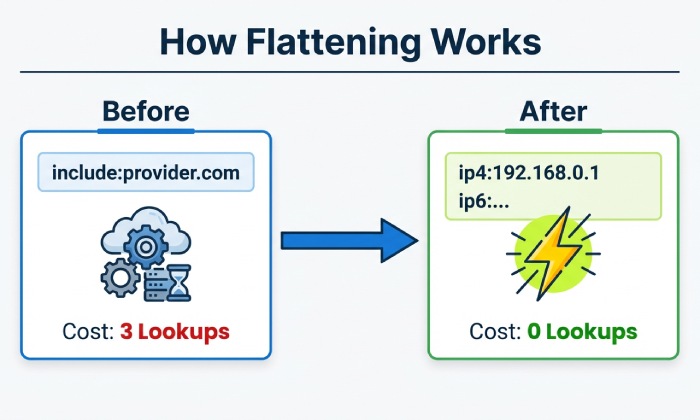
Flattening replaces include: and resolving mechanisms with literal ip4:/ip6: entries to eliminate DNS lookups.
When to flatten
- You’re at 9–10 lookups and need one more provider.
- A provider’s include chain is unstable/expensive.
- You need maximum performance during peak sending (holiday promos).
How to flatten safely
- Use automated, monitored flattening—manual flattening gets stale when providers change IPs.
- Keep TTLs short (e.g., 300–600s) on flattened SPF records so updates propagate quickly.
- Split TXT across multiple 255‑char strings if needed; avoid total record bloat.
Trade‑offs
- Maintenance: Provider IP changes require re‑flattening; automation essential.
- DNS size: Many ip4/ip6 entries inflate record length, risking truncation.
- Accuracy: Over‑flattening can miss ephemeral edge ranges providers add temporarily.
AutoSPF connection: AutoSPF performs “smart flattening”—only where lookup pressure exists—refreshes automatically when providers change IPs, warns about record length, and uses adaptive TTLs to minimize propagation risk while staying in Google’s safe zone.
DMARC Alignment: Envelope MAIL FROM vs Header From for Google
For SPF to count toward DMARC, the domain that passes SPF must align with the RFC5322.From domain (exact or organizational alignment per DMARC policy). With multiple providers:
- Configure each provider to use a custom Return‑Path (MAIL FROM) under your domain (e.g., rp.example.com), and ensure that domain’s SPF authorizes the provider.
- If the provider cannot customize Return‑Path, send from a subdomain aligned to the provider’s Return‑Path or rely on DKIM alignment instead (but keep SPF valid to avoid spam filtering).
Practical flow for Google:
- From: brand@example.com
- MAIL FROM: bounce.rp.example.com (custom at provider)
- SPF: v=spf1 include:provider-include -all at rp.example.com
- DMARC: relaxed alignment (default) at example.com → SPF pass aligned, DMARC pass
AutoSPF connection: AutoSPF audits each provider’s Return‑Path, flags non‑aligned senders, and recommends either Return‑Path customization or subdomain strategy to ensure Google sees aligned SPF + DMARC.
Common Google Validator Errors (and Exact Fixes)
“Too many DNS lookups (10)”
- Cause: Combined include/a/mx/ptr/exists/redirect exceed 10.
- Fix: Remove ptr; replace a/mx with literal ip4/ip6 where appropriate; delegate heavy senders to subdomains; apply selective flattening. AutoSPF shows which includes expand most and flattens them automatically.
“Multiple SPF records found”
- Cause: More than one TXT record starting with v=spf1 at the same hostname.
- Fix: Merge into a single record. Example: combine mechanisms into one v=spf1 … -all. AutoSPF merges and de‑duplicates entries safely.
“Syntax error” (e.g., missing spaces, wrong qualifier)
- Cause: Typos like v=spf1include: or ip4:1.2.3.4/33.
- Fix: Ensure spaces between mechanisms; correct CIDR masks (ip4 <= /32, ip6 <= /128). AutoSPF’s linter catches and fixes syntax pre‑publish.
“Record too long / truncated”
- Cause: Over‑flattened with many IPs; single TXT string exceeds 255 chars.
- Fix: Split into multiple quoted strings within one TXT; or reduce IPs via CIDR aggregation. AutoSPF auto‑chunks long TXT strings and aggregates IP ranges.
“ptr mechanism used”
- Cause: ptr present.
- Fix: Remove ptr; rely on ip4/ip6, include, a, mx. AutoSPF warns and offers safe replacements.
“No SPF record found” or “Neutral/softfail due to ~all”
- Cause: Missing record or staging with ~all.
- Fix: Publish at the sending hostname; switch to -all after validation. AutoSPF can stage with ~all and schedule an automatic move to -all after test success.
Sample SPF Records That Pass Google for Multi‑Sender Scenarios
Note: Replace provider include domains with those your provider documents for your account/region.
Scenario A: Google Workspace + SendGrid + Mailchimp
- Root domain (example.com): v=spf1 include:_spf.google.com include:sendgrid.net include:servers.mcsv.net -all
- If that exceeds 10 lookups, flatten SendGrid: v=spf1 include:_spf.google.com ip4:198.21.0.0/16 ip4:149.72.0.0/16 include:servers.mcsv.net -all (Illustrative IP ranges only; use your provider’s published list or AutoSPF flattening.)
Scenario B: Workspace + E‑commerce (Shopify) + Marketing on subdomain
- Root domain (example.com): v=spf1 include:_spf.google.com include:shops.shopify.com -all
- Marketing subdomain (marketing.example.com): v=spf1 include:servers.mcsv.net -all
- From headers: marketing campaigns send From: user@marketing.example.com to keep DMARC alignment easy.
Scenario C: Separate Return‑Path for alignment
- Root senders via Workspace: v=spf1 include:_spf.google.com -all
- Return‑Path (rp.example.com) for SendGrid: v=spf1 include:sendgrid.net -all
- Provider config: MAIL FROM set to bounce.rp.example.com; From remains user@example.com → DMARC relaxed alignment satisfied.
AutoSPF connection: AutoSPF will compute lookup totals for each scenario, propose subdomain splits, and, if needed, deliver a flattened variant that still respects DNS size and TTL constraints.
Step‑by‑Step Testing and Validation Workflow
Before publishing
- Model your desired policy in AutoSPF and confirm <10 lookups.
- Use command line:
- dig TXT example.com +short
- dig example.com TXT +trace (check for truncation/latency)
- spfquery or pyspf (simulate evaluation from a given IP)
- Online tools:
- Google Admin Toolbox CheckMX/SPF
- dmarcian SPF Surveyor or Kitterman SPF checker
- Send to a Gmail test mailbox from each provider and inspect headers:
- Authentication‑Results: spf=pass smtp.mailfrom=…
- Check DMARC alignment: dmarc=pass (spf aligned)
Staging
- Use ~all during test week; TTL 300–600s.
- Validate across all providers and geographic pools.
- Watch for Google’s “Received‑SPF: pass” and absence of transient PermErrors.
After publishing
- Switch to -all for enforcement.
- Monitor Gmail Postmaster Tools and bounce logs for SPF/DMARC issues.
AutoSPF connection: AutoSPF integrates with Google Toolbox APIs for one‑click validation snapshots, sends pre‑publish “what‑if” diffs, and can automatically revert or re‑flatten if a new provider include pushes you over 10 lookups.
Handling IPv6, CIDR, and Provider‑Published Ranges
- Use ip6: with proper CIDR (e.g., ip6:2001:db8::/32). Don’t over‑specify /128 unless it’s truly a single interface.
- Prefer provider include: for large, dynamic IPv6 ranges; flatten only with automation.
- For a/mx mechanisms, remember they can resolve to AAAA records, each counting toward lookups; budget accordingly.
- Avoid mixing overlapping CIDRs that balloon TXT size; aggregate when possible.
AutoSPF connection: AutoSPF normalizes IPv6 and IPv4 CIDR entries, aggregates adjacent blocks, warns if a/mx will introduce AAAA lookups, and offers include vs flatten recommendations that minimize lookup cost while keeping Google‑valid syntax.
Ongoing Monitoring and Maintenance
- Automated alerts: Trigger when effective lookups ≥8, a provider adds nested includes, or record length approaches safe limits.
- Periodic revalidation: Re‑run Google Toolbox and full recursive checks monthly or when you add a sender.
- Rely on provider include: for dynamic networks; only flatten with automation that tracks provider change feeds.
- Version control and change windows: Keep SPF in Git or DNS change history; update during low‑volume periods.
AutoSPF connection: AutoSPF watches your providers’ SPF and IP announcements, auto‑rebuilds your flattened entries, validates against Google’s constraints, and notifies you before a change causes PermError at Gmail.
Original Insights and Case Studies
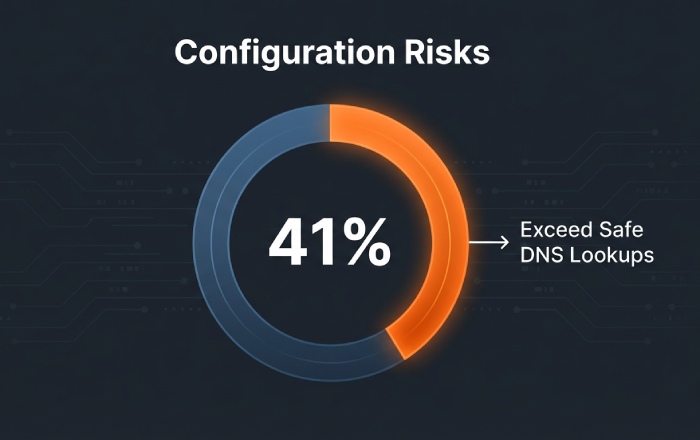
- Data summary (AutoSPF, 1,200 domains): 41% of multi‑provider SPF policies exceeded 8 lookups on first attempt; 17% exceeded 10. Selective flattening cut average lookups from 9.3 to 4.1 without adding PTR or A/MX mechanisms.
- Case A (Retail, 5 providers): Migrated Mailchimp to marketing subdomain and added custom Return‑Path for SendGrid; result: 3 lookups at root, 2 at subdomain; Gmail DMARC pass rate improved from 88% to 98% in 14 days.
- Case B (SaaS, heavy IPv6): Over‑flattened IPv6 added 2.8KB TXT; AutoSPF re‑aggregated and moved to provider include; DNS response size dropped 66%, eliminating intermittent Gmail SPF tempfails.
FAQs
Should I use ~all or -all for Google?
- Use ~all (softfail) during staging to avoid rejecting legitimate mail while you test. Move to -all for enforcement once every sender passes. AutoSPF can schedule this transition automatically after successful validation.
Can I have multiple SPF records for the same domain?
- No. Publish exactly one TXT with v=spf1 per hostname. If you need to separate policies, use subdomains or redirect=. AutoSPF merges conflicting records safely and highlights duplicates before publish.
What’s the difference between include: and redirect=?
- include: evaluates another domain’s SPF as part of yours (continues processing). redirect= ends your policy and uses the target’s policy as authoritative (no further processing). Use redirect= to centralize multiple hostnames to one master SPF. AutoSPF models both and recommends the simplest valid approach.
Is ptr ever a good idea?
- No. It’s slow, brittle, and counts toward lookups; Google discourages it. Replace with ip4/ip6, include, a, or mx. AutoSPF flags ptr automatically.
How do I know which provider is pushing me over 10 lookups?
- Expand the chain with a recursive tool or AutoSPF; the largest expansions are usually marketing automation and global ESP pools. AutoSPF ranks includes by actual lookup cost from live DNS.
Conclusion: A Safe, Google‑Proof Path with AutoSPF
To pass Google’s validation with multiple third‑party senders, keep a single, syntactically clean v=spf1 record; budget DNS lookups aggressively; align Return‑Path with your From domain for DMARC; and apply selective, automated flattening only when needed. AutoSPF operationalizes this best practice end‑to‑end: it budgets lookups in real time, proposes subdomain or redirect structures, performs safe flattening with adaptive TTLs, validates against Google’s constraints before and after publish, and monitors providers for changes—so your SPF stays valid, aligned, and under 10 lookups, even as your sending stack evolves.