How to Check Custom Return-Path SPF Records Using NSLOOKUP

Quick Answer
How to check SPF records for a custom Return-Path domain using NSLOOKUP. Verify DNS TXT records, identify SPF configuration errors, and ensure proper email authentication to improve email deliverability and prevent spoofing.
Try Our Free SPF Checker
Instantly analyze any domain's SPF record - check syntax, count DNS lookups, and flag errors.
Check SPF Record →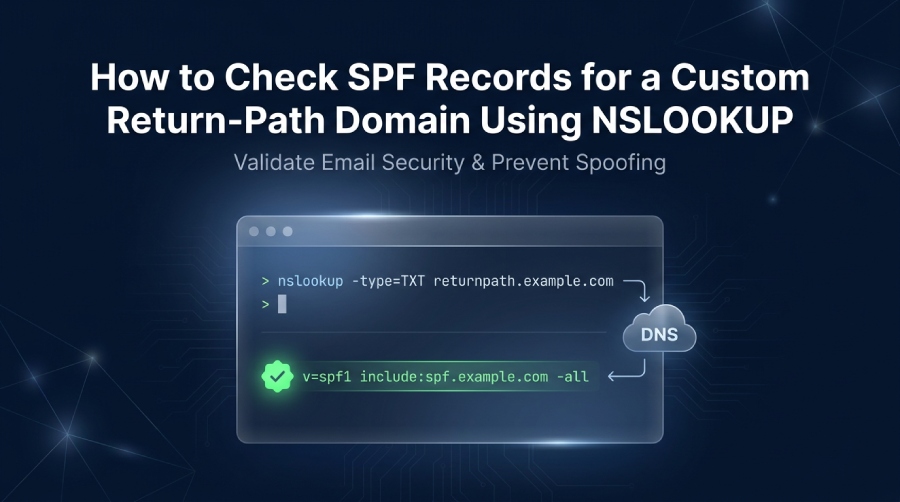
To check SPF records for a custom Return-Path domain using nslookup, query the domains TXT record with nslookup -type=TXT returnpath.example.com and confirm that the returned SPF record starts with v=spf1 and identifies each authorized sender allowed to send mail for that domain name.
TL;DR: A custom Return-Path domain needs a valid Sender Policy Framework entry so receiving systems can verify the sending mail server, reduce email spoofing, and improve mail delivery. Use nslookup from Windows, Mac OS, or Linux to perform an SPF lookup, inspect the DNS record, and confirm the TXT record contains only one valid SPF record for the Return-Path domain name.
Why SPF Records Matter for a Custom Return-Path Domain
A custom Return-Path domain is the envelope sender domain used for bounce handling and authentication alignment, often separate from the visible From address. Its SPF record matters because receiving providers use Sender Policy Framework to decide whether a sending mail server is an authorized sender for that domain name.
When SPF is configured correctly, it prevents email spoofing by telling mailbox providers such as Microsoft, Gmail, and Outlook/Live systems whether a message originated from an approved source. For example, large domains like gmail.com and live.com publish TXT records that define which infrastructure can send on their behalf.
What SPF Proves for Return-Path Authentication
Sender Policy Framework evaluates the domain used in the SMTP MAIL FROM command, also known as the envelope sender domain. After delivery, this domain is generally reflected in the Return-Path header, which is separate from the visible From address. Therefore, your custom Return-Path domain must have an appropriate SPF policy, even if your main sending domain already has one.
An SPF pass indicates that the connecting IP address is authorized by the SPF policy evaluated for the SMTP envelope sender domain. This helps receiving mail servers determine whether the message originated from an approved sending source.
An SPF pass indicates that:
- The connecting IP address matches an authorized SPF mechanism.
- The evaluated domain has an applicable SPF policy.
- The sending source is authorized under that policy.
- The message has passed the SPF authentication check.
However, an SPF pass does not automatically mean that DMARC alignment has passed or that the visible From address has been authenticated.
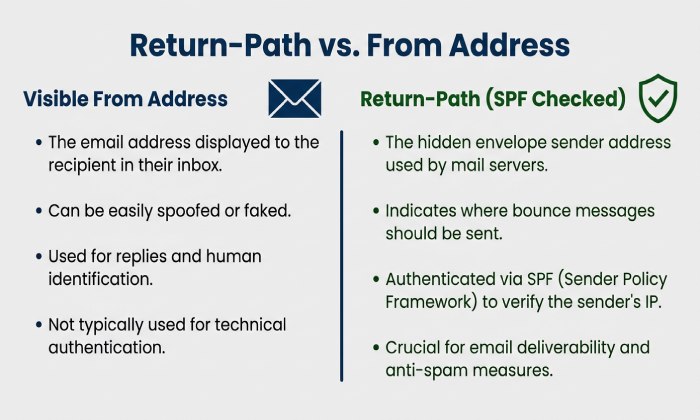
Understanding the Relationship Between Return-Path, SPF, DNS, and Email Authentication
The Return-Path, SPF, and DNS work together through a simple chain: the receiving mail server extracts the Return-Path domain name, performs an SPF lookup, retrieves the TXT record, and checks whether the sending IP is an authorized sender.
A typical SPF record is published as a DNS record of type TXT, because modern SPF policies are stored in TXT rather than a dedicated SPF resource type. In practice, when you check SPF records, you are usually asking DNS for the TXT data attached to a specific domain name.
DNS Record Types You May See During SPF Troubleshooting
Although SPF uses a TXT record, other record types often appear while you check DNS records for the same domain.
DNS records play different roles in managing domain configurations and email authentication. A TXT record stores text-based policies, including SPF, and contains the actual SPF record used to authorize email-sending servers. An A record maps a hostname to an IPv4 address and may be referenced by the SPF a mechanism. Similarly, an AAAA record maps a hostname to an IPv6 address and may affect IPv6 email sending. A CNAME record defines a canonical name alias and can complicate SPF configuration if used incorrectly. An MX record identifies the mail exchange servers responsible for receiving emails and may be referenced by the SPF mx mechanism. An NS record lists the authoritative name servers for a domain and helps confirm DNS authority. An SOA record provides information about zone ownership and timing, making it useful for checking DNS propagation and zone updates. Finally, a CAA record defines which certificate authorities are allowed to issue SSL/TLS certificates for a domain. Although it is not directly related to SPF, it is useful for overall domain security audits.
Although other DNS record types support different domain and network functions, they are not normally required when checking an SPF policy. For an SPF lookup, focus on the TXT response associated with the exact Return-Path domain.
Why TXT Is Used for SPF
A valid Sender Policy Framework policy is normally published in a TXT record because TXT is widely supported by DNS providers and resolvers. The SPF DNS record is still interpreted as a structured authentication rule, even though it is stored as plain text.
Example SPF TXT Record
For a Return-Path such as bounce.example.com, a basic SPF record may look like this:
`bounce.example.com`. IN TXT "`v=spf1 include:mailvendor.example -all`"This says the included provider is an authorized sender, while all other sources should fail SPF.
How to View an SPF Record with NSLOOKUP on Windows, Mac OS, and Linux
To view SPF records, run an SPF lookup against the Return-Path domain name, not just the organizational domain. If your Return-Path is bounce.example.com, query that exact host.
Windows: Use Command Prompt or PowerShell
On Windows, open command prompt or PowerShell and run:
nslookup -type=TXT bounce.example.comYou can also use interactive nslookup:
nslookup
set type=TXT
bounce.example.com
A successful response may display a non-authoritative answer. This means the response came from a DNS resolver that is not authoritative for the queried domain. The resolver may have retrieved the information from its cache or another DNS server. If the SPF record appears outdated, query the authoritative nameserver directly or compare responses from different DNS resolvers.
Mac OS and Linux: Use Terminal, nslookup, or dig
On Mac OS and Linux, open the terminal and run the same nslookup command:
nslookup -type=TXT bounce.example.comYou can also use the dig command:
dig TXT bounce.example.com +shortBoth commands help you query SPF data by retrieving the TXT record where the SPF record is stored. If you are learning how to lookup SPF, compare the nslookup output with tools such as nslookup.io, PowerDMARC, an SPF checker, or another online lookup tool.
For managed SPF optimization, AutoSPF can help teams monitor and maintain complex SPF configurations.
How to Interpret SPF Record Results and Common TXT Record Formats
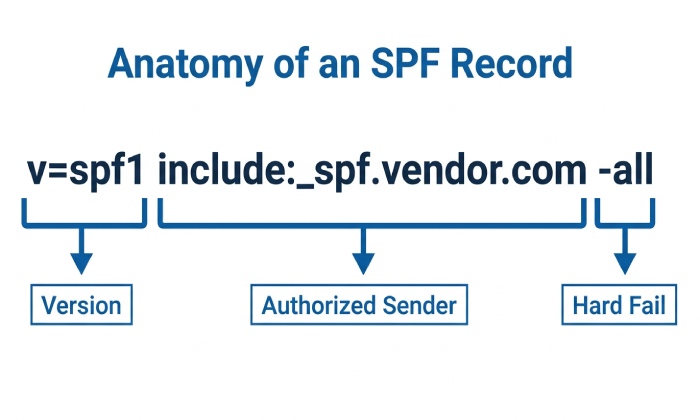
An SPF record begins with v=spf1, followed by mechanisms that define each authorized sender. The receiving mail server evaluates these mechanisms from left to right during the Sender Policy Framework check.
Common SPF Mechanisms
A typical TXT record may include:
"v=spf1 ip4:192.0.2.10 include:_spf.vendor.com mx -all"Interpret it this way:
- v=spf1: identifies the record as Sender Policy Framework
- ip4: ip6: authorizes specific IP addresses
- include: authorizes another domains SPF policy
- a: allows IPs found in the domains A record or AAAA record
- mx: allows hosts in the domains MX record
- ~all: means soft fail for unauthorized senders
- -all: means hard fail for unauthorized senders
If your SPF lookup returns an answer section, identify the TXT record beginning with v=spf1. Other TXT records, such as domain verification strings, may also appear in the response. However, a domain must not publish multiple SPF policies because doing so can cause SPF authentication to return a PermError.
Troubleshooting Missing, Incorrect, or Multiple SPF Records
If nslookup does not return an SPF record, the most common causes are querying the wrong domain name, publishing the policy on the wrong DNS host, or waiting for DNS propagation to complete. A correct SPF lookup always targets the active Return-Path domain used by your mail platform.
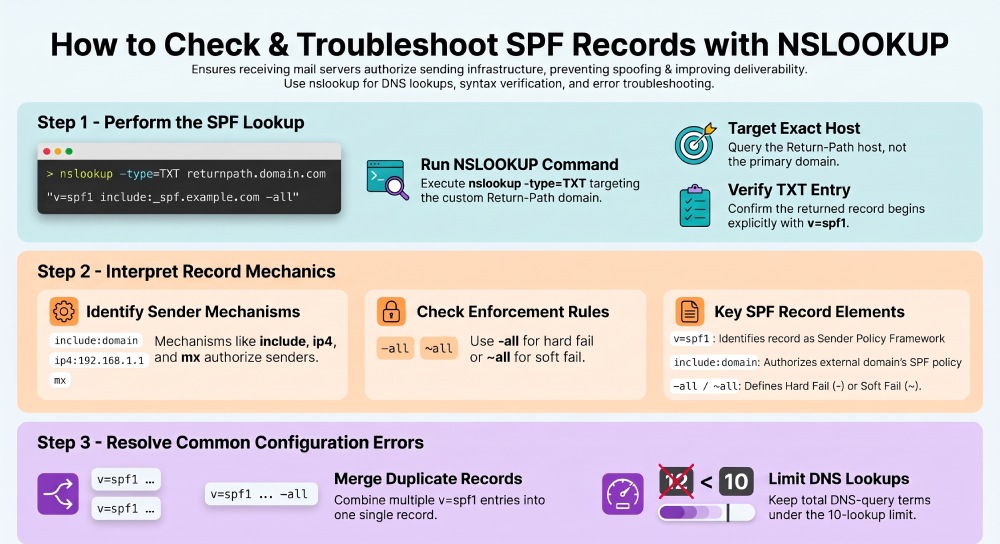
Common Problems and Fixes
Several DNS and configuration issues can affect SPF authentication for custom Return-Path domains:
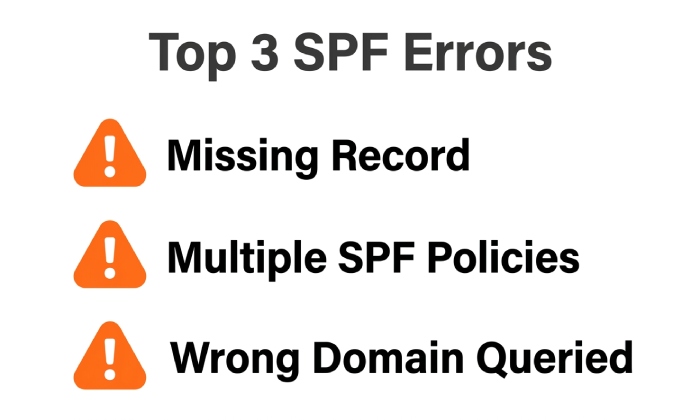
- Missing SPF record: If NSLOOKUP does not return a TXT record beginning with v=spf1, verify that you queried the correct Return-Path domain and that the required SPF policy has been published.
- Multiple SPF records: If multiple TXT records begin with v=spf1, consolidate the policies into one valid SPF record.
- Incorrect domain queried: Checking the visible From domain instead of the SMTP envelope sender domain may produce misleading results. Identify the actual Return-Path domain before performing the lookup.
Another common issue is exceeding SPF’s limit of 10 DNS-query-causing terms during evaluation. Mechanisms such as include, a, mx, exists, and redirect can contribute to this limit. Exceeding it can result in a PermError. Review unnecessary mechanisms and includes, and consider carefully managed SPF optimization to reduce DNS lookups without removing legitimate sending sources.
Important: SPF allows only one SPF record per domain. Multiple SPF policies can cause a permanent error, even if each individual TXT record looks valid.
FAQ: SPF Lookup and NSLOOKUP Questions
How do I check SPF records for domain authentication?
Use nslookup with the TXT type: nslookup -type=TXT domain.example. This lets you check SPF records by retrieving the DNS record that contains the Sender Policy Framework policy.
Why does nslookup show a non-authoritative answer?
A non-authoritative answer means the response came from a caching DNS resolver, not directly from the authoritative server. The SPF record may still be correct, but for critical changes, verify with an online DNS checker or authoritative DNS query.
Can a CNAME be used for a custom Return-Path domain?
Yes. Some email service providers use CNAME records to configure custom Return-Path domains. DNS resolution follows the CNAME to its target, where the provider manages the required authentication configuration. Follow the provider’s DNS instructions to ensure that SPF authentication works correctly for your custom Return-Path domain.
What should I do if SPF passes but email still fails authentication?
SPF is only one part of email authentication. Check whether DKIM signatures are passing, whether the SPF or DKIM authenticated domain aligns with the visible From domain for DMARC, and whether your Return-Path configuration is correct. These checks help identify authentication problems that may remain even when SPF passes.
General Manager
General Manager of DuoCircle. Product strategy and commercial lead for AutoSPF's 2,000+ customer base.
LinkedIn Profile →