Valid Addresses, Invalid Authentication: The Deliverability Trap Hiding in Plain Sight

Quick Answer
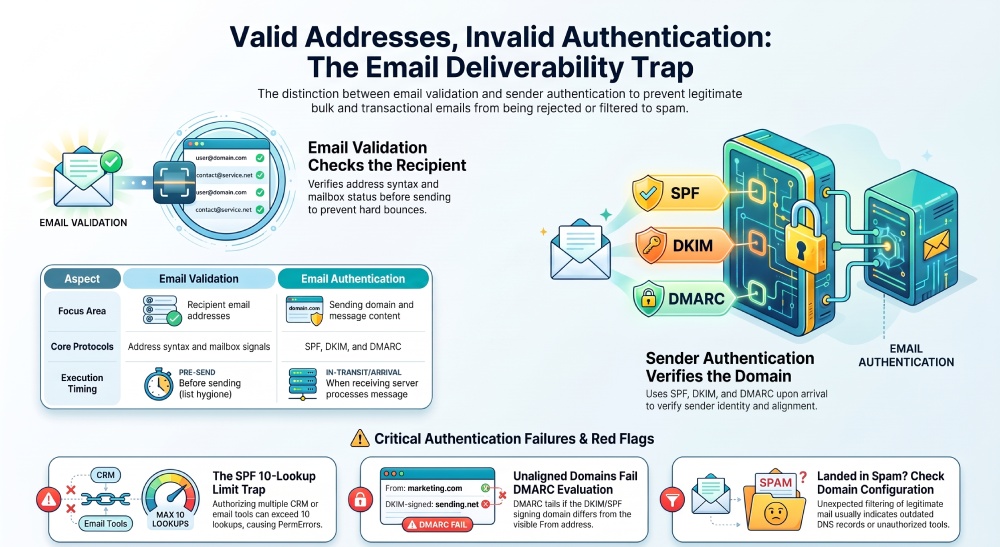
A valid email address does not guarantee successful delivery. Check the recipient address separately from your sending domain: validate the email list for address-related issues, then review SPF, DKIM, and DMARC for authentication problems. If the list is clean but delivery issues continue, check the sending domain and its authentication configuration.
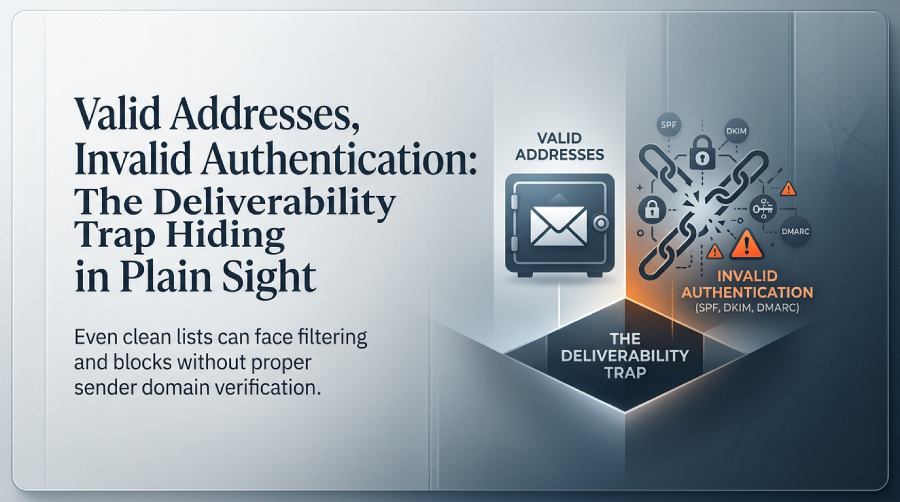
Email validation and sender authentication are two different processes in email delivery. Email validation focuses on the recipient address, while sender authentication uses SPF, DKIM, and DMARC to help receiving systems verify the sending domain.
An email address can pass validation while the sending domain has an SPF failure, an invalid DKIM signature, or a DMARC alignment problem. In this situation, the recipient address is valid, but the message can still encounter filtering, deferral, or rejection depending on the receiving system and its authentication policies.
Mailbox providers, security gateways, and spam filters can also evaluate domain and IP reputation, message content, sending behavior, and other signals when processing incoming email.
For organizations that depend on bulk email, newsletters, transactional messages, or customer notifications, a clean list does not protect against sending-domain authentication problems.
Email Validation vs. Email Authentication
The table below shows the key differences between email validation and email authentication.
| Aspect | Email Validation | Email Authentication |
|---|---|---|
| What it examines | Recipient email addresses | Sending domain and message |
| Technical checks | Address syntax, domain configuration, and mailbox-related signals | SPF, DKIM, and DMARC |
| Main purpose | Identify addresses that may create delivery problems | Help receiving systems evaluate whether the message is authenticated |
| Risk addressed | Invalid or problematic recipient data | Sender authentication and spoofing risks |
| When it is performed | Before sending, as part of list hygiene | When the receiving system processes the message |
Common Email Authentication Failures
Authentication failures can be due to incorrect DNS records, unauthorized sending sources, invalid DKIM signatures, or alignment issues between authentication domains and the visible From: domain. The most common email authentication failures are related to SPF, DKIM, and DMARC configuration and alignment.
SPF and the 10-Lookup Limit
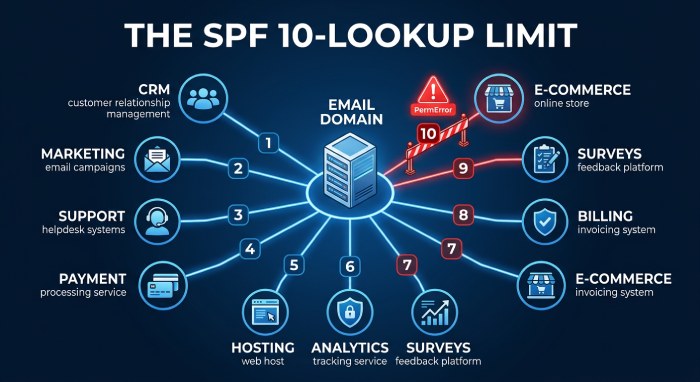
SPF can fail when the sending server isn’t authorized by the domain’s SPF record. An SPF evaluation can also return a PermError when it requires more than 10 DNS-based lookups.
This limit is often reached when a domain authorizes multiple email platforms, CRMs, transactional services, or other third-party senders through include: statements in its SPF record. Adding or changing sending services can increase the number of DNS lookups and push the SPF record beyond the permitted limit.
DKIM Authentication and Alignment
DKIM failures can happen when the public key published in DNS does not match the key used to sign the message, when the required selector record is missing or incorrect, or when signed message content or headers are modified in transit, invalidating the signature.
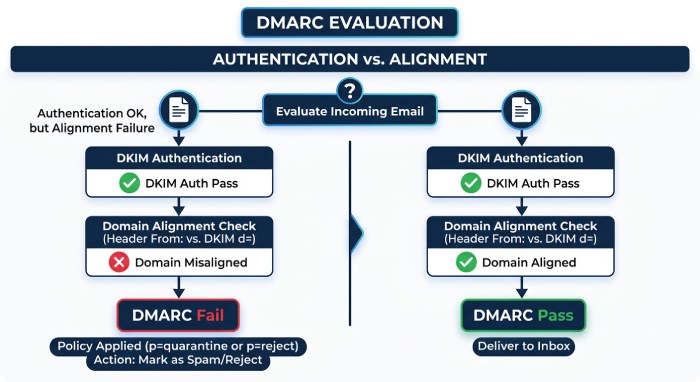
DKIM authentication and DKIM alignment are separate checks in DMARC evaluation. A DKIM signature can pass authentication even when the signing domain differs from the domain shown in the visible From: address. For DMARC to pass through DKIM, the DKIM signing domain must align with the From: domain.
DMARC and Domain Alignment
DMARC evaluates whether SPF or DKIM has passed and whether the authenticated domain aligns with the visible From: domain. A message can pass SPF or DKIM but still fail DMARC if it lacks the required alignment.
DMARC can also fail when neither SPF nor DKIM provides an aligned authentication result. The domain’s published DMARC policy then determines how the receiving system should handle messages that fail DMARC.
Authentication failures can also result from configuration changes. Outdated DNS records, incorrect selectors, and changes to third-party sending services can cause authentication failures when the domain’s configuration no longer matches its current sending setup.
Warning Signs of Authentication Problems
Email authentication problems are not always obvious from a single message. They often become clearer when you review message headers, DMARC reports, and changes in delivery patterns together.
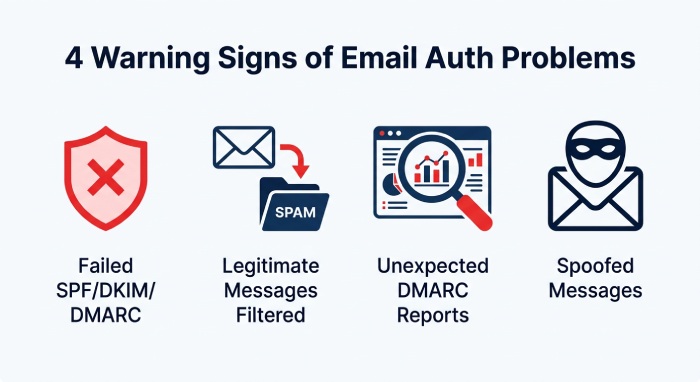
Failed SPF, DKIM, or DMARC Results
Repeated SPF, DKIM, or DMARC failures require checking DNS records, reviewing third-party sending sources, and verifying the domain’s authentication setup. Sudden bounce messages or authentication errors in message headers can also indicate an authentication problem.
Message headers show authentication results for individual emails, while DMARC reports provide information about authentication results from different sending sources using the domain. A DMARC failure can occur when the authenticated domain does not align with the domain shown in the visible From: address.
Legitimate Messages Are Filtered or Rejected
A legitimate message that suddenly lands in spam, gets quarantined, or is rejected can indicate an authentication problem, particularly when the sending setup has recently changed.
This can happen when a third-party sending service has not been properly authorized in SPF or when DKIM signing is missing or incorrectly configured. Checking the authentication results can help determine whether the sending service is properly authenticated.
Unexpected DMARC Reports
DMARC aggregate reports can reveal authentication activity that is difficult to identify from individual messages. Repeated failures from unfamiliar IP addresses or sending services should be investigated to determine whether they belong to an approved service or an unauthorized sending source.
Reports can also expose configuration problems affecting legitimate services, such as an SPF or DKIM setup that no longer matches the domain’s current sending infrastructure.
Spoofed Messages Using the Domain
Persistent spoofed messages using the domain in the visible From: address are another warning sign. DMARC reports can help identify the sending sources behind these messages and show whether SPF or DKIM authentication passed or failed.
If messages claiming to come from your domain consistently originate from sources that you do not recognize or authorize, review your SPF, DKIM, and DMARC configuration and investigate the sending sources identified in the reports.
Why Valid Addresses Can Still Have Delivery Problems
A recipient address can be valid, but other factors can influence whether the message is delivered, filtered, deferred, or rejected.
What Factors Can Affect Delivery?
- Sender authentication: Authentication failures can affect how the receiving system handles the message, even when the recipient address is valid.
- Domain and IP reputation: Receiving systems can evaluate the reputation of the sending domain and IP address when processing incoming messages. Reputation issues can affect message delivery even when the recipient address is valid.
- Message content: Spam filters can evaluate a message’s content, including links, attachments, formatting, and other characteristics. These checks are separate from determining whether the recipient address is valid.
- Sending behavior: Receiving systems can also consider sending patterns and other behavioral signals when evaluating incoming email. Changes in sending volume, complaint activity, or other unusual patterns can affect how the message is handled.
How to Improve Email Deliverability
 Good email deliverability starts with more than a clean recipient list. Your sending setup also needs to be properly configured so receiving systems can verify legitimate messages.
Email Validation Before Sending
Validate email addresses before adding them to your sending list. An email validation tool can check for invalid addresses, incorrect domains, and other recipient-related issues that could lead to hard bounces or failed deliveries. For new contacts, validate addresses at the point of collection. Before a campaign, run a bulk validation check and remove addresses that are invalid, inactive, or undeliverable.
A well-maintained email list reduces avoidable delivery problems and gives your sending campaigns a cleaner recipient base.
Sending Domain Authentication
Keep your sending infrastructure up to date as your email setup changes. When adding a new email service, CRM, or transactional platform, make sure its sending sources and authentication settings are included in the domain configuration. After making changes, review the resulting SPF, DKIM, and DMARC results to confirm that legitimate messages are authenticating as expected.
Message headers can help verify authentication results for individual emails, while DMARC reports provide visibility into sending sources that may not be obvious from day-to-day sending activity. Reviewing these results regularly can help uncover configuration issues or unauthorized sources before they become persistent delivery problems.
When recipient validation and sender authentication are maintained together, organizations can address problems with the email list while keeping the sending domain properly configured for legitimate email. Effective email security also helps organizations manage sender authentication and improve email deliverability.
General Manager
General Manager of DuoCircle. Product strategy and commercial lead for AutoSPF's 2,000+ customer base.
LinkedIn Profile →