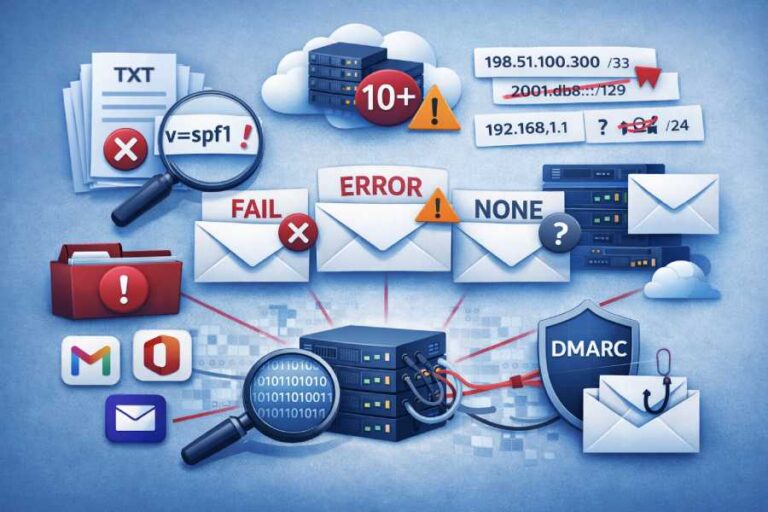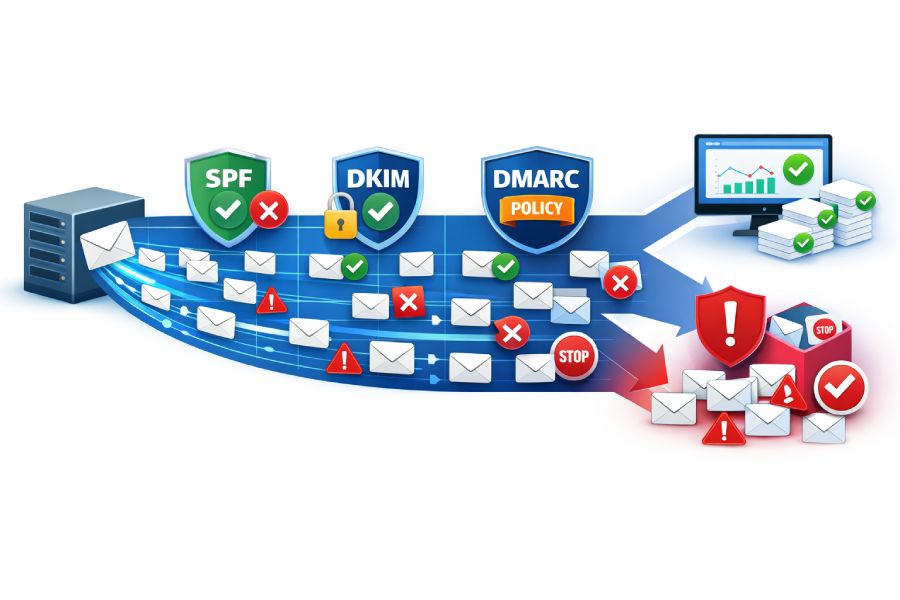


As phishing rates rise, email authentication is no longer a ‘nice to have’ even for low-volume senders. However, if you are a bulk sender, the rules are stricter for you. Gmail, Yahoo, Outlook, and other major mailbox providers now require both bulk and general senders to implement and actively manage SPF, DKIM, and DMARC.
Any domain or sender that sends 5,000 or more emails per day to recipients on a single mailbox provider (such as Gmail) qualifies as a bulk sender. Mailbox providers do not require consistent high volume to label a sender as “bulk.” Crossing the 5,000-email threshold even once can be enough to trigger stricter bulk-sender rules.
Why email providers treat bulk senders differently

Email providers apply strict rules for bulk senders because phishing attackers target such domains. When you send thousands of emails in a day, even a minor authentication or configuration issue can impact many users.
At a basic level, both regular and bulk senders must meet core technical requirements. These include valid SPF, DKIM, and DMARC authentication, correct DNS records, and secure TLS connections for sending email. The difference is that bulk senders are judged more strictly. Providers expect clearer proof of who is sending the email and more consistent authentication results across all messages. They also closely monitor user signals, such as spam complaints and how often recipients choose to unsubscribe.
When authentication data and user behavior are reviewed together, providers can quickly spot risky or abusive sending patterns. Because bulk email can affect many users at once, additional controls, such as mandatory DMARC and proper domain alignment, are necessary to maintain stable delivery rates at higher volumes.
Core email authentication requirements for Gmail, Yahoo, and Outlook

Major mailbox providers use email authentication as the first signal to decide whether an email should be delivered, delayed, or blocked. Here is how SPF, DKIM, and DMARC are enforced in practice, based on what these providers require:
SPF verifies the origin of the email
SPF tells mailbox providers which email servers are allowed to send messages from your domain. When an email is received, Gmail, Yahoo, and Outlook check whether the sending server is listed in your domain’s SPF record. If the server is not listed, the SPF check fails.
SPF is required for both bulk and regular senders. However, bulk senders must maintain accurate, up-to-date SPF records at all times. When SPF fails often at high sending volumes, mailbox providers see it as a warning sign. This can quickly lead to emails being slowed down, sent to spam, or blocked entirely.

DKIM proves the email content was not tampered with
DKIM adds a cryptographic signature to each email, allowing providers to verify that the message has not been changed during transit. This protects email content from tampering and impersonation.
While DKIM is important for all senders, bulk senders must consistently pass DKIM. Gmail and Yahoo, in particular, expect DKIM to validate on most messages. Repeated DKIM failures weaken trust and reduce inbox placement over time.
Why SPF or DKIM alone are not enough at scale
At low volumes, providers may tolerate occasional SPF or DKIM failures. At bulk volumes, they do not. Gmail, Yahoo, and Outlook clearly state that bulk senders must authenticate email using both SPF and DKIM. Relying on only one creates gaps that attackers can exploit and increases the risk of spoofing.
DMARC requirements for bulk senders
DMARC links SPF and DKIM to the domain shown in the ‘from’ address, allowing providers to verify that the visible sender domain is properly authenticated.
DMARC does not require you to jump straight to the ‘reject’ policy. Bulk senders can start with the ‘none’ policy and gradually transition to more restrictive policies. What it expects is for you to gain visibility into your SPF and DKIM configurations through DMARC reports. These reports help mailbox providers assess sender behavior and trustworthiness at scale, which is why DMARC is strictly enforced for high-volume senders.

Additional email infrastructure requirements for authentication
SPF, DKIM, and DMARC are the foundational checks, but mailbox providers don’t evaluate them in isolation. They require additional technical signals to confirm the legitimacy and origin of a message. These controls don’t necessarily replace authentication protocols, but if they fail or are poorly configured, they might override otherwise valid SPF, DKIM, and DMARC results.
Forward and reverse DNS consistency
Mailbox providers expect sending IP addresses to have valid forward and reverse DNS records. The reverse DNS record should resolve to a hostname that maps back to the same IP address. When forward and reverse DNS do not match, providers may treat the email as suspicious, even if authentication passes.
Secure email transmission using TLS
Gmail, Yahoo, and Outlook prefer email to be sent over encrypted TLS connections. While TLS does not authenticate the sender, it protects email content in transit. Consistently sending emails without TLS can negatively impact trust and delivery, especially for bulk senders.

Proper RFC 5322 message formatting
Email messages must follow RFC 5322 formatting rules. Missing or malformed headers can cause parsing errors and reduce deliverability. Providers may penalize or block emails that do not meet basic message structure standards.
From header integrity and impersonation checks
Mailbox providers closely inspect the From header to prevent domain impersonation. If the ‘From’ address appears misleading or inconsistent with authentication results, emails may be rejected or sent to spam, regardless of SPF, DKIM, or DMARC status.
Together, these checks reinforce that email authentication is not just about DNS records, but about maintaining a reliable and trustworthy sending ecosystem.

Spam rates and unsubscribe requirements
Email authentication helps your emails get accepted by mailbox providers, but it does not guarantee inbox placement. Gmail, Yahoo, and Outlook also rely heavily on user behavior to decide whether a sender should continue reaching inboxes.
Spam complaint rates matter more at scale
Mailbox providers closely track how often recipients mark emails as spam. For bulk senders, even a small increase in spam complaints is a red flag. High complaint rates signal poor list quality, unwanted messaging, or misleading content. Once thresholds are crossed, providers may throttle delivery or move emails to spam, even if SPF, DKIM, and DMARC are correctly configured.
One-click unsubscribe is mandatory for bulk senders
Bulk senders are required to support one-click unsubscribe. This allows users to opt out easily without having to mark emails as spam. Providers strongly prefer unsubscribes over complaints and use this signal to judge sender intent and user experience.
List-ID header for mailing identification
The List-ID header helps mailbox providers identify legitimate mailing lists. It improves transparency and helps providers apply the right filtering logic for subscription-based emails.
Key takeaways
Bulk email sending comes with higher responsibility because even small mistakes can affect thousands of users. That is why mailbox providers enforce stricter authentication, infrastructure, and user experience rules for bulk senders. The right approach is not just setting up SPF, DKIM, and DMARC once, but monitoring them continuously, fixing failures early, and respecting user signals. Strong email authentication, paired with good sending practices, is what keeps deliverability stable at scale. Email authentication rules like AutoSPF and automated SPF flattening help simplify SPF management, prevent DNS lookup limits, and ensure reliable email delivery.