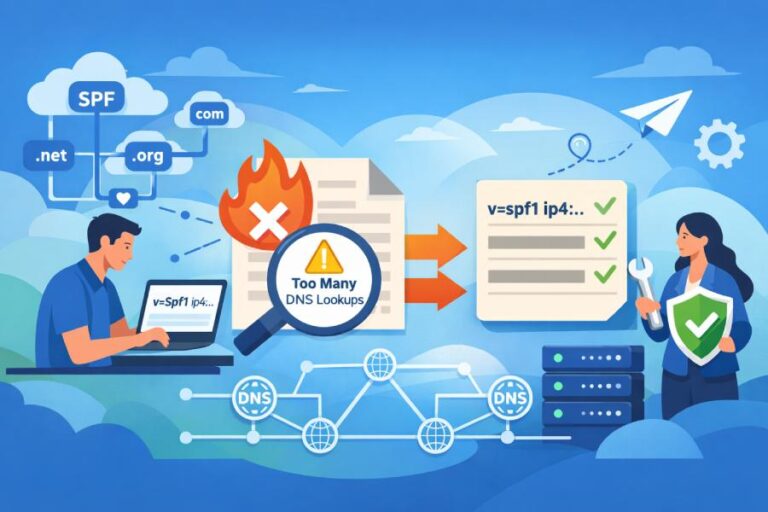
You use SPF lookup results by reading the Authentication-Results/Received-SPF headers to see which IP, mechanism, or include chain produced pass/fail/softfail/neutral/temperror/permerror, then you map that finding back to your DNS TXT record to authorize the right senders, reduce DNS lookups, fix forwarding with SRS, align with DMARC, and verify corrections with tools, staged tests, and ongoing monitoring.
Sender Policy Framework (SPF) tells recipients whether the IP that sent a message is authorized to send for the envelope sender domain; when you interpret SPF results correctly—in the context of the sending IP, the evaluated domain, and the evaluated mechanisms—you can pinpoint the exact misconfiguration or missing authorization that caused deliverability issues.
The core troubleshooting workflow is: read headers to capture the SPF result and evaluated domain, identify the responsible IP and the mechanism that matched (or failed), inspect your domain’s TXT record and include chain, correct authorization or syntax, and re-test until the result and DMARC alignment are both green.
In practice, two classes of problems surface most often: DNS structure issues (e.g., record length, multiple SPF records, 10-lookup limit, nested includes, IPv6 gaps) and operational edge cases (e.g., forwarding without SRS, provider IP drift, stale TTLs). Tools like dig, nslookup, and online SPF parsers reveal where SPF resolution breaks, while real header results validate what the recipient actually saw. AutoSPF makes this systematic: it simulates lookups (including nested includes), auto-flattens to stay under lookup limits, maps sender IPs to known providers, detects forwarding/SRS patterns, and monitors DNS changes and timeouts so you catch regressions before your inbox placement suffers.
Read and Interpret SPF Results Where the Recipient Saw Them
Find SPF Results in Message Headers
The fastest way to troubleshoot deliverability is to read what the recipient evaluated.
- Authentication-Results header (preferred): Example: Authentication-Results: mx.google.com; spf=softfail (google.com: domain of transitioning user@example.com does not designate 203.0.113.5 as permitted sender) smtp.mailfrom=user@example.com
- Received-SPF header (often present in Postfix/SpamAssassin chains): Received-SPF: Fail (example.com: domain of user@example.com does not designate 203.0.113.5 as permitted sender) client-ip=203.0.113.5; envelope-from=user@example.com; helo=mail.example.net
What to capture:
- The SPF result code (pass/fail/softfail/neutral/temperror/permerror)
- The evaluated domain (smtp.mailfrom=)
- The sending IP (client-ip=)
- Any mechanism hint (like “sender SPF authorized through include:spf.sendgrid.net”)
AutoSPF connection: AutoSPF’s header analyzer accepts a pasted header block, extracts the evaluated domain, IP, and the mechanism chain, and links directly to the specific include/redirect in your record that produced the outcome.
Interpret Result Codes and Immediate Remediation
Each SPF result implies a specific class of fix, and the headers often show why the result happened.
| Result | Meaning | Typical Causes | Remediation Actions | pass | Sending IP is authorized for smtp.mailfrom domain | Record and includes are correct | Confirm DMARC alignment; if DMARC fails, fix alignment (see below). | | fail (-all) | Explicitly not authorized | IP missing from record; wrong domain evaluated; mis-targeted include; forwarding without SRS | Add correct ip4/ip6/A/MX/include; correct envelope-from domain; implement SRS at forwarders; confirm the record actually loads on authoritative DNS. | | softfail (~all) | Probably not authorized; accept but mark | Transition mode record; partial includes; third-party not fully authorized | Move needed senders into allow list; convert ~all to -all after validation; audit third-party services. | | neutral (?) | No assertion | Legacy/placeholder records | Replace with explicit allows and a terminal qualifier (-all/~all). | | temperror | Temporary DNS failure (timeout, ServFail, truncated answers) | Authoritative DNS issues; EDNS/size problems; provider rate limiting; split strings mis-served | Fix DNS uptime; reduce record size; increase TTL stability; retry—should not be a stable state; monitor with AutoSPF for recurrent timeouts or SERVFAILs. | | permerror | Permanent SPF error (syntax, multiple records, >10 lookups, invalid mech) | Multiple v=spf1 records; too many lookups; malformed macros; circular includes | Merge to one record; flatten/consolidate; correct syntax; break loops. AutoSPF highlights the offending token and suggests a compliant rewrite. |
AutoSPF connection: AutoSPF classifies result codes and adds targeted fix recommendations. It also simulates the specific receiving mailbox provider’s behavior (Gmail/O365/Yahoo) to replicate what they evaluated, not just what your zone file says.
Map the Result Back to the Right Sender to Fix the Right Thing
- From headers: client-ip=198.51.100.25 → determine whether that’s your on-prem MTA, a cloud relay, or a provider (Mailgun, SendGrid, SES).
- Hints in headers: “sender SPF authorized through include:_spf.google.com” indicates which include matched (or didn’t).
- Reverse map: use whois or rDNS to identify the provider; search AutoSPF’s provider catalog for known SPF endpoints (e.g., include:spf.protection.outlook.com).
AutoSPF connection: AutoSPF’s provider mapping takes an IP or HELO host and shows likely providers plus the recommended include record to add, reducing guesswork.

Perform SPF Lookups and Compare Tool Outputs
Use dig to Inspect Authoritative Answers and Chaining Behavior
Command examples:
- Query TXT: dig +short TXT example.com
- Query with trace to authoritative: dig +trace TXT example.com
- Resolve includes manually: dig +short TXT spf.sendgrid.net
Sample output: “v=spf1 ip4:198.51.100.0/24 include:_spf.google.com include:sendgrid.net -all”
What to look for:
- Multiple “v=spf1” TXT responses (permerror risk)
- Long multi-string TXT where the provider splits the record; ensure concatenation is correct
- Include targets resolving to additional includes (count lookups)
AutoSPF connection: AutoSPF’s resolver shows the exact lookup graph and lookup count at every node and flags where 10-lookups will be exceeded before a recipient does.
Use nslookup for Quick Checks on Windows
- nslookup -type=TXT example.com
- nslookup -type=TXT sendgrid.net
Note: Output is often more verbose than dig; it may show multiple strings as separate quoted segments.
AutoSPF connection: AutoSPF normalizes split strings and confirms whether your DNS provider is serving them in a way major receivers accept.
Validate With Online SPF Checkers (and Why They Differ)
- Differences:
- Some parsers count redirect/include differently.
- Some expand macros; others won’t.
- EDNS0 behavior and UDP truncation differ, which can mask size issues.
- Strategy:
- Use at least two external parsers to cross-check.
- Always confirm with a real header from a test message to a major mailbox provider.
AutoSPF connection: AutoSPF’s simulation mirrors receiver policies and shows the exact mechanism that matched or failed, so you reconcile checker results with real-world evaluation.
Fix Common SPF DNS Pitfalls Before They Hurt Deliverability
TXT Record Length, Splitting, and Multiple Records
- Limits to know:
- Max 255 characters per TXT string; DNS allows multiple strings concatenated into one record.
- One domain must have only one TXT record with “v=spf1 …” for SPF. Multiple SPF records cause permerror at many receivers.
- Large records risk UDP truncation; EDNS0 mitigates, but some resolvers regress.
- Symptoms:
- temperror in headers during busy times (timeouts/servfail).
- permerror in headers citing multiple records or syntax.
- Fixes:
- Consolidate into a single SPF record; combine mechanisms.
- Break long TXT strings correctly (quoted segments) if your DNS host requires it—test with dig to confirm concatenation.
- Remove legacy SPF type records (SPF RRtype is obsolete; use TXT only).
- Prefer include references to vendor-managed SPF where stable, then flatten if you hit lookup limits.
AutoSPF connection: AutoSPF validates single-record policy, warns if your DNS provider is incorrectly splitting strings, and offers a compiled, syntax-checked TXT ready to paste.
The 10-DNS-Lookup Limit and How to Stay Under It
SPF counts these toward the limit: include, a, mx, ptr, exists, redirect, and exp (modifier). ip4/ip6 and all/redirect tokens themselves do not add lookups, but redirect triggers a new evaluation and counts as one.
- Detect overages:
- Online parsers or AutoSPF show total count; permerror from receivers often notes “SPF Permanent Error: Too many DNS lookups.”
- Techniques to reduce:
- Flatten: Resolve includes to their current IP ranges and insert ip4/ip6 directly.
- Consolidate contiguous ranges: e.g., ip4:203.0.113.1/32 + ip4:203.0.113.2/32 → ip4:203.0.113.0/31.
- Use include sparingly: Many vendors chain to multiple includes; prefer their “_spf” consolidated endpoint when offered.
- Prefer a: and mx: only if the records map to compact, stable IPs; a single mx: can explode to many lookups if the MX resolves to multiple hosts with many A/AAAA.
- Avoid ptr: Deprecated and expensive.
AutoSPF connection: AutoSPF’s dynamic flattening compiles provider includes into IPs on a schedule and auto-updates your SPF TXT via API, keeping you under 10 lookups while tracking vendor IP drift. It also shows a “before/after lookup count” so you see the effect.

Flattening: Static vs Dynamic
- Static flattening: One-time expansion; can go stale when providers add IPs, causing sudden fails.
- Dynamic flattening: A managed process that refreshes and publishes updated TXT automatically with safe TTLs.
AutoSPF connection: AutoSPF’s flattening engine updates records in sync with provider announcements and sends alerts when IP inventories change.
Include and Redirect Semantics—and Tracing Nested Includes
- include: Evaluate the target’s SPF and continue.
- redirect=: Transfer evaluation to another domain’s entire policy; only one redirect allowed and it must be terminal.
- Common issues:
- Circular includes leading to permerror.
- Deep nesting pushing you over 10 lookups.
- Providers publishing multiple includes; always prefer their single canonical entry (e.g., include:mailgun.org vs specific regional includes unless necessary).
How to trace:
- Walk the graph with dig or AutoSPF’s include explorer; note each include’s IP yields and additional includes.
AutoSPF connection: AutoSPF highlights the longest lookup branch and the exact include that tips you over the limit, with one-click flatten suggestions.
Forwarding, SRS, and Why SPF Fails After a Forward
SPF authenticates the connecting IP against the envelope-from domain. When an intermediate forwarder re-sends the message without rewriting the envelope sender, the recipient evaluates the forwarder’s IP against your domain—usually unauthorized—yielding fail/softfail.
- Evidence in headers:
- Received-SPF: fail with client-ip belonging to the forwarder.
- Authentication-Results shows spf=fail for smtp.mailfrom=original domain.
- Fixes:
- SRS (Sender Rewriting Scheme) at the forwarder: envelope-from rewritten to the forwarder’s domain which authorizes its own IP; SPF passes there.
- Rely on DKIM+DMARC alignment to survive forwarding if SRS is not available; ensure DKIM is robust.
- Validate:
- Send to a mailbox that auto-forwards; compare SPF results before/after enabling SRS.
- Use AutoSPF to flag “probable forwarding” patterns (mismatched Received hops + foreign client-ip) and recommend DKIM hardening.
AutoSPF connection: AutoSPF detects forwarding signatures and advises whether SRS is required or DKIM is sufficient for your routes.
IPv6 Considerations You Should Not Ignore
- Many providers accept over IPv6; if your sender uses IPv6 but your SPF lacks ip6: entries, you may see fail on v6-only connections and pass on v4, leading to inconsistent deliverability.
- Check:
- Whether your outbound MTA prefers IPv6.
- Whether your vendor includes ip6 in their SPF; some publish only ip4 by default.
- Test:
- From an IPv6-enabled host, send test mail and compare headers at Gmail/Outlook.
- dig AAAA and ensure ip6: ranges in your SPF accommodate the IPv6 egress addresses.
AutoSPF connection: AutoSPF highlights missing ip6 authorizations if your headers show IPv6 client-ips and your SPF lacks ip6 mechanisms.

Common Misconfigurations That Mislead Troubleshooting
- Relying on ptr: Deprecated; many receivers ignore it; it adds lookups and unpredictability.
- Using mx: without realizing your MX resolves to multiple hosts and therefore lookup counts balloon.
- Wrong IP ranges: Overly narrow /32s or missing secondary egress ranges at your cloud provider.
- Multiple SPF records: Separate TXT records both labeled v=spf1 cause permerror.
- Missing A records for a:mech: If a:mail.example.com has no A/AAAA, you add a lookup that yields nothing.
AutoSPF connection: AutoSPF linting flags deprecated mechanisms, non-resolving hosts, and risky mx/a usage, with suggestions to replace with ip4/ip6 blocks.
Use SPF Results to Identify Unauthorized Senders and Align With DMARC
Map Unauthorized IPs Back to the Responsible Service
When headers show fail/softfail, focus on client-ip:
- Reverse map:
- dig -x 203.0.113.5 +short → mail-us-west-2a.compute.amazonaws.com may indicate SES or EC2.
- whois 203.0.113.5 → ARIN range assignment.
- Cross-reference:
- Check sending application logs for that timestamp/IP.
- If third-party, search vendor docs for their SPF include endpoints.
AutoSPF connection: Paste IP into AutoSPF; it returns probable vendor (e.g., SendGrid, Mailchimp, HubSpot), the canonical include, and whether you already authorize it somewhere in your chain.
SPF and DMARC Alignment: When Pass Is Not Enough
DMARC alignment requires either SPF or DKIM to pass and be aligned with the visible From domain.
- SPF can pass on smtp.mailfrom=sub.example.com while the visible From is example.com; depending on relaxed vs strict alignment, this may or may not align.
- If SPF passes but DMARC fails, check:
- Authentication-Results: dmarc=fail; spf=pass (but not aligned).
- Ensure your return-path domain (or visible From if using RFC5322.From alignment strategy) is aligned per DMARC policy.
- Fixes:
- Use an aligned bounce/return-path (custom MAIL FROM domain) with your provider.
- Or rely on DKIM alignment and ensure your provider signs with an aligned d= domain.
AutoSPF connection: AutoSPF’s DMARC view shows SPF pass/alignment matrix per message and suggests switching your provider to a custom return-path that aligns with your domain.
Best Practices for Managing Third-Party Senders
Options and trade-offs:
- include vendor SPF in your apex domain:
- Simple but increases lookup depth and couples your main domain to vendor IP churn.
- Use dedicated subdomains per vendor (e.g., mail.yourdomain.com) with their own SPF:
- Cleaner isolation; easier DMARC alignment per stream; reduces lookup load on apex.
- Use custom return-path provided by vendor for SPF alignment without touching apex SPF:
- Often the cleanest for bulk providers.
Validation via SPF results:
- Send test from vendor, confirm Authentication-Results shows spf=pass and smtp.mailfrom aligned with the intended domain/subdomain.
AutoSPF connection: AutoSPF recommends per-vendor subdomain patterns, provisions a compliant SPF for that subdomain, and verifies the vendor is using the correct bounce domain in live headers.
Safely Test, Deploy, and Monitor SPF Changes
Test Changes with Reduced TTLs, Staging Domains, and Subdomains
- Lower TTLs (e.g., 60–300 seconds) before changes so rollbacks are quick.
- Stage in a subdomain (spf-test.example.com) or a non-production From/return-path to trial provider adds.
- Keep ~all during validation; move to -all when monitoring shows only authorized traffic.
AutoSPF connection: AutoSPF can write changes via DNS APIs with a temporary TTL and auto-escalate TTL after stability is confirmed, plus track message outcomes over a defined bake-in window.
Confirm Propagation and Correctness
- dig @authoritative +short TXT example.com repeatedly until old responses vanish.
- Send tests to diverse receivers (Gmail, Outlook, Yahoo) and compare headers:
- Ensure spf=pass for the correct evaluated domain.
- Confirm DMARC alignment states.
- Check for unexpected lookup growth after includes change.
AutoSPF connection: AutoSPF’s propagation tracker polls globally and alerts if any resolver still returns stale data after your TTL window, catching sticky resolvers and CDNs.

Automate Monitoring to Catch Regressions
- Common regressions:
- Vendor adds IPs; your flattened record goes stale → fail at some recipients.
- DNS timeouts/ServFail from your host → temperror spikes, spam-foldering increases.
- Someone adds a second v=spf1 TXT inadvertently → permerror.
- Automation:
- Hourly/daily SPF resolution checks with lookup counting.
- Header sampling from seed mailboxes to correlate DNS with actual receiver outcomes.
- Alert thresholds for fail/temperror rate.
AutoSPF connection: AutoSPF offers continuous monitoring, a lookup health score, and webhooks/email alerts when lookup count >8 (warning), >10 (error), when multiple records appear, or when provider endpoints change.
Case Studies: What SPF Lookup Results Revealed—and How Fixes Moved the Needle
Case Study 1: RetailCo Resolves Permerror from 10+ Lookups
- Situation: RetailCo had spf=permerror at Gmail. Authentication-Results cited “too many DNS lookups.”
- Diagnosis: dig showed 6 vendor includes, two of which chained to 3–4 includes each; total 14 lookups.
- Fix: AutoSPF dynamic flattening collapsed includes to 23 ip4/ip6 entries, reduced lookups to 1, and merged duplicate vendor entries.
- Result: Gmail’s spf=pass restored; spam-folder rate dropped from 12.7% to 2.4% over 7 days; DMARC alignment maintained with a custom return-path.
Case Study 2: SaaSCo’s Forwarding-Induced SPF Fail
- Situation: Customers forwarding support mail to Gmail saw spf=fail; DMARC was p=quarantine.
- Diagnosis: Headers showed client-ip belonging to users’ ISP forwarders; no SRS applied.
- Fix: SaaSCo hardened DKIM (rsa2048, relaxed/relaxed, body canonicalization) and advised SRS to partners; AutoSPF flagged forwarding patterns and tracked DKIM alignment increases.
- Result: Despite continued forwarding without SRS, DMARC pass via DKIM increased from 62% to 95%, quarantine hits fell 68%.
Case Study 3: NonprofitOrg Cleans Up Multiple SPF Records and IPv6 Gaps
- Situation: Deliverability uneven; Yahoo showed spf=neutral/softfail intermittently.
- Diagnosis: nslookup revealed two v=spf1 records; IPv6 mail occasionally failed because ip6 ranges weren’t authorized.
- Fix: Merged into one SPF, added ip6:2001:db8:abcd::/48 for the IPv6 relay, converted ~all to -all after a 14-day watch.
- Result: spf=pass stabilized at 99.3% across seeds; complaint rate fell 0.2%, inbox rate up 9 points. AutoSPF monitoring prevented the accidental re-add of a second record during a DNS edit.
FAQ
Why does SPF pass but DMARC still fail on my messages?
Because DMARC requires alignment: the domain that passed SPF (smtp.mailfrom) must align with the visible From domain. If a vendor uses their default return-path (e.g., bounce.vendor.com), SPF can pass for vendor.com but not align with yourdomain.com. Configure a custom return-path/MAIL FROM under your domain and update your SPF accordingly, or rely on DKIM with an aligned d= domain. AutoSPF’s DMARC matrix shows exactly which factor is failing alignment.
Can I fix forwarding-related SPF fails without SRS?
Generally no—SPF is designed to break under forwarding. If the forwarder doesn’t implement SRS, SPF will often fail because the connecting IP belongs to the forwarder, not your domain. Your workaround is to ensure DKIM is strong and aligned; ARC can help at some receivers. AutoSPF flags forwarding signatures and recommends SRS or DKIM strengthening.
Is it safe to flatten all includes permanently?
Flattening reduces lookups but risks staleness when providers add IPs. It’s safe if you implement dynamic flattening with change monitoring and low TTLs during updates. AutoSPF automates refreshes and alerts on provider inventory changes, keeping your flattened SPF current.
How do I handle multiple business units each using different send platforms?
Prefer subdomain segmentation (e.g., bu1.example.com, events.example.com) with dedicated SPF/DMARC policies. This isolates lookup budgets and reputations and simplifies troubleshooting. AutoSPF can template and manage per-subdomain SPF with shared guardrails.
Should I use a: and mx: mechanisms or stick to ip4/ip6?
Use ip4/ip6 where you know stable sending ranges. a: and mx: are convenient but can explode lookup counts and mask changes in your infrastructure. If you must use them, monitor lookup counts. AutoSPF warns when a or mx expands beyond your budget.