What Is TLS-RPT? Reading SMTP TLS Reports to Catch Delivery Failures

Quick Answer
TLS-RPT (Transport Layer Security Reporting) helps email administrators identify SMTP TLS connection failures, certificate errors, and MTA-STS or DANE policy issues through aggregate reports. It improves visibility into email transport security and helps troubleshoot delivery problems.
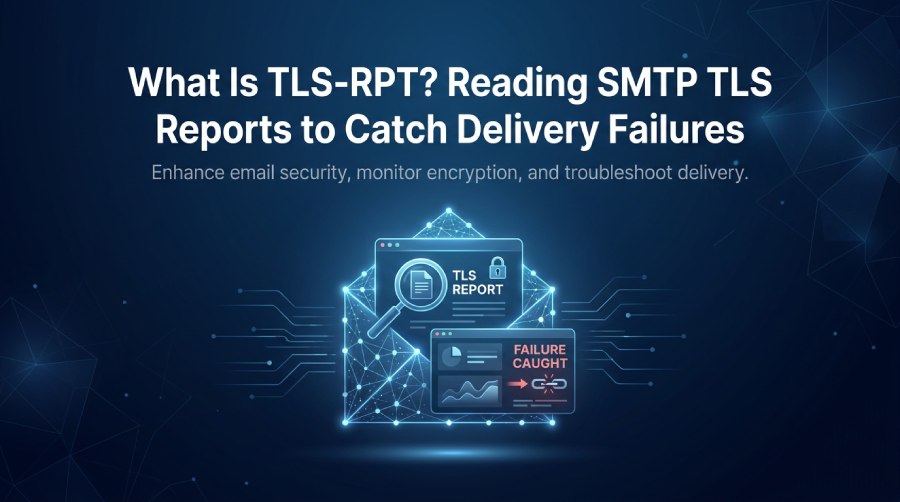
What TLS-RPT Is and Why It Matters for Email Security
TLS-RPT (Transport Layer Security Reporting), defined in RFC 8460, helps domain owners monitor email transport-security problems through aggregate reports. These reports provide insights into TLS connection failures, policy-validation issues, and mail server misconfigurations that may affect secure email delivery.
TLS-RPT in plain terms
When one Mail Transfer Agent (MTA) connects to another over SMTP, it can use STARTTLS to establish an encrypted connection. However, with opportunistic TLS, email may still be delivered without encryption if TLS negotiation fails and no applicable policy prevents fallback.
TLS-RPT (Transport Layer Security Reporting) helps address this visibility gap by providing aggregate reports about TLS connection results and email transport-security policy failures. These reports help administrators identify recurring delivery problems, investigate certificate errors, and assess whether policies such as MTA-STS and DANE are working as expected. TLS-RPT provides reporting and visibility; it does not enforce encryption or independently confirm that an attack has occurred.
Why it matters for email security
Transport Layer Security Reporting is especially important for email security because attackers may attempt an SMTP downgrade attack, certificate spoofing, or a man-in-the-middle attack to interfere with TLS encryption. TLS-RPT gives security teams evidence of those problems rather than leaving them hidden in scattered mail server logs.
For organizations with compliance obligations, regulatory requirements, or sensitive customer data, email security depends on more than SPF, DKIM, DMARC, and other email authentication controls. TLS-RPT adds email channel monitoring for encrypted delivery, helping teams preserve confidentiality and improve deliverability.
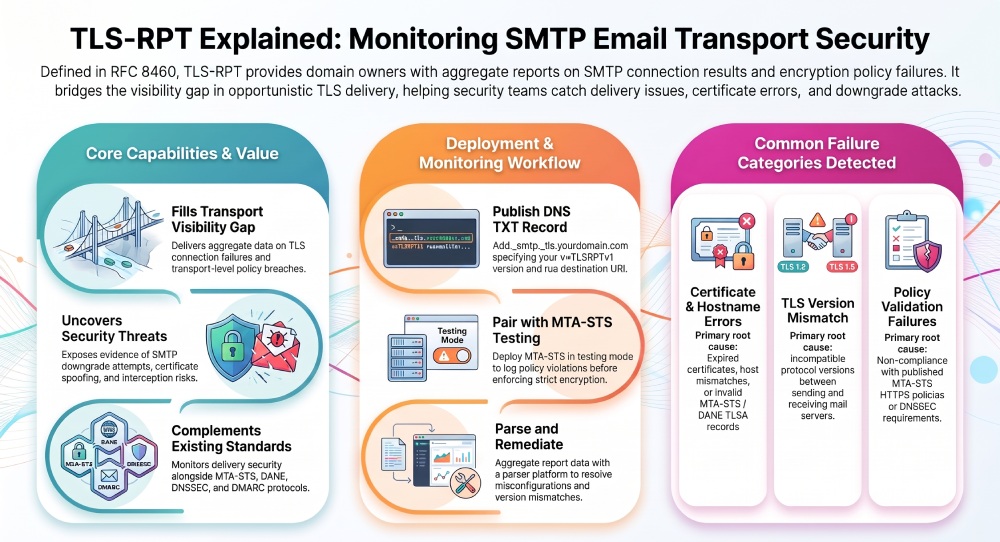
How SMTP TLS Reporting Works: Policies, Reports, and Mail Servers
SMTP TLS Reporting works by combining DNS publication, policy discovery, report generation, and report delivery. The domain owner publishes a DNS TXT record that tells external senders where to send Transport Layer Security Reporting data.
The role of SMTP, STARTTLS, and opportunistic encryption
SMTP can use STARTTLS to upgrade a connection to encrypted TLS. In opportunistic TLS configurations, delivery may still proceed without encryption if TLS is unavailable or negotiation fails. When an applicable MTA-STS or DANE policy requires secure delivery, a compatible sending server must follow that policy’s requirements. TLS-RPT helps administrators identify relevant negotiation failures and policy-validation problems.
How MTA-STS and TLS-RPT work together
MTA-STS, defined in RFC 8461, lets receiving domains publish policies that require TLS encryption for email delivery. TLS-RPT reports help administrators identify policy violations, certificate errors, and TLS version mismatches, making it easier to troubleshoot encryption issues and maintain secure email delivery.
DNS TXT record and reporting URI
TLS-RPT is enabled with a DNS TXT record under the Domain Name System (DNS). A typical TLS reporting syntax looks like this:
_smtp._tls.example.com. IN TXT "v=TLSRPTv1; rua=mailto:tlsrpt@example.com"The policy string begins with v=TLSRPTv1, followed by rua, which defines the reporting URI. The rua value may point to a reporting email address such as tlsrpt@yourdomain.com, tlsrpt@example.com, or smtp-tls-reporting@organization.com. Some services also accept HTTPS report delivery, such as https://tlsreport.example.com/v1.
Common TLS-RPT Failure Types and What They Reveal About Delivery Problems
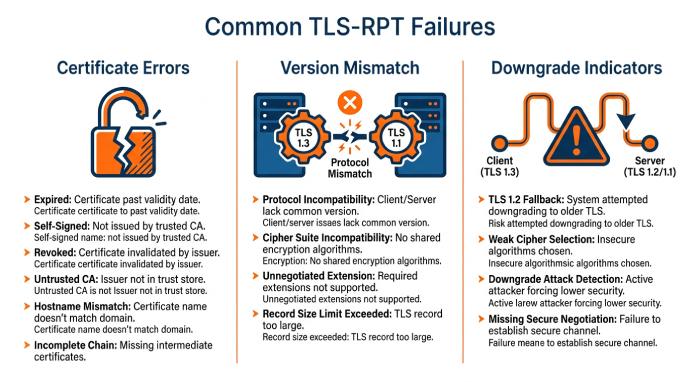
TLS-RPT is valuable because it turns vague email delivery issues into specific signals. Each failure type tells administrators where to focus troubleshooting.
Certificate errors and hostname problems
MTA-STS uses a policy published over HTTPS and requires sending servers to validate the receiving mail server’s certificate and hostname according to the policy. DANE for SMTP uses DNSSEC-authenticated TLSA records to associate mail servers with certificate or public-key information. TLS-RPT can report problems involving either mechanism when the sending server supports the relevant reporting behavior.
TLS version mismatch and protocol issues
A TLS version mismatch occurs when sending and receiving mail servers cannot agree on a supported TLS protocol version. Older mail server software may rely on outdated protocols, while modern servers require stronger encryption standards. These compatibility issues can delay or prevent email delivery when policy requirements are not met.
TLS-RPT reports help administrators identify whether failures originate from a particular sending server, such as smtp.example.org, or a receiving mail server, such as mx2.domain.com.
Downgrade and interception indicators
TLS-RPT can reveal repeated TLS negotiation failures, certificate validation errors, and MTA-STS or DANE policy failures. An unexpected change in these results may justify investigating a possible downgrade attempt or interception, but the report alone cannot establish malicious intent. Compare the report with mail server logs, DNS changes, certificate status, and recent configuration updates to determine the likely cause.
When combined with MTA-STS, DANE, DNSSEC, DMARC, and other email security controls, TLS-RPT improves visibility into email transport security and helps administrators detect potential vulnerabilities.
How to Set Up, Monitor, and Act on TLS-RPT Reports
Setting up TLS-RPT is straightforward, but getting value from it requires disciplined monitoring and response.
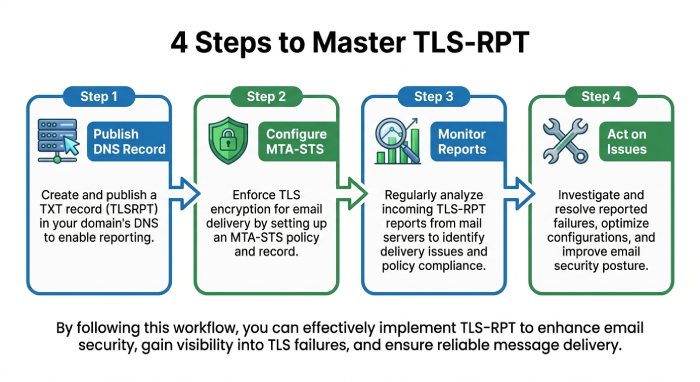
Publish your TLS-RPT DNS record
Create a DNS TXT record at:
smtp.tls.yourdomain.comUse a value such as:
v=TLSRPTv1; rua=mailto:tlsrpt@yourdomain.comYou can also use a reporting URI that points to a managed platform or HTTPS endpoint:
v=TLSRPTv1;
rua=mailto:smtp_tls_reporting@organization.com,https://tlsreport.example.com/v1
This tells senders where to send each TLS-RPT report. Make sure the reporting email address can receive attachments and that report delivery is not blocked by filtering rules.
Configure MTA-STS alongside TLS-RPT
Deploy MTA-STS with an HTTPS-hosted policy file and start in testing mode. Review TLS-RPT reports, fix identified issues, and switch to enforce mode to require TLS encryption and monitor potential delivery failures.
Monitor reports with a platform or parser
Use a reporting platform or parser to summarize TLS-RPT data, identify failure patterns, and track SMTP activity. Monitor successful and failed sessions by sender, receiving MX, TLS policy, and date to detect issues.
Act on what the reports reveal
Use TLS-RPT reports to resolve certificate errors, TLS version mismatches, and invalid MTA-STS policies. Regular monitoring helps maintain TLS encryption, reduce cleartext email risks, and prevent avoidable email delivery failures.
General Manager
General Manager of DuoCircle. Product strategy and commercial lead for AutoSPF's 2,000+ customer base.
LinkedIn Profile →