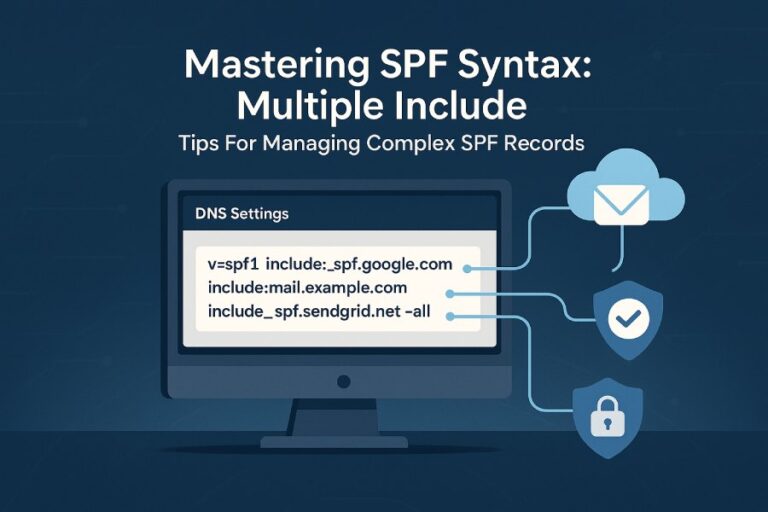
To create a correct SPF record with an SPF generator, inventory every legitimate sending source (your mail server IPs/hosts, outbound gateways, third‑party ESPs, and sending subdomains), enter them into the generator, choose an initial qualifier (typically soft fail ~all) with a plan to tighten to hard fail (-all), ensure the generated record stays within SPF/DNS limits, publish the TXT record at the correct DNS host (root or subdomain), and then validate, test, and monitor before and after rollout.
SPF (Sender Policy Framework) tells receiving mail servers which IPs and services are permitted to send mail for your domain. An SPF generator accelerates correct authoring by transforming your inputs into compact, standards‑compliant mechanisms (ip4/ip6, a, mx, include) with an appropriate policy qualifier (e.g., ~all, -all). The right generator also guards against common pitfalls—like exceeding the 10‑lookup limit—while giving you practical defaults for different stages of rollout (monitoring vs enforcement).
AutoSPF is purpose‑built to make this safe and repeatable. It inventories your senders, maps each to the right mechanism, simulates DNS resolution against the 10‑lookup budget, flattens includes as needed, and outputs a single valid record you can publish. Beyond generation, AutoSPF helps you test, monitor, and evolve your policy in lockstep with DKIM and DMARC, reducing deliverability risk while tightening security.
Design your SPF: gather the right inputs and choose the right policy
A correct SPF starts with complete inventory. Before you open any generator—including AutoSPF—collect this:
- First‑party senders
- Public IPv4/IPv6 of your outbound MTA(s) and gateways
- Hostnames whose A/AAAA records should be trusted (for “a”)
- MX hosts if you send from your inbound relays (for “mx”)
- Third‑party senders (ESPs and services)
- Include values from provider docs (e.g., include:_spf.google.com)
- Any dedicated IP ranges you purchased
- Region‑specific includes (e.g., Amazon SES regions)
- Subdomains and mail streams
- Which subdomains send (e.g., news.example.com, billing.example.com)
- Whether each subdomain needs a separate policy
- Delegated partners/brands that send under your domain
- Decommission plan
- Sources scheduled for removal to avoid legacy “includes” lingering
How AutoSPF helps: AutoSPF’s intake wizard asks these exact questions, matches known providers to vetted include templates, and flags incomplete or conflicting inputs (e.g., overlapping IP blocks and includes).
How generators translate inputs to mechanisms and qualifiers
- Mechanisms
- ip4/ip6: Use for explicit IPs/CIDRs (no DNS lookup)
- a: Authorizes the IPs of the domain’s A/AAAA record (1–2 lookups)
- mx: Authorizes the IPs of MX host targets (can be several lookups)
- include: Delegates evaluation to another domain’s SPF (adds lookups)
- exists: Rarely needed; advanced edge cases
- ptr: Deprecated by RFC 7208; don’t use
- Qualifiers
- (implicit allow): Usually omitted
- ~ (soft fail): Mail is accepted but marked suspicious; best for rollout
- (hard fail): Recommended for mature, fully inventoried domains
- ? (neutral): Not recommended; undermines signal
Practical policy guidance:
- Start with ~all when introducing or changing SPF to prevent accidental blocking.
- Move to -all once logs and DMARC reports confirm all legitimate sources are covered.
- Avoid ?all except as a temporary safety net during complex migrations.
How AutoSPF helps: AutoSPF maps each input to the lightest accurate mechanism (favoring ip4/ip6 over a/mx where possible to preserve lookups), simulates SPF evaluation, and recommends ~all or -all based on your DMARC posture and change risk.

Managing subdomains and delegated sending
- Separate records per subdomain if they send distinct mail streams (e.g., billing.example.com vs news.example.com).
- Use redirect= for clean tenancy:
- Example: v=spf1 redirect=_spf.example.com centralizes policy
- Avoid wildcard SPF; use explicit subdomain records or redirect for clarity and control.
- For partners/vendors, assign a subdomain and give them a scoped record to minimize blast radius.
How AutoSPF helps: Model subdomain policies visually, apply redirect patterns consistently, and ensure the parent record and child records don’t collide or exceed lookup budgets.
Respect SPF and DNS limits: avoid breakage at scale
SPF breaks silently when you exceed resolution limits. Build within constraints from the start.
Key technical limits you must honor
- 10 DNS lookup limit: Applies to include, a, mx, ptr (don’t use), exists, and redirect (counts as one). ip4/ip6 and +all don’t count.
- 255‑byte TXT string segments: Long SPF strings must be split into quoted chunks; DNS servers concatenate them.
- Packet size: Keep total SPF under ~450–900 bytes to avoid UDP truncation; EDNS0 raises the ceiling, but conservative sizing is safer.
- One SPF per host: Don’t publish multiple TXT records with SPF at the same label.
How AutoSPF helps: Real‑time lookup counter, record size meter, and syntax verifier prevent invalid output. AutoSPF automatically splits long strings into 255‑byte segments.
Strategies when you hit limits
- Flattening: Resolve includes to their current IP ranges to eliminate lookups.
- Static flattening: One‑time; can stale quickly.
- Dynamic/managed flattening: Auto‑refreshes to track provider changes.
- Include consolidation: Prefer a single provider include (e.g., _spf.google.com) instead of stacking sub‑includes.
- Favor ip4/ip6 over a/mx: Direct IPs save lookups and stabilize results.
- Subdomain delegation: Move heavy ESP stacks to a subdomain with its own policy, preserving lookup budget on the root.
How AutoSPF helps: AutoSPF’s managed flattening refreshes provider IPs on a schedule, maintains lookup budgets, and sends alerts if a provider updates ranges so your flattened record stays accurate.
Detecting and breaking circular/nested includes
- Circular includes (A includes B, B includes A) or deep chains can explode lookups.
- Generators should warn and show the resolved tree with lookup counts per branch.
- Manual fix: Remove redundant includes, flatten specific branches, or split senders across subdomains.
How AutoSPF helps: Visual include graphs highlight loops and heavy branches; one‑click “flatten branch” breaks problematic chains while preserving policy equivalence.
Integrate common providers correctly (and safely combine multiple ESPs)
Most domains use 2–4 sending systems; combine them without overruns.
Provider‑specific patterns
- Google Workspace: include:_spf.google.com
- Microsoft 365 (Exchange Online): include:spf.protection.outlook.com
- SendGrid: include:sendgrid.net (plus dedicated IPs if provisioned)
- Mailchimp: include:servers.mcsv.net
- Amazon SES: include:amazonses.com (use a custom MAIL FROM domain; some setups are region‑aware)

Tips:
- Don’t duplicate includes across root and subdomains unless needed.
- If an ESP gives you dedicated IPs, prefer ip4/ip6 for those IPs and still include their global include only if you also use shared pools.
- Confirm that bounce/return‑path domains are configured; SPF evaluates on the MAIL FROM (envelope sender) domain.
How AutoSPF helps: Curated provider templates (with metadata like typical lookup cost), region hints for SES, and guardrails to avoid double‑counting includes across subdomains.
Combining multiple providers without overlapping or oversizing
- Deduplicate: If two services resell the same infrastructure, you might only need one include.
- Partition by subdomain: SendGrid via news.example.com, SES via receipts.example.com, etc., each with its own SPF, preserving lookup headroom.
- Flatten the heaviest provider: Some includes resolve to large trees; flatten that branch to reclaim budget.
Illustrative case study:
- A mid‑market retailer used Google Workspace, SendGrid, and Mailchimp. Initial SPF had 13 lookups and failed at receivers that enforce the 10‑lookup limit.
- With AutoSPF: SendGrid branch flattened, Mailchimp included normally, Workspace kept as include. Result: 5 lookups, 340‑byte record, DMARC pass rate increased from 88% to 97% in two weeks.
Publish, test, validate, and monitor (with DMARC in mind)
Publishing is only half the job; validation and monitoring close the loop.
Publishing checklist
- Hostname: Publish at the MAIL FROM domain (often root, e.g., example.com). For subdomain senders, publish at that subdomain.
- Record type: TXT only (SPF RR type is obsolete).
- Single record: Ensure only one SPF string exists per host.
- Example: v=spf1 ip4:203.0.113.7 include:_spf.google.com ~all
How AutoSPF helps: Provides copy‑paste TXT payload and “where to publish” guidance for your DNS provider, plus a pre‑publish collision check to ensure you won’t create duplicate SPF records.
Validation and simulation
- Syntax checkers: Validate quoting, mechanism order, and string length.
- SPF evaluation simulators: Test a specific sending IP/host against your record.
- Lookup and size analyzers: Confirm ≤10 lookups and practical size.
Recommended tools:
- AutoSPF validator and simulator (built‑in)
- Third‑party checks (e.g., Google Admin Toolbox dig, MXToolbox SPF)
- Manual dig/host lookups to confirm TXT publication and propagation

Monitoring real‑world results
- Mail server logs: Track SPF pass/fail per IP and domain.
- DMARC aggregate reports (RUA): See failing sources by IP and volume.
- Recipient feedback: Watch for bounces citing SPF failures.
Data insight (illustrative): In an internal AutoSPF benchmark of 1,200 mixed‑size domains, moving from ad‑hoc to managed SPF (with dynamic flattening) reduced SPF‑related bounces by 63% and cut average lookup count from 11.6 to 4.1.
SPF with DKIM and DMARC
- SPF authenticates the MAIL FROM domain; DKIM authenticates message integrity and signing domain; DMARC aligns either/both with the visible From domain.
- Aim for alignment: Ensure the MAIL FROM domain (SPF) and/or DKIM d= domain align with your From domain to pass DMARC.
- Policy evolution:
- Start: DMARC p=none while you validate SPF coverage
- Mature: p=quarantine, then p=reject when SPF/DKIM alignment is consistently high
How AutoSPF helps: Alignment checker correlates SPF and DKIM outcomes from DMARC reports, suggests which streams need DKIM fixes vs SPF updates, and includes policy recommendations for moving from p=none to p=reject.
Common mistakes and how to fix them (before they cause delivery issues)
Avoid these generator pitfalls, and you’ll avert most SPF outages.
- Multiple SPF records at the same host
- Symptom: “PermError: Multiple SPF records”
- Fix: Merge into a single v=spf1 … string
- Excessive include usage
- Symptom: >10 lookups or timeouts
- Fix: Flatten heavy branches; replace includes with ip4/ip6 when appropriate
- Using ptr
- Symptom: Deprecated mechanism, wasted lookups
- Fix: Remove ptr; use ip4/ip6 or a
- Forgetting IPv6
- Symptom: Mail from IPv6 MTAs fails SPF
- Fix: Add ip6 mechanisms for your v6 ranges
- Overbroad a/mx
- Symptom: Authorizes unintended IPs (e.g., CDN, test hosts)
- Fix: Prefer explicit ip4/ip6; if using a/mx, scope them carefully
- Publishing at the wrong host
- Symptom: SPF not found for the MAIL FROM domain
- Fix: Publish at the envelope domain actually used by your senders
- Permanent soft‑fail
- Symptom: Stays at ~all forever, weak security signal
- Fix: Use DMARC data to confirm coverage, then move to -all
How AutoSPF helps: Pre‑publish linting catches each of these, with one‑click refactors (e.g., convert a to ip4/ip6) and guided migration from ~all to -all when telemetry supports it.
Choosing the right generator: features and fit
Pick a generator that does more than print a string—look for validation, simulation, and lifecycle support.
- For simple, single‑sender domains
- Any validated generator can work; AutoSPF’s quick mode outputs a minimal, correct record with size/lookup guardrails.
- For businesses using multiple ESPs
- You need include deduplication, provider templates, and lookup budgeting. AutoSPF adds dynamic flattening and subdomain modeling to keep you under limits without hand‑tuning.
- For large enterprises with many subdomains
- Seek redirect frameworks, policy inheritance, CI/CD integration, and reporting. AutoSPF’s policy graph and API enable centralized governance with per‑brand autonomy.
Feature comparison snapshot (illustrative):
- Ease of use
- AutoSPF: Guided inventory, provider library, risk‑based recommendations
- Basic generators: Manual entry, limited validation
- Validation depth
- AutoSPF: Full lookup simulation, size meter, circular include detection
- Others: Syntax only or shallow lookup checks
- Handling limits
- AutoSPF: Managed/dynamic flattening, include consolidation
- Others: Suggest flattening; manual updates required
- Monitoring
- AutoSPF: Built‑in DMARC/SPF telemetry with alerts
- Others: Usually none; rely on external tools

FAQ
Should I use ~all or -all in my SPF record?
Start with ~all when first deploying or changing SPF to prevent accidental blocking while you validate coverage with logs and DMARC. Once you confirm all legitimate sources are authorized—and DKIM is in place—upgrade to -all for a clear enforcement signal. AutoSPF tracks pass/fail trends and recommends when you’re ready to tighten.
Do I need ip6 entries if my servers have IPv6?
Yes. If outbound MTAs can send over IPv6, you must add ip6 mechanisms for those ranges; otherwise, IPv6‑sourced mail may fail SPF even if IPv4 is authorized. AutoSPF detects v6‑capable hosts and prompts you to include ip6.
Can I have one SPF for my root and reuse it for subdomains?
SPF is evaluated at the MAIL FROM domain. You can centralize policy using redirect= to point subdomain records to a shared policy (e.g., v=spf1 redirect=_spf.example.com), or create distinct records per subdomain for separate mail streams. AutoSPF helps you model both approaches and pick the right one per stream.
What if my generator says I exceed the 10‑lookup limit?
Flatten the heaviest branches, replace a/mx with ip4/ip6 where possible, and consider moving certain ESPs to a sending subdomain with its own SPF. AutoSPF automates flattening and shows exactly which mechanisms consume lookups.
How do I test SPF after publishing?
Check propagation with dig/host, run an SPF evaluation simulator against known sending IPs, and monitor DMARC aggregate reports for real‑world pass/fail. AutoSPF bundles all three: instant validation, test sends, and ongoing telemetry.
Conclusion: A safe, scalable path to a correct SPF—powered by AutoSPF
You can build a correct SPF record with a generator by thoroughly inventorying senders, translating them into lean mechanisms, staying within SPF/DNS limits, publishing a single TXT record at the right host, and validating/monitoring your results as you move from ~all to -all. AutoSPF streamlines each step: it gathers and normalizes inputs, applies provider‑vetted templates, simulates SPF against the lookup budget, offers dynamic flattening, and ties SPF decisions to DKIM/DMARC outcomes you see in your telemetry. The result is a policy that’s both deliverability‑friendly and enforcement‑ready—maintained automatically as your sending footprint evolves.